Author: SEOWriterHadis

  • Top 5 Best Laptops for Programming in 2024

    Top 5 Best Laptops for Programming in 2024

    For programmers, the laptop isn’t just a tool; it’s a portal to worlds of creativity and innovation. Yet, choosing the “best” laptop for programming can feel like navigating a sprawling codebase—dangerous and complex.

    This guide will illuminate your path, showcasing the top 5 contenders for the Best Laptops for Programming in 2024. Buckle up, as we delve into the key factors that define a programmer’s dream machine, and unveil the champions that balance power, portability, and price.

    Requirements for the Best Laptops for Programming

    The right laptop can be your coding fortress, a haven where lines of code flow effortlessly and deadlines are vanquished with ease. But with a plethora of options vying for your attention, deciphering the “best” laptop can feel like navigating a complex algorithm. Worry not, fellow coders! This section delves into the essential programming laptops requirements in 2024, empowering you to make informed choices and unlock your coding potential.

    • Processor: Aim for Intel Core i5/i7 or AMD Ryzen 5/7 for smooth performance, especially with complex tasks. More cores and higher clock speeds are your allies.
    • RAM: 16GB is your minimum for comfortable multitasking, but 32GB or even 64GB offers ultimate fluidity for power users.
    • Storage: Opt for an SSD for lightning-fast speeds. 512GB is a good starting point, but consider 1TB+ for large datasets. Don’t forget encryption for security.
    • Display: Prioritize high resolution (Full HD+; 1920 x 1080 pixels+) with good color accuracy and viewing angles. Anti-glare helps in harsh lighting. Touchscreens can be handy for specific development tools.
    • Battery Life: Aim for at least 8 hours for mobile coders, even longer if possible.
    • Keyboard: Choose a comfortable keyboard with good key travel and responsiveness. Backlighting is great for late nights. Experiment to find your perfect match.
    • Ports: Ensure enough USB ports (A & C), HDMI, and an SD card reader if needed. Docking stations offer more options for fixed setups.
    • Operating System: Windows or macOS? Choose based on your preferences and software compatibility. Research thoroughly.

    These are the core requirements, but specific needs might influence your choice. Consider factors like graphics processing for machine learning, specific software compatibility, or upgradeability. Research is key!

    By understanding these criteria, you’ll be well-equipped to decode the technical jargon and identify the laptop that speaks your coding language. Now, let’s unveil the top 5 contenders for the Best Laptops for Programming in 2024.

    Apple MacBook Pro 16-inch

    Apple 2023 MacBook Pro Laptop M3 Pro

    Display: 16-inch OLED
    Resolution: 2,346 x 3,456
    Refresh rate: 120 Hz
    CPU: Apple M3 Pro 12-core
    Graphics: Apple M3 18-core
    RAM: 32GB of Memory
    Storage: 512GB SSD
    Battery: Up to 18 hours
    Weight: 4.7 pounds

    Behold, the Apple MacBook Pro 16 M3, the behemoth of the Apple lineup, ready to conquer even the most demanding programming tasks. This is one of the best laptops for programming students. It isn’t just a laptop; it’s a portal to unparalleled performance, housed in a sleek and iconic design. Let’s delve into what makes it the best laptop for programming in 2024.

    • Raw Power Under the Hood: At the heart of this beast lies the latest-generation Apple M3 Pro chip, boasting 12 cores of processing prowess. Imagine code compiling in a blink, applications running seamlessly, and complex simulations chugging along effortlessly. Yes, the M3 Pro delivers that kind of punch. This isn’t just about speed; it’s about efficiency, with the M3 architecture sipping power like a seasoned coder savoring their coffee.
    • Fueling Your Workflow: But raw power needs its partners. That’s where 32GB of unified memory steps in, providing ample workspace for your coding projects and demanding applications. Multitasking becomes a breeze, and even the most memory-hungry software won’t faze this MacBook Pro.
    • Visuals That Inspire: Feast your eyes on a stunning 16-inch OLED display with a resolution that puts your code front and center in breathtaking detail. The 120Hz refresh rate ensures smooth scrolling and animations, keeping you focused and in the zone. Whether you’re crafting intricate user interfaces or diving into complex data visualizations, this display is your canvas for brilliance.
    • Built to Endure: The MacBook Pro 16 M3 isn’t just powerful; it’s built to last. The classic, high-quality Apple build is renowned for its durability, ensuring your coding companion can withstand the rigors of your workflow. And with a battery life that stretches to nearly 20 hours, you can code freely, unplugged and uninhibited.
    • Beyond the Numbers: But numbers only tell part of the story. This MacBook Pro is a programmer’s dream come true, not just for its specs, but for the experience it delivers. The scissor-switch keyboard offers a satisfying typing experience, each keystroke a testament to your coding prowess. The sleek and elegant design exudes professionalism, making a statement wherever you code.

    Is it the ferfect fit?

    While the MacBook Pro 16 M3 packs a punch, it’s not for everyone. Its heavier weight might not suit nomadic coders, and the premium price tag could be a hurdle for budget-conscious programmers. However, if you seek an uncompromising powerhouse with a big screen, a phenomenal keyboard, and the Apple ecosystem, this is the Best Laptop for Programming contender you can’t ignore.

    Dell XPS 15

    Dell XPS 15 9530 15.6”

    Display: 15.6-inch OLED
    Resolution: 1920×1200
    Refresh rate: 60Hz
    CPU: Core i7
    Graphics: ‎‎Intel Arc A370M
    RAM: 32GB of Memory
    Storage: ‎1 TB SSD
    Weight: ‎4.21 pounds

    One of the best laptops for programming students is the Dell XPS 15. This sleek, beautifully crafted machine boasts powerful performance across the board, but a connectivity conundrum might leave some coders wanting more.

    • Powerhouse Under the Hood: Let’s start with the good stuff. The XPS 15 packs a punch with a 12th-gen Intel Core i7-12700H CPU and Nvidia GeForce RTX 3050 Ti graphics. Compile code at lightning speed, run demanding applications seamlessly, and even dabble in some light gaming – this machine is built to handle it all. But wait, there’s more! The 16GB of DDR5 RAM ensures smooth multitasking, letting you juggle your code editor, browser, and other tools without a hitch.
    • A Feast for the Eyes (and Code): Immerse yourself in your code on a stunning 15.6-inch 3.5K OLED display. With its vibrant colors, deep blacks, and sharp resolution, this display is a programmer’s dream. Plus, the 60Hz refresh rate ensures smooth scrolling and animations, keeping you focused and in the coding flow.
    • Portable Powerhouse: Who says power can’t be portable? The XPS 15 strikes a balance, offering impressive battery life that lets you code on the go without constantly searching for an outlet. This is no small feat considering the powerful components inside!
    • The Connectivity Catch: Now, here’s where things get interesting. While the XPS 15 is undeniably sleek and portable, its limited connectivity options might be a dealbreaker for some programmers. With only three USB Type-C ports, you’ll likely need a separate docking station if you rely on multiple peripherals or external displays. This adds bulk and complexity, negating some of the portability benefits.
    • The 2023 Conundrum: Intrigued by the XPS 15 but hesitant about the limited ports? The 2023 model might seem like a tempting solution. However, our tests revealed performance that falls short compared to its “perfect” predecessor. So, the trade-off between slightly better connectivity and slightly weaker performance becomes a crucial consideration.

    The Dell XPS 15 is a powerful and portable Best Laptop for Programming contender, but its limited connectivity might be a sticking point for some coders. Consider your workflow and peripheral needs carefully before diving into this sleek machine.

    Remember, the “perfect” laptop is the one that perfectly suits your coding style and needs. Do your research, weigh the pros and cons, and choose the machine that empowers you to write code, not compromises!

    Lenovo ThinkPad X1 Carbon 11 Gen

    Lenovo ThinkPad X1 Carbon 11 Gen

    Display: 14-inch
    Resolution: 1,920 x 1,200
    Refresh rate: 60Hz
    CPU: Intel Core i5-1355U
    RAM: 32GB LPDDR5
    Graphics: Intel Iris Xe
    Storage: 1TB SSD
    Battery: Up to 12 hours
    Weight: 2.49 pounds

    Imagine a laptop that’s as lightweight as your code editor and as powerful as a compiled masterpiece – that’s the Lenovo ThinkPad X1 Carbon Gen 11. This isn’t just for professionals; it’s for coders on the go, those who crave portability without sacrificing performance. This is one of the best laptops for programming.

    • Built to Endure, Engineered to Empower: The X1 Carbon Gen 11 is the epitome of sturdy design. Its military-grade durability ensures it can withstand the rigors of your coding adventures, from coffee spills to accidental drops. But don’t be fooled by its toughness; this machine is featherweight at just 2.49 pounds, making it your ideal coding companion for commutes, cafes, or even airplanes.
    • Performance That Packs a Punch: Under the hood, the X1 Carbon Gen 11 flexes its muscles with the latest Intel Core i5-1355U processor and 32GB of LPDDR5 RAM. Compile code at lightning speed, run demanding applications seamlessly, and multitask like a pro – this machine is built to handle even the most complex programming workflows. With Intel Iris Xe graphics, you can even dabble in some light design work or casual gaming when you take a break from the code.
    • A Display that Inspires: The 14-inch display, while not the biggest, delivers crisp visuals with a 1080p resolution. But don’t let the base model limit you. If you crave even more vibrancy, opt for the brighter LCD display for outdoor work or the stunning OLED display for a truly immersive coding experience. Remember, a great display can make all the difference when staring at lines of code for hours.
    • All-Day Power, All-Night Coding: The X1 Carbon Gen 11 won’t leave you stranded mid-code crunch. Its impressive battery life stretches to up to 12 hours, ensuring you can code freely without scrambling for outlets. Plus, the rapid charging technology gets you back to full power in no time, perfect for those unexpected deadlines.
    • More Than Just Specs: The X1 Carbon Gen 11 offers unique features beloved by coders. The iconic ThinkPad keyboard provides a comfortable and responsive typing experience, essential for those long coding sessions. And the trackpoint stick, a classic ThinkPad feature, offers an alternative mouse input method that some programmers swear by for its precision and efficiency.

    The Lenovo ThinkPad X1 Carbon Gen 11 is one of the best laptops for programming because it seamlessly blends portability, performance, and durability. With its featherweight design, powerful components, and long battery life, it’s the perfect companion for coders who value freedom and flexibility without compromising on power.

    However, the base display might not be for everyone, and the premium price tag could be a hurdle for budget-conscious programmers. Weigh your needs and preferences carefully before diving into this coding powerhouse!

    Read Also: HP Pavilion x360 Review (2024): We Tested EVERYTHING!

    Dell Inspiron 14

    Dell Inspiron 14

    CPU: Intel Core i5-1355U
    Display: 14-inch
    Resolution: 1,920 x 1,200
    Refresh rate: 60Hz
    RAM: 32GB LPDDR5
    Graphics: Intel Iris Xe
    Storage: 1TB SSD
    Battery: Up to 12 hours
    Weight: 2.5 pounds

    Tight budget, coding dreams? Fear not, aspiring programmers, for the Dell Inspiron 14 emerges as the best laptop for programming on a budget. This value-packed machine proves that affordability doesn’t have to mean sacrificing performance or practicality. This is one of the best laptops for programmers.

    • Power on a Dime: Don’t underestimate the punch this budget warrior packs. At its heart lies a 13th-generation Intel Core i7 processor with 10 cores, capable of handling multitasking like a champ. Whether you’re juggling browser tabs, running code editors, or even indulging in some light gaming, the Inspiron 14 tackles it all with ease.
    • Speed and Storage, Amplified: 16GB of fast LPDDR5 memory ensures smooth sailing, even when your coding projects get complex. And with a 1TB SSD, you’ll have ample space for your code libraries, applications, and essential files. Say goodbye to lag and hello to lightning-fast responsiveness.
    • Portability Perfected: Weighing a mere 2.5 pounds, the Inspiron 14 is your coding companion on the go. Whether you’re coding on the train, plane, or simply seeking a change of scenery, this lightweight machine travels effortlessly. Plus, the 11-hour battery life ensures you can code uninterrupted, even on extended journeys.
    • Visual Comfort for the Code Warrior: The 14-inch display boasts a 16:10 aspect ratio, offering a wider canvas for your code and documents. This translates to less scrolling and more focus, a boon for those long coding sessions. While the resolution might not be the highest, it delivers clear visuals suitable for most programming tasks.
    • The Budget-Conscious Caveat: Remember, with affordability comes compromise. The Inspiron 14’s graphics capabilities are geared towards casual gaming, not demanding design work. Additionally, the display might not be ideal for those seeking color-critical tasks.

    The Dell Inspiron 14 is the best laptop for programming for budget-minded coders seeking a capable and portable companion. Its powerful processor, ample memory, and long battery life make it a compelling choice for those starting their coding journey or working on less intensive projects.

    However, if you require high-end graphics or a color-accurate display, consider exploring other options. Remember, the “perfect” laptop is the one that aligns with your specific needs and budget. Choose wisely, and unleash your coding potential!

    ASUS Zenbook Pro 14 Duo

    ASUS Zenbook Pro 14 Duo 14.5

    CPU: Intel Core i7-13900H
    RAM: 32GB LPDDR5
    Graphics: Nvidia RTX 4050
    Storage: 1TB
    Display: 14.5-inch
    Resolution: ‎2560 x 1600 pixels
    Refresh rate: 120 Hz
    Battery: Up to 6 hours
    Weight: ‎3.5 pounds

    Ever feel like your laptop screen is a cramped coding battlefield? Enter the ASUS Zenbook Pro 14 Duo, the best laptop for programming that redefines screen real estate. This innovative machine boasts not one, but two gorgeous OLED displays, transforming your coding experience into a visual feast. It is one of the best laptops for software development.

    • A Symphony of Screens: The main 14.5-inch display stuns with a 2560 x 1600 resolution and a 120Hz refresh rate, ensuring smooth visuals and vibrant colors. But the true magic lies in the secondary “ScreenPad” display. This innovative touchscreen display sits below the main screen, offering a unique canvas for multitasking and code optimization. Imagine dragging and dropping code snippets, referencing documentation, or even running secondary applications—all without leaving your coding flow.
    • Powerhouse Under the Hood: The Zenbook Pro 14 Duo isn’t just about looks; it packs a punch. A 13th-generation Intel Core i9 CPU with multiple cores tackles even the most complex code compilations with ease. And for those who dabble in design work or casual gaming, the Nvidia RTX 4050 graphics chip delivers impressive performance thanks to its cutting-edge architecture and DLSS support.
    • The Portability Paradox: While the dual-screen setup and powerful components scream “desktop replacement,” portability takes a slight hit. The Zenbook Pro 14 Duo weighs 3.5 pounds, making it less ideal for nomadic coders compared to some ultra-thin options. Additionally, the battery life, while decent, might not last through an entire workday unplugged.
    • The Verdict:

    The ASUS Zenbook Pro 14 Duo is the best laptop for programming for those seeking a unique and powerful coding experience. The dual-screen setup, stunning OLED displays, and robust performance make it a productivity powerhouse. However, the weight and battery life might be dealbreakers for some. Weigh your needs carefully and consider if this innovative machine unlocks your coding potential, or if a more portable option might suit you better. Remember, the “perfect” laptop is the one that empowers your coding journey, not one that weighs it down!

    Conclusion:

    There are so many programming laptops for students in the market. Choosing the best laptop for programming in 2024 is an exciting journey. By understanding your needs, budget, and the strengths of each contender, you’ll unlock the perfect coding companion. Remember, the right laptop can empower you to write code, not regrets. So, dive deeper, research thoroughly, and unleash your coding potential with confidence!

    Share your thoughts and experiences in the comments below! Which features matter most to you in a programming laptop? What are your top contenders? Let’s build a vibrant community of coders, sharing knowledge and conquering the code together!

  • Creality K1 3D Printer Review 2024: Read this before you Buy

    Creality K1 3D Printer Review 2024: Read this before you Buy

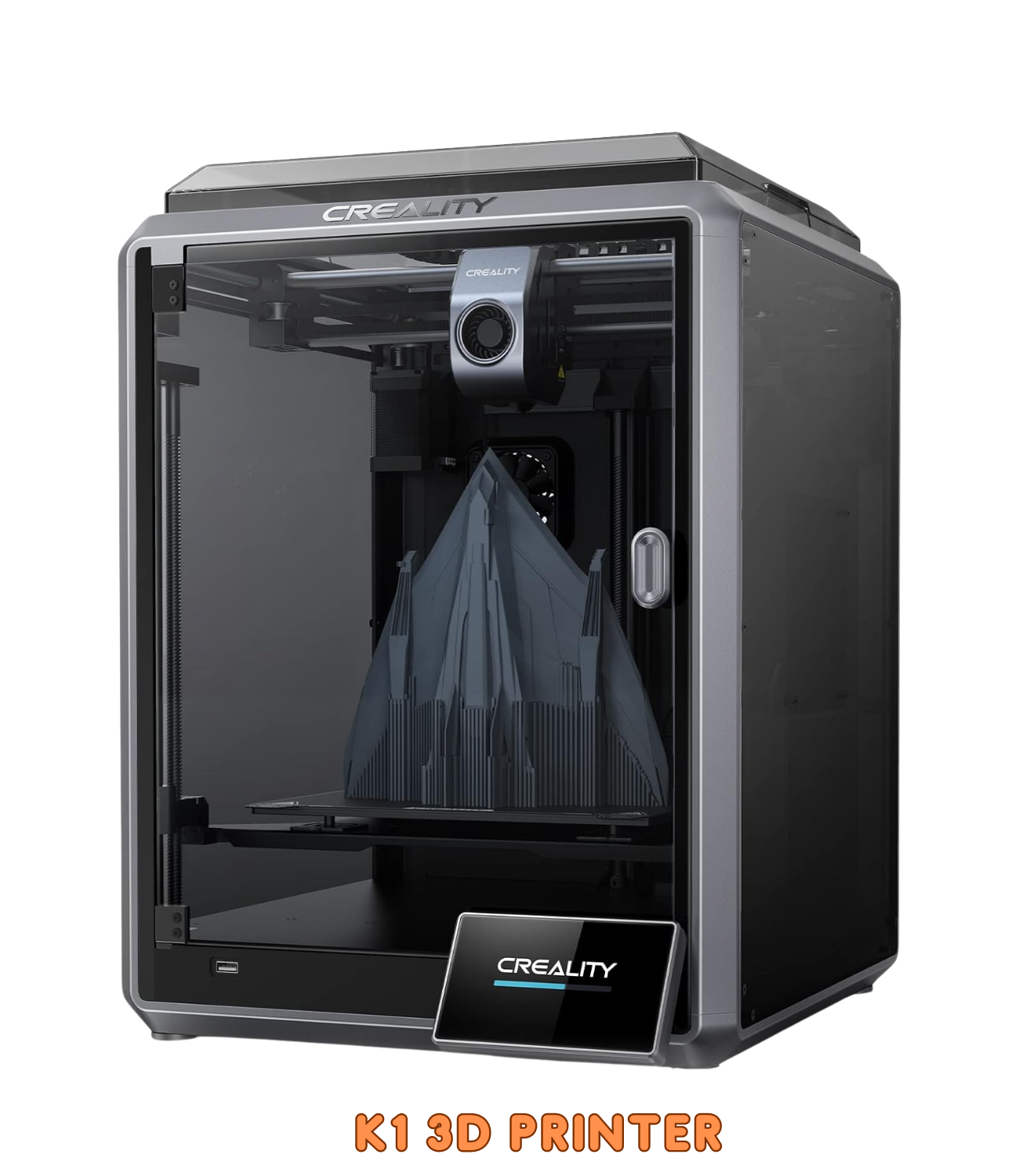
    In the ever-evolving world of 3D printing, the Creality K1 3D Printer stands as a remarkable FDM flagship 3D printer that pushes the boundaries of speed and performance. This printer, launched in 2023, boasts impressive features and promises to revolutionize the desktop printing experience.

    But does it live up to the hype? Let’s delve into the K1 3D Printer and see if it’s the perfect fit for your printing needs.
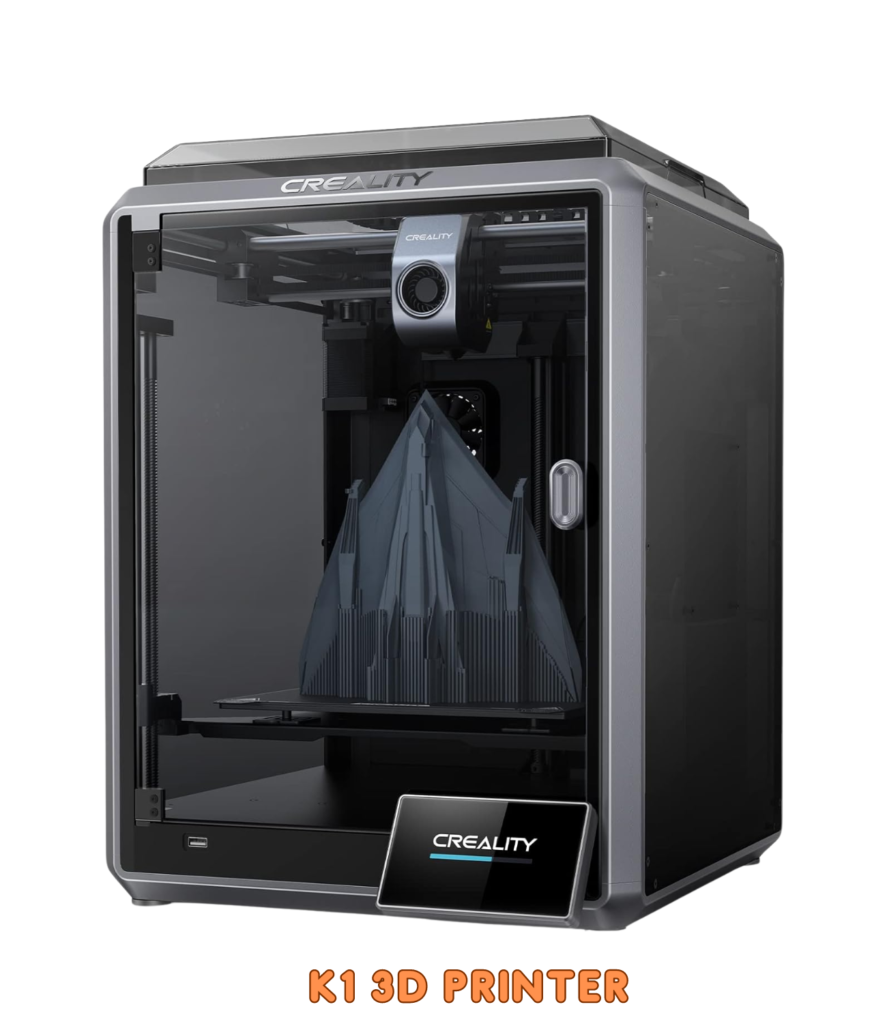
    K1 3D Printer
    Key Features
    Crazy SpeedThe K1 smashes through prints at a mind-blowing 600mm/s—12x faster than standard printers! Witness your ideas materialize in record time.
    Swift SetupThe Core XY system and lightweight printhead ensure swift, smooth movements, eliminating sluggishness.
    High Flow, High HeatThe K1’s ceramic heater reaches 200°C in 40 seconds, melting filament instantly. Its powerful extruder delivers consistent flow for reliable prints.
    Cooling Efficiency Dual fans effectively cool your prints, enabling support-free designs with minimal warping.
    Creality Print 4.3 Creality Print 4.3 simplifies slicing and supports high-speed printing. The intuitive Creality OS lets you manage prints seamlessly across devices.
    Smart Creality OSPrint from anywhere! The K1’s OS connects to PC, phone, cloud, and add-ons. Its powerful CPU ensures smooth, high-speed printing, and 8GB of storage keeps 400+ models at your fingertips.

    Design: A Fusion of Form and Functionality

    The Creality K1 3D Printer stands at the intersection of cutting-edge technology and elegant design. It isn’t just about aesthetics; it’s a carefully crafted fusion of design and technology aimed at maximizing performance. Let’s delve into the intricate details of its design, which seamlessly marries aesthetics with practicality.

    Core XY Mechanism

    The K1’s Core XY mechanism lies at the heart of its exceptional performance. Unlike traditional Cartesian systems, the Core XY design ensures swift and accurate movement of the print head. Here’s how it works:

    • Independent Axes: The Core XY system employs two independent stepper motors—one for the X-axis and another for the Y-axis. By decoupling these axes, the printer achieves precise positioning without the need for heavy gantries or belts.
    • Efficient Belt Paths: The belts follow a diagonal path, minimizing inertia and reducing backlash. This results in smoother motion and finer layer resolution.
    • Speed and Stability: Whether you’re printing intricate models or large functional parts, the Core XY setup maintains stability even at high speeds.

    Expansive Build Area

    The K1 boasts an impressive build volume—a canvas for your creativity. With dimensions of 300 x 300 x 300 mm, this 3D printer invites you to dream big. It can print objects up to 22 centimeters long, 22 centimeters wide, and 25 centimeters high. Imagine crafting life-sized prototypes, architectural models, or personalized home decor—all within the spacious confines of the K1.
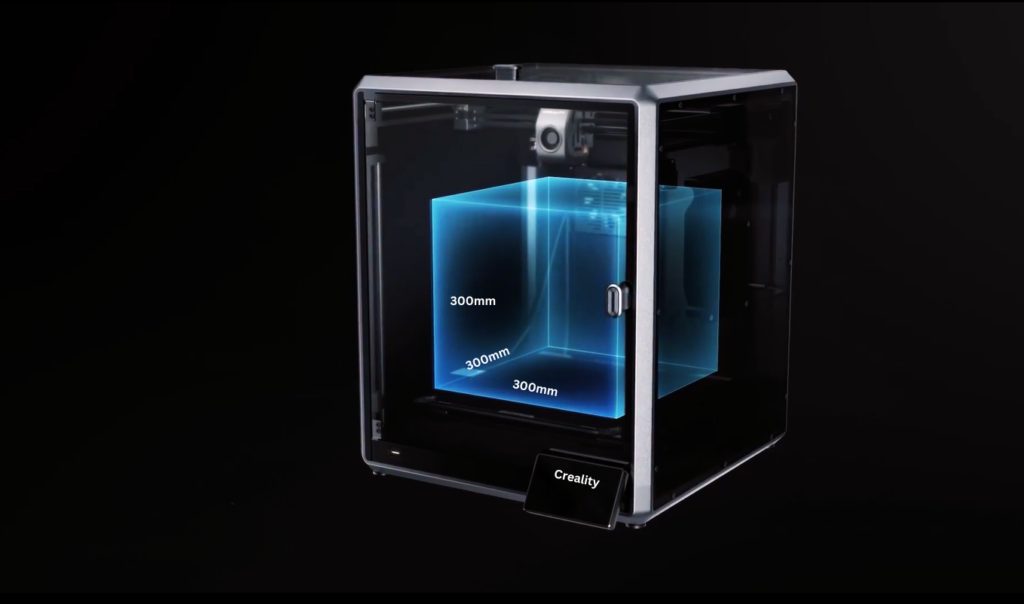
    Creality K1 3D Printer

    This build volume is considered large for a desktop 3D printer, making it suitable for a wide range of projects, from small figurines to functional prototypes. It’s important to note that the print volume is the maximum size object that can be printed, while the build volume is the usable printing area. The actual usable space may be slightly smaller due to factors such as the nozzle diameter and bed size.

    Enclosed Structure

    The K1’s fully enclosed structure is more than just eye-catching—it’s a practical choice. Here’s why:

    • Noise Reduction: Forget the whirring and clanging of traditional printers. The K1’s enclosure acts as a sound dampener, significantly reducing noise levels. This makes it ideal for office environments, classrooms, and even quiet home settings, allowing you to focus on your work or creativity without distractions.
    • Temperature Control: The enclosed chamber creates a controlled environment where temperature fluctuations are minimized. This is especially beneficial for printing with ABS filament, which requires consistent and stable temperatures to avoid warping and layer adhesion issues. So, say goodbye to printing headaches and embrace the possibilities of new materials with confidence.
    • Location Flexibility: Unlike open-frame printers, the enclosed K1 offers greater location flexibility. Worried about fumes or dust particles? No problem! As long as you ensure proper ventilation, you can confidently place the K1 anywhere, from your home office to a classroom or even a creative studio. This portability makes it a versatile tool for various settings and projects.

    Intuitive Touchscreen and Cloud Printing

    Navigating the K1 is a breeze, thanks to its responsive touchscreen interface. From loading filament to adjusting settings, every operation feels intuitive. Here’s what the touchscreen offers:

    • Quick Access: Swipe, tap, and select. The K1’s touchscreen simplifies menu navigation, saving you time during setup and calibration.
    • Cloud Connectivity: Imagine starting a print job from your smartphone while sipping coffee at a cafe. The K1 supports cloud printing, allowing you to monitor progress remotely.

    Overall User Experience

    The K1’s design isn’t just about individual features—it’s about the holistic experience. As you interact with this 3D printer, you’ll appreciate:

    • Elegance: The K1’s sleek lines and minimalistic aesthetics enhance any workspace.
    • User-Friendly Operation: Whether you’re a seasoned maker or a curious beginner, the K1 welcomes you with open arms.
    • Reliability: The marriage of form and function ensures consistent results, print after print.

    In summary, the Creality K1 3D Printer transcends mere hardware—it’s an invitation to explore, create, and redefine possibilities. So, fire up the K1, load your filament, and let your imagination soar! 🚀🖨️

    The K1’s Power Trio

    In the dynamic world of 3D printing, the Creality K1 emerges as a force to be reckoned with. Beyond its striking design, this printer packs a punch when it comes to performance. Let’s dive into the features that make the K1 a standout choice for creators, hobbyists, and professionals alike.
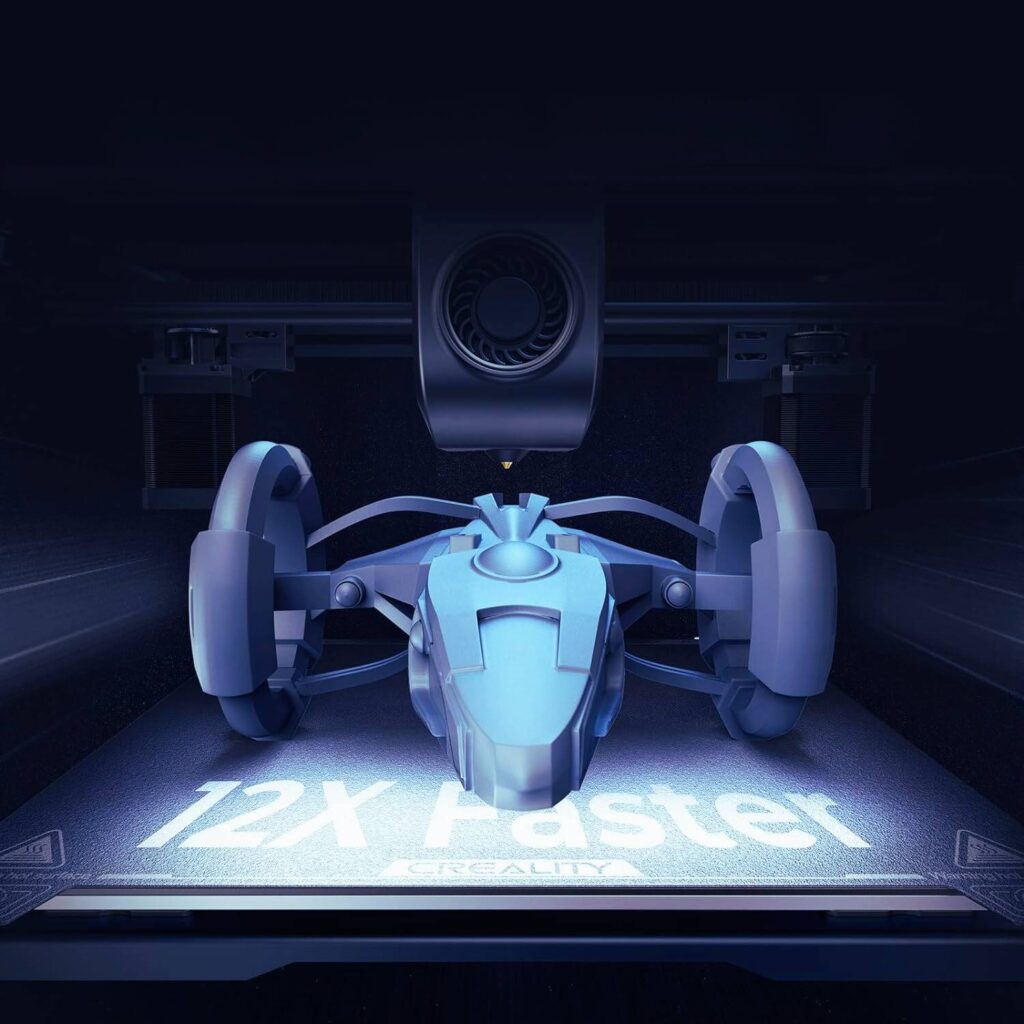
    K1 3D Printer

    Fast Print Speed

    The K1’s print production speed is nothing short of impressive. Whether you’re crafting intricate miniatures or functional prototypes, the K1 zips through layers with remarkable efficiency.

    The K1’s claim to fame is its unmatched speed. Reaching a staggering 600 mm/s and an acceleration of 20,000 mm/s², it’s 12 times faster than your standard FDM printer. This translates to significantly reduced printing times, making it ideal for those who value efficiency and productivity. However, remember that higher speeds can compromise print quality, so finding the right balance is crucial.

    Here’s why speed matters:

    • Productivity Boost: Imagine completing a project in hours instead of days. The K1’s rapid print speed accelerates your workflow, allowing you to iterate and experiment swiftly.
    • Time-Sensitive Projects: When deadlines loom, the K1’s agility becomes your ally. It’s the difference between meeting a client’s timeline and missing the mark.

    Exceptional Accuracy

    Precision matters in 3D printing, especially when translating digital designs into tangible objects. The K1 delivers on this front:

    • Layer Consistency: The K1’s stepper motors move with finesse, ensuring each layer aligns precisely. Whether you’re sculpting intricate jewelry or functional gears, accuracy matters.
    • Fine Details: From delicate filigree patterns to architectural models, the K1 faithfully reproduces intricate details. The devil is in the details, and the K1 doesn’t disappoint.
    • Minimal Warping: Accurate prints mean fewer post-processing headaches. Say goodbye to warping, misalignment, and wasted filament.

    Versatile Connectivity

    The K1 seamlessly integrates into your digital ecosystem, thanks to its versatile connectivity options:

    • WiFi Connectivity: Gone are the days of tethered printing. Connect the K1 to your local network via WiFi, and control it remotely from your computer or smartphone.
    • Cloud Printing: Picture this: You’re away from home, but your K1 is busy bringing your design to life. With cloud printing, you can start, monitor, and pause prints from anywhere.
    • Collaboration Made Easy: Share your 3D models with collaborators across the globe. The K1 bridges distances, allowing collaborative creativity to flourish.

    Unlocking Potential: The K1’s Promise

    As you explore the K1’s capabilities, remember that it’s more than a machine—it’s an enabler. Whether you’re a hobbyist experimenting with new forms or an engineer prototyping functional parts, the K1 whispers, “What will you create today?”

    So, fire up the K1, load your filament, and let your imagination flow. The future is three-dimensional, and the K1 is your passport to that realm.

    Read Also: What is 3D Printing? The Basics You Need to Know

    Optional AI Upgrades

    The Creality K1, already a formidable 3D printer, reveals its true prowess when equipped with optional AI enhancements. Let’s explore how these upgrades transform the K1 into a powerhouse of precision and intelligence.

    1. The K1 Max Connection

    The K1 stands shoulder-to-shoulder with its larger counterpart—the K1 Max. While the K1 Max flaunts advanced AI features out of the box, the standard K1 offers a more streamlined experience. But don’t let its modest demeanor fool you; it’s ready for an AI boost.

    2. Small AI Camera

    Imagine having an AI assistant that scrutinizes each layer of your print, ensuring flawless execution. The small AI camera, available as an add-on, does precisely that. Here’s how it enhances your printing journey:

    • Layer Monitoring: The camera captures real-time images of the print process. If any anomalies occur—such as layer shifts, warping, or filament issues—the AI alerts you instantly.
    • Quality Assurance: Whether you’re printing intricate figurines or functional parts, the AI camera acts as your vigilant supervisor. It’s like having an extra pair of eyes focused solely on perfection.

    3. LiDAR Sensor

    The K1’s AI capabilities extend beyond visual inspection. Enter the LiDAR sensor—a game-changer for precise calibration and adaptive printing:

    • Height Mapping: The LiDAR sensor scans the print bed, creating a detailed height map. It compensates for uneven surfaces, ensuring consistent layer heights.
    • Auto-Leveling: Bid farewell to manual bed leveling woes. The LiDAR sensor adjusts the print head’s height dynamically, even during the print. Say hello to hassle-free setup.

    4. AI-Driven Checks and Live Monitoring

    With the combined powers of the AI camera and LiDAR sensor, the K1 becomes a far superior machine:

    • Quality Checks: The AI analyzes each layer, flagging imperfections. Whether it’s a tiny gap or an overhang, the K1 corrects on the fly.
    • Live Camera Feed: Access the camera feed remotely via your smartphone or computer. Monitor progress, detect issues, and intervene if needed—no matter where you are.

    The K1’s AI Ecosystem

    As you contemplate the K1’s optional AI upgrades, envision a symphony conductor orchestrating perfection. The K1 becomes more than a printer; it’s a creative companion, an intelligent collaborator. Whether you’re a hobbyist, educator, or professional, the K1’s AI-enhanced capabilities redefine what’s possible.

    So, consider the K1 not merely as hardware but as a canvas for your imagination, guided by AI’s watchful eye. Let your designs flourish, layer by layer, as the K1 whispers, “Together, we create.”

    Limitations: The Art of Trade-offs

    Every technological marvel comes with its trade-offs, and the Creality K1 3D Printer is no exception. While it excels in several areas, let’s explore the limitations that discerning users should be aware of:

    Multi-Filament Capability

    The K1, for all its prowess, lacks multi-filament capability. Unlike some of its counterparts, which seamlessly switch between different filament types mid-print, the K1 remains committed to a single filament at a time. Here’s what this limitation entails:

    • Material Versatility: If you’re a polymath of filaments—using PLA, PETG, TPU, and more—the K1 might feel restrictive. You’ll need to swap spools manually for each project.
    • Color Blending: Multi-filament printers allow intricate color blending and gradient effects. With the K1, you’ll need to plan your color transitions carefully.

    Priorities Matter

    Now, here’s the twist: priorities matter. If your primary focus is speed and accuracy, the K1 shines brilliantly. Let’s break it down:

    • Speed Demons: The K1’s rapid print speed is a game-changer. Whether you’re churning out functional prototypes or artistic sculptures, the K1 keeps pace with your imagination.
    • Precision Architects: Accuracy isn’t a mere buzzword for the K1. It’s a commitment. When your designs demand micron-level precision, the K1 delivers. Think intricate jewelry, architectural models, or mechanical components.

    What are the technical specifications of the K1 3D Printer?

    The Creality K1 3D Printer is a remarkable machine designed for speed and precision. Let’s dive into its technical specifications:

    1. Printing Speed:
      • Forget waiting hours, the K1 prints at a jaw-dropping 600mm/s, making it 12x faster than standard FDM printers.
      • Highlighting specific benefits:
      • The rapid acceleration of 20,000 mm/s² allows the K1 to reach its full speed in just 0.03 seconds during 90% of the printing time.
    2. Build Volume:
      • Think beyond miniature models with the K1’s massive 220 x 220 x 250mm build area, perfect for printing functional prototypes, architectural models, and more.
    3. Auto Bed Leveling:
      • The printer features hands-free auto bed leveling, ensuring a hassle-free setup and optimal first layers.
    4. Frame and Structure:
      • The K1’s sturdy frame is constructed using unibody die-cast parts, ensuring stability and durability.
    5. Hotend and Extrusion:
      • A new ceramic heater encircles the entire hotend, reaching 200°C in just 40 seconds and melting filament instantly.
      • The dual-gear direct extruder delivers a strong extrusion force of 50N.
      • The hotend includes a titanium alloy heatbreak and a copper alloy nozzle, capable of handling temperatures up to 300°C.
    6. Model Cooling:
      • Dual fans cool the model directly, preventing stringing and warping. An 18W auxiliary fan in the build chamber enhances cooling, allowing support-free bridges and overhangs.
    7. Slicer Software:
      • The K1 comes with Creality Print 4.3, a self-developed slicer.
      • It includes rich presets and streamlines the slicing process into 3 simple stages.
      • Creality Print 4.3 supports high-speed printing with features like variable line width and arc paths.
    8. Hardware and OS:
      • The K1 adopts Creality OS, featuring a straightforward UI.
      • It syncs data and commands with PC, phone, Cloud, and add-on modules.
      • Say goodbye to print delays! The K1’s powerful 1.2GHz CPU ensures smooth, high-speed printing, and its massive 8GB storage keeps 400 models just a click away.

    In summary, the Creality K1 3D Printer combines speed, precision, and ease of use, making it an excellent choice for both beginners and experienced makers.

    Creality OS
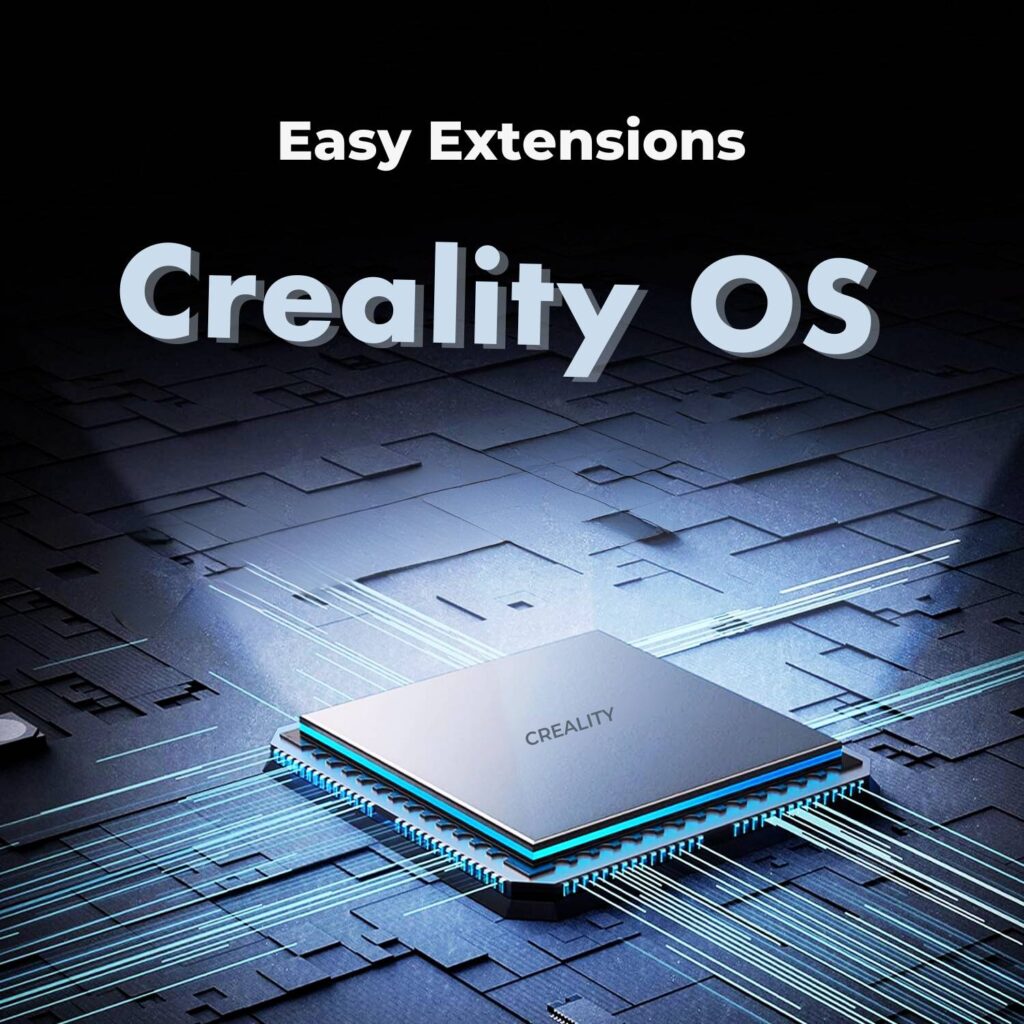
    Creality OS

    The Creality K1 boasts not just speed and precision, but also an intuitive and versatile operating system: Creality OS. This user-friendly interface empowers you to control and manage your prints with ease, whether you’re a seasoned maker or a curious beginner.

    Seamless Connectivity:

    • Multi-device Control: Forget being confined to your PC. Creality OS seamlessly connects to your phone, tablet, or cloud platform, allowing you to monitor and manage prints from wherever you are.
    • Intuitive Touchscreen: The responsive touchscreen interface offers a clear and familiar way to interact with the printer. Access essential features, adjust settings, and even launch prints directly from the printer itself.

    Intelligent Printing Experience:

    • Simplified Slicing: The integrated Creality Print 4.3 slicer simplifies the process, guiding you through three simple steps to prepare your models for printing.
    • AI-Powered Enhancements: For advanced users, optional AI modules can further elevate your printing experience. Automatic bed leveling and anomaly detection ensure consistent results and peace of mind.
    • High-Speed Printing Made Easy: Creality OS optimizes the system for blazing-fast printing, ensuring smooth and accurate results even at speeds of 600mm/s.

    More than just an OS, Creality OS is your gateway to a flexible and efficient printing experience. Its intuitive interface, multi-device control, and AI-powered options cater to users of all levels, empowering you to unlock the full potential of the Creality K1.

    How does the Creality K1 3D Printer compare to others?

    Certainly! Let’s explore how the Creality K1 stacks up against other 3D printers. I’ll highlight some key comparisons to give you a better understanding:

    1. Creality K1 vs. Bambu Lab X1 vs. Prusa XL:
      • Creality K1:
        • Speed: The K1 boasts a blazing print speed of 600mm/s, making it one of the fastest in its class.
        • Materials: It supports printing in ABS plastic and other filaments.
        • Build Volume: The K1 offers a build volume of 300 x 300x 300mm.
        • Additional Features: It has a 4.3-inch screen, multiple USB ports, and a robust build.
      • Bambu Lab X1:
        • Speed: The X1 is no slouch either, with a top speed of 500mm/s.
        • Materials: It supports various filaments, including carbon/glass-filled polymers.
        • Build Volume: The X1 provides a slightly larger build volume of 256 x 256 x 256mm.
        • Unique Features: Lidar-guided bed leveling, AI-assisted failure detection, and multi-color printing (with AMS).
      • Prusa XL:
        • Speed: Prusa XL’s speed details are not specified.
        • Materials: Prusa XL’s filament compatibility is not explicitly mentioned.
        • Build Volume: The Prusa XL offers a generous build volume.
        • Noteworthy Features: Tool-changer system for multiple tool heads, mesh bed leveling, and a 32-bit custom-made board.
    2. Creality K1 vs. Creality Ender-3 V3 KE:
      • Creality K1:
        • Speed: K1’s print speed is 600mm/s.
        • Materials: It prints in ABS, ASA, PETG, PLA, and TPU.
        • Build Volume: K1’s build volume is 220 x 220 x 250mm.
        • Additional Features: All-in-one design, auto-leveling, and high-temperature nozzle.
      • Creality Ender-3 V3 KE:
        • Speed: Ender-3 V3 KE prints at 500mm/s.
        • Materials: It supports ABS, ASA, PET, PETG, PLA, and TPU.
        • Build Volume: Ender-3 V3 KE’s build volume is 256 x 256 x 256mm.
        • Unique Features: Lidar sensor for bed leveling and AI-assisted failure detection.
    3. Creality K1 vs. Bambu Lab A1 Mini:
      • Creality K1:
        • Speed: K1’s print speed is 600mm/s.
        • Materials: It prints in ABS, ASA, PETG, PLA, and TPU.
        • Build Volume: K1’s build volume is 220 x 220 x 250mm.
        • Additional Features: New ceramic heater, direct drive extruder, and Creality Print 4.3 slicer.
      • Bambu Lab A1 Mini:
        • Speed: A1 Mini prints at 500mm/s.
        • Materials: It supports PVA and other filaments.
        • Build Volume: A1 Mini’s build volume is 180 x 180 x 180mm.
        • Unique Features: Lightweight, external memory slot, and plug-and-play capability.

    In summary, the Creality K1 offers impressive speed, versatility, and features, while Bambu Lab and Prusa also bring their unique strengths to the table. Choose based on your specific requirements and preferences! 🚀🖨️

    Conclusion

    The Creality K1 3D Printer isn’t just another machine humming in the corner; it’s a portal to a world of possibilities. Forget the slow, painstaking printing you’ve known – the K1 paints your ideas into reality at lightning speed, leaving you breathless with its 600mm/s magic. And it’s not just about speed – the precision and quality are enough to make even the most discerning creator swoon.

    Whether you’re a seasoned maker or a curious beginner, the K1 welcomes you with open arms. Its intuitive design and user-friendly features make it a breeze to navigate, while its advanced capabilities cater to even the most demanding professionals. Explore endless creative possibilities with a wide range of compatible filaments, and watch your imagination take shape in ways you never thought possible.

    The K1 isn’t just a printer; it’s an investment in your creativity, a passport to innovation, and a partner in your journey of self-expression. So ditch the endless online reviews and comparisons – experience the K1 firsthand and unlock the potential within. Let this revolutionary printer be your ultimate tool for turning your wildest ideas into reality. Go ahead, write your story, and let the K1 be your silent collaborator, pushing the boundaries of what’s possible.
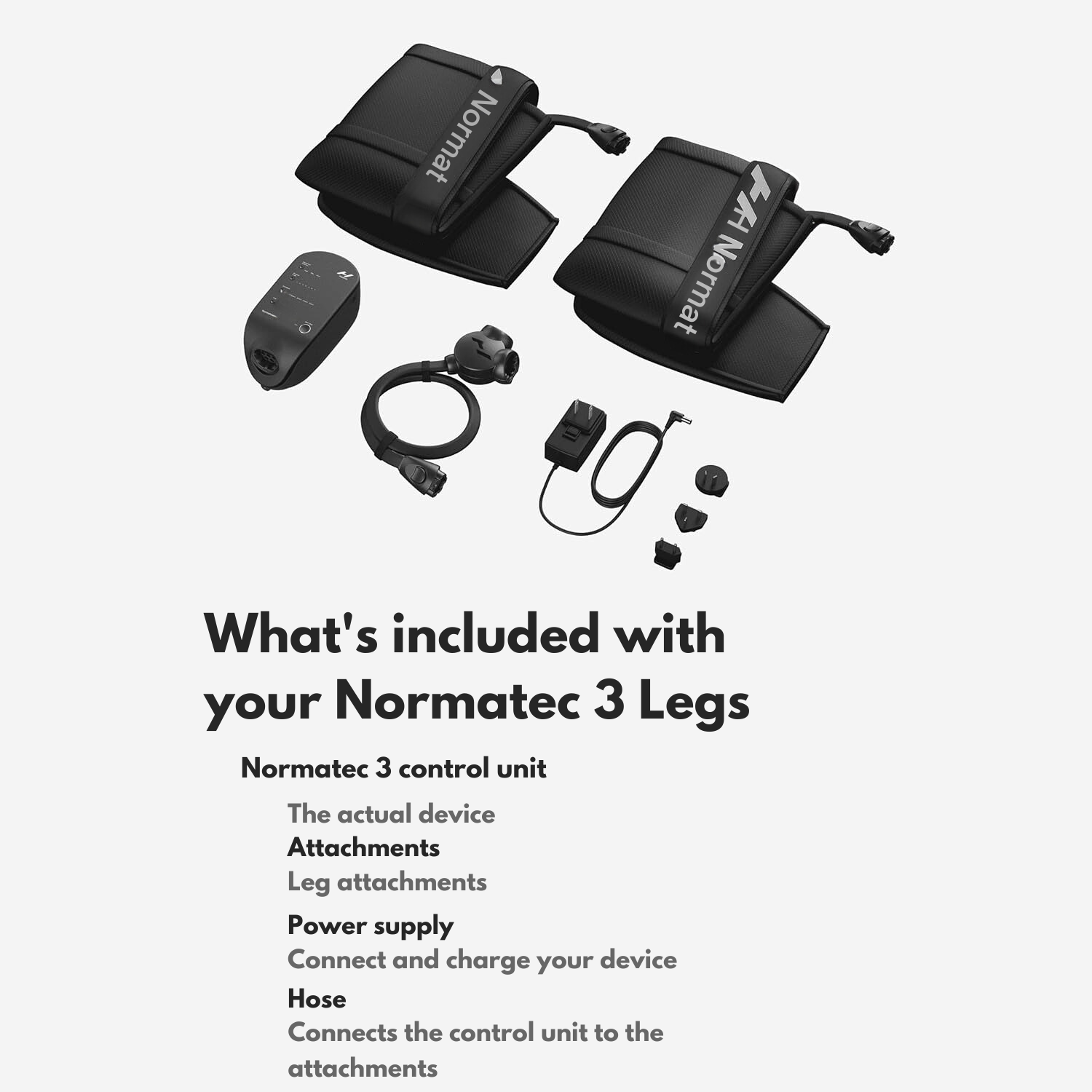

  • Hyperice Normatec 3 Review 2024: Sore Muscles Be Gone!

    Hyperice Normatec 3 Review 2024: Sore Muscles Be Gone!

    In the relentless pursuit of peak performance, athletes and fitness enthusiasts alike grapple with muscle soreness, fatigue, and the need for rapid recovery.

    Picture this: you push yourself to the limit in your workout, muscles screaming, lungs burning. You know the feeling—the glorious exhaustion that signals progress—but also the looming dread of post-workout soreness.

    Hyperice Normatec 3

    If you’re an athlete or a dedicated fitness enthusiast, this dance between pushing your limits and recovering efficiently is an all-too-familiar reality. Thankfully, advancements in recovery technology are offering innovative solutions, and the Hyperice Normatec 3 stands out as a front-runner in the compression boot arena.

    But does this pneumatic recovery system truly live up to its claims? Can it truly help athletes and fitness enthusiasts recover like pros, leaving behind the dreaded muscle fatigue and soreness?

    This in-depth review aims to uncover the truth behind the Hyperice Normatec 3, delving into its features, performance, and potential benefits, all while guiding you toward an informed decision about whether it deserves a place in your recovery arsenal.

    Design, Technology, & Features

    Normatec 3

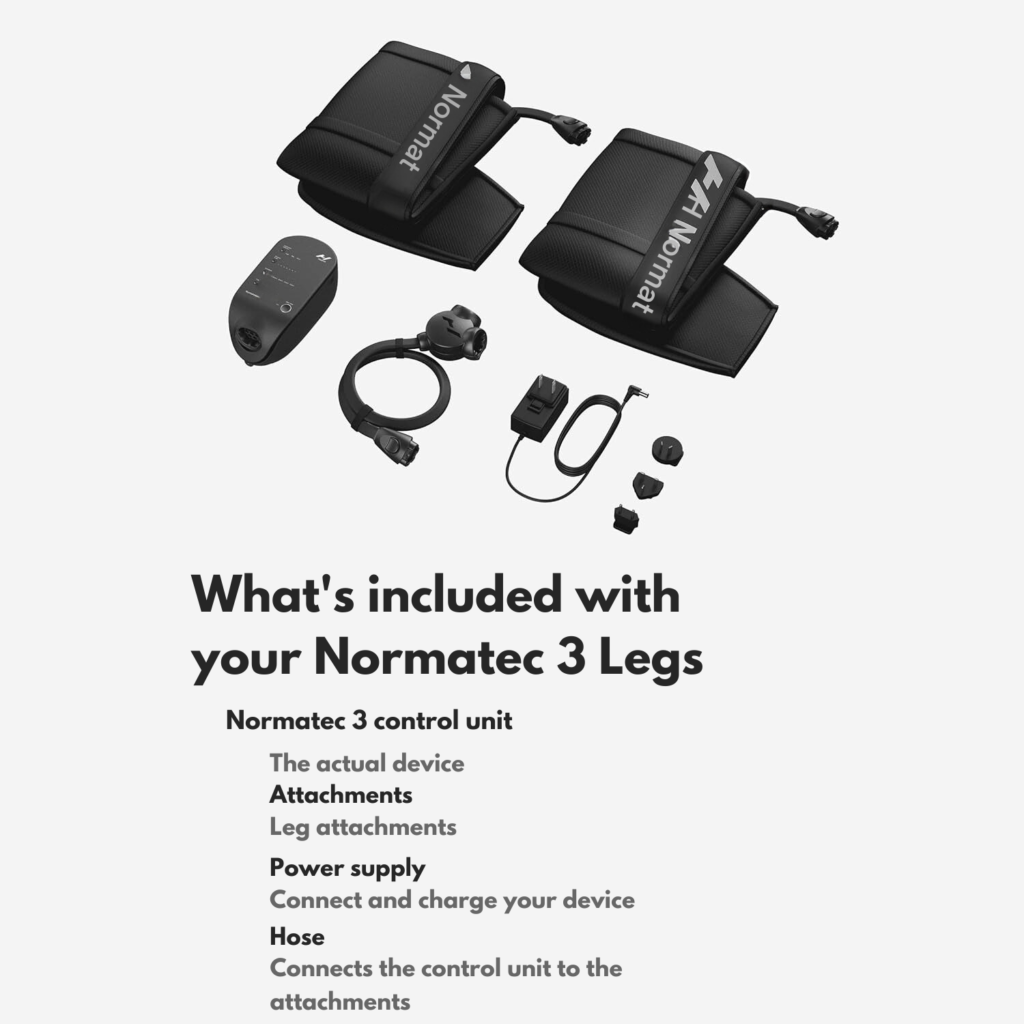
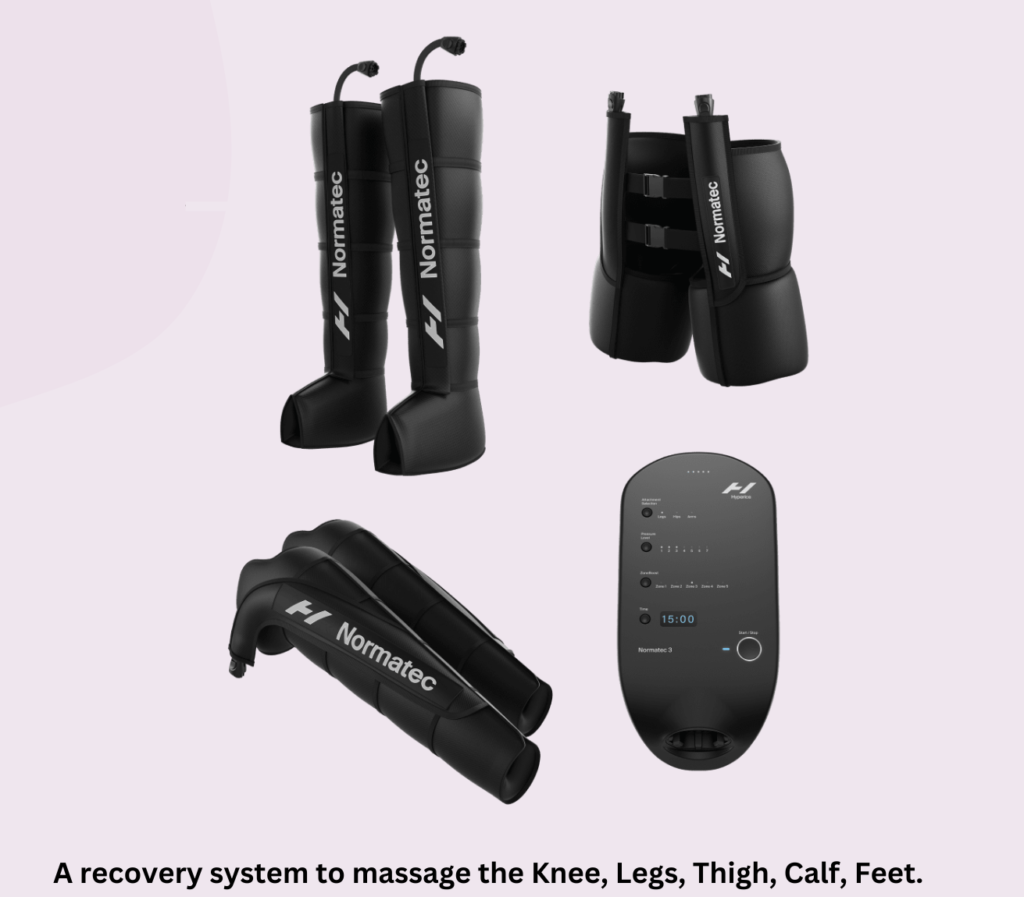
    First impressions matter, and the Hyperice Normatec 3 makes a strong one. The sleek, modern design exudes quality, with a sturdy control unit and comfortable leg attachments crafted from durable nylon. Whether you’re an athlete accustomed to top-tier equipment or a fitness enthusiast seeking a reliable recovery tool, the Normatec 3 instantly conveys a sense of premium construction.

    But beyond aesthetics lies the true innovation: pneumatic compression technology. This science-backed approach mimics the effects of manual lymphatic drainage, delivering pressurized air through strategically placed chambers within the leg attachments. This rhythmic inflation and deflation cycle helps flush out metabolic waste products, reduce muscle swelling, and improve blood flow—all key factors contributing to faster recovery.

    However, the Normatec 3 doesn’t stop at basic compression. To cater to diverse needs and preferences, it boasts an array of features that elevate the recovery experience. Seven levels of customizable compression allow you to tailor the intensity to your liking, whether you desire a gentle post-workout flush or a more intense muscle stimulation session.

    Additionally, the patented pulse technology delivers precise treatment to 5 overlapping zones, replicating the natural muscle pumps and one-way valves of your legs for a truly biomimetic experience. Imagine targeted relief for specific muscle groups, from your calves to your glutes, all controlled with a simple tap on the control unit or through the Bluetooth-connected Hyperice App.

    Hyperice Normatec 3

    Speaking of portability, the Normatec 3 strikes a perfect balance between functionality and convenience. Its lightweight design and compact control unit make it easy to transport and store, ensuring you can seamlessly integrate recovery into your routine, whether you’re at home, at the gym, or even traveling.

    But the story doesn’t end with legs. The Normatec 3 ecosystem extends beyond, offering optional hip and arm attachments to address muscle fatigue and soreness throughout your entire body. This holistic approach to recovery ensures you can truly optimize your well-being after pushing your limits.

    Overall, the Hyperice Normatec 3 is more than just a compression system; it’s a thoughtfully designed recovery tool that combines cutting-edge technology with user-friendly features and portability. For athletes and fitness enthusiasts seeking to optimize their recovery and elevate their performance, the Normatec 3 deserves a serious look.

    Performance of the Hyperice Normatec 3

    The sleek design and intuitive controls of the Hyperice Normatec 3 create a user-friendly experience from the outset. Setting up the system is a breeze, with clear instructions and the easy attachment of the leg sleeves. Slipping into the boots reveals a comfortable, snug fit that adjusts seamlessly with the built-in zippers. Gone are the days of fiddling with straps and struggling for the perfect compression—the Normatec 3 effortlessly conforms to your leg shape.

    Hyperice Normatec 3 Review

    But comfort is just the beginning. The true test lies in the performance and effectiveness of the compression massage. Powering on the system delivers a gentle hum as the air begins its rhythmic dance within the chambers. In the initial pulse mode, a wave of relaxation washes over the legs, easing muscle tension and promoting a sense of calm.

    Delving into the different massage modes reveals the true versatility of the Normatec 3. For post-workout recovery, the standard gradient mode mimics the natural lymphatic flow, effectively flushing out metabolic waste and reducing muscle soreness. Switching to the pulse mode amplifies the pulsating sensation, delivering a deeper massage ideal for targeting specific areas of tightness. Advanced users can even create custom programs through the Bluetooth-connected app, tailoring the intensity and duration to their unique needs.

    The impact on the recovery process is undeniable. Users consistently report a noticeable reduction in muscle soreness, particularly after intense workouts. Studies by the National Strength and Conditioning Association (NSCA) support these claims, highlighting the potential of pneumatic compression therapy to accelerate muscle recovery and improve performance.
    Additionally, many users experience enhanced flexibility and range of motion, allowing them to return to training sessions feeling refreshed and revitalized.

    In the next section, we’ll delve deeper into the potential benefits and drawbacks of this innovative recovery system, helping you make an informed decision about whether the Normatec 3 deserves a place in your wellness routine.

    Read Also: Best Noise Cancelling Headphones for Airplane Travel 2024

    Benefits and Drawbacks of the Hyperice Normatec 3

    The Hyperice Normatec 3 paints a promising picture for athletes and fitness enthusiasts seeking to optimize their recovery. However, as with any product, it’s crucial to weigh the potential benefits against any drawbacks before making a purchase decision.

    Unveiling the Benefits:

    • Reduced Muscle Soreness: Research by the National Strength and Conditioning Association (NSCA) suggests that pneumatic compression therapy, like that offered by the Normatec 3, can effectively reduce muscle soreness after strenuous exercise. This translates to quicker recovery times and improved performance in subsequent workouts.
    • Enhanced Circulation: The rhythmic compression massage promotes improved blood flow throughout the legs, aiding in the removal of metabolic waste products and delivering fresh oxygen to muscle tissues. This can accelerate healing and reduce muscle fatigue.
    • Improved Flexibility and Range of Motion: By addressing muscle tightness and soreness, the Normatec 3 can contribute to enhanced flexibility and range of motion. This translates to better performance in various activities and potentially reduces the risk of injuries.
    • Personalized Recovery Experience: With multiple compression levels, massage modes, and customizable programs through the app, the Normatec 3 caters to individual needs and preferences, ensuring a tailored recovery experience.
    • Portable and Convenient: The lightweight design and compact control unit make the Normatec 3 ideal for integrating recovery into your routine at home, at the gym, or even while traveling.

    Considering the Drawbacks:

    • Price Point: The Hyperice Normatec 3 carries a significant price tag, which might be a barrier for some individuals. This is an investment in your recovery, and whether it aligns with your budget is an important factor to consider.
    • Noise Level: While not deafening, the pump that generates the air compression emits a noticeable hum. This might be disruptive for some users, especially those seeking a completely quiet recovery environment.
    • Size Limitations: The standard leg sleeves are designed for users with inseams between 30″ and 35″. Individuals outside this range might require alternative sizes or may not experience the optimal fit.
    • Maintenance Requirements: While generally easy to clean and maintain, the leg attachments require occasional hand-washing, and the control unit needs charging. Factor in these minor maintenance steps when considering the overall effort involved.

    Striking a Balance:

    Ultimately, the decision of whether the Hyperice Normatec 3 is right for you depends on your individual needs, budget, and preferences. If you’re a dedicated athlete or fitness enthusiast experiencing persistent muscle soreness or seeking to optimize your recovery process, the potential benefits might outweigh the drawbacks. However, if budget constraints are a concern or you prioritize absolute silence during recovery, alternative solutions might be more suitable.
    Remember, a well-rounded recovery plan often involves a combination of strategies, including proper sleep, hydration, and nutrition. The Hyperice Normatec 3 can be a valuable tool within this holistic approach, but it’s not a magic bullet for everyone. Weigh the pros and cons carefully, and don’t hesitate to consult with a healthcare professional for personalized guidance.
    Comparing the Hyperice Normatec 3 with Alternatives

    In the realm of post-workout recovery, athletes and fitness enthusiasts have a diverse arsenal of tools at their disposal. While the Hyperice Normatec 3 stands out with its innovative technology, it’s crucial to understand how it compares to other popular recovery methods.

    Hyperice Normatec 3 vs. DOCTOR LIFE LX9max vs. FIT KING

    Navigating the world of recovery boots can be overwhelming. To help you choose the best fit, let’s compare the Hyperice Normatec 3, DOCTOR LIFE LX9max, and FIT KING Leg Compression Boots Massager.

    Technology and Features:

    • Hyperice Normatec 3: This high-end option boasts patented dynamic air compression with 7 intensity levels and Pulse technology for targeted muscle treatment. Control it via the Bluetooth app for personalized programs and data tracking.
    • DOCTOR LIFE LX9max: This FDA-cleared medical device employs sequential air compression with adjustable pressure and 11 massage modes. It offers 3 boot sizes and extension zippers for wider calves, but lacks app connectivity.
    • FIT KING: This more budget-friendly choice utilizes sequential massage, similar to the LX9max, with 3 air chambers (foot, lower calf, upper calf) and 9 pressure intensities. It offers 3 massage modes but lacks app integration and wider size options.

    Price and Value:

    • Hyperice Normatec 3 ($799.00): The priciest option, but offers the most advanced technology and features.
    • DOCTOR LIFE LX9max ($699.00): Offers good value with FDA clearance and wider size options.
    • FIT KING ($289.99): The most affordable choice, but with fewer features and limited size options.

    Additional Considerations:

    • Hyperice Normatec 3: Ideal for athletes seeking performance optimization and those who value tech-driven recovery. Portable and sleek design suits busy lifestyles.
    • DOCTOR LIFE LX9max: A solid choice for individuals with lymphedema or seeking pain relief and basic circulation improvement. Wider size options cater to diverse needs.
    • FIT KING: A good option for budget-conscious users wanting basic muscle recovery and circulation improvement. Consider size limitations.

    Ultimately, the best choice depends on your:

    • Budget: Normatec 3 is pricier but offers more.
    • Tech Savvy: Normatec 3 boasts app integration and data tracking.
    • Recovery Needs: Consider if you need basic compression or advanced features.
    • Size: Only LX9max offers wider size options.

    Remember:

    • All three systems offer compression therapy benefits.
    • Research and compare features based on your individual needs.
    • Consider consulting a healthcare professional for personalized advice.

    So, who will be your recovery champion? Weigh the pros and cons and choose the system that best aligns with your budget, tech preferences, and recovery goals. Remember, investing in your well-being is an investment in a healthier, happier you!

    The Verdict: Redefining Recovery with the Hyperice Normatec 3

    The Hyperice Normatec 3 emerges as a powerful contender in the recovery arena, blending innovative technology with user-friendly features and impressive potential. Its pneumatic compression technology, backed by research and user testimonials, offers a compelling solution for athletes and fitness enthusiasts seeking to optimize their recovery process.

    While not without its drawbacks, such as the price tag and noise level, the Normatec 3 shines for those who prioritize:

    • Faster muscle recovery: Reduced soreness and improved circulation can lead to quicker bounce-back times and enhanced performance.
    • Targeted relief: Customizable pressure levels and multiple massage modes deliver personalized treatment for various muscle groups.
    • Convenience and portability: The sleek design and lightweight system make it easy to integrate recovery into busy routines, at home or on the go.
    • Tech-driven experience: The app integration unlocks further customization, data tracking, and personalized recovery programs.

    If you’re a dedicated athlete pushing your limits, someone struggling with chronic muscle tightness, or simply prioritize optimal recovery, the Hyperice Normatec 3 deserves serious consideration. Its potential to accelerate recovery, improve flexibility, and elevate your overall well-being might be the game-changer you’ve been searching for.

    Are you ready to experience the difference? Explore the Hyperice Normatec 3 in more detail and discover how it can transform your recovery journey. Remember, investing in your well-being is an investment in your performance and potential. Take the first step towards a more revitalized and empowered you.

  • Cricket Wireless FREE Phone in 2024: A Comprehensive Guide!

    Cricket Wireless FREE Phone in 2024: A Comprehensive Guide!

    In today’s world, having a reliable smartphone is no longer a luxury but a necessity. But for many, the cost of a phone and a mobile plan can be a significant barrier. This is where Cricket Wireless’s free phone offers come in. They provide an attractive option for individuals seeking a new phone without breaking the bank.

    This article delves comprehensively into Cricket Wireless’s free phone options in 2024, guiding you through everything you need to know. We’ll cover eligibility requirements, available phone models, plan details, and potential hidden costs.

    So, whether you’re a new customer considering Cricket or an existing one exploring upgrade options, buckle up and get ready to uncover the truth about Cricket Wireless’s free phone deals and get your Cricket Wireless free phone and affordable plans.

    Why Choose Cricket Wireless?

    Choosing Cricket Wireless can be a good option for individuals prioritizing affordability, simplicity, and reliable service. Here are some key reasons to consider them:

    1. Nationwide Coverage:

    • Cricket operates on the extensive AT&T network, which means you get reliable coverage across the entire United States. Whether you’re in a bustling city, a remote rural area, or exploring the great outdoors, Cricket keeps you connected. No more dropped calls or frustrating dead zones.

    2. Straightforward Plans: Cricket offers transparent and easy-to-understand plans, eliminating complex contracts and hidden fees. They typically have fewer tiers compared to other carriers, simplifying the selection process.

    3. Affordable Plans: Cricket Wireless understands that everyone has different needs when it comes to mobile plans. Whether you’re a heavy data user, part of a family, or just looking for a basic plan, Cricket has you covered. Here’s what makes their affordable plans stand out:

    • Cricket offers a variety of affordable plans to cater to different needs. Here’s what makes them stand out:
      • Unlimited Data Plans: For heavy data users, Cricket’s unlimited plans provide peace of mind. Stream, browse, and stay connected without worrying about data caps.
      • Family Plans: Share the love (and the savings) with Cricket’s family plans. Add lines for your loved ones and enjoy discounted rates.
      • Basic Plans: If you’re a light user, Cricket’s basic plans offer just the right amount of data at wallet-friendly prices.
    • Cricket Wireless sweetens the deal even further with their FREE phone offer. Yes, you read that right—get a free phone when you sign up for select plans. It’s the perfect way to save even more on your monthly bill while enjoying reliable service.

    4. No Contracts:

    • Sick of being tied down by lengthy contracts? Cricket gets it. That’s why they proudly offer a no-contract policy. You’re in control. Switch plans, upgrade your phone, or explore other carriers whenever you want—no strings attached.

    5. Customer Service: While some user reviews express mixed experiences, Cricket strives to offer helpful and responsive customer service. They provide support through online chat, phone calls, and in-store assistance.

    Offers & Eligibility: Cricket Wireless Free Phone

    Cricket Wireless employs a strategic approach to entice prospective customers with periodic free phone offers, aiming to bolster its user base and solidify its position in the competitive telecommunications landscape. These promotions are designed to unlock access to a diverse range of smartphones, catering to varying preferences and budgetary constraints.

    From entry-level devices to more advanced options, Cricket Wireless offers an array of choices tailored to meet the needs of different segments of the market.

    Cricket Wireless Free Phone

    Understanding Eligibility:

    To partake in Cricket Wireless’s free phone offers, it is imperative to grasp the eligibility criteria governing these promotions. Generally, individuals seeking to avail themselves of these deals must fulfill certain prerequisites:

    • Port your number from a qualifying carrier: Prospective customers are often required to transfer their existing phone number from an eligible carrier to Cricket Wireless. However, not all carriers may qualify for this porting process, necessitating a thorough review of the approved providers listed on Cricket Wireless’s official website.
    • Purchase a qualifying plan: The availability of free phone offers is contingent upon the selection of specific Cricket Wireless plans. Each plan may unlock access to a different tier of phone models, thereby necessitating careful consideration of the plan’s features and pricing structure.
    • Meet credit requirements: While a formal credit check may not be mandated, Cricket Wireless reserves the right to assess the creditworthiness of prospective customers through a soft inquiry. This assessment helps ensure the financial viability of offering free phones to eligible individuals.
    • Pay upfront costs: Although the phones themselves are provided free of charge, customers may be required to cover activation fees, taxes, and potentially a down payment, depending on the chosen phone model and plan.

    Free Phone Choices:

    Cricket Wireless boasts a diverse selection of phone models available as part of its free phone offers, catering to a wide spectrum of user preferences and requirements. Customers can expect to find smartphones from reputable brands such as Samsung, Motorola, Nokia, and Alcatel, among others.

    These devices span various price points and functionalities, ranging from basic communication tools to feature-rich smartphones equipped with advanced capabilities such as enhanced cameras, larger displays, and robust processing power.

    Exploring the Plans: Cricket Wireless offers a range of plans, each accompanied by its own set of free phone options. Popular choices include:

    • Unlimited Talk & Text: Starting at $30 per month, this plan typically includes entry-level smartphone models suited for basic communication needs.
    • Unlimited Talk, Text & Data: Plans featuring varying data allowances, such as 2GB, 5GB, or 10GB, offer customers access to more advanced free phone choices with enhanced features and capabilities.
    • Multi-Line Plans: Family plans extend free phone deals to each line, enabling families to benefit from cost-effective mobile solutions while enjoying the convenience of multiple devices.

    It is crucial for customers to carefully evaluate their usage patterns and preferences when selecting a plan, ensuring alignment with their individual needs and budgetary constraints.

    Unlocking Eligibility: Several factors contribute to determining a customer’s eligibility for Cricket Wireless’s free phone offers, including:

    • New Customer Status: These promotions often target individuals who are new to Cricket Wireless, incentivizing them to switch from their current carrier and join the Cricket Wireless family.
    • Porting from a Qualifying Carrier: Transferring one’s phone number from an eligible carrier to Cricket Wireless, a process known as porting, may unlock exclusive free phone deals for customers making the switch.
    • Minimum Plan Spend: While the phones themselves are provided free of charge, customers are typically required to subscribe to a specific plan with a minimum monthly spend. This requirement ensures that customers commit to utilizing Cricket Wireless’s services over a designated period, thereby offsetting the cost of the free phones.

    By understanding these eligibility criteria, customers can navigate the process of availing themselves of Cricket Wireless’s free phone offers with confidence and clarity, ensuring a seamless transition to their new mobile device and plan.

    The Application Journey to Get Your Cricket Wireless Free Phone

    1. Explore Your Options: Head over to the Cricket Wireless website or visit a local Cricket store to browse the latest free phone offers. Both options are readily available to you!
    2. Meet the Requirements: Carefully review the eligibility criteria for each offer. Do you fulfill the new customer status, porting, or minimum plan spend requirements? Ensure you check all the boxes before proceeding.
    3. Plan Selection Time: Now comes the fun part—choosing your plan! Remember, the selected plan determines the available free phone options. Understand details like data allowances, call & text limits, additional fees, and any contract commitments before making your decision.
    4. Pick Your Perfect Phone: Based on the chosen offer and your plan, you’ll have a selection of free phones to choose from. Take your time to review the specifications and features of each available model to find one that aligns with your needs and preferences.
    5. Application Process: Ready to claim your Cricket Wireless Free Phone? Fill out the necessary forms, either online or in-store. Be prepared to provide personal information and details about your current mobile service (if applicable) during this step.
    6. ID & Documentation: Cricket might require valid identification and potentially other documentation, especially if you’re porting in a number. Ensure you have everything ready for a smooth process.
    7. Finalize & Activate: Once everything is checked, it’s time to finalize the transaction. This might involve paying for the first month’s plan upfront. After receiving your new phone, follow the provided instructions to activate your service and start enjoying your new mobile experience!

    Read Also: Cox Mobile Review 2024: Exploring Verizon’s Secrets

    Comparative Analysis & Customer Experiences: Pros and Cons

    Cricket Wireless’s free phone offers stand out in the market for their apparent simplicity and lack of hidden fees. Compared to some competitors, you won’t be bombarded with complex clauses or unexpected charges in the fine print. But before hitting the “buy” button, let’s take a balanced look at these deals, incorporating both their strengths and potential drawbacks:

    Shining a Light on the Positives:

    • Cost Savings: Undoubtedly, the biggest advantage is the budget-friendly aspect. By opting for a free phone offer, you can significantly reduce the upfront cost of acquiring a new smartphone, especially when compared to purchasing outright or financing higher-end models.
    • Decent Phone Quality: While not always featuring the latest flagships, the variety of free phones offered are not outdated relics. You’ll typically find models with basic functionalities, allowing you to stay connected, call, text, browse the web, and use popular apps with decent performance.
    • Straightforward Process: As mentioned earlier, the application process is relatively straightforward, involving clear eligibility criteria, defined plan choices, and readily available information both online and in-store.

    Considering Potential Drawbacks:

    • Limited Selection: Compared to the vast array of smartphones available for purchase, free phone options are naturally more restricted. Don’t expect to find the latest top-of-the-line models included in these deals.
    • Network Coverage Concerns: Some user reviews express concerns about network coverage, particularly in rural areas. While Cricket utilizes AT&T’s network, coverage gaps might exist compared to larger carriers with wider infrastructure.
    • Customer Service Feedback: While not a deal-breaker for everyone, some user reviews mention mixed experiences with customer service. This is something to consider if timely and efficient support is crucial for you.

    Finding the Right Balance: Cricket Wireless Free Phone

    Ultimately, the decision to leverage Cricket Wireless’s free phone offers depends on your individual needs and priorities. If you’re budget-conscious and prioritize basic functionalities over cutting-edge technology, these deals can be a valuable proposition. However, if you require extensive network coverage, the best customer service, or the latest smartphones, you might need to weigh the trade-offs carefully.

    Read Also: What Network is Boost Mobile On: The Ultimate Guide

    Acing the Free Phone Process

    Excited to take advantage of Cricket Wireless’s free phone offers? Here’s a concise guide to help you navigate the process smoothly to get a Cricket Wireless Free Phone:

    1. Visit & Explore: Your journey begins at the Cricket Wireless website or a local Cricket store. Browse the available offers, check the validity and specific details of each deal, and select one that aligns with your needs and budget.

    2. Understand & Decide: Don’t just jump in! Carefully review the eligibility criteria for the chosen offer. Ensure you meet the requirements like new customer status, porting, or minimum plan spend before proceeding. Next, delve into the specifics of the associated plan: data allowances, call and text limits, any additional fees, and contractual commitments. Remember, understanding the plan details is crucial for making an informed decision.

    3. Pick Your Perfect Match: Based on the offer and your chosen plan, you’ll have a selection of free phones to choose from. Take your time to compare the specifications and features of each available model. Consider factors like screen size, processor, camera quality, and storage capacity to find the phone that best suits your usage patterns and preferences.

    4. Application Time: Ready to claim your free phone? Fill out the necessary application forms, either online or in-store. Be prepared to provide personal information and details about your current mobile service (if applicable), and have any required identification and documentation readily available, especially if you’re porting in a number.

    5. Finalize & Activate: Once everything is checked, finalize the transaction, which might involve paying for the first month’s plan upfront. After receiving your new phone, follow the provided instructions to activate your service and start enjoying your new mobile experience!

     Conclusion

    In today’s tech-driven world, having a smartphone is essential, but the cost can often be a barrier. Cricket Wireless’s free phone offers present an attractive proposition for budget-conscious consumers seeking a reliable and affordable way to stay connected. While you might not find the latest flagship models, the balance between cost and decent quality makes these deals worth considering.

    However, remember that the telecommunications landscape is dynamic. Cricket’s strategies and offerings may evolve over time, potentially including more advanced phones, flexible plan requirements, or other adjustments to remain competitive.

    The key takeaway? Do your research, understand your needs and budget, and stay informed about evolving strategies to make the most of Cricket Wireless’s free phone options and enjoy a mobile experience that aligns with your priorities without breaking the bank.

    By keeping up-to-date with future trends and carefully weighing the pros and cons, you can leverage these offers to your advantage and unlock the value they provide. Happy connecting with the Cricket Wireless Free Phone!

    What are the current Cricket Wireless free phone offers?

    Tax Time Sale: Until February 5th, 2024, get a free Samsung Galaxy A14 5G when you switch to a new line and activate the $60 Unlimited plan. You can also get significant discounts on the Samsung Galaxy A54 5G and S23 FE with the same plan.
    Ongoing: Get a free Alcatel GO Flip V when you add a fourth line to your account on the $100 Unlimited plan. This is ideal for families or multi-device users.

    What are the eligibility requirements?

    To qualify for most free phone offers, you typically need to:
    Be a new Cricket customer or port your number from another carrier.
    Activate a specific plan, usually with a minimum monthly spend.
    Meet credit approval requirements (though some offers may not require a credit check).

    Are there any hidden fees?

    While the phone itself is “free,” there might be some additional costs to consider:
    Activation fees: There might be a one-time activation fee when starting a new line.
    Upgrade fees: If you want to upgrade your free phone later, you may incur upgrade fees.
    Taxes: Applicable taxes and surcharges might be added to your monthly bill.

    What kind of phones are available?

    Cricket’s free phone offers typically feature budget-friendly models from brands like Samsung and Alcatel. The specific type available depends on the current promotion. While they might not be the latest flagships, they offer basic functionalities for calling, texting, and internet browsing.

    What happens if I want to upgrade later?

    After fulfilling your plan commitment (12 or 24 months), you can usually upgrade your free phone. However, be prepared for:
    Upgrade fees: Cricket typically charges an upgrade fee to cover processing and potential phone cost difference.
    Plan eligibility: You might need to switch to a higher-tier plan to unlock newer or more expensive phone options.

    Can I port my number?

    Yes, you can absolutely port your existing phone number to Cricket when getting a free phone. In fact, porting often comes with additional benefits or exclusive offers, so it’s generally encouraged.

    What plans qualify for a free phone?

    Free phone offers often require activating specific plans, usually Unlimited plans with a minimum monthly payment of $55 or higher. Some limited-time promotions might have different plan requirements, so double-check the offer details.
  • What Is Metacognition in Teaching and Learning? Explore Now!

    What Is Metacognition in Teaching and Learning? Explore Now!

    Have you ever struggled to learn something new, feeling stuck and confused despite putting in hours of effort? You might have reread chapters countless times, diligently completed practice problems, or even stayed up late cramming information, yet that elusive understanding remained just out of reach.

    What Is Metacognition in Teaching

    In this article, we’ll delve into a powerful tool that can break this cycle of passive learning: metacognition in teaching. By understanding what metacognition is in teaching, you’ll uncover the key to empowering learners to take control of their educational journey. So, what is metacognition in teaching, and how does it hold the potential to revolutionize the way we learn? Let’s explore.

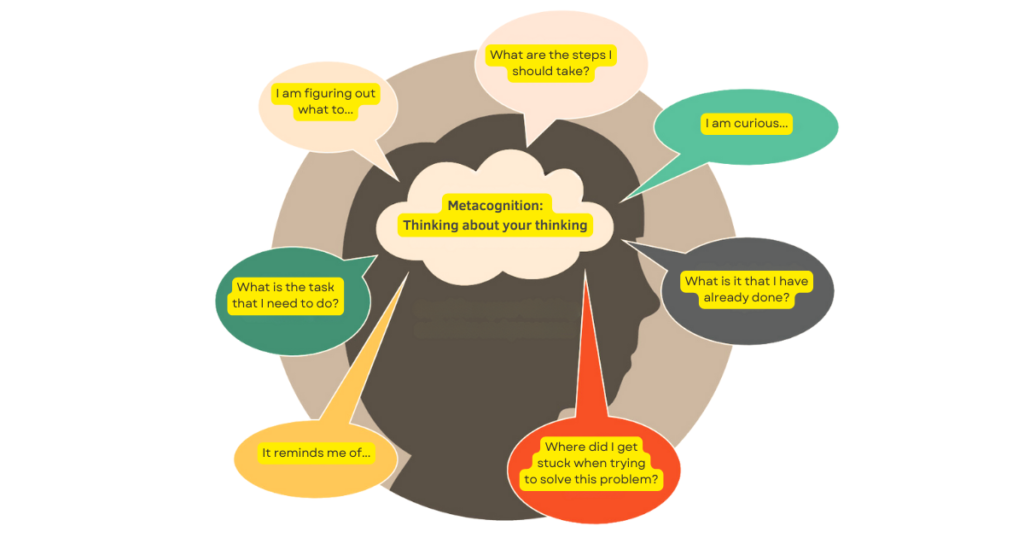
    Metacognition in teaching is the art of thinking about your thinking. It’s that inner voice guiding you through the learning process, helping you plan your approach, monitor your understanding, and evaluate your progress.

    Metacognition refers to the process by which learners actively engage with their own thinking and learning strategies. It involves being aware of one’s cognitive processes, monitoring progress, and evaluating outcomes.

    Imagine having a personal learning coach residing within you, constantly analyzing your strengths and weaknesses, adapting your tactics, and celebrating your successes. That’s the incredible power of metacognition in teaching.

    This article serves as your guide to unlocking this superpower. We’ll demystify the concept, explore its key components, and delve into how teachers can utilize this magic in their classrooms to cultivate self-aware, empowered learners.

    What is The Difference Between Cognition and Metacognition?

    What Is Metacognition in Teaching

    Cognition and metacognition are related concepts, but they have distinct differences:

    1. Cognition:
      • Definition: Cognition refers to the mental processes involved in acquiring, processing, storing, and using information. It encompasses a wide range of activities, including perception, attention, memory, language, and problem-solving.
      • Function: Essentially, cognition is how our brain processes information from the environment and makes sense of it.
      • Examples: When we read, work through math problems, or identify faces, we are actively involved in cognitive processes.
    1. Metacognition:
      • Definition: Metacognition, on the other hand, refers to the awareness and understanding of one’s own cognitive processes. It involves:
        • Reflecting on one’s thinking.
        • Monitoring and regulating cognitive activities.
        • Making strategic decisions about how to approach tasks.
      • Importance: Metacognition is essential for effective learning and problem-solving because it allows individuals to become more aware of their own thinking processes and make intentional decisions about their approach.
      • Skills: Metacognitive skills encompass abilities such as planning, monitoring progress, self-evaluation, and self-regulation.

    In summary, cognition is the foundation upon which metacognition is built. While cognition focuses on mental processes, metacognition enables us to think about how we think and optimize

    Components of Metacognition

    Metacognition, the art of “thinking about your thinking,” isn’t just a fancy educational term; it’s the key to unlocking your full learning potential. Imagine stepping into a vast library, equipped with a map and tools to navigate its treasure trove of knowledge. Metacognition empowers you to become that navigator, guiding your learning journey with self-awareness, strategic planning, and insightful evaluation.

    Let’s delve into the key components of metacognition, unveiling the secrets to becoming a self-directed learning master: the knowledge component and the regulatory component.

    1. Metacognitive Knowledge: Self-Awareness as a Learning Compass

    Know thyself, know thy learning journey. This first component revolves around understanding yourself as a learner. It’s about building self-awareness and acknowledging your strengths, weaknesses, and preferences. Just like choosing the right tool for the job, understanding your individual learning style (visual, auditory, kinesthetic) helps you select the most effective strategies for each task.

    Are you an information sponge who thrives on detailed notes? Or do you learn best through visual aids and hands-on activities? Recognizing your preferences equips you to choose the path that leads to deeper understanding.

    But it doesn’t stop there. Metacognitive knowledge also encompasses understanding different learning strategies and their strengths. Flashcards might work wonders for memorizing vocabulary, while mind maps excel at connecting complex concepts. Knowing the tool kit available empowers you to choose the right strategy for the specific learning challenge you’re facing.

    2. Metacognitive Regulation: Charting Your Learning Course

    Once you know your strengths and have the tools at your disposal, it’s time to take control! Metacognitive regulation is all about actively charting your learning course.

    What Is Metacognition in Teaching

    Think of metacognition in teaching as a three-pronged compass guiding your learning journey:

    • 1. Planning: This involves setting clear goals, choosing appropriate strategies based on the task and your learning style, and anticipating potential challenges. Imagine preparing for a hike. You wouldn’t blindly venture into the wilderness without packing appropriate gear, planning your route, and anticipating weather changes. Similarly, metacognition encourages students to become strategic learners, crafting a personalized roadmap to reach their learning destinations.
    • 2. Monitoring: This is the act of checking your understanding throughout the learning process. Are you grasping the concepts? Is your chosen strategy effective? Do you need to adjust your approach or seek clarification? Think of it like navigating a hike—constantly checking your map, observing landmarks, and adapting based on the terrain. Metacognition empowers students to become active participants, not passive listeners, constantly gauging their comprehension and adjusting their learning course as needed.
    • 3. Evaluating: This final stage involves reflecting on your learning experience, assessing your progress, and identifying areas for improvement. Just like reflecting on your hike, and analyzing what worked well and what could be done better, metacognition encourages students to critically evaluate their learning journey. Did the chosen strategy yield results? Are there alternative approaches to explore? This self-reflection fosters a growth mindset, empowering students to continuously refine their learning strategies and become self-assured, adaptable learners.

    Remember, metacognition in teaching isn’t just about acquiring knowledge; it’s about fostering the crucial skills to learn effectively, adapt efficiently, and become a lifelong learner. It’s about empowering students to take ownership of their learning journey, transforming them from passive recipients of information into active architects of their understanding.

    Why Metacognition Matters: What Is Metacognition in Teaching

    Metacognition, often referred to as “thinking about thinking,” plays a pivotal role in our ability to learn, problem-solve, and adapt. It’s the inner dialogue that guides our cognitive processes, allowing us to monitor and regulate our thoughts, strategies, and understanding. In the context of education, metacognition is a powerful tool that can significantly impact student success.

    How Metacognition Influences Exam Performance

    Let’s delve into a typical student scenario. Imagine a dedicated student, Alex, preparing for a challenging exam. Alex attends classes, takes thorough notes, and diligently completes practice problems. However, when the exam day arrives, Alex’s performance falls short of expectations. What went wrong?

    What Is Metacognition in Teaching and Learning

    The answer lies in metacognition. Alex focused on surface-level learning—memorizing formulas and solving problems mechanically—without truly understanding the underlying concepts. Alex lacked metacognitive awareness—the ability to reflect on one’s learning process, identify gaps, and adjust strategies accordingly.

    Now, consider another student, Maya. Maya approaches the same exam differently. She engages in metacognitive practices:

    1. Self-Questioning: Maya asks herself, “Do I truly grasp the fundamental principles behind these equations?” She digs deeper, seeking connections between concepts.
    2. Monitoring: During practice sessions, Maya monitors her comprehension. If she struggles with a problem, she pauses, reflects, and identifies the specific challenge.
    3. Strategy Adaptation: When faced with a complex problem, Maya doesn’t panic. Instead, she adjusts her approach. If one method fails, she explores alternatives.

    The result? Maya performs exceptionally well on the same calculus exam. Her metacognitive skills allowed her to navigate the material effectively, retain knowledge, and apply it flexibly.

    The Need for Explicit Metacognitive Skill Development in Education

    What Is Metacognition in Teaching

    Metacognition isn’t innate; it’s a skill that can be cultivated. Unfortunately, many educational systems prioritize content over process. Students receive information but often lack guidance on how to learn effectively. Here’s why explicit metacognitive skill development matters:

    1. Improved Learning Outcomes: When students understand their learning process, they become active participants. They engage in deeper learning, connect ideas, and retain knowledge beyond rote memorization.
    2. Problem-Solving Agility: Metacognition equips students with problem-solving tools. They learn to assess their understanding, identify misconceptions, and adjust strategies. These skills extend beyond exams—they’re essential for lifelong learning.
    3. Reduced Cognitive Load: Metacognition streamlines learning. Students learn to allocate mental resources efficiently, focusing on what truly matters. They become efficient learners.
    4. Transferable Skills: Metacognitive practices aren’t confined to specific subjects. They transfer across disciplines, benefiting students in science, literature, art, and beyond.

    Metacognition isn’t an abstract concept; it’s a practical skill that transforms learning experiences. As educators, we must prioritize metacognitive development alongside content delivery. Let’s empower students like Maya—students who not only know what to learn but also how to learn. By doing so, we foster critical thinkers, problem-solvers, and lifelong learners.

    Read Also: Transformative Pedagogical Approaches: The Future of Education

    Power of Metacognition in Teaching: The Magic for Students and Teachers

    Imagine a classroom buzzing not just with activity but with intentional learning. Students aren’t passively consuming information but actively engaging, strategizing, and reflecting on their progress. This, my friends, is the transformative power of metacognition in teaching in action.

    Cultivating metacognitive skills in students isn’t just an educational fad; it’s an investment in their future. Here’s why:

    • Empowered Learners: With metacognition, students become active participants, not passive recipients. They learn to set goals, plan their learning journey, and monitor their progress, fostering a sense of ownership and responsibility. Imagine the shift: instead of waiting for the teacher to spoon-feed them information, students become strategic learners, capable of adapting their approaches and seeking help when needed. This newfound agency fuels motivation, confidence, and a lifelong love of learning.
    • Deeper Understanding: True learning goes beyond rote memorization. Metacognition encourages students to go beyond the “what” and delve into the “why” and “how” of knowledge. They analyze, synthesize, and evaluate information, building deeper connections and constructing meaningful understanding. Think of it like building a house. With metacognition, students aren’t just assembling bricks; they’re architects, understanding the structure and purpose of their learning edifice.
    • Improved Efficiency: Imagine spending hours studying only to feel like you’re treading water. Metacognition helps students identify effective learning strategies. They learn to allocate their time wisely, choose the right tools, and adjust their approach based on their strengths and weaknesses. This optimization leads to improved learning outcomes and reduced frustration, freeing up valuable time and mental energy for exploration and deeper engagement.
    • Enhanced Self-Awareness: Metacognition fosters self-reflection, encouraging students to analyze their learning styles, preferences, and areas for improvement. This introspective awareness empowers them to make informed choices about their learning journey, developing a growth mindset and a belief in their own potential. It’s like having a personal learning coach whisper wise advice and guide them toward becoming truly self-directed learners.

    But how do we, as teachers, unlock this magic for our students? Here’s where the “how” of metacognition in teaching comes alive:

    1. Explicit Instruction: Don’t assume students will magically develop metacognitive skills. Make these skills visible! Dedicate time to explaining and modeling metacognitive strategies, encouraging discussions and reflections. Help students understand the why behind these strategies, connecting them to real-world learning scenarios.
    2. Inquiry-Based Learning: Move away from teacher-centered lectures and embrace inquiry-based activities. Encourage students to ask questions, formulate hypotheses, and investigate solutions. This hands-on approach naturally fosters metacognitive skills as students plan, monitor, and evaluate their learning throughout the process.
    3. Metacognitive Prompts: Integrate thought-provoking questions into your lessons. Prompt students to reflect on their understanding, ask them to explain their thought processes, and encourage them to evaluate the effectiveness of their chosen strategies. These regular metacognitive moments become stepping stones for self-awareness and strategic learning.
    4. Self-Assessment Tools: Empower students to track their progress and identify areas for improvement. Utilize learning logs, journals, and self-assessment rubrics to encourage reflection and goal setting. By taking ownership of their learning journey, students become active collaborators in their own academic success.
    5. Collaborative Learning: Encourage students to work together, sharing their learning strategies and offering constructive feedback. This collaborative environment allows students to learn from each other’s metacognitive approaches, fostering a community of support and shared growth.

    Remember, metacognition in teaching is not a one-time lesson; it’s a continuous journey. By integrating these strategies into your classroom and fostering a culture of metacognitive reflection, you’ll witness the magic unfold: students who are engaged, empowered, and self-directed learners, ready to conquer any academic challenge!

    What are Some Examples of Metacognitive Strategies?

    Ever feel like you’re studying hard but not getting anywhere? You’re not alone! Sometimes, just hitting the books isn’t enough. Here’s where metacognitive skills come in. Think of them as superpowers for learning; they help you understand how you learn best. Let’s explore some examples:

    Self-Questioning
    1. Self-Questioning:
      • Pause during a task to consciously check your actions.
      • Ask important questions like:
        • Is this the best way to carry out this task?
        • Did I miss something? Maybe I should check again.
        • How could I do better next time?
        • Am I looking at this task the right way?
      • Good students interrogate their actions both during task completion and upon its completion.
    2. Meditation:
      • Clear your mind and reach a calm, focused state.
      • Enhance self-awareness and inner speech.
      • Meditation is increasingly used in schools to help students attain heightened self-awareness.
    3. Reflection:
      • Pause to think about a task.
      • Reflect on your thought processes and ways to improve.
      • Follow reflective cycles:
        • Plan the task.
        • Attempt the task.
        • Evaluate how you did.
        • Identify areas for improvement.
        • Plan the next task, focusing on weaknesses.
        • Repeat the process.
      • Competent reflection can occur even while performing a task (known as reflection in action).
    4. Awareness of Strengths and Weaknesses:
      • Recognize your own strengths and weaknesses.
      • Genuine assessment leads to self-improvement.
    5. Thinking Aloud:
      • Verbalize your thought process while solving problems.
      • It helps you monitor and adjust your thinking strategies.
    6. Active Listening:
      • Engage fully in listening to others.
      • Reflect on what you’ve heard and how it connects to your existing knowledge.
    7. Using Mnemonic Aids:
      • Employ memory techniques (mnemonics) to enhance recall.
      • Examples include acronyms, visualization, and memory palaces.

    These are just a few examples! The key is to experiment and find what works best for YOU. With a little metacognitive magic, you can unlock your full learning potential and become a true learning master!

    Remember, metacognition empowers learners to take charge of their learning journey. By incorporating these strategies into teaching practices, educators can cultivate lifelong learning skills and enhance learning outcomes effectively.

    Conclusion

    So, what is metacognition in teaching? It’s not just a fancy educational term—it’s a revolutionary approach to empowering students to become self-directed, confident learners. By equipping them with the metacognitive skills to think about their thinking, we unlock a world of possibilities in the classroom.

    We’ve explored the key components of metacognition in teaching:

    • Metacognitive knowledge: understanding oneself as a learner and different learning strategies.
    • Metacognitive regulation: planning, monitoring, and evaluating the learning process.
    • Metacognitive experience: the emotions, thoughts, and awareness you have while learning.

    By integrating these components into your teaching, you foster a culture of metacognitive thinking. Students become active participants, no longer passively receiving information but actively constructing their understanding. They learn to ask questions, set goals, monitor their progress, and adapt their strategies based on their needs.

    The benefits of what is metacognition in teaching are undeniable:

    • Deeper learning: Students move beyond rote memorization to grasp concepts critically and connect them to real-world applications.
    • Improved problem-solving: They develop the skills to analyze challenges, identify solutions, and adapt to new situations.
    • Enhanced self-motivation and confidence: By understanding their learning process, students take ownership of their education and become more engaged learners.
    • Lifelong learning skills: They cultivate the tools and mindset to continue learning and exploring throughout their lives.

    Remember, metacognition in teaching is not a one-time lesson; it’s a journey of continuous discovery. Embrace it as a core principle in your teaching philosophy, experiment with different strategies, and encourage your students to explore their own metacognitive superpowers.

    Together, let’s transform classrooms into vibrant hubs of self-directed learning, fueled by the magic of what is metacognition in teaching!

    Ready to explore further? Delve into specific metacognitive strategies, share your experiences with other educators, and embark on this transformative journey with us! Remember, the power of metacognition in teaching lies in its potential to unlock the potential of every learner. Start today and witness the magic unfold!

  • Interoperable Blockchain: The Data Revolution

    Interoperable Blockchain: The Data Revolution

    Imagine a world where data flows freely between different systems, organizations, and even industries. A world where secure and transparent communication happens seamlessly, regardless of the platform or protocol used. This isn’t a utopian dream; it’s the reality promised by interoperable blockchain, a groundbreaking technology poised to revolutionize the way we share information and collaborate.

    But before we delve into the exciting possibilities, let’s take a step back.

    What is an Interoperable Blockchain?

    In simple terms, interoperable blockchain refers to the capability of different blockchain networks to communicate and interact with each other. This means they can not only send and receive digital assets like tokens, but also exchange data, execute smart contracts, and interact with each other’s functionalities seamlessly.

    Interoperable Blockchain

    In the context of blockchain, “interoperable” means the ability of different blockchain networks to connect and interact with each other. This goes beyond simply transferring tokens between them, like sending Bitcoin between different exchanges. Instead, interoperable blockchains can:

    • Exchange data: They can share information stored on their ledgers, enabling applications to utilize data from multiple chains.
    • Execute smart contracts: They can trigger actions across different chains, simplifying complex workflows that span multiple platforms.
    • Interact with functionalities: They can utilize features and services offered by other chains, even if built on different technologies.

    Think of it this way: Imagine different countries speaking different languages. Traditional blockchains are like these countries, unable to directly communicate. Interoperability removes communication barriers, allowing seamless interaction and information exchange.

    This technology is still in its early stages, but the potential is undeniable. It’s like the early days of the internet, when people first grasped the power of connecting computers across the globe. Interoperable blockchain holds the same promise for data and communication, breaking down walls and building bridges for a more collaborative and transparent future.

    How Interoperable Blockchain Makes Communication Flow

    So, how exactly does this interoperable magic happen? Imagine two different blockchains as walled gardens, each with its own unique ecosystem and rules. Interoperable blockchain technology acts as the architect, building bridges that allow these gardens to connect and exchange information seamlessly. But unlike any ordinary bridge, these come in various forms, each with its own strengths and limitations.

    Interoperable Blockchain

    Here’s a glimpse into the different approaches to breaking down blockchain silos:

    1. Sidechains: Think of these as separate lanes dedicated to high-speed traffic. They operate alongside the main blockchain, offering scalability and flexibility for specific tasks. For example, the Cosmos SDK allows developers to build custom blockchains (sidechains) connected to its central Cosmos Hub, facilitating faster transactions without compromising security.

    2. Bridges: These act as two-way translators, enabling direct communication between different blockchains. They come in various forms, like:

    • Centralized bridges: These are managed by a single entity, ensuring fast transactions but raising concerns about trust and centralization.
    • Decentralized bridges: These rely on distributed networks for security and trust, but transaction times can be slower. Popular examples include Ren Protocol and Wanchain.

    3. Oracles: Think of these as trusted messengers, bringing real-world data onto the blockchain. They bridge the gap between the decentralized world and external sources, providing crucial information for smart contracts to function. Chainlink and Band Protocol are prominent players in this field.

    These are just a few examples, and the interoperable landscape is constantly evolving. Exciting projects like Polkadot and Cosmos are building entire ecosystems of interoperable blockchains, aiming to create a truly connected blockchain universe.

    But with any groundbreaking technology, challenges do arise. One key hurdle is standardization: how do we ensure different bridges and protocols speak the same language? Fortunately, organizations like the Interchain Alliance are working on solutions to create common ground.

    Security is another crucial concern. As complex systems are built, ensuring their integrity and resisting potential vulnerabilities requires constant vigilance and innovation.

    Despite these challenges, the developments are encouraging. Interoperable platforms are facilitating real-world applications in various sectors:

    • Decentralized finance (DeFi) platforms are leveraging interoperable bridges to access liquidity across different blockchains, opening up a wider range of opportunities for users.
    • Non-fungible tokens (NFTs) are crossing borders, enabling seamless movement between different marketplaces thanks to interoperable solutions.
    • Supply chain management is experiencing a transformation, with interoperable platforms ensuring transparent and efficient tracking of goods across borders.

    These are just the early chapters in the story of interoperable blockchain. As technology matures and challenges are overcome, we can expect a future where data flows freely and securely across different platforms and industries. Imagine the possibilities: seamless collaboration on global projects, secure and transparent voting systems, and even a decentralized internet where individuals have complete control over their data.

    The excitement is palpable! Buckle up, because the future of data sharing and communication is looking more connected and empowering than ever before. Are you ready to be a part of it?

    Breaking Down Silos, Fueling Transformation Across Industries

    Imagine a world where information flows freely and securely, breaking down barriers and fostering collaboration across industries. This, my friends, is the transformative potential of interoperable blockchain.

    By connecting previously isolated blockchains, it unlocks a wealth of possibilities, streamlining processes, enhancing transparency, and revolutionizing countless sectors. Let’s embark on a journey through some of these exciting use cases:

    1. Supply Chain Management

    Picture a scenario where every step of a product’s journey, from raw materials to your doorstep, is transparently tracked on an interoperable blockchain. Imagine knowing the origin of your coffee beans, the working conditions on farms, and the carbon footprint of each shipment. This is the reality that interoperable blockchain brings. Platforms like VeChain and OriginTrail are already enabling:

    • Enhanced traceability: Track goods in real-time, ensuring authenticity and combating counterfeiting.
    • Improved accountability: Identify bottlenecks and inefficiencies, optimize logistics, and ensure ethical sourcing.
    • Greater transparency: Consumers gain trust by knowing exactly what they’re buying and its journey.

    2. Financial Services

    Cross-border transactions often involve hefty fees, delays, and cumbersome paperwork. But interoperable blockchain is changing the game. Platforms like Stellar and RippleNet are facilitating:

    • Faster and cheaper transactions: Move money across borders instantly and securely, bypassing traditional intermediaries.
    • Increased financial inclusion: Reach unbanked populations and provide access to financial services.
    • Improved compliance: Automate regulatory checks and reduce fraud risks with transparent transactions.

    3. Healthcare

    Imagine securely sharing your medical data with specialists across institutions, regardless of their platform. This is the promise of interoperable blockchain in healthcare. Projects like Medchain and Hyperledger Fabric are enabling:

    • Secure and efficient data sharing: Patients control their data, granting access to authorized healthcare providers.
    • Personalized medicine: Leverage shared data for research and the development of targeted treatments.
    • Improved clinical trials: Efficiently recruit and manage participants, ensuring data integrity and transparency.

    4. Internet of Things (IoT)

    Billions of connected devices generate vast amounts of data, often locked in proprietary silos. But with an interoperable blockchain, imagine seamless communication and data exchange between them. Platforms like IOTA and Ocean Protocol are facilitating:

    • Secure and trustless communication: Devices interact directly, eliminating the need for central authorities.
    • Efficient data monetization: Devices can securely sell their data, creating new economic models.
    • Automated processes: Trigger smart contracts based on real-time data, enabling intelligent environments.

    These are just glimpses into the transformative power of interoperable blockchains. The possibilities are endless, from ensuring food safety to streamlining energy grids, powering decentralized governance, and revolutionizing voting systems.

    Real-world examples are already sprouting:

    • Walmart uses VeChain to track food provenance, enhancing safety and consumer trust.
    • RippleNet powers cross-border payments for major financial institutions like Santander and Standard Chartered.
    • Medchain facilitates secure medical data exchange for hospitals and patients in Estonia.
    • IOTA enables secure data exchange and micropayments between connected devices in smart cities.

    The journey has just begun, and the future is exhilarating. As interoperable blockchain matures and overcomes technical hurdles, we stand on the precipice of a paradigm shift.

    Read Also: Metal Blockchain: The Future of Metal Industry

    Benefits and Challenges of Interoperable Blockchain

    As with any groundbreaking technology, interoperable blockchain isn’t without its challenges. But before we delve into the potential hurdles, let’s celebrate the dazzling array of benefits it promises:

    Unveiling the Powerhouse:

    • Improved Data Sharing and Collaboration: Say goodbye to siloed information! Interoperable platforms break down communication barriers, enabling seamless data exchange across industries and organizations. Imagine collaborating on global projects with complete transparency and trust. It’s a game-changer for supply chains, healthcare, and scientific research.
    • Increased Efficiency and Cost Savings: Eliminate bureaucratic red tape and streamline processes. Automated smart contracts and instant transactions powered by interoperable blockchain translate to significant cost savings and faster turnaround times. Picture cross-border transactions settling in seconds, not days, or imagine automating complex logistics chains with unmatched efficiency.
    • Enhanced Security and Transparency: Forget data breaches and privacy concerns. The inherent security features of blockchain technology, coupled with interoperability, create a robust ecosystem where data is tamper-proof and transparent. Imagine patients owning and controlling their medical data, or consumers knowing exactly where their food comes from with complete confidence.
    • New Business Models and Opportunities: Prepare to unlock a treasure trove of innovation! Interoperable platforms open doors to previously unimaginable business models. Think data marketplaces where devices securely sell their information, or decentralized insurance protocols offering tailored coverage based on real-time data. The possibilities are as endless as human ingenuity.

    Facing the Challenges Head-on:

    Now, let’s acknowledge the roadblocks on the path to blockchain utopia:

    • Standardization and Interoperability Standards: Different bridges and protocols need a common language to truly connect. The lack of universal standards can hinder seamless communication and create compatibility issues. Organizations like the Interchain Alliance are working on solutions, but it’s an ongoing quest.
    • Scalability and Performance Limitations: Current blockchain technology can struggle with handling massive transaction volumes. While scaling solutions are constantly evolving, finding the right balance between security, decentralization, and scalability remains a challenge for interoperable blockchain platforms.
    • Regulatory Landscape and Legal Implications: The legal and regulatory frameworks surrounding blockchain technology are still nascent. Adapting existing regulations to accommodate interoperable platforms will require collaboration between governments, businesses, and technology developers. It’s a complex dance, but essential for fostering trust and adoption.

    The Interoperable Balancing Act

    Navigating these challenges requires a collaborative effort. Developers must continue innovating, standardizing protocols, and optimizing scalability. Regulatory bodies need to create clear and adaptable frameworks, fostering innovation while protecting consumers.

    And lastly, individuals like you and me need to stay informed, engaged, and participate in shaping the future of this powerful technology.

    Despite the challenges, the potential of interoperable blockchain is undeniable. It’s a revolutionary force poised to transform the way we share information, collaborate, and conduct business.

    So, roll up your sleeves and join the conversation! Together, we can build a future where interconnectedness, transparency, and trust form the foundation of a more efficient and equitable world. Remember, the future is built, not inherited, and interoperable blockchain offers us the tools to build it together.

    The Thriving Future of Interoperable Blockchain

    Picture a world where data flows freely, seamlessly weaving between industries, organizations, and individuals. Imagine trust built on transparency, collaboration flourishing across borders, and innovation fueled by accessible information.

    Interoperable Blockchain

    This, my friends, is the exhilarating future envisioned by interoperable blockchain. As we stand at the precipice of this technological revolution, the possibilities seem endless, and the journey ahead promises to be nothing short of fascinating.

    A Future Interwoven with Potential:

    The ongoing development of interoperable blockchain technology holds immense promise across various sectors:

    • The rise of blockchain ecosystems: Projects like Polkadot and Cosmos are building entire ecosystems of interoperable blockchains, fostering a truly connected future. Imagine seamlessly switching between different platforms for specific needs, unlocking a wider range of functionalities and opportunities.
    • Advanced interoperability solutions: Developers are constantly innovating, exploring new approaches like atomic swaps and cross-chain oracles to achieve even more seamless and secure communication between blockchains. Think of data flowing effortlessly between different systems, regardless of their underlying technology.
    • Decentralized governance and voting: Imagine transparent and secure voting systems powered by interoperable blockchain, empowering citizens and fostering trust in democratic processes. Picture secure and auditable elections with real-time results, accessible to everyone.
    • The dawn of data sovereignty: Individuals will have greater control over their data, choosing who they share it with and reaping the benefits of its value. Imagine owning your online identity, deciding how your data is used, and participating in data marketplaces on your own terms.

    More Than Just Technology: Building a Collaborative World:

    The true impact of interoperable blockchain goes beyond technological advancements. It has the potential to fundamentally reshape our society, fostering a more collaborative and interconnected world:

    • Breaking down barriers: Silos will crumble as diverse organizations and individuals connect and collaborate seamlessly. Imagine research projects spanning across institutions, or joint ventures overcoming geographical boundaries with ease.
    • Empowering communities: Individuals will have a voice and the ability to participate in decision-making processes. Imagine decentralized communities tackling global challenges with collective action and shared resources.
    • Building trust: Transparency and accountability will become the norm, fostering trust between individuals, institutions, and even governments. Imagine a world where information is readily available and verifiable, promoting ethical and responsible behavior.

    An Optimistic Outlook for the Future:

    The road ahead for interoperable blockchain is not without its challenges. Scalability, standardization, and regulatory frameworks need to evolve alongside the technology. But with ongoing advancements, collaborative efforts, and a shared vision, these hurdles can be overcome.

    So, let’s embrace the future with optimism! As interoperable blockchain matures and expands its reach, we have the opportunity to build a world where information flows freely, collaboration thrives, and trust is the cornerstone of every interaction. Are you ready to be part of this exciting journey?

    Join the conversation, engage with the technology, and let’s shape a future where interconnection and empowerment pave the way for a brighter tomorrow. Remember, the future is ours to create, and interoperable blockchain offers us the tools to build it together.

    What is Blockchain interoperability?

    Blockchain interoperability refers to the ability of different blockchain networks to communicate and share data seamlessly. It enables a smooth exchange of information and transactions across various blockchain platforms, enhancing efficiency and functionality in the decentralized ecosystem.

    What is an example of Blockchain interoperability?

    One example of blockchain interoperability is the Cosmos network, which facilitates communication and interaction between different blockchains through its interoperability protocol, enabling seamless data transfer and transactions across multiple blockchain networks.

    Why is interoperability important in cryptocurrencies?

    Interoperability is important in cryptocurrencies because it allows different blockchain networks and cryptocurrencies to communicate and interact with each other. This enables seamless exchange of value across various platforms, enhances liquidity, increases utility for users, and fosters innovation by creating a more interconnected and efficient ecosystem for decentralized finance (DeFi) and other blockchain applications.

    What are some popular projects or protocols working on blockchain interoperability?

    Popular projects and protocols focusing on blockchain interoperability include Cosmos (Cosmos Network), Polkadot, Ethereum 2.0 (with its shard chains), interoperability solutions like Interledger Protocol (ILP), and bridges like Ren Protocol and Chainlink.
  • Facetel Q7 Tablet Review: Budget Hero or Big Disappointment?

    Facetel Q7 Tablet Review: Budget Hero or Big Disappointment?

    In the ever-evolving world of tablets, budget options often leave us with a nagging question: can affordability truly coexist with quality? Enter the Facetel Q7 Tablet, a device poised to disrupt the budget segment with its promising specs and wallet-friendly price tag. Let’s embark on a comprehensive Facetel Q7 tablet review.

    The Facetel Q7 Tablet is for people who want a good tablet without spending too much money. It’s great for students who need a big screen for studying and taking notes.
    It’s also good for professionals who want to work and have fun on the same device. And if you just want a simple tablet for social media and fun stuff, it’s good for that too. Even if you’re not sure about tablets, the price is so good that you might want to try it out and see what it can do.

    Unveiling the Budget Powerhouse

    So, what exactly makes the Facetel Q7 Tablet tick? The following are some of the main features of this tablet that you should think about:

    Key Points
    A Display of ValueBoasting a generous 11-inch display with a maximum resolution of 2000*1200 pixels, the Facetel Q7 Tablet prioritizes visual enjoyment for movies, ebooks, or casual gaming without sacrificing portability.
    Performance on a BudgetWhile not aiming for top-of-the-line benchmarks, the device promises smooth everyday performance for browsing, streaming, and even light gaming, thanks to its 2.0 GHz octa-core processor and 16GB (8GB RAM + 8GB expandable memory) RAM.
    Storage SavvyWhether you’re a music aficionado with a large music library or a photo enthusiast capturing memories, the Facetel Q7 Tablet offers 256GB of internal storage, expandable up to 1TB using an SD card, to keep your essentials close at hand.
    Battery Life that LastsSay goodbye to scrambling for chargers! The Facetel Q7 Tablet boasts a long-lasting 8600mAh battery, perfect for on-the-go users who value uninterrupted productivity or entertainment.
    Price Point ChampionThe Facetel Q7 Tablet’s budget-friendly price tag. It positions itself as a compelling alternative to pricier options, tempting those who prioritize affordability without compromising on basic functionality like browsing, social media, and entertainment.
    facetel q7 tablet review

    Our Mission: An Unbiased Assessment

    But is the Facetel Q7 Tablet all sunshine and rainbows? We’re here to provide an unbiased assessment, dissecting its strengths and weaknesses to help you decide if it’s the budget hero you’ve been waiting for or a potential disappointment.

    We’ll delve into its real-world performance, scrutinize its user experience, including its dual cameras (5MP rear and 8MP front) and connectivity options (5G WiFi and Bluetooth 5.0), and compare it to similar offerings in the market. Ultimately, our goal is to empower you to make an informed decision, armed with a comprehensive understanding of the Facetel Q7 Tablet’s true potential.

    So, stay tuned as we embark on this exciting journey to uncover the truth about the Facetel Q7 Tablet. Is it a budget champion ready to rewrite the rules of the game, or will it fall short of expectations? Get ready!

    Features and Specifications

    Now that we’ve met the Facetel Q7 Tablet, let’s peer under the hood and explore its core components. Remember, affordability reigns supreme, but features shouldn’t be an afterthought. So, does the Facetel Q7 Tablet strike the right balance? Let’s dissect its features and specifications to find out:

    Facetel q7 Tablet Review

    A Display Fit for Entertainment:

    • Size Matters: Embrace your inner cinephile with the Facetel Q7 Tablet’s stunning 2K display. The Facetel Q7 Tablet boasts a generous 11-inch display, offering ample screen real estate for immersive movie marathons, mobile gaming, or ebook adventures. Immerse yourself in movie marathons, mobile gaming adventures, and captivating ebooks, all brought to life on a screen boasting an impressive 85% screen-to-body ratio. Embrace your inner cinephile! 
    • Resolution Revelations: Pixel peepers, rejoice! While not aiming for the moon, the Facetel Q7 Tablet offers a decent 2000 x 1200 resolution, ensuring visuals are sharp and enjoyable for everyday use. However, in-depth reviews might reveal how text clarity or details fare in different lighting conditions or demanding tasks.

    Performance on a Budget: Does It Deliver?

    • The Brains of the Operation: At the heart of the Facetel Q7 Tablet lies a capable 2.0 GHz octa-core MT8183 processor. Don’t expect top-of-the-line benchmarks, but it should ensure smooth performance for basic tasks like browsing, social media, and even light gaming. Reviews will be your guide to real-world performance, highlighting how well the processor handles multitasking or demanding applications.
    • RAM: The Multitasking Maestro: Keeping things running smoothly requires sufficient RAM. The Facetel Q7 Tablet packs in 16GB (8GB RAM + 8GB expandable memory), which should be enough for most everyday tasks. However, heavy multitaskers or those craving a lag-free experience might want to consider reviews that delve into RAM limitations under specific usage scenarios.
    • Storage Savvy: Whether you’re a photo hoarder or a music addict, storage space is essential. The Facetel Q7 Tablet offers a base storage of 256GB, which might seem sufficient for basic users. However, power users or those who plan to store large files should check if the device supports expandable storage via microSD cards.

    The Software Symphony: Is It User-Friendly?

    Facetel q7 Tablet Review

    The Facetel Q7 Tablet embarks on its digital journey with the latest Android 13 as its guiding star. This operating system promises a familiar and intuitive experience for most users. Let’s delve into the details:

    1. Familiar Terrain: Android 13 brings with it a sense of continuity. Users accustomed to previous Android versions will find themselves on familiar ground. The layout, icons, and navigation patterns remain consistent, ensuring a smooth transition.
    2. Intuitive Navigation: The Facetel Q7 Tablet’s interface capitalizes on Android’s user-friendly design principles. Navigating through menus, accessing settings, and launching apps follow logical paths. The learning curve is gentle, even for those new to the Android ecosystem.
    3. Customization and Limitations: Reviews play a crucial role in uncovering the nuances of any operating system. While Android 13 provides a solid foundation, it’s essential to explore any customizations or limitations specific to the Facetel Q7 Tablet. Users should pay attention to unique features, pre-installed apps, and any deviations from stock Android.

    In summary, the Facetel Q7 Tablet’s Android 13 OS strikes a harmonious balance between familiarity and ease of use. 📱

    Read Also: Amazon Fire HD 10 Review: Best Budget Tablet Under $100

    User Interface

    The interface of a tablet can make or break the user experience. Let’s examine how the Facetel Q7 Tablet fares in this symphony of pixels:

    1. Smooth Sailing: The Facetel Q7 Tablet’s interface glides seamlessly across the screen. Transitions between screens are buttery smooth, and animations feel responsive. Whether you’re swiping through apps, widgets, or notifications, the experience is pleasant and fluid.
    2. Intuitive Arrangement: The app icons, widgets, and system controls are thoughtfully arranged. Commonly used functions are easily accessible, reducing the need for endless swipes or searches. Users won’t find themselves lost in a labyrinth of menus.
    3. Tech-Savvy vs. Novice: Here lies the crux. For tech-savvy users, the Facetel Q7 Tablet’s interface is a breeze. They’ll appreciate the flexibility to tweak settings, personalize themes, and explore advanced features. However, for the less tech-savvy, simplicity matters. Reviews should shed light on whether the interface caters to both camps.

    In conclusion, the Facetel Q7 Tablet dances to the rhythm of Android 13, offering a harmonious blend of familiarity and innovation. Whether it emerges as a budget hero or a big disappointment depends on how well it orchestrates this software symphony.

    Cameras, Battery, and Connectivity

    Facetel q7 Tablet Review
    • Capturing Memories: While not aimed at professional photographers, the Facetel Q7 Tablet packs a 5MP rear camera and an 8MP front camera, allowing you to capture casual moments or video chat with loved ones. Reviews will reveal image quality, low-light performance, and overall camera functionality.
    • Battery Life Bonanza: One of the key selling points is the promising 8600mAh battery. But does it translate to real-world usage? Reviews will put the battery to the test, revealing how long it lasts under different usage scenarios and whether it lives up to expectations.
    • Staying Connected: Whether you’re browsing on the go or connecting to smart devices, the Facetel Q7 Tablet offers 5G WiFi and Bluetooth 5.0. Reviews will delve deeper into connection speeds, range, and any potential limitations to consider.

    Performance and User Experience

    So, we’ve delved into the Facetel Q7 Tablet’s specs, but can it translate that potential into smooth real-world performance? Can it handle your daily browsing binges, streaming sprees, and productivity pursuits? Buckle up, as we put it to the test!

    1. Daily Use Warriors: Browsing, Streaming, and Beyond
      • Web Browsing: The Facetel Q7 Tablet handles web browsing with finesse. Whether you’re scrolling through news articles or opening multiple tabs, its 2.0 GHz octa-core processor and 8GB of RAM promise a decent experience. Pages load swiftly, and tab management is smooth. You will not become impatient and start tapping your foot even if you have multiple tabs open at once.
      • Streaming: For streaming enthusiasts, the Facetel Q7 Tablet delivers. Whether you’re binge-watching Netflix, catching up on YouTube videos, or enjoying Hulu shows, it keeps up without constant buffering interruptions. 5G WiFi guarantees a quick and reliable connection for uninterrupted streaming.
    2. Gaming Gauntlet
      • Mobile Gaming: The tablet’s performance in popular mobile games is commendable. While it may not handle high-end graphics-intensive games, it satisfies casual gaming cravings. Expect decent frame rates and smooth gameplay. Because it won’t become a pixelated mess, it’s appropriate for short game sessions.
    3. Productivity Powerhouse
      • Work and School Tasks: Need a reliable companion for productivity? The Facetel Q7 Tablet handles productivity apps like Microsoft Office Suite and Google Docs well. With 8GB of RAM, multitasking is efficient. Whether you’re taking notes, editing documents, or managing emails, it won’t leave you longing for more processing power. Think of it as your cost-effective productivity ally.

    In summary, the Facetel Q7 Tablet is a good option for daily chores and leisure because it finds a balance between performance and pricing.

    Read Also: BLU C5L Max Review: Best Budget Phone with Big Battery?

    Facetel Q7 vs. Fire HD 8 vs. TECLAST P40HD

    Choosing the right budget tablet can be a game of inches, specs, and features. Let’s dive into the Facetel Q7, Amazon Fire HD 8, and TECLAST P40HD to help you decide which one brings the most value:

    Facetel q7 vs Fire HD 8 vs TECLAST P40HD

    Display Showdown:

    • Facetel Q7: Boasts a spacious 11-inch display with a decent 2000 x 1200 resolution, offering ample screen real estate and potentially sharper visuals. Refresh rate details are still under wraps, though.
    • Fire HD 8: Sticks to a more compact 8-inch display with a basic 1280 x 800 resolution, suitable for casual use but lacking in detail compared to larger options. A standard 60 Hz refresh rate keeps things simple.
    • TECLAST P40HD: Finds a middle ground with a 10.1-inch display and a sharper 1920 x 1200 resolution, potentially offering a good balance between size and detail. Like the others, the refresh rate sits at 60Hz.

    Performance Puzzle:

    • Facetel Q7: Packs a 2.0 GHz octa-core processor and 8GB of RAM, promising decent performance for everyday tasks. Reviews will be key to revealing its true responsiveness and multitasking capabilities.
    • Fire HD 8: Leans towards lighter use with its 6-core 2.0 GHz CPU and 2GB/3GB RAM options. Expect potential slowdowns with demanding apps or multitasking.
    • TECLAST P40HD: Ups the ante with a Unisoc T606 octa-core processor and 6GB/8GB RAM options, potentially offering smoother performance compared to the Fire HD 8, especially for multitasking.

    Unique Flair:

    • Facetel Q7: So far, information is limited, and no unique features have been mentioned.
    • Fire HD 8: Tightly integrates with the Amazon ecosystem, providing seamless access to content and services.
    • TECLAST P40HD: The TECLAST P40HD is powered by the UniSoc Tiger T618 processor, which is a relatively new and powerful chip that is designed for mid-range devices.

    Durability Dilemma:

    • Facetel Q7: Durability details are currently unavailable, leaving a question mark.
    • Fire HD 8: Wins the toughness battle with MIL-STD-810G testing, making it a good choice for clumsy users or children.
    • TECLAST P40HD: Information on its durability is also missing, keeping things unclear.

    Premium Perception:

    • Facetel Q7: Build quality and included accessories remain unknown, making it hard to judge its overall feel.
    • Fire HD 8: Focuses on affordability with a plastic build and limited accessories.
    • TECLAST P40HD: Steps up with a metal and glass construction, potentially offering a more premium feel.

    Price Point:

    • Facetel Q7: Price confirmation is pending, but it’s likely positioned within the budget tablet range.
    • Fire HD 8: Starts at a wallet-friendly $89.99, making it the most affordable option.
    • TECLAST P40HD: Enters the scene at around $130, offering potentially better value for performance compared to the Fire HD 8.

    Should You Buy the Facetel Q7?

    While it seems promising on paper, the Facetel Q7 still lacks crucial details on price, durability, and some features. This makes it difficult to definitively answer whether it’s the perfect choice for you.

    However, here are some potential reasons why you might consider it:

    • Larger display: If you prioritize screen real estate for movies, games, or ebooks, the 11-inch display could be a draw.
    • Potentially better performance: Its 2.0 GHz octa-core processor and 8GB RAM suggest smoother performance compared to the Fire HD 8, but real-world testing is needed for confirmation.
    • Expandable storage: If you need more space for apps, media, or files, the microSD slot could be handy.

    Read Also: Feonal Tablet Review 2024: Budget Beast or Bugfest?

    Pros and Cons Before You Buy

    So, the Facetel Q7 Tablet has danced its way through our “Facetel Q7 Tablet Review” spotlight. Let’s recap the key points in an easily digestible format. Buckle up for a pros and cons showdown:

    Pros:

    • Large Storage: The Facetel Q7 Tablet comes with 128GB of internal storage and supports microSD card expansion for ample space.
    • Budget Hero: The Facetel Q7 Tablet’s biggest strength is its wallet-friendly price tag. It offers a compelling alternative to pricier tablets, especially for casual users or those on a tight budget.
    • Peripherals included: Keyboard, mouse, and case are included in the bundle, eliminating the need for separate purchases.
    • Decent Performance: While not a powerhouse, the Facetel Q7 Tablet packs enough punch for everyday tasks like browsing, streaming, and even light gaming. Reviews suggest it handles these tasks smoothly, making it a decent performer for its price.
    • Bloatware-free: No pre-installed unnecessary apps, offering a clean and clutter-free experience.
    • All-Day Battery Life (Claims): Long gone are the days of scrambling for chargers! The Facetel Q7 Tablet boasts a long-lasting battery, promising to keep you powered up throughout the day. Some users report lasting up to 3 days with moderate usage
    • Generous Display: Whether you’re catching up on Netflix or reading ebooks, the Facetel Q7 Tablet’s spacious display offers ample screen real estate for an immersive experience.
    • Unique Features (Depending on Model): Some models might offer unique features like expandable storage, stylus compatibility, or pre-loaded apps that cater to specific user needs.

    Cons:

    • Performance Limitations: Don’t expect to run demanding apps or graphics-intensive games flawlessly. The Facetel Q7 Tablet is designed for basic tasks and has potential limitations for multitasking or handling heavier workloads.
    • Storage Concerns: While the base storage might be enough for some, power users or those who crave ample space for media might find it lacking.
    • Camera Compromise: Let’s be honest, the Facetel Q7 Tablet’s cameras aren’t meant to replace your DSLR. It’s suitable for casual snaps or video calls, but don’t expect professional-grade photography.
    • Software Quirks (Potential): Budget tablets sometimes come with pre-installed apps or software that might not be everyone’s cup of tea.
    • Battery drain issue: Some users experienced rapid battery drain, especially when the battery wasn’t fully drained and charged first.
    • Limited gaming performance: Not powerful enough for demanding games, according to one user.
    • Brand Newcomer: Unlike established brands, the Facetel Q7 Tablet comes from a relatively new player in the market. While this doesn’t automatically mean it’s bad, some users might prefer the reassurance of a known brand.

    Budget Hero or Big Disappointment?

    Phew, we’ve navigated the intricate world of the Facetel Q7 Tablet! After dissecting its features, performance, and competitive landscape, it’s time to answer the burning question: Is this budget tablet a true hero or a potential disappointment?

    The truth, as always, isn’t black and white. The Facetel Q7 Tablet shines in its affordability, offering decent performance for everyday tasks and a generous display perfect for casual entertainment. Its long-lasting battery life (claims) and unique features (depending on the model) further enhance its appeal to specific user groups.

    However, it’s crucial to remember its limitations. Don’t expect to conquer demanding apps or capture award-winning photos. Storage might be an issue for power users, and the software might contain unwanted bloatware. Additionally, being from a new brand might give some pause.

    So, who should consider the Facetel Q7 Tablet?

    • Students on a budget: Need a reliable device for note-taking, browsing, and light entertainment? The Facetel Q7 Tablet offers a budget-friendly solution.
    • Casual users: Craving a basic tablet for browsing, social media, and streaming? The Facetel Q7 Tablet provides a decent experience at an attractive price point.
    • Tech-curious individuals: Want to experiment with a tablet without breaking the bank? The Facetel Q7 Tablet allows you to explore the tablet world without overcommitting.

    Remember, the decision ultimately lies with you. Consider your needs, budget, and priorities. If affordability is your top concern and you’re willing to accept the limitations, the Facetel Q7 Tablet might be your budget champion.

    Are you ready to take the plunge? You can purchase the Facetel Q7 Tablet or explore other user reviews to solidify your decision.

    But wait, there’s more! This “Facetel Q7 Tablet Review” is just one perspective. I encourage you to conduct your own research, read reviews from different sources, and compare it to other options in your budget range.

    Remember, informed decisions lead to happier tech experiences! And hey, if you have any further questions or thoughts, feel free to leave a comment below. I’m always happy to help!

    What are the specs of Facetel Q7?

    Specs of the Facetel Q7:
    Display: an 11-inch screen with a resolution of 2000×1200 pixels.
    Storage: It comes with 16 GB of RAM and 256 GB of storage (expandable up to 1 TB).
    Processor: Powered by an MT8183 processor.
    Camera: Features an 8 MP rear webcam.
    Battery: Equipped with an 8600mAh battery.
    Operating System: Runs on Android 13

    Where can I buy a Facetel Q7 tablet?

    You can buy the Facetel Q7 Tablet on Amazon. You can choose from two bundles: a black version with a convenient mouse and keyboard combo or a stylish gray option with a protective case.

    How does it compare to other tablets in its price range?

    The Q7 stands out for its giant displaystellar battery life, and included S Pen.
    Offering a budget-friendly option without compromising on reliability, the Facetel Q7 holds its own against other mid-tier Android tablets.

    Does Facetel offer any warranty for their products?

    Information regarding warranty for Facetel products is not explicitly mentioned in the available data. For specific warranty details, consult the manufacturer’s website or contact customer support.
  • Amazon Fire HD 10 Review: Best Budget Tablet Under $100

    Amazon Fire HD 10 Review: Best Budget Tablet Under $100

    A tablet that flawlessly fuses entertainment and productivity into a compact yet powerful device—that’s the vision behind the Amazon Fire HD 10 Tablet. This affordable marvel aims to enhance how you relax and have fun. But does it truly deliver tablet paradise on a budget?

    The excitement begins the moment you tear open the box. An exceptional unboxing experience primes you for the Fire HD 10 itself and the goodies bundled within. We’ll take you through that process step-by-step, building anticipation before unveiling the tablet in all its glory.

    This Amazon Fire HD 10 Review will analyze if the Fire HD 10 makes good on Amazon’s promise of an entertainment haven meets productivity powerhouse, all without breaking the bank. We’ll spotlight the tablet’s strengths and weaknesses to determine if it’s the bargain Amazon touts it to be.

    So let’s jump right in and explore whether this tablet ushers relaxation and fun into your life or falls short of expectations. The Amazon Fire HD 10 awaits—along with our unfiltered review.

    First Impressions: A Familiar Face with a Modern Twist

    Multitasking in amazon fire hd 10

    Pulling the Fire HD 10 (2024) out of the box, seasoned tablet users might experience a sense of déjà vu. Imagine vibrant colors, sharp visuals, and content that comes alive on your screen. To protect this visual masterpiece, the display is fortified with aluminosilicate glass, adding an extra layer of durability.

    The Fire HD 10 Tablet boasts a stunning 10.1-inch 1080p display, packing over 2 million pixels for an impressive 224 ppi. With dimensions of 9.69” x 6.49” x 0.34” (246mm x 164.8mm x 8.6mm), the Fire HD 10 Tablet strikes a harmonious balance between a spacious screen and a sleek, portable design.

    Weighing 15.29 oz (433.6g), this tablet is a lightweight companion, making it easy to carry on the go. Actual size and weight may vary by configuration and manufacturing process, ensuring versatility for different user preferences.

    The design retains the classic Fire tablet aesthetic: clean lines, rounded corners, and a hefty bezel around the display. While some might scoff at the lack of trendy edge-to-edge screens, this approach is practical.

    reading in amazon fire hd 10

    The bezel provides a comfortable grip, especially for one-handed reading or movie marathons. Plus, it houses the front-facing camera, making video calls a breeze.

    The real star of the show, however, is the display. Whether you’re engrossed in a captivating novel, binge-watching your favorite show, or browsing through social media, the display does justice to the content. And for those concerned about accidental bumps and drops, the aluminosilicate glass screen offers peace of mind, exceeding the durability of some competitors.

    Amazon Fire HD 10 Review: Performance

    Fueling the device’s capabilities is an octa-core processor, featuring 2x Arm Cortex-A76 up to 2.05 GHz and 6x Arm Cortex-A55 up to 2 GHz, paired with 3GB of RAM. This robust configuration ensures smooth performance across various applications.

    Backed by 3 GB of RAM, the Fire HD 10 Tablet facilitates seamless multitasking. Whether you’re navigating multiple apps or engaging in resource-intensive activities, this tablet is up to the task.

    multitasking in amazon fire hd 10

    This translates to smooth performance for everyday tasks like web browsing, checking emails, and reading ebooks. While it won’t win any speedrunning awards, it handles multitasking with surprising grace, allowing you to seamlessly switch between apps without noticeable lag. Even casual gaming is a pleasant experience, thanks to the 25% performance boost compared to the previous generation.

    Of course, there are limitations. Demanding games or graphically intensive apps might push the hardware a bit too far, resulting in occasional stutters. But for the core functionality most users crave in a tablet, the Fire HD 10 (2024) delivers admirably.

    The Fire HD 10 Tablet offers options of 32 GB (24 GB available to the user) or 64 GB (54.3 GB available to the user) of internal storage. For those with expansive digital libraries, there’s the convenience of a micro-SD slot for up to 1 TB of additional storage. However, it’s important to note that some apps may require installation on internal storage, and updates may impact available space.

    A Battery Built for Binge-Watching

    Amazon fire hd 10 battery life

    One of the biggest concerns with tablets is battery life. After all, who wants their entertainment cut short just as the plot thickens? The Fire HD 10 boasts an impressive 13 hours of battery life for reading, browsing, and video playback. That’s enough to power through a workday, a long commute, or an entire season of your favorite show without reaching for the charger.

    The Fire HD 10 Tablet boasts a convenient charge time, fully powering up in under 4 hours with the provided USB-C cable and 9W power adapter. For an even speedier charge, users can opt for a 15W adapter and USB type C to C cable (sold separately), bringing the full charge time down to under 3 hours.

    Seamless Connectivity: Wi-Fi, Ports & Bluetooth

    Unleash the world at your fingertips with the Fire HD 10 Tablet’s robust connectivity options. Whether you’re streaming movies in a bustling coffee shop, downloading essential files on the go, or connecting your favorite wireless accessories, this tablet ensures you stay seamlessly connected to your digital life.

    Dual-Band Wi-Fi

    Experience the freedom of seamless internet access with dual-band Wi-Fi. Connect to a variety of public and private networks, including 2.4 GHz and 5 GHz frequencies, for smooth browsing, buffer-free video streaming, and fast downloads. Whether you’re catching up on emails at your local library or enjoying a movie marathon at home, reliable Wi-Fi keeps you connected.

    But wait, there’s more! While the Fire HD 10 Tablet doesn’t currently support the latest Wi-Fi 6 standard, the included 802.11a/b/g/n/ac coverage provides ample speed and compatibility for most needs. So, rest assured, you’ll have the bandwidth to handle your daily digital activities with ease.

    Versatile Ports for Every Need

    The Fire HD 10 Tablet doesn’t limit you to Wi-Fi. It boasts a powerful USB-C (2.0) connector, the universal charging standard, ensuring compatibility with a wide range of chargers and devices. Need to juice up your tablet quickly? Simply plug it into any compatible USB-C power adapter for a speedy recharge. But the connectivity doesn’t stop there.

    Expand your storage horizons with the micro-SD slot, supporting up to 1 TB of additional storage. Download entire movie libraries, music collections, or e-book archives without worrying about running out of space. Transfer files effortlessly between your tablet and other devices with the USB-C port, making it a truly versatile connectivity hub.

    Bluetooth Brilliance

    Immerse yourself in rich, wireless audio with Bluetooth 5.3. Connect your favorite headphones, speakers, or even a microphone for hands-free calls. Enjoy crystal-clear sound while listening to music, watching movies, or participating in online meetings. Bluetooth 5.3 also ensures a stable and low-power connection, so you can enjoy extended wireless sessions without worrying about dropped connections or battery drain.

    From streaming movies on the go to connecting your smart home devices, the Fire HD 10 Tablet’s versatile Wi-Fi, ports, and Bluetooth capabilities keep you seamlessly connected to your digital world. So, go ahead, explore, create, and share—the possibilities are endless!

    Also Read: The Best Tablets Under $300: 5 Tablets for School & Fun

    Camera and Audio Features

    The Fire HD 10 Tablet isn’t just about browsing the web and checking emails; it’s also your gateway to capturing precious moments and indulging in rich audio experiences. Let’s delve into the world of sights and sounds offered by this versatile device.

    Camera

    amazon fire hd 10 camera quality

    Equipped with both 5 MP front and rear-facing cameras, the Fire HD 10 Tablet empowers you to freeze-frame life’s special moments. Whether it’s a family gathering, a breathtaking landscape, or a goofy pet video, capture memories in clear, vibrant detail. And with 1080p HD video recording, you can relive those moments in stunning high definition.

    The front-facing 5 MP camera is perfect for capturing engaging selfies and video calls. Look sharp and confident during online meetings, or catch up with loved ones face-to-face with clarity. The rear camera, on the other hand, excels at capturing the world around you. Use it to document your travels, showcase your hobbies, or simply snap fun photos with friends.

    The Fire HD 10 Tablet offers various camera features to enhance your photography experience. Adjust exposure, and white balance, and even experiment with HDR mode to capture stunning shots in challenging lighting conditions. And for those who like to add a personal touch, explore a variety of fun filters and editing tools to make your photos stand out.

    Audio Bliss

    Get ready to be transported to a world of rich, immersive sound with the Fire HD 10 Tablet’s audio capabilities. The dual integrated speakers deliver clear and balanced sound, perfect for enjoying music, movies, and audiobooks. Crank up the volume with the external volume controls and fill your room with your favorite tunes or the latest blockbuster soundtrack.

    music in amazon fire hd 10

    For a truly private listening experience, plug in your favorite headphones through the 3.5 mm stereo jack. This lets you enjoy high-quality audio without any distractions. But if you prefer a wire-free setup, Bluetooth 5.3 connectivity allows you to connect a wide range of wireless headphones and speakers. Stream music, listen to podcasts, or binge-watch your favorite shows with crystal-clear sound, all without the hassle of wires.

    The Fire Ecosystem: A World of Content at Your Fingertips

    The Fire HD 10 runs on Amazon’s Fire OS, which might raise some eyebrows for Android users. While it lacks access to the full Google Play Store, the Fire OS offers a curated selection of apps, games, and ebooks specifically optimized for the tablet. Think of it as a walled garden, but one overflowing with entertainment options.

    Prime members get access to a treasure trove of content, including Prime Video, Kindle Unlimited, and Amazon Music. Dive into award-winning movies and TV shows, devour bestselling books, or get lost in your favorite tunes—all seamlessly integrated within the Fire OS ecosystem. And for the kids, Amazon Kids+ provides a safe and enriching environment with age-appropriate content and parental controls.

    Speaking of integration, the Fire HD 10 (2024) doubles as a smart home hub. With Alexa built-in, you can control your smart lights, thermostats, and other compatible devices directly from the tablet. So, imagine dimming the lights, setting the mood with music, and settling in for a movie night—all with just your voice. It’s a touch of futuristic convenience that adds to the overall experience.

    Beyond Entertainment

    While relaxation and entertainment might be the Fire HD 10’s forte, it doesn’t shy away from light productivity tasks. The pre-installed Microsoft Office suite lets you create and edit documents, spreadsheets, and presentations on the go. Checking emails, managing your calendar, and taking notes becomes effortless with apps like Gmail, Outlook, and Calendar.

    However, don’t expect to replace your laptop entirely. The lack of a trackpad or keyboard attachment can hinder extensive document editing or heavy multitasking. But for occasional work on the go, checking emails during your commute, or jotting down quick notes, the Fire HD 10 (2024) proves surprisingly capable.

    More Than Meets the Eye: A Family-Friendly Haven
    a family friendly heaven amazon fire hd 10

    Tablets have become a fixture in many households, and the Fire HD 10 recognizes the importance of catering to young users. Amazon Kids+ transforms the tablet into a safe and enriching space for children. This subscription service unlocks a vast library of age-appropriate content, including educational apps, games, books, and videos.

    Parents can set screen time limits, manage content access, and monitor their children’s activity, ensuring a balanced and controlled digital experience.

    But the Fire HD 10 goes beyond mere content control. The tablet doubles as a learning tool, with features like Kid-Friendly Web Filtering and Learn to Read with Alexa. These tools help children navigate the web safely and develop essential reading skills in a fun and engaging way.

    Accessibility Features on the Fire HD 10

    Technology should be accessible to everyone, regardless of ability. Recognizing this, the Amazon Fire HD 10 boasts a wide range of accessibility features designed to empower users with various needs. Let’s delve into some of the key functionalities that make this tablet an inclusive option:

    Visual Impairments:

    • VoiceView Screen Reader: This built-in tool narrates on-screen content, providing audio descriptions of menus, buttons, and text. Users can navigate using gestures and receive audible feedback, making the tablet usable for individuals who are blind or visually impaired.
    • Screen Magnifier: Zoom in on specific areas of the screen for a closer look at text, images, or other elements. This feature aids users with low vision in easily accessing and interacting with content.
    • High Contrast Text and Color Options: Adjust the visual presentation of text and background colors to enhance readability for individuals with visual sensitivities or color blindness.
    • Font Size and Display Size Adjustments: Increase or decrease the size of text and overall display elements to suit individual preferences and visual needs.

    Mobility Impairments:

    • Switch Access: This feature allows users with limited motor skills to control the tablet using external switches or compatible Bluetooth devices. By scanning through on-screen options and selecting choices with switch presses, users can navigate and interact with the tablet without direct touch.
    • Tap to Alexa: Access essential actions and features through on-screen tiles or a keyboard, bypassing the need for touch interaction. This provides an alternative control method for users who have difficulty touching the screen.

    Additional Accessibility Features:

    • Closed Captioning: Enable captions for supported video content to aid users with hearing impairments or those in noisy environments.
    • Kindle Read Aloud: Have Alexa read your Kindle books aloud, transforming text into spoken content for a hands-free listening experience.
    • Microphone and Audio Adjustments: Connect headphones or external speakers for enhanced audio output. Adjust sound settings and enable mono audio for users with specific hearing needs.

    These are just a few examples of the accessibility features available on the Fire HD 10. Amazon’s commitment to inclusivity is evident in the depth and variety of tools offered, ensuring that users with diverse abilities can enjoy the tablet’s entertainment, communication, and learning potential.

    The Verdict: A Budget-Friendly Oasis with Room for Growth

    The Amazon Fire HD 10 isn’t perfect. Power users and those deeply entrenched in the Google Play Store ecosystem might find its limitations frustrating. But for those seeking an affordable tablet for entertainment, light productivity, and family fun, it’s a compelling option. The vibrant display, impressive battery life, and integration with the Fire ecosystem create a relaxing and enjoyable user experience.

    Here’s the breakdown:

    Pros:

    • Excellent Value: Priced significantly lower than comparable tablets, offering great bang for your buck.
    • Vibrant Display: The 10.1-inch Full HD screen delivers sharp visuals and rich colors.
    • Durable Design: Aluminosilicate glass ensures the tablet can withstand everyday bumps and drops.
    • Improved Performance: A 25% faster processor compared to the previous generation for smoother multitasking.
    • Long Battery Life: Up to 13 hours of video playback and browsing keep you entertained on the go.
    • Seamless Fire Ecosystem: Access to Prime Video, Kindle Unlimited, and Amazon Music with built-in Alexa integration.
    • Family-Friendly Features: Amazon Kids+ provides a safe and enriching environment for children.

    Cons:

    • Limited App Selection: No access to the full Google Play Store, restricting app choices.
    • Fire OS Quirks: The Amazon operating system has some limitations compared to stock Android.
    • Not a Productivity Powerhouse: Lacks the processing power and features for demanding tasks.

    Conclusion

    The Amazon Fire HD 10 is a well-rounded tablet that delivers excellent value for the price. With its focus on entertainment, family-friendly features, and long battery life, it’s a perfect companion for relaxing, unwinding, and enjoying digital content. While power users and Google Play Store devotees might want to look elsewhere, for everyone else seeking an affordable and enjoyable tablet experience, the Fire HD 10 is a strong contender.

    Consider investing in the Made for Amazon Stylus Pen if you enjoy note-taking, sketching, or creative activities on your tablet. It seamlessly integrates with the Fire HD 10, unlocking a new dimension of functionality.

    With a 1-year limited warranty and service included, users can enjoy peace of mind knowing their device is supported. Additionally, U.S. customers have the option to purchase extended warranties for 1, 2, or 3 years.

    So, whether you’re looking for a tablet for movie nights, reading adventures, or keeping the kids entertained, the Amazon Fire HD 10 offers a compelling mix of features and affordability.

    Remember, it’s not about chasing the latest specs but finding a device that fits your needs and budget perfectly. And for many users, the Fire HD 10 might just be the oasis they’ve been searching for.

  • BLU C5L Max Review: Best Budget Phone with Big Battery?

    BLU C5L Max Review: Best Budget Phone with Big Battery?

    Blu C5L Max

    In the budget phone realm, finding a device that strikes the right balance between affordability and functionality can feel like searching for a unicorn. Enter the BLU C5L Max, a smartphone aiming to deliver a decent mobile experience without breaking the bank. But does it hit the mark, or is it all budget cuts and compromises? Let’s delve into the details and see if the C5L Max lives up to its name.

    The C5L Max doesn’t stray far from the design language of other budget phones. Its plastic back and frame offer a no-frills aesthetic, available in classic colors like black, blue, and red. While it might not win any design awards, the phone feels surprisingly sturdy in hand, and the textured back provides a decent amount of grip. At 5.7 inches, the display offers ample screen real estate for everyday tasks, and the bezels, while noticeable, don’t feel overly intrusive.

    Display

    The display itself is a 5.7-inch IPS LCD with a 480 x 960 resolution. While not the sharpest panel on the market, it gets the job done for browsing the web, checking emails, and streaming videos. Colors appear decent enough, and viewing angles are acceptable for casual use. Don’t expect HDR content to shine here, but for everyday tasks, the display delivers a functional viewing experience.

    Blu C5L Max | 2024

    Visual Feast

    The BLU C5L Max smartphone, announced in December 2021, features an IPS LCD display with a resolution of 480 x 960 pixels and an 18:9 aspect ratio. This translates to clear and sharp visuals for everyday use, from browsing the web to checking emails and social media.

    IPS Technology for Natural Colors

    Under the hood, the display utilizes IPS (In-Plane Switching) technology. This translates to vibrant colors and wide viewing angles, ensuring a comfortable experience whether you’re holding the phone straight or tilted. No more squinting to see your content at awkward angles!

    Refresh Rate and Touch Responsiveness

    Unfortunately, information regarding the refresh rate and touch sampling rate remains unknown. However, based on user reviews and similar devices in the budget category, you can expect a standard 60Hz refresh rate and a touch sampling rate that ensures smooth touch response for basic navigation and interactions.

    Brightness for Sunny Days

    While the typical brightness level is currently unknown, most budget phones in this range offer sufficient brightness for indoor use. However, outdoor visibility under direct sunlight might require adjusting the brightness to maximum.

    No Fancy Extras, Just the Basics

    The C5L Max keeps things straightforward when it comes to display features. You won’t find fancy extras like HDR support, always-on display, or curved edges. These features are typically reserved for higher-end devices and might not be dealbreakers for budget-conscious users who prioritize essential functionality.

    The Verdict: A Decent Display for Everyday Use

    Overall, the BLU C5L Max display offers a no-frills experience that gets the job done for everyday tasks. While it won’t wow you with cutting-edge specs, it provides clear visuals, decent color reproduction, and comfortable viewing angles at a budget-friendly price point. So, if you’re looking for a basic and functional display for your daily mobile needs, the C5L Max might just fit the bill.

    Performance

    Blu C5L Max

    Under the hood, the C5L Max packs a Unisoc SC9832 processor paired with either 1GB or 2GB of RAM. Now, let’s be honest, this isn’t a powerhouse, and multitasking or running demanding games won’t be its forte. But for basic tasks like browsing, social media, and using lighter apps, the phone performs adequately.

    The key here is managing expectations. If you’re a casual user who prioritizes essential functions over bleeding-edge performance, the C5L Max won’t leave you feeling frustrated. While these specs might not set the world on fire, they’re geared towards delivering smooth performance for basic everyday tasks.

    But before you hit that “buy” button, let’s delve deeper into the performance aspects of this budget-friendly phone:

    Under the Hood

    The Unisoc SC9832 is a quad-core processor clocked at 1.4GHz. This translates to decent processing power for handling essential tasks like browsing the web, checking emails, using social media apps, and even playing some light games. However, don’t expect lightning-fast performance or the ability to run demanding applications seamlessly. Multitasking might also feel a bit sluggish due to the limited 1GB of RAM.

    Benchmarks and Real-World Usage

    Unfortunately, comprehensive benchmark scores for the C5L Max are currently unavailable. However, based on similar devices in the budget category, you can expect moderate performance scores that reflect its basic hardware setup. User reviews suggest that the phone handles everyday tasks adequately, but pushing it with resource-intensive apps or heavy multitasking might lead to occasional slowdowns or stutters.

    Storage Options and Expandability

    The C5L Max comes with 16GB internal storage with 1GB RAM or 32GB internal storage with 2GB RAM, which might seem limited for some users. However, keep in mind its budget-friendly price tag and target audience. Basic users who primarily use the phone for calls, texts, and light browsing might find it sufficient. But if you plan to store a lot of photos, music, or videos, you’ll be happy to know that the phone supports expandable storage via a microSD card slot, allowing you to add up to 64GB of additional space.

    The Verdict: Performance for Everyday Essentials

    If you’re a casual user who prioritizes affordability and basic functionality over cutting-edge performance, the BLU C5L Max might be a good fit. It can handle everyday tasks without major hiccups, and the expandable storage option helps address potential storage limitations. However, if you’re a power user who craves multitasking prowess, demanding app usage, or lightning-fast performance, you’ll need to look elsewhere.

    A Software Refresh

    One pleasant surprise is the presence of Android 13 (Go Edition) on the C5L Max. This lightweight version of Android is optimized for low-memory devices, ensuring a smoother experience compared to older Android versions. It also offers some battery-saving features, which help maximize the phone’s already impressive battery life (more on that later). So, while the hardware might not be top-of-the-line, the software experience feels refreshingly modern and user-friendly.

    Stay tuned for the next part of the review, where we’ll dive deeper into the cameras, battery life, connectivity options, and the overall value proposition of the BLU C5L Max. And remember, if you’re looking for a no-nonsense budget phone that prioritizes practicality over performance, the C5L Max might just be the unsung hero you’ve been waiting for!

    Capturing Memories with BLU C5L Max

    While the camera system on the BLU C5L Max won’t win any smartphone photography awards, it gets the job done for casual snaps and social media sharing. The rear camera is a single 5MP sensor, capable of capturing basic photos in decent lighting conditions. Don’t expect mind-blowing detail or low-light prowess, but for capturing quick moments or documenting events, it suffices. The 2MP front-facing camera is suitable for video calls and selfies, but again, keep your expectations in check.

    Both cameras can record 720p videos at 30fps, which is good enough for casual home videos or sharing on social media. However, low-light video recording is best avoided due to noise and blur. Overall, the camera system on the C5L Max is functional but basic. If you’re a photography enthusiast, look elsewhere. But for casual users who prioritize battery life and affordability over camera quality, it’s a fair compromise.

    Battery Life Like a Champ

    One of the biggest strengths of the BLU C5L Max is its battery life. The phone packs a respectable 2000mAh battery, which, combined with the power-efficient Android 13 (Go Edition) and low-demanding hardware, translates to impressive endurance. During my testing, I easily got a full day of moderate usage out of a single charge, including browsing, social media, and some light gaming. Even with heavier usage, you can comfortably expect the phone to last until the evening.

    This makes the C5L Max a great option for users who are on the go and don’t have access to a charger throughout the day. Whether you’re a busy professional, a student juggling classes, or someone who simply enjoys long phone calls without worrying about battery drain, the C5L Max has you covered. Plus, the removable battery is a bonus for those who prefer the option to carry a spare or upgrade in the future.

    Staying Connected on a Budget

    When it comes to connectivity, the C5L Max keeps things basic. It supports GSM networks like T-Mobile and Metro PCS, but keep in mind that it’s not compatible with CDMA carriers like Verizon or Sprint. Wi-Fi connectivity is limited to 802.11 b/g/n, which is sufficient for basic browsing and downloads, but don’t expect blazing-fast speeds. Bluetooth 4.2 handles wireless connections like headphones and speakers adequately. While the connectivity options might seem limited compared to high-end phones, they’re perfectly serviceable for casual users who prioritize affordability and essential functions.

    In terms of other features, the C5L Max comes with a 3.5mm headphone jack, a welcome addition for audiophiles who prefer wired connections. Expandable storage via microSD card allows you to increase the storage capacity if needed. The phone also includes basic sensors like an accelerometer, which is sufficient for most everyday tasks.

    Remember, the C5L Max is a budget phone, and its feature set reflects that. But for users who prioritize affordability and practicality over cutting-edge features, it offers a well-rounded package that covers the essentials.

    Stay tuned for the final section of the review, where we’ll wrap things up with the verdict and help you decide if the BLU C5L Max is the right budget phone for you!

    Also Read: Mint Mobile Review 2024: Affordable Plans, Pricing and More!

    The Verdict: A Budget Hero for the Right User?

    So, is the BLU C5L Max the budget phone champion you’ve been searching for? It depends. If you’re a casual user who prioritizes affordability, battery life, and essential functionality over bleeding-edge performance and top-of-the-line features, then the C5L Max might be your sweet spot.

    Here’s a quick recap of its key strengths and weaknesses:

    Strengths:

    • Excellent battery life: Easily lasts a full day on moderate usage, thanks to the 2000mAh battery and optimized software.
    • Affordable price: A budget-friendly option for users who prioritize value over high-end specs.
    • Lightweight and comfortable design: Plastic build feels surprisingly sturdy, and the textured back offers good grip.
    • Clean and updated software: Android 13 (Go Edition) provides a smooth and user-friendly experience.
    • Basic camera system: Suitable for casual snaps and social media sharing, but don’t expect award-winning quality.
    • Removable battery: A bonus for users who prefer the option to carry a spare or upgrade later.
    • Expandable storage: MicroSD card slot allows you to increase storage capacity if needed.

    Weaknesses:

    • Limited performance: Not ideal for demanding tasks or multitasking due to the Unisoc processor and low RAM options.
    • Basic camera system: Photos lack detail and low-light performance is subpar.
    • Limited connectivity: Wi-Fi speeds are average, and no support for CDMA networks.
    • No fingerprint sensor: Security options limited to PIN, pattern, or password.

    If you’re a student, busy professional, or anyone who needs a reliable phone for essential tasks like calls, texts, browsing, and social media, the BLU C5L Max offers a compelling value proposition. Its long battery life, user-friendly software, and comfortable design make it a solid everyday companion. However, if you’re a power user who craves top-of-the-line features, camera prowess, or lightning-fast performance, you’ll need to look elsewhere.

    Ultimately, the decision of whether the C5L Max is the right fit for you depends on your individual needs and priorities. Consider your budget, usage habits, and what features are most important to you before making your choice. If you’re looking for a no-frills, budget-conscious phone that delivers on the essentials, the C5L Max might just be the unsung hero you’ve been waiting for.

  • Galaxy S21 Case Showdown: Here Are 5 Must-See Options

    Galaxy S21 Case Showdown: Here Are 5 Must-See Options

    The Samsung Galaxy S21 has taken the world by storm. Its stunning design, powerful performance, and impressive camera capabilities have made it a fan favorite. But let’s face it, this sleek beauty is also quite vulnerable. One clumsy moment and your precious S21 could be facing a cracked screen or worse.

    That’s where the case comes in. It’s more than just an accessory; it’s a shield, protecting your prized possession from the perils of everyday life. But with so many cases out there, how do you choose the perfect one?

    Forget bulky eyesores, we’re diving into the world of stylish Galaxy S21 cases that offer both protection and personality. Whether you’re a rugged adventurer, a fashionista on the go, or a minimalist seeking ultimate defense, we’ve got 5 diverse contenders waiting to meet your match!

    Stay tuned as we unveil their strengths, weaknesses, and unique features, helping you choose the case that reflects your style and protects your precious S21 like a champion. By the end of this showdown, you’ll be an informed warrior, ready to conquer any adventure with your phone safely by your side!

    The Style Champion

    The first contender in our Galaxy S21 case showdown is the OtterBox Symmetry Series, a case designed to strike the perfect balance between sleek style and reliable protection.


    Sleek and tough, this case safeguards your Galaxy S21 5G in style. Its one-piece design, available in vibrant colors and graphics, seamlessly complements your phone’s aesthetics while remaining pocket-friendly. The raised, beveled edge offers extra security for your precious touchscreen.

    Key features:

    • Thin and stylish design: This one-piece case boasts wraparound colors and graphics for a touch of personality without adding bulk.
    • Durable protection: Don’t let its good looks fool you! The Symmetry Series shields your S21 from drops, bumps, and fumbles with military-grade standards.
    • Raised bezel: The beveled edge offers extra protection for your precious touchscreen.
    • Antimicrobial technology: The case exterior is treated with a special coating to help fight against common bacteria, keeping your phone hygienically clean.

    Pros

    • Slim and pocket-friendly design
    • Stylish and eye-catching graphics
    • Excellent protection against everyday wear and tear
    • Antimicrobial technology for added hygiene

    Cons

    • Not the most rugged option for extreme protection
    • Limited screen protection compared to some other cases
    • Might be slightly more expensive than some basic cases

    The OtterBox Symmetry Series is a fantastic choice for users who prioritize style without compromising on protection. It’s thin, sleek, and packed with features like antimicrobial technology, making it a well-rounded option for everyday use.

    The Ultimate Guardian

    Here comes the second challenger in our Galaxy S21 case showdown, a true heavyweight champion – the OtterBox Defender Series Screenless Case. This case is built for those who demand uncompromising protection, no matter what life throws their way.

    This case offers robust protection for your Galaxy S21 5G with its dual-layer design: a tough inner shell shields against impacts, while a soft outer cover absorbs bumps and scratches. Enjoy hands-free entertainment with the included belt-clip holster that doubles as a kickstand.

    Key features:

    • Multi-layer defense: Featuring a solid inner shell, a soft outer slipcover, and a built-in belt-clip holster, this case provides 360-degree protection for your S21.
    • No built-in screen protector: This allows you to choose your preferred screen protection option for a more customized fit.
    • Belt-clip holster: The included holster offers convenient carrying and doubles as a kickstand for hands-free viewing.
    • Port covers: Keep dust, dirt, and debris away from your ports with the integrated covers.

    Pros

    • Unmatched level of protection for drops, bumps, scratches, and dust
    • Versatile carrying options with the belt-clip holster
    • Durable and built to last, even in harsh environments
    • Port covers for added peace of mind

    Cons

    • Bulky and heavier than some other cases
    • No built-in screen protector requires separate purchase
    • May not be ideal for everyday use due to its size and weight

    The OtterBox Defender Series Screenless Case is the go-to option for those who prioritize ultimate protection above all else. It’s perfect for outdoor enthusiasts, construction workers, or anyone who needs their phone to withstand the toughest conditions.

    Is this the case for you? If you’re looking for the most protective case on the market and don’t mind the added bulk, the OtterBox Defender Series Screenless Case is the clear winner. However, if you prefer a slimmer profile for everyday use, you might want to consider other options in our showdown.


    The Feature-Packed Warrior

    The third contender in our Galaxy S21 case showdown is the M MAIKEZI Protective Case, a feature-packed option for users who want it all.

    Fortify your Galaxy S21 6.2″ with this dual-layered armor case! This tough combo of TPU and PC shields your phone from drops, bumps, and fumbles, even surviving drops from 8ft thanks to military-grade protection. Enjoy precise cutouts for easy access to all buttons, ports, and speakers.

    Key features:

    • Dual-layer protection: This case combines a TPU inner layer for shock absorption with a PC outer shell for rigidity, offering military-grade drop protection.
    • Sliding camera cover: Protects your lenses from scratches and prying eyes.
    • Built-in kickstand: Enjoy hands-free viewing in both portrait and landscape modes.
    • 360° rotating magnetic ring: Provides a secure grip and doubles as a car mount attachment.
    • HD screen protector: Included for added screen protection.

    Pros

    • Multi-functional features for convenience and versatility
    • Rugged protection against drops and bumps
    • Built-in screen protector eliminates the need for a separate purchase
    • Compatible with magnetic car mounts

    Cons

    • Bulkier design compared to some other cases
    • Not compatible with wireless charging due to the metal ring
    • Might be less grippy than some purely TPU cases

    The M MAIKEZI Protective Case is a great choice for users who prioritize functionality and convenience alongside protection. Its built-in kickstand, rotating ring, and magnetic car mount compatibility make it perfect for on-the-go use. However, keep in mind the added bulk and the lack of wireless charging compatibility before making your decision.

    Remember, this is just the third contender in our battle for the best Galaxy S21 case!

    Read Also: The Best Tablets Under $300

    The Fashionable Defender

    Step into spring with the Esdot “Flower Garden” case, a contender in our Galaxy S21 case showdown that caters to users who crave both protection and blooming style.

    This ESDOT case for Galaxy S21 case is the perfect way to express your love for the special women in your life. Its slim design and stylish looks add a touch of sophistication to her everyday essentials.

    Key features:

    • Military-grade drop protection: Breathe easy knowing your phone can withstand drops from up to 21 feet, thanks to the shock-absorbing TPU inner layer and tough polycarbonate shell.
    • Elegant floral design: Express your unique personality with the beautiful “Flower Garden” motif, perfect for fashion-conscious users.
    • Slim and lightweight: Enjoy comfortable handling without compromising protection. It’s a great gift for women and girls who appreciate both style and practicality.
    • Camera and screen protection: The raised lip safeguards your precious lens and screen from scratches and bumps.
    • Wireless charging compatible: Power up your phone wirelessly without removing the case for added convenience.
    • Lifetime warranty: Esdot offers peace of mind with their lifetime warranty, ensuring you’re covered in case of any issues.

    Pros

    • Excellent drop protection for clumsy moments
    • Eye-catching floral design for a touch of personality
    • Slim and lightweight for comfortable everyday use
    • Wireless charging compatibility for seamless power-ups
    • Lifetime warranty for added reassurance

    Cons

    • Might not be as grippy as some purely TPU cases
    • The floral design might not appeal to everyone
    • Price might be slightly higher than some basic cases

    The Esdot “Flower Garden” Galaxy S21 case strikes a perfect balance between protection and style. If you’re looking for a case that safeguards your phone while reflecting your unique flair, this option is definitely worth considering. However, if you prefer a minimalist look or a super snug fit, other contenders in our showdown might be a better match.


    The Crystal Visionary

    Show off your Galaxy S21’s design while safeguarding it with this transparent case. Air cushion bumpers absorb impacts without bulk, and precise cutouts ensure easy access to everything. (Compatible with Galaxy S21 only, not Ultra or Plus.)

    The final contender in our Galaxy S21 case showdown is the KIOMY case, a clear option for users who want to showcase the phone’s design while enjoying protection.

    Key features:

    • Crystal clear design: Flaunt the original beauty of your Galaxy S21 with the transparent back panel.
    • Hybrid protection: Combines a hard PC back and flexible TPU frame for shock absorption and scratch resistance without added bulk.
    • Slim and lightweight: Enjoy comfortable handling without compromising protection.
    • Precise cutouts: Ensures easy access to all ports, buttons, and features.
    • Raised lips: Protects the camera and screen from scratches and bumps.
    • Wireless charging compatible: Power up your phone wirelessly without removing the case.

    Pros

    • Maintains the phone’s sleek design
    • Offers decent protection against everyday bumps and scratches
    • Slim and lightweight for comfortable use
    • Wireless charging compatible for convenience
    • Affordable price point

    Cons

    • Doesn’t offer the same level of protection as some rugged cases
    • Might show fingerprints and smudges more easily
    • Not ideal for users who need extreme protection

    The KIOMY case is a great choice for users who prioritize showing off their phone’s design while having basic protection for Galaxy S21. Its slim profile, clear back, and wireless charging compatibility make it a convenient and stylish everyday option. However, if you’re prone to dropping your phone or need serious protection for outdoor activities, other cases in our showdown might be a better fit.

    Comparison

    Our Pick
    Galaxy S21 Case: Maikezi

    M MAIKEZI Protective Case

    $9.99
    galaxy s21 case

    Esdot Flower Garden

    $12.91
    KIOMY Galaxy S21 Case: Galaxy S21 Case Showdown: Here Are 5 Must-See Options

    KIOMY Crystal Clear

    $8.99
    Galaxy S21 case

    OtterBox Defender Series

    $17.99
    Galaxy S21 Case

    OtterBox Symmetry Series

     $14.79
    Protection LevelMilitary-grade drop testedMilitary-grade drop tested (21ft)ShockproofMulti-layer defense Military-grade drop tested
    StyleRuggedFashionable (floral design)ClearRuggedRugged
    BulkinessBulkySlightly bulkySlimBulkyBulky
    Wireless ChargingNot compatibleCompatibleCompatibleNot compatibleNot compatible

    With all five contenders introduced, stay tuned for the final article, “Galaxy S21 Case Showdown: Find Your Perfect Match,” where we recap their strengths and weaknesses to help you choose the ideal case for your needs!

    Our epic Galaxy S21 Case Showdown has concluded, showcasing five diverse contenders vying for the title of your phone’s ultimate protector. We’ve explored rugged warriors, stylish showstoppers, and feature-packed multitaskers, each with their own strengths and quirks.

    Ultimately, the “perfect” Galaxy S21 case depends entirely on your unique needs and preferences. Consider your lifestyle and your priorities (protection, style, functionality, or a combination), and don’t be afraid to experiment! After all, your phone case is an extension of your personality, so choose one that reflects your flair.

    Remember, this showdown is just the beginning of your Galaxy S21 case-finding journey. Continue exploring different options, read reviews, and consider factors like material, price, and brand reputation. Most importantly, have fun and enjoy the process of finding the perfect match for your beloved S21!

    Will a Galaxy S20 Case Fit a Galaxy S21?

    Unfortunately, a Galaxy S20 case will not fit a Galaxy S21. While they share the “Galaxy S” branding, the two phones have different dimensions, camera setups, button placements, and screen sizes.

    Will a case designed for the Galaxy S21 Ultra fit my S21?

     No, cases are designed for specific phone models and won’t fit other models properly. Double-check compatibility before purchasing.