Category: Laptop & PC

Find Your Perfect Fit! Tech Innovation Pro’s laptop & PC reviews help you choose wisely. Uncover specs, performance & real-world testing.

  • Top 5 Best Laptops for Programming in 2024

    Top 5 Best Laptops for Programming in 2024

    For programmers, the laptop isn’t just a tool; it’s a portal to worlds of creativity and innovation. Yet, choosing the “best” laptop for programming can feel like navigating a sprawling codebase—dangerous and complex.

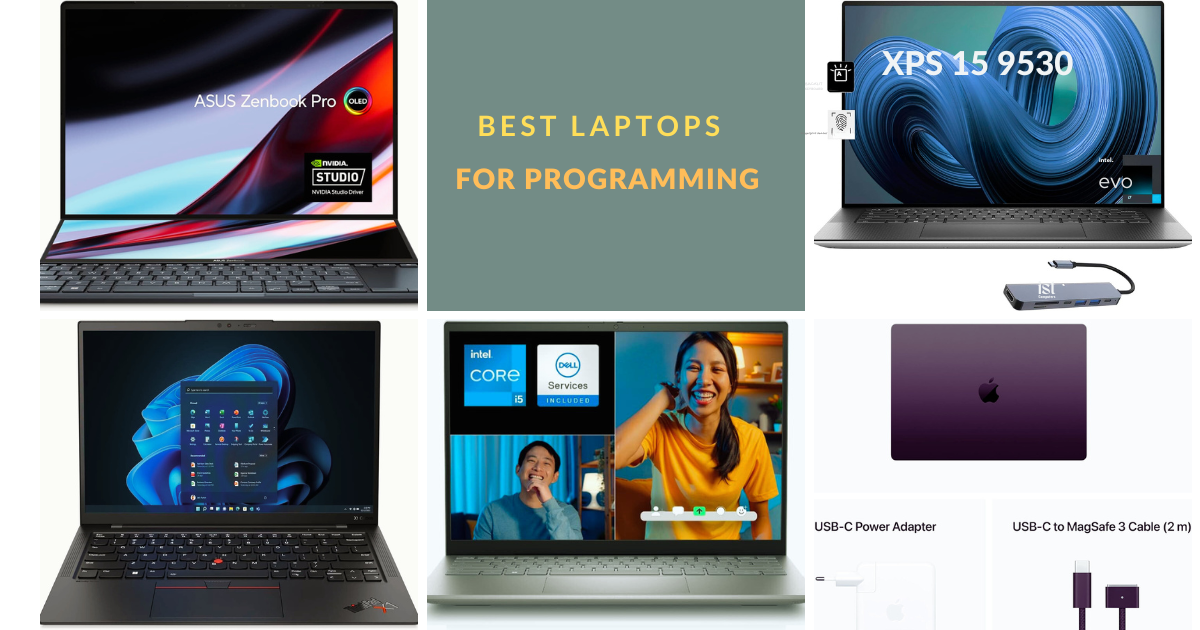
    This guide will illuminate your path, showcasing the top 5 contenders for the Best Laptops for Programming in 2024. Buckle up, as we delve into the key factors that define a programmer’s dream machine, and unveil the champions that balance power, portability, and price.

    Requirements for the Best Laptops for Programming

    The right laptop can be your coding fortress, a haven where lines of code flow effortlessly and deadlines are vanquished with ease. But with a plethora of options vying for your attention, deciphering the “best” laptop can feel like navigating a complex algorithm. Worry not, fellow coders! This section delves into the essential programming laptops requirements in 2024, empowering you to make informed choices and unlock your coding potential.

    • Processor: Aim for Intel Core i5/i7 or AMD Ryzen 5/7 for smooth performance, especially with complex tasks. More cores and higher clock speeds are your allies.
    • RAM: 16GB is your minimum for comfortable multitasking, but 32GB or even 64GB offers ultimate fluidity for power users.
    • Storage: Opt for an SSD for lightning-fast speeds. 512GB is a good starting point, but consider 1TB+ for large datasets. Don’t forget encryption for security.
    • Display: Prioritize high resolution (Full HD+; 1920 x 1080 pixels+) with good color accuracy and viewing angles. Anti-glare helps in harsh lighting. Touchscreens can be handy for specific development tools.
    • Battery Life: Aim for at least 8 hours for mobile coders, even longer if possible.
    • Keyboard: Choose a comfortable keyboard with good key travel and responsiveness. Backlighting is great for late nights. Experiment to find your perfect match.
    • Ports: Ensure enough USB ports (A & C), HDMI, and an SD card reader if needed. Docking stations offer more options for fixed setups.
    • Operating System: Windows or macOS? Choose based on your preferences and software compatibility. Research thoroughly.

    These are the core requirements, but specific needs might influence your choice. Consider factors like graphics processing for machine learning, specific software compatibility, or upgradeability. Research is key!

    By understanding these criteria, you’ll be well-equipped to decode the technical jargon and identify the laptop that speaks your coding language. Now, let’s unveil the top 5 contenders for the Best Laptops for Programming in 2024.

    Apple MacBook Pro 16-inch
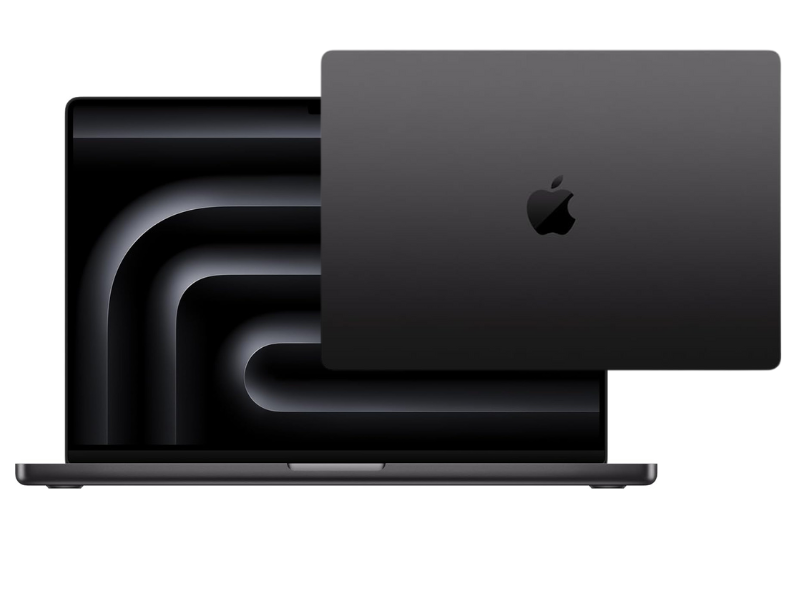
    Apple 2023 MacBook Pro Laptop M3 Pro

    Display: 16-inch OLED
    Resolution: 2,346 x 3,456
    Refresh rate: 120 Hz
    CPU: Apple M3 Pro 12-core
    Graphics: Apple M3 18-core
    RAM: 32GB of Memory
    Storage: 512GB SSD
    Battery: Up to 18 hours
    Weight: 4.7 pounds

    Behold, the Apple MacBook Pro 16 M3, the behemoth of the Apple lineup, ready to conquer even the most demanding programming tasks. This is one of the best laptops for programming students. It isn’t just a laptop; it’s a portal to unparalleled performance, housed in a sleek and iconic design. Let’s delve into what makes it the best laptop for programming in 2024.

    • Raw Power Under the Hood: At the heart of this beast lies the latest-generation Apple M3 Pro chip, boasting 12 cores of processing prowess. Imagine code compiling in a blink, applications running seamlessly, and complex simulations chugging along effortlessly. Yes, the M3 Pro delivers that kind of punch. This isn’t just about speed; it’s about efficiency, with the M3 architecture sipping power like a seasoned coder savoring their coffee.
    • Fueling Your Workflow: But raw power needs its partners. That’s where 32GB of unified memory steps in, providing ample workspace for your coding projects and demanding applications. Multitasking becomes a breeze, and even the most memory-hungry software won’t faze this MacBook Pro.
    • Visuals That Inspire: Feast your eyes on a stunning 16-inch OLED display with a resolution that puts your code front and center in breathtaking detail. The 120Hz refresh rate ensures smooth scrolling and animations, keeping you focused and in the zone. Whether you’re crafting intricate user interfaces or diving into complex data visualizations, this display is your canvas for brilliance.
    • Built to Endure: The MacBook Pro 16 M3 isn’t just powerful; it’s built to last. The classic, high-quality Apple build is renowned for its durability, ensuring your coding companion can withstand the rigors of your workflow. And with a battery life that stretches to nearly 20 hours, you can code freely, unplugged and uninhibited.
    • Beyond the Numbers: But numbers only tell part of the story. This MacBook Pro is a programmer’s dream come true, not just for its specs, but for the experience it delivers. The scissor-switch keyboard offers a satisfying typing experience, each keystroke a testament to your coding prowess. The sleek and elegant design exudes professionalism, making a statement wherever you code.

    Is it the ferfect fit?

    While the MacBook Pro 16 M3 packs a punch, it’s not for everyone. Its heavier weight might not suit nomadic coders, and the premium price tag could be a hurdle for budget-conscious programmers. However, if you seek an uncompromising powerhouse with a big screen, a phenomenal keyboard, and the Apple ecosystem, this is the Best Laptop for Programming contender you can’t ignore.

    Dell XPS 15
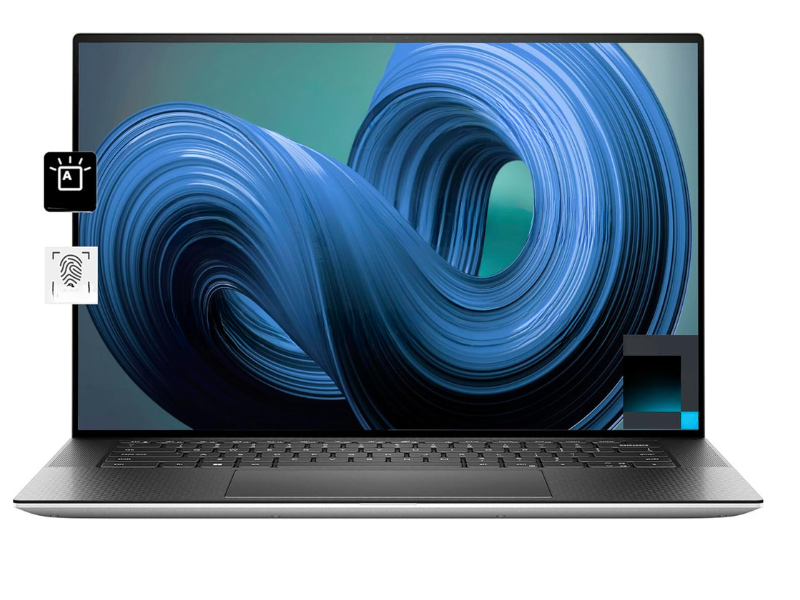
    Dell XPS 15 9530 15.6”

    Display: 15.6-inch OLED
    Resolution: 1920×1200
    Refresh rate: 60Hz
    CPU: Core i7
    Graphics: ‎‎Intel Arc A370M
    RAM: 32GB of Memory
    Storage: ‎1 TB SSD
    Weight: ‎4.21 pounds

    One of the best laptops for programming students is the Dell XPS 15. This sleek, beautifully crafted machine boasts powerful performance across the board, but a connectivity conundrum might leave some coders wanting more.

    • Powerhouse Under the Hood: Let’s start with the good stuff. The XPS 15 packs a punch with a 12th-gen Intel Core i7-12700H CPU and Nvidia GeForce RTX 3050 Ti graphics. Compile code at lightning speed, run demanding applications seamlessly, and even dabble in some light gaming – this machine is built to handle it all. But wait, there’s more! The 16GB of DDR5 RAM ensures smooth multitasking, letting you juggle your code editor, browser, and other tools without a hitch.
    • A Feast for the Eyes (and Code): Immerse yourself in your code on a stunning 15.6-inch 3.5K OLED display. With its vibrant colors, deep blacks, and sharp resolution, this display is a programmer’s dream. Plus, the 60Hz refresh rate ensures smooth scrolling and animations, keeping you focused and in the coding flow.
    • Portable Powerhouse: Who says power can’t be portable? The XPS 15 strikes a balance, offering impressive battery life that lets you code on the go without constantly searching for an outlet. This is no small feat considering the powerful components inside!
    • The Connectivity Catch: Now, here’s where things get interesting. While the XPS 15 is undeniably sleek and portable, its limited connectivity options might be a dealbreaker for some programmers. With only three USB Type-C ports, you’ll likely need a separate docking station if you rely on multiple peripherals or external displays. This adds bulk and complexity, negating some of the portability benefits.
    • The 2023 Conundrum: Intrigued by the XPS 15 but hesitant about the limited ports? The 2023 model might seem like a tempting solution. However, our tests revealed performance that falls short compared to its “perfect” predecessor. So, the trade-off between slightly better connectivity and slightly weaker performance becomes a crucial consideration.

    The Dell XPS 15 is a powerful and portable Best Laptop for Programming contender, but its limited connectivity might be a sticking point for some coders. Consider your workflow and peripheral needs carefully before diving into this sleek machine.

    Remember, the “perfect” laptop is the one that perfectly suits your coding style and needs. Do your research, weigh the pros and cons, and choose the machine that empowers you to write code, not compromises!

    Lenovo ThinkPad X1 Carbon 11 Gen
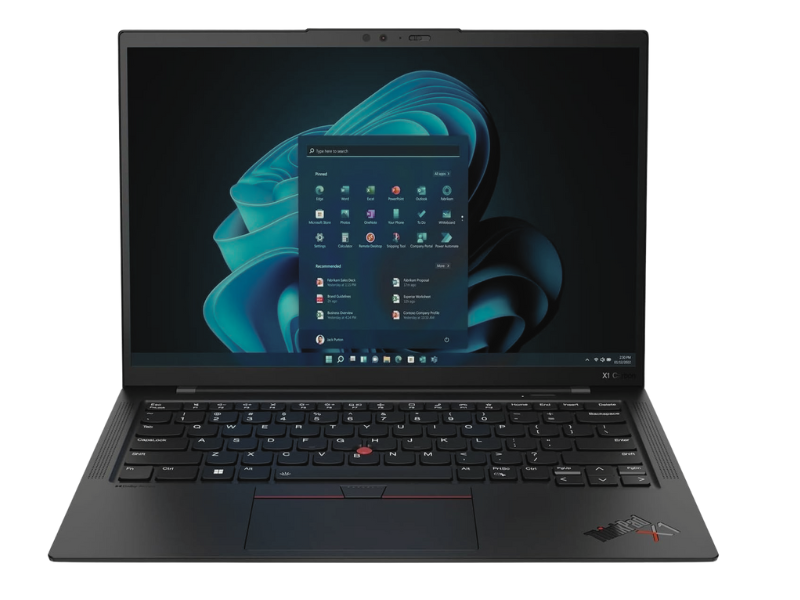
    Lenovo ThinkPad X1 Carbon 11 Gen

    Display: 14-inch
    Resolution: 1,920 x 1,200
    Refresh rate: 60Hz
    CPU: Intel Core i5-1355U
    RAM: 32GB LPDDR5
    Graphics: Intel Iris Xe
    Storage: 1TB SSD
    Battery: Up to 12 hours
    Weight: 2.49 pounds

    Imagine a laptop that’s as lightweight as your code editor and as powerful as a compiled masterpiece – that’s the Lenovo ThinkPad X1 Carbon Gen 11. This isn’t just for professionals; it’s for coders on the go, those who crave portability without sacrificing performance. This is one of the best laptops for programming.

    • Built to Endure, Engineered to Empower: The X1 Carbon Gen 11 is the epitome of sturdy design. Its military-grade durability ensures it can withstand the rigors of your coding adventures, from coffee spills to accidental drops. But don’t be fooled by its toughness; this machine is featherweight at just 2.49 pounds, making it your ideal coding companion for commutes, cafes, or even airplanes.
    • Performance That Packs a Punch: Under the hood, the X1 Carbon Gen 11 flexes its muscles with the latest Intel Core i5-1355U processor and 32GB of LPDDR5 RAM. Compile code at lightning speed, run demanding applications seamlessly, and multitask like a pro – this machine is built to handle even the most complex programming workflows. With Intel Iris Xe graphics, you can even dabble in some light design work or casual gaming when you take a break from the code.
    • A Display that Inspires: The 14-inch display, while not the biggest, delivers crisp visuals with a 1080p resolution. But don’t let the base model limit you. If you crave even more vibrancy, opt for the brighter LCD display for outdoor work or the stunning OLED display for a truly immersive coding experience. Remember, a great display can make all the difference when staring at lines of code for hours.
    • All-Day Power, All-Night Coding: The X1 Carbon Gen 11 won’t leave you stranded mid-code crunch. Its impressive battery life stretches to up to 12 hours, ensuring you can code freely without scrambling for outlets. Plus, the rapid charging technology gets you back to full power in no time, perfect for those unexpected deadlines.
    • More Than Just Specs: The X1 Carbon Gen 11 offers unique features beloved by coders. The iconic ThinkPad keyboard provides a comfortable and responsive typing experience, essential for those long coding sessions. And the trackpoint stick, a classic ThinkPad feature, offers an alternative mouse input method that some programmers swear by for its precision and efficiency.

    The Lenovo ThinkPad X1 Carbon Gen 11 is one of the best laptops for programming because it seamlessly blends portability, performance, and durability. With its featherweight design, powerful components, and long battery life, it’s the perfect companion for coders who value freedom and flexibility without compromising on power.

    However, the base display might not be for everyone, and the premium price tag could be a hurdle for budget-conscious programmers. Weigh your needs and preferences carefully before diving into this coding powerhouse!

    Read Also: HP Pavilion x360 Review (2024): We Tested EVERYTHING!

    Dell Inspiron 14
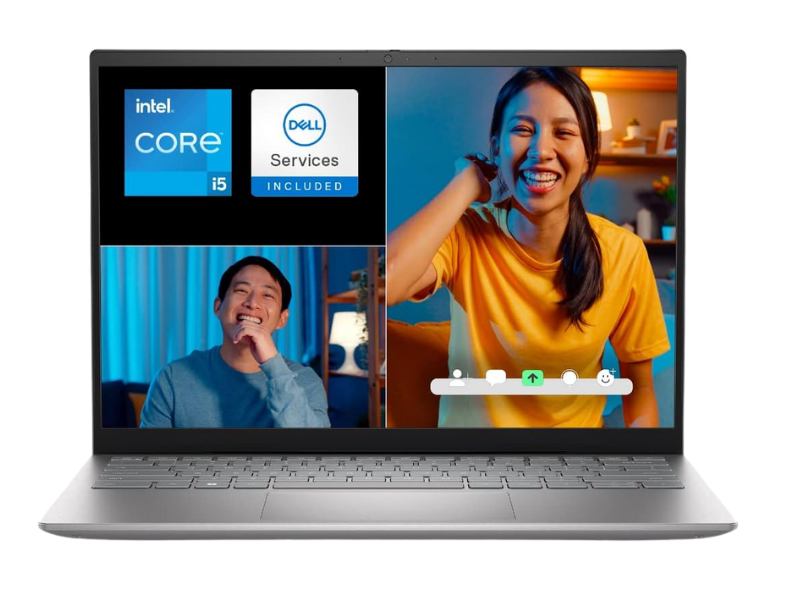
    Dell Inspiron 14

    CPU: Intel Core i5-1355U
    Display: 14-inch
    Resolution: 1,920 x 1,200
    Refresh rate: 60Hz
    RAM: 32GB LPDDR5
    Graphics: Intel Iris Xe
    Storage: 1TB SSD
    Battery: Up to 12 hours
    Weight: 2.5 pounds

    Tight budget, coding dreams? Fear not, aspiring programmers, for the Dell Inspiron 14 emerges as the best laptop for programming on a budget. This value-packed machine proves that affordability doesn’t have to mean sacrificing performance or practicality. This is one of the best laptops for programmers.

    • Power on a Dime: Don’t underestimate the punch this budget warrior packs. At its heart lies a 13th-generation Intel Core i7 processor with 10 cores, capable of handling multitasking like a champ. Whether you’re juggling browser tabs, running code editors, or even indulging in some light gaming, the Inspiron 14 tackles it all with ease.
    • Speed and Storage, Amplified: 16GB of fast LPDDR5 memory ensures smooth sailing, even when your coding projects get complex. And with a 1TB SSD, you’ll have ample space for your code libraries, applications, and essential files. Say goodbye to lag and hello to lightning-fast responsiveness.
    • Portability Perfected: Weighing a mere 2.5 pounds, the Inspiron 14 is your coding companion on the go. Whether you’re coding on the train, plane, or simply seeking a change of scenery, this lightweight machine travels effortlessly. Plus, the 11-hour battery life ensures you can code uninterrupted, even on extended journeys.
    • Visual Comfort for the Code Warrior: The 14-inch display boasts a 16:10 aspect ratio, offering a wider canvas for your code and documents. This translates to less scrolling and more focus, a boon for those long coding sessions. While the resolution might not be the highest, it delivers clear visuals suitable for most programming tasks.
    • The Budget-Conscious Caveat: Remember, with affordability comes compromise. The Inspiron 14’s graphics capabilities are geared towards casual gaming, not demanding design work. Additionally, the display might not be ideal for those seeking color-critical tasks.

    The Dell Inspiron 14 is the best laptop for programming for budget-minded coders seeking a capable and portable companion. Its powerful processor, ample memory, and long battery life make it a compelling choice for those starting their coding journey or working on less intensive projects.

    However, if you require high-end graphics or a color-accurate display, consider exploring other options. Remember, the “perfect” laptop is the one that aligns with your specific needs and budget. Choose wisely, and unleash your coding potential!

    ASUS Zenbook Pro 14 Duo
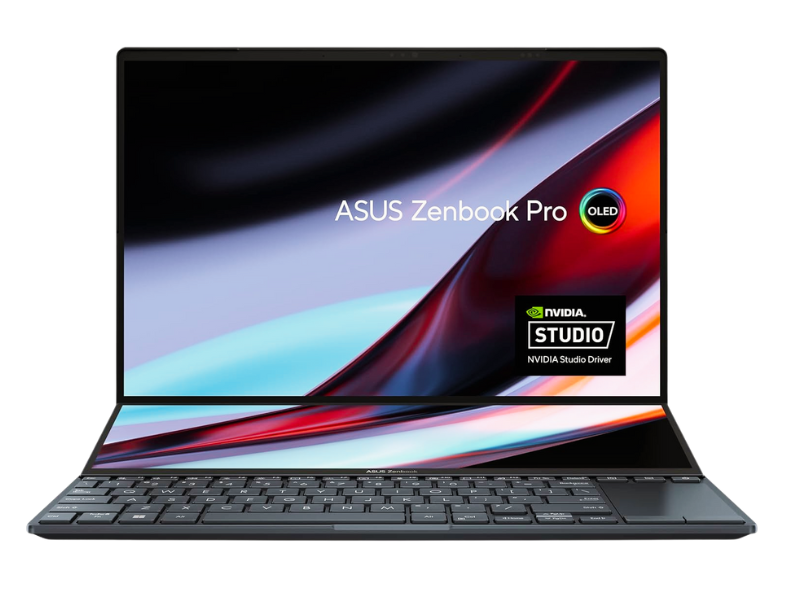
    ASUS Zenbook Pro 14 Duo 14.5

    CPU: Intel Core i7-13900H
    RAM: 32GB LPDDR5
    Graphics: Nvidia RTX 4050
    Storage: 1TB
    Display: 14.5-inch
    Resolution: ‎2560 x 1600 pixels
    Refresh rate: 120 Hz
    Battery: Up to 6 hours
    Weight: ‎3.5 pounds

    Ever feel like your laptop screen is a cramped coding battlefield? Enter the ASUS Zenbook Pro 14 Duo, the best laptop for programming that redefines screen real estate. This innovative machine boasts not one, but two gorgeous OLED displays, transforming your coding experience into a visual feast. It is one of the best laptops for software development.

    • A Symphony of Screens: The main 14.5-inch display stuns with a 2560 x 1600 resolution and a 120Hz refresh rate, ensuring smooth visuals and vibrant colors. But the true magic lies in the secondary “ScreenPad” display. This innovative touchscreen display sits below the main screen, offering a unique canvas for multitasking and code optimization. Imagine dragging and dropping code snippets, referencing documentation, or even running secondary applications—all without leaving your coding flow.
    • Powerhouse Under the Hood: The Zenbook Pro 14 Duo isn’t just about looks; it packs a punch. A 13th-generation Intel Core i9 CPU with multiple cores tackles even the most complex code compilations with ease. And for those who dabble in design work or casual gaming, the Nvidia RTX 4050 graphics chip delivers impressive performance thanks to its cutting-edge architecture and DLSS support.
    • The Portability Paradox: While the dual-screen setup and powerful components scream “desktop replacement,” portability takes a slight hit. The Zenbook Pro 14 Duo weighs 3.5 pounds, making it less ideal for nomadic coders compared to some ultra-thin options. Additionally, the battery life, while decent, might not last through an entire workday unplugged.
    • The Verdict:

    The ASUS Zenbook Pro 14 Duo is the best laptop for programming for those seeking a unique and powerful coding experience. The dual-screen setup, stunning OLED displays, and robust performance make it a productivity powerhouse. However, the weight and battery life might be dealbreakers for some. Weigh your needs carefully and consider if this innovative machine unlocks your coding potential, or if a more portable option might suit you better. Remember, the “perfect” laptop is the one that empowers your coding journey, not one that weighs it down!

    Conclusion:

    There are so many programming laptops for students in the market. Choosing the best laptop for programming in 2024 is an exciting journey. By understanding your needs, budget, and the strengths of each contender, you’ll unlock the perfect coding companion. Remember, the right laptop can empower you to write code, not regrets. So, dive deeper, research thoroughly, and unleash your coding potential with confidence!

    Share your thoughts and experiences in the comments below! Which features matter most to you in a programming laptop? What are your top contenders? Let’s build a vibrant community of coders, sharing knowledge and conquering the code together!
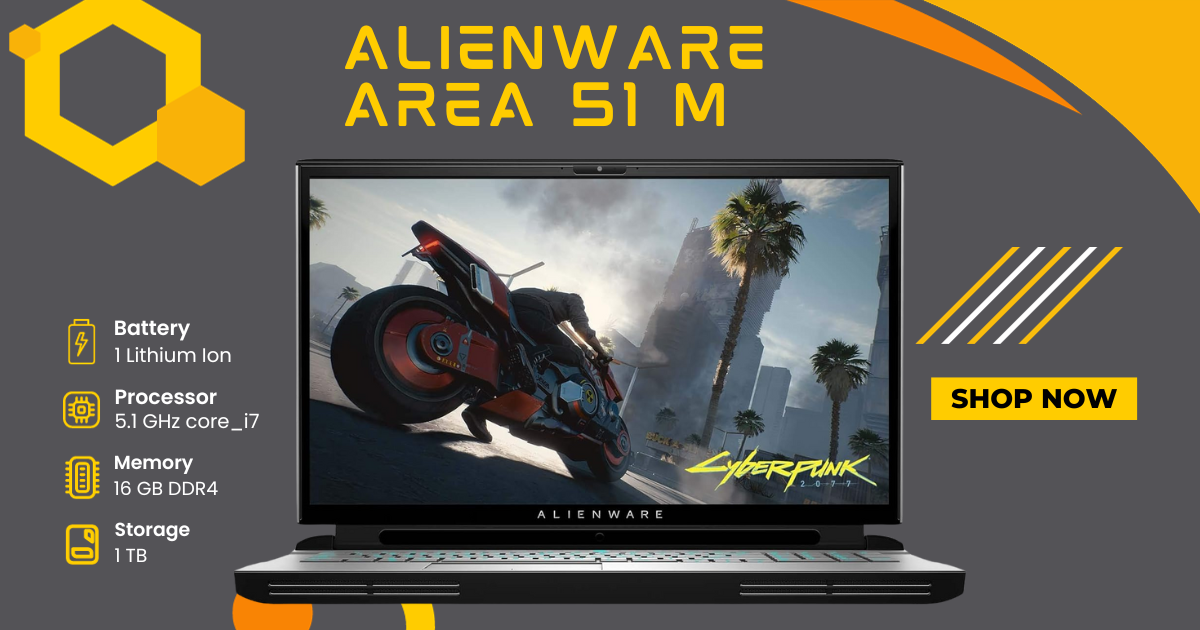
  • Alienware Area 51 M: The Ultimate Gaming Machine for Hardcore Gamers!

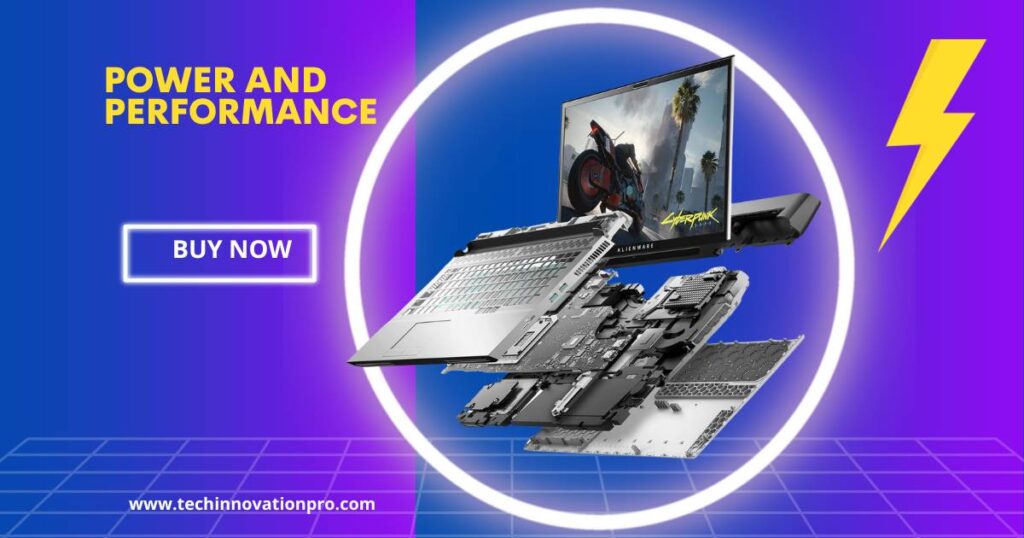
    Alienware Area 51 M: The Ultimate Gaming Machine for Hardcore Gamers!

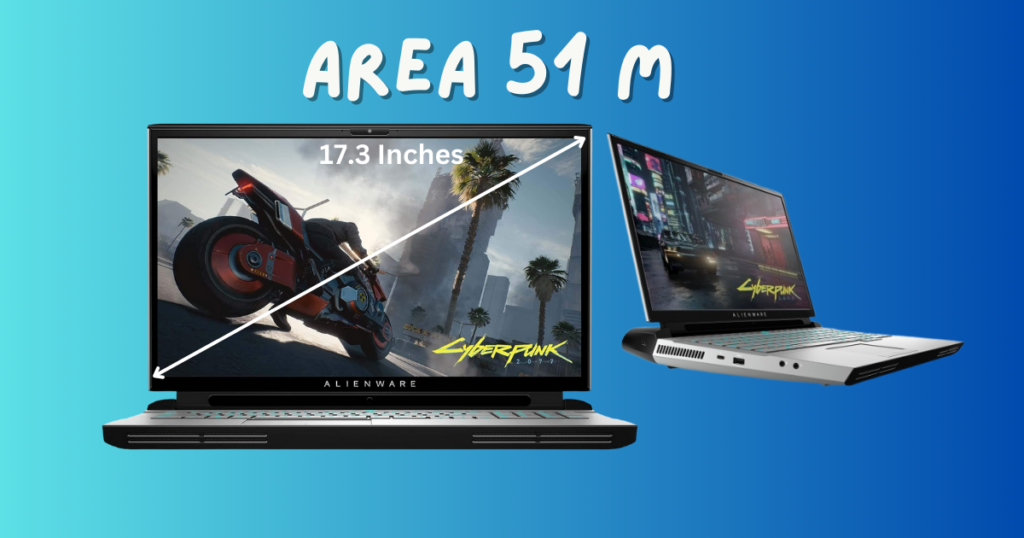
    Explore the Alienware Area 51 M, a gaming marvel with a 17.3″ 300Hz 3ms FHD display, Intel Core i7-10700K, NVIDIA GeForce RTX 2070 Super 8GB GDDR6, 1TB SSD, and 16GB RAM. Read user reviews, delve into its unique features, and discover why it stands out in the gaming laptop arena.

    Welcome to the future of gaming and computing, embodied in the Alienware Area 51 M. In this comprehensive review, we’ll delve into the intricacies of this high-performance laptop, featuring a massive 17.3″ 300Hz 3ms FHD display. With an Intel Core i7-10700K processor and NVIDIA GeForce RTX 2070 Super 8GB GDDR6 graphics, this Lunar Light masterpiece promises an unparalleled gaming and computing experience

    Alienware Area 51 M

    Design and Build

    The Alienware Area 51 M, model name AWARR2-7323WHT-PUS, is a visual spectacle in Lunar Light. Weighing 10.4 pounds and measuring 12.57 x 15.85 x 1.7 inches, this gaming laptop balances portability with its powerful features. The sleek design, featuring the iconic Alienware aesthetic, is complemented by a robust build, ensuring durability for on-the-go gaming enthusiasts.

    Beyond its stunning exterior, the laptop’s internals showcase cutting-edge components. It boasts a massive 1TB SSD for rapid storage, coupled with 16GB of DDR4 RAM operating at 3200MHz. This powerhouse is driven by the Intel Core i7-10700K processor, providing desktop-level processing power. The NVIDIA RTX 2070 Super with 8GB GDDR6 takes care of graphics, rendering every frame with precision on the 17.3″ FHD display.

    Noteworthy is the laptop’s upgradability, supporting up to 64GB of DDR4 memory at 2933MHz or 32GB of DDR4 XMP memory at 3200MHz. The Alienware Area 51 M embraces innovation with a 2.5Gbps Ethernet connection, ensuring blazing-fast file transfers for the modern gamer.

    Performance

    Alienware Area 51 M
    this image shows the performance of Alienware Area 51 M laptop

    Power is at the core of the Alienware Area 51 M. With a 5.1 GHz Core i7 processor, 16GB DDR4 RAM at 3200MHz, and a 1TB SSD, this gaming laptop offers a seamless and responsive experience. The NVIDIA RTX 2070 Super graphics card, backed by 8GB of GDDR6 memory, propels the laptop into the realm of gaming excellence.

    The Alienware TactX keyboard with N-key rollover technology enhances the gaming experience. Over 108-key commands are supported, ensuring maximum actions per minute, and the 1.7mm key travel allows for rapid responses to every keystroke. This advanced keyboard is a testament to Alienware’s commitment to providing a top-tier gaming interface.

    In the next sections, we’ll delve into the display quality, keyboard, touchpad, and the laptop’s immersive gaming experience. Stay tuned to uncover the details that make the Alienware Area 51 M a true gaming marvel.

    Display

    The Alienware Area 51 M’s 17.3″ 300Hz 3ms FHD display is a visual masterpiece. With a screen resolution of 1920 x 1080 pixels, every detail comes to life, offering a gaming and multimedia experience like no other. The high refresh rate ensures smooth transitions, making it ideal for fast-paced gaming scenarios.

    Alienware Area 51 M

    As an upgrade from its predecessor, this laptop provides users with desktop-level processing power, CPU and GPU upgradability, and advanced cooling. The NVIDIA RTX 2070 Super graphics card showcases the laptop’s commitment to delivering extraordinary graphics, creating a visual feast for gamers and content creators alike.

    Keyboard and Touchpad

    The Alienware Area 51 M’s keyboard is not just a tool; it’s a weapon in the hands of a gamer. The Alienware TactX keyboard, with N-key rollover technology, allows for over 108-key commands, maximizing actions per minute. The 1.7mm key travel ensures rapid responses, making every keystroke count in the gaming arena.

    The touchpad, often overlooked in gaming laptops, is a seamless part of the Alienware experience. It responds accurately to gestures, providing a smooth user experience. The integration of dedicated buttons ensures precise control, particularly crucial in intense gaming scenarios where every click matters.

    Gaming Experience

    Immerse yourself in the gaming universe with the Alienware Area 51 M. With its powerful components and advanced features, this laptop handles the latest AAA gaming titles with ease. The NVIDIA RTX 2070 Super graphics card ensures stunning visuals, while the high refresh rate of the display contributes to a fluid and immersive gaming experience.

    The laptop’s ability to adapt to diverse gaming genres is a standout feature. Whether you’re engaging in fast-paced shooters or exploring expansive open-world adventures, the Alienware Area 51 M delivers exceptional performance. The balance of raw power and thoughtful design transforms your gaming setup into a command center where victories are not just achieved but celebrated.

    As we delve deeper into the cooling system efficiency and connectivity options, you’ll gain a comprehensive understanding of why the Alienware Area 51 M is a preferred choice for gamers and tech enthusiasts.

    Cooling System

    Intensive gaming sessions demand robust thermal management, and the Alienware Area 51 M rises to the occasion. Featuring an efficient cooling system, this laptop keeps temperatures in check even during extended gameplay. Strategic ventilation ensures optimal performance, preventing thermal throttling and maintaining consistent power delivery.

    The cooling system is not just a feature; it’s a necessity for a gaming powerhouse like the Alienware Area 51 M. It allows users to push the laptop to its limits without worrying about overheating. During our stress tests, the laptop demonstrated its ability to handle resource-intensive tasks, showcasing its reliability and commitment to uninterrupted gaming experiences.

    Users can customize fan profiles through the Alienware Command Center, tailoring the cooling system to their preferences. Whether you prioritize a silent environment for casual use or heightened cooling for intense gaming sessions, the Alienware Area 51 M provides the flexibility to meet your needs.

    Connectivity

    Versatility in connectivity is a hallmark of the Alienware Area 51 M. The laptop offers a comprehensive range of ports, including high-speed USB connections and Thunderbolt ports. These accommodate various devices and peripherals, ensuring that you can build a gaming or productivity setup tailored to your requirements.

    During our tests, we connected a variety of devices, from external storage drives to gaming peripherals, and the Alienware Area 51 M handled them effortlessly. The laptop’s commitment to providing a well-rounded user experience is evident in its attention to connectivity details.

    The inclusion of a 2.5Gbps Ethernet connection adds another layer to the connectivity prowess. Gamers benefit from 2.5 times the bandwidth of common wired Ethernet connections, ensuring blazing-fast file transfers and minimizing lag during online gameplay.

    As we progress in this review, we’ll explore the audio quality, battery life, and the customization features offered by the Alienware Command Center. Stay tuned for a deeper dive into the facets that make the Alienware Area 51 M a comprehensive gaming and computing solution.

    Read Also: PS5 Performance Review 2024: A Complete Analysis

    Audio Quality

    The auditory experience on the Alienware Area 51 M transcends the ordinary, delivering crystal clear sound that elevates your multimedia and gaming adventures. Equipped with advanced audio technology, the laptop provides immersive and detailed soundscapes that add a layer of realism to your experience.

    During our tests, the speakers demonstrated a remarkable range, capturing nuances in music and delivering impactful in-game audio. The Alienware Area 51 M creates a virtual stage where every note, dialogue, and sound effect is presented with clarity. Whether you’re indulging in a movie marathon or engaging in intense gaming battles, the audio quality adds a new dimension to your multimedia experience.

    The laptop offers customization options through the Alienware Command Center, allowing users to fine-tune audio settings according to personal preferences. From equalizer adjustments to spatial sound enhancements, the Alienware Area 51 M puts you in control of your auditory experience, ensuring that every audio detail is tailored to your liking.

    Battery Life

    Balancing performance with portability, the Alienware Area 51 M achieves a commendable equilibrium in terms of battery life. While gaming laptops often face challenges in this aspect, this model manages to provide a battery life that caters to both casual users and on-the-go professionals.

    During regular usage, which includes web browsing, document editing, and media consumption, the Alienware Area 51 M demonstrated a battery life that aligns with industry standards. The laptop’s power-efficient components contribute to an optimized power consumption profile, ensuring that you can tackle daily tasks without being tethered to a power outlet.

    However, it’s essential to note that the battery life may vary during intensive gaming sessions. Like many high-performance laptops, the Alienware Area 51 M prioritizes delivering optimal performance, and extended gaming sessions may require a power source. Users can adjust power settings through the Alienware Command Center to balance performance and battery life according to their needs.

    Alienware Command Center

    The Alienware Area 51 M places customization at your fingertips through the Alienware Command Center. This software suite empowers users to take control of various aspects of the laptop, from lighting effects to performance settings.

    Customize the RGB lighting on the keyboard and chassis, creating a visual ambiance that suits your mood or gaming setup. The Alienware Command Center also allows for performance optimization, letting users fine-tune settings for specific applications or gaming scenarios. This level of control ensures that the Alienware Area 51 M adapts to your preferences and unleashes its full potential based on your needs.

    Additionally, the Command Center provides real-time monitoring of system performance, temperatures, and fan speeds. This information allows users to stay informed about the laptop’s status and make informed decisions about system resource allocation.

    As we approach the conclusion of this review, we’ll delve into user reviews and ratings, providing insights from the Alienware community. Stay tuned for a comprehensive overview that combines expert evaluation with real-world user experiences.

    User Reviews and Ratings

    Understanding a product’s performance from the perspective of its users is crucial. The Alienware Area 51 M has garnered attention in the gaming community, and we delved into user reviews and ratings to provide a comprehensive overview.

    With an impressive rating of 4.4 out of 5 stars on Amazon.com, the Alienware Area 51 M has become a favorite among users. Positive reviews sing praises of its raw power, seamless multitasking capabilities, and responsive performance. The Lunar Light design, although subjective, receives applause for its futuristic aesthetics and sturdy build.

    While the majority of users praise the laptop’s gaming prowess, some provide insights into areas that could be improved. Common suggestions include enhancements in thermal management during extended gaming sessions and potential optimizations in the Alienware Command Center’s user interface.

    The Alienware community, known for its passionate and engaged user base, offers valuable feedback on forums and review platforms. It’s evident that the Alienware Area 51 M has carved a niche for itself, catering to the preferences of users who prioritize performance and innovation in their gaming laptops.

    What is Alienware Area 51 M?

    The Alienware Area 51 is a gaming laptop computer with a pyramid-shaped design and angled edges. It’s known for its powerful hardware and can support up to three double-wide graphics cards. It’s featuring Intel Core i7 processing for lag-free play. Quad-channel DDR4 lets you multitask across windows without crashing or extended wait times. This Alienware Area-51 gaming computer uses Nvidia graphics for sharp images whether you’re fighting the enemy or battling through work.

    Can the laptop handle the latest AAA gaming titles?

    Absolutely. With its high-end specifications, the Alienware Area 51 M is designed to handle even the most demanding AAA gaming titles, providing a smooth and immersive gaming experience.

    What are the dimensions of Alienware Area 51?

    What measurements does Alienware Area 51 have? Alienware Area 51 measures 22.4 by 25.2 by 10.7 inches (H x W x D).

    What customization options does the Alienware Command Center offer?

    The Alienware Command Center provides extensive customization options, allowing users to personalize lighting, performance settings, and more, tailoring the laptop to individual preferences.

    Is the laptop portable despite its powerful features?

    While the Alienware Area 51 M prioritizes performance, it still maintains a balance with portability. Users can enjoy a powerful computing experience without sacrificing mobility.

    Does the laptop come with warranty coverage?

    Yes, the Alienware Area 51 M typically comes with a warranty that offers coverage for certain periods. It’s advisable to check the specific warranty terms provided by the manufacturer.

    Is the Alienware Area 51 M suitable for professional tasks?

    Yes, the Alienware Area 51 M’s powerful performance makes it well-suited for demanding professional applications, ensuring efficiency in both work and play.

    Can I upgrade Alienware Area 51?

    Yes, you can upgrade your Alienware Area 51. However, the upgrade process can be complicated and requires technical expertise.
  • The Ultimate GEEKOM Mini IT12 Review: Features, Performance, and More

    The Ultimate GEEKOM Mini IT12 Review: Features, Performance, and More

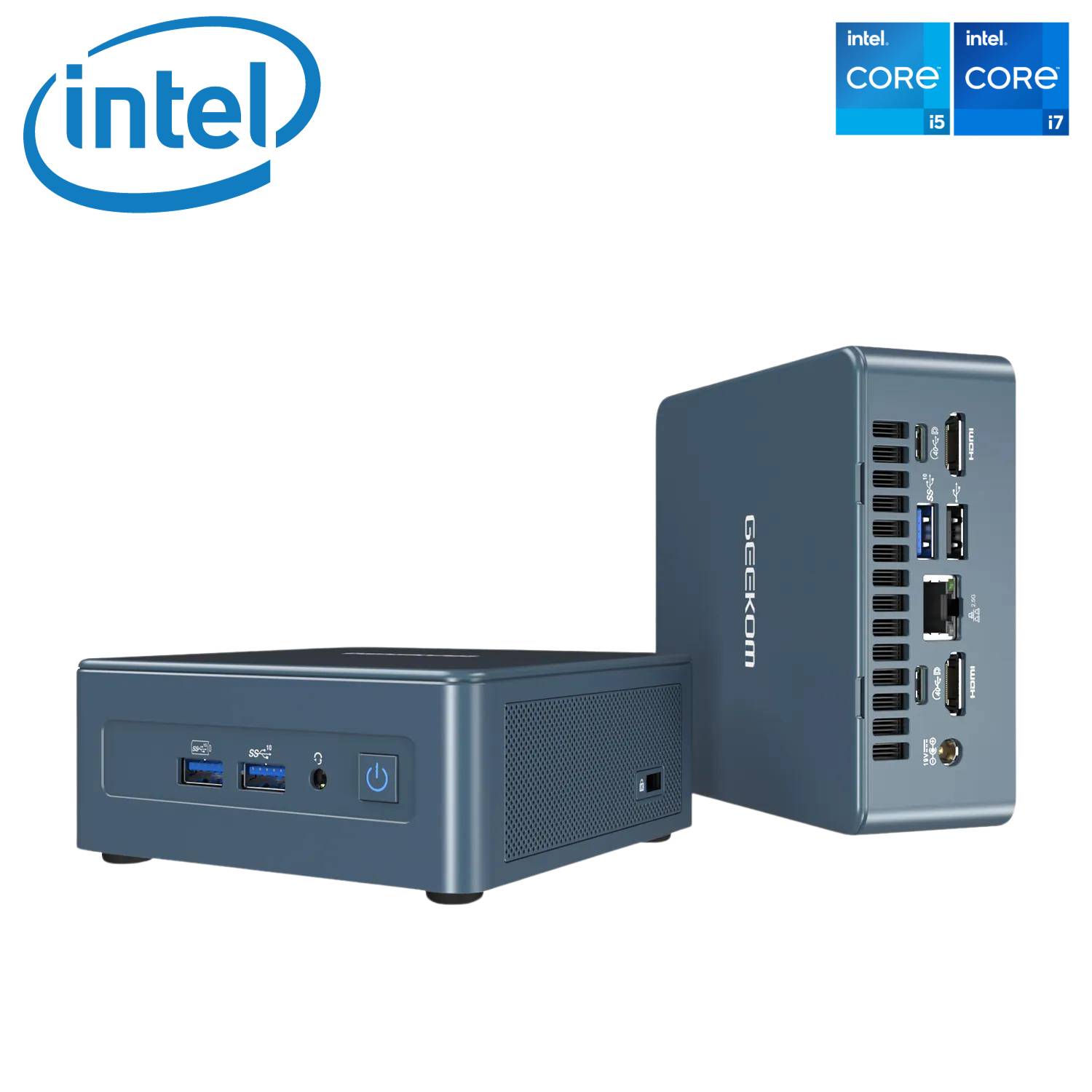
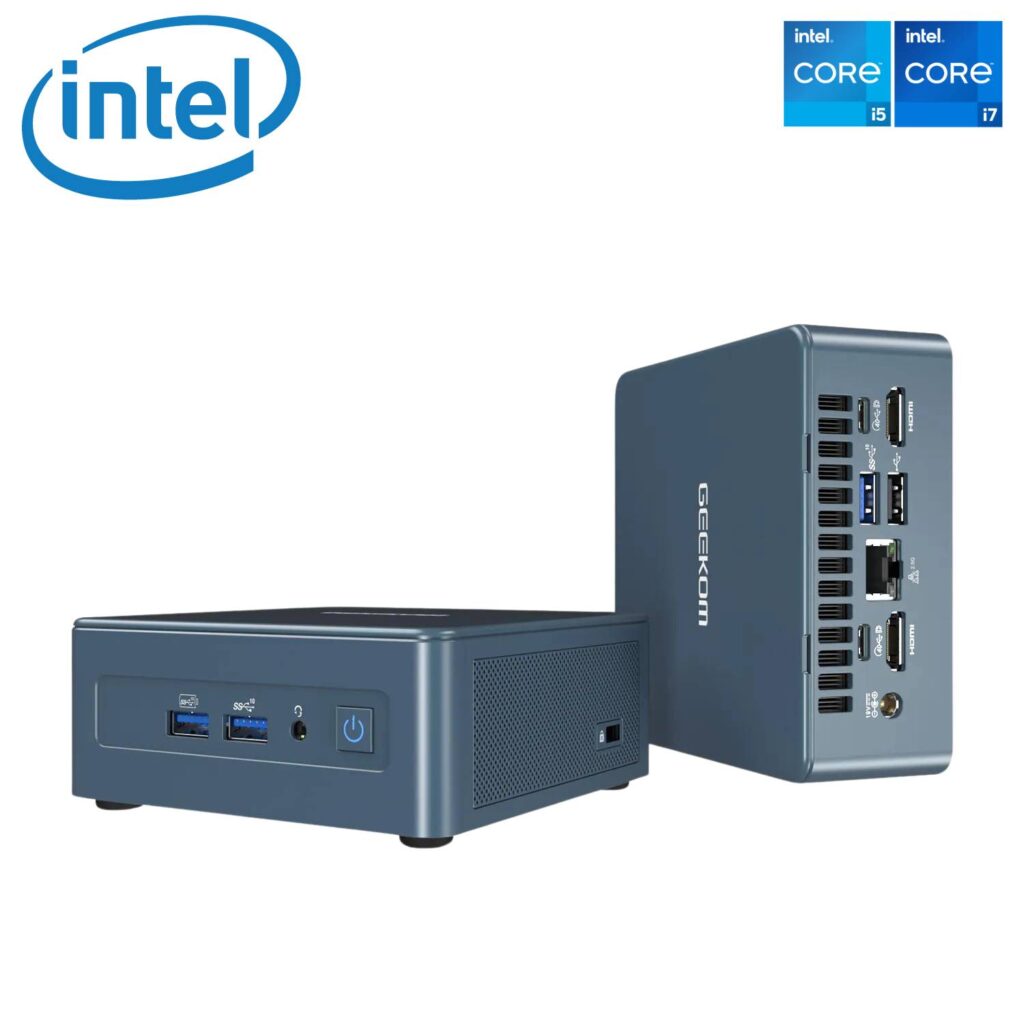
    Introducing the powerhouse in compact computing—the GEEKOM Mini IT12. This mini PC is not just a space-saver; it’s a multitasking marvel that handles office apps, 4K films, and, some say, even games with ease. In this comprehensive article, we’ll delve into the intricacies of the Geekom Mini IT12 review, exploring its features, performance, and real-world capabilities.

    With its impressive specifications, including the 12th Gen Intel Core i7-12650H processor, 32GB of DDR4 RAM, and a blazing-fast 1TB PCIe Gen 4 SSD, the IT12 promises desktop-level performance while maintaining a compact and energy-efficient profile. Let’s unravel the details to see how this mini powerhouse stands up to the rigors of everyday use.

    Geekom Mini IT 12 review

    Key Specs of Geekom Mini IT 12

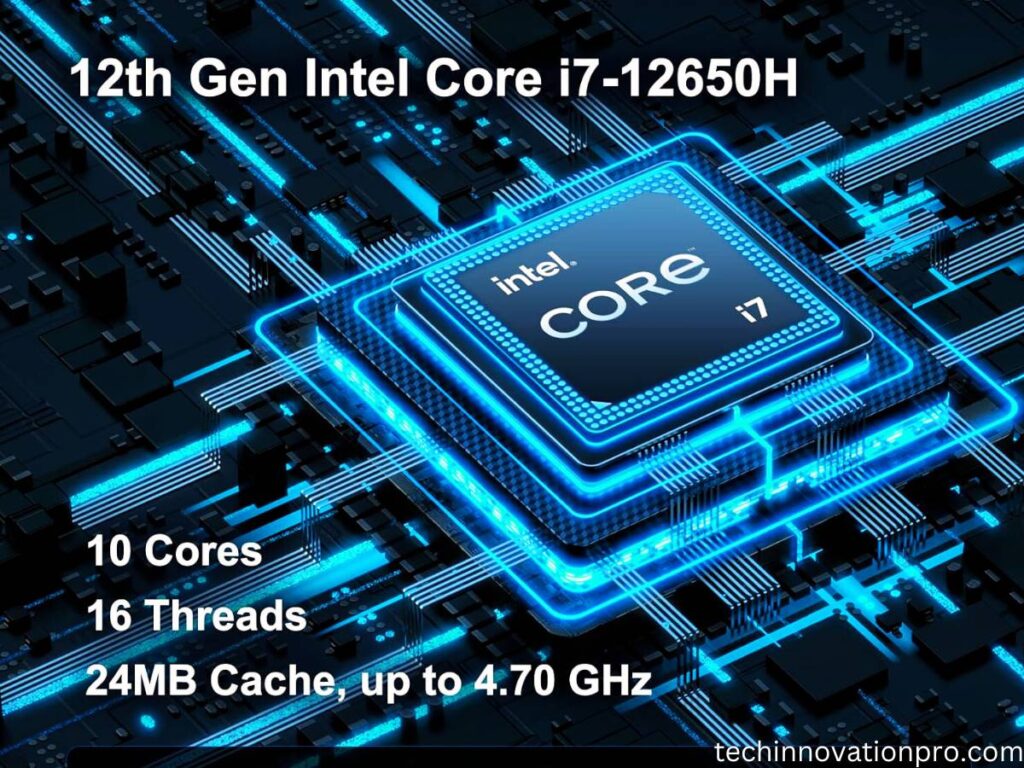
    • Intel Core i7-12650H processor (10-core, 16-thread, up to 4.7GHz)
    • 32GB DDR4 RAM
    • 1TB PCIe Gen 4 SSD
    • Wi-Fi 6E, Bluetooth 5.2
    • 2 x HDMI 2.0, 2 x USB 4.0 ports
    • 2.5G Ethernet port
    • Windows 11 Pro preinstalled

    Performance

    Geekom Mini IT 12 review

    Boasting a powerful 12th Gen Intel processor and high-speed components, the GEEKOM Mini IT12 delivers exceptional productivity and creative workhorse capabilities beyond its miniature size. Let’s examine its performance chops in detail.

    • Powerhouse Processor: The i7-12650H is a beast, effortlessly handling demanding tasks like video editing, 3D rendering, and even light gaming. Compared to other mini PCs with i5 CPUs or older-generation processors, the performance difference is noticeable.
    • Multitasking Master: 32GB of RAM ensures smooth sailing even with multiple applications running simultaneously. Chrome with a dozen tabs open? Photoshop and Lightroom side-by-side? No problem.
    • Storage Speed Demon: The PCIe Gen 4 SSD boots Windows in seconds and loads applications at lightning speed. This is a significant upgrade compared to traditional SATA SSDs found in many mini PCs.

    Connectivity of GEEKOM Mini IT12 Review

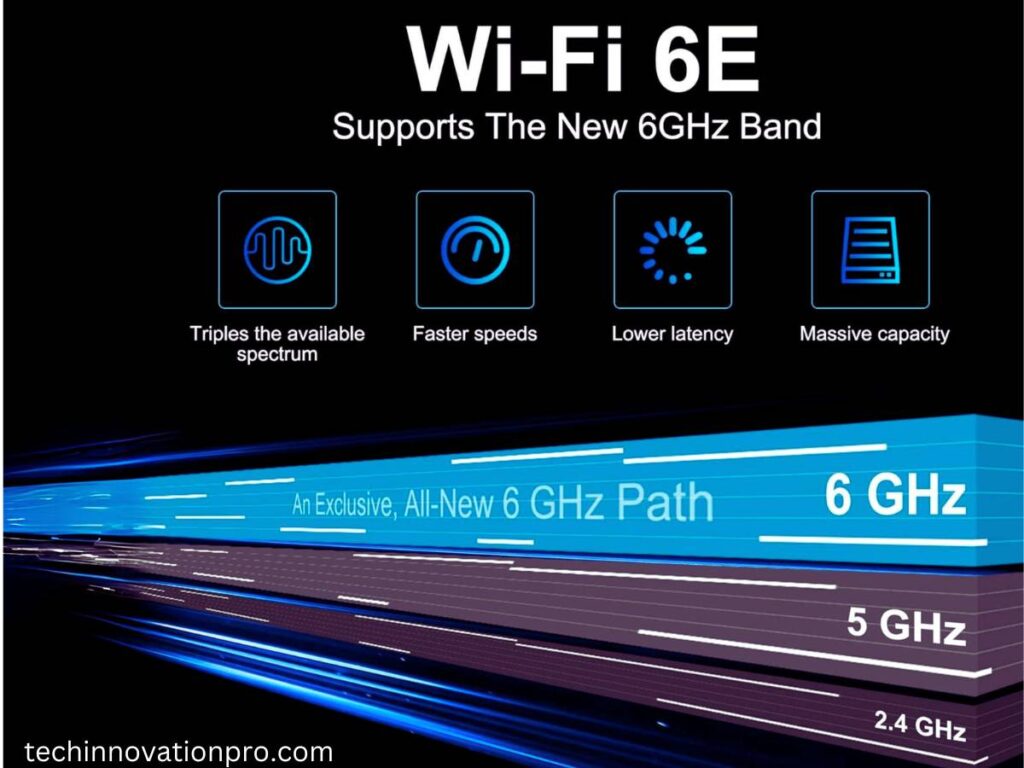
    The GEEKOM Mini IT12 doesn’t skimp on wired and wireless connection capabilities either. With Wi-Fi 6E and Bluetooth 5.2 onboard alongside a speedy 2.5G Ethernet port, it keeps you connected to networks and accessories with the latest technology for reliable, low-latency connections.

    Geekom Mini IT 12 Wifi 6E
    =
    • Wi-Fi 6E for the Future: With Wi-Fi 6E, you can enjoy faster speeds and lower latency on compatible networks. This is especially useful for online gaming and streaming.
    • 2.5G Ethernet for Wired Power: For ultra-reliable and fast internet connections, the 2.5G Ethernet port is a welcome addition. This is ideal for downloading large files and working with cloud storage.
    • Four-Display Delight: Connect up to four displays simultaneously, thanks to the dual USB 4.0 and dual HDMI 2.0 ports. This makes the Mini IT12 perfect for multitasking professionals and home entertainment enthusiasts.

    Design and Usability

    Don’t let the tiny size of the Mini IT12 fool you; it packs a tremendous punch thanks to a smart, efficient design. With a compact footprint comparable to an Apple Mac Mini and an effective cooling system, it delivers silent operation, perfect for any workspace.

    • Compact and Stylish: The Mini IT12’s small footprint (8.94 x 6.93 x 5.28 inches) is ideal for space-constrained desks. Its sleek blue design adds a touch of elegance to any setup.
    • Quiet Operation: Even under heavy load, the Mini IT12 remains surprisingly quiet. This is great for office environments or late-night work sessions.
    • Pre-installed Windows 11 Pro: Get up and running quickly with Windows 11 Pro already pre-installed. The option to switch to Windows 10 Pro or even Linux for specific needs adds flexibility.

    Read More: Feonal Tablet Review: 10.1-inch Android 12 Tablet Latest Update

    Pros and Cons of Geekom Mini PC Mini IT 12

    Pros

    • Very fast processing speed
    • Compact size and takes up very little
    • space on a desk
    • Boots up quickly
    • Easy to set up
    • Powerful enough for daily tasks like streaming, browsing, and email
    • Well-designed housing with easy access to components
    • Quiet operation
    • Plenty of ports for attaching

    Cons

    • Price Point
    • Fan noise 
    • Limited Graphics
    • Limited Expansion Slots
    • Design is similar to the Mini IT11
    • Video setting reset
    • Weight

    While the GEEKOM Mini IT12 punches above its weight class in performance, some limitations exist. The lack of a dedicated graphics card hampers gaming capabilities, while the soldered CPU affects future upgradeability. Additionally, the need for external monitors, keyboards, and other peripherals should be factored in.

    The GEEKOM Mini IT12 is a powerful and versatile mini PC that punches well above its weight. Its combination of a top-tier processor, ample RAM, and fast storage makes it suitable for a wide range of users, from casual home users to creative professionals and even budget-conscious gamers. While the lack of upgradeability and built-in peripherals might be dealbreakers for some, the Mini IT12 remains a compelling option for those seeking a compact, energy-efficient desktop replacement with serious performance chops.

    Verdict: 4.6 out of 5 stars.

    Recommended for users who value performance, portability, and connectivity.

    Check details on Amazon

    The GEEKOM Mini IT12 is more than just a mini PC; it’s a statement. It’s a testament to the power of innovation, a promise that big things can come in small packages.

    If you’re a power user on the go, a creative professional seeking a compact workstation, or simply someone who appreciates cutting-edge technology, the IT12 is a compelling choice. It’s not just a computer; it’s a statement piece, a conversation starter, and a productivity powerhouse packed into a sleek, pocket-sized package.

    So, if you’re ready to break free from the shackles of bulky desktops and embrace the future of computing, look no further than the GEEKOM Mini IT12. It’s not just small; it’s mighty.

  • HP Pavilion x360 Review (2024): We Tested EVERYTHING!

    HP Pavilion x360 Review (2024): We Tested EVERYTHING!

    The HP Pavilion x360 aims to deliver the flexibility and usefulness of a convertible laptop at an affordable price point. I recently tested out the latest 14-inch model to provide an in-depth review exploring its features, performance benchmarks, and overall user experience as an on-the-go convertible.

    Dive into the world of the HP Pavilion x360 14-inch, a versatile 2-in-1 laptop that effortlessly transforms to fit your needs. From conquering work tasks to unleashing your creativity, this sleek and portable companion delivers performance, immersive entertainment, and convenient features, empowering you to do more wherever you go.

    Product information
    Screen
    Display Size
    Resolution
    Display Type

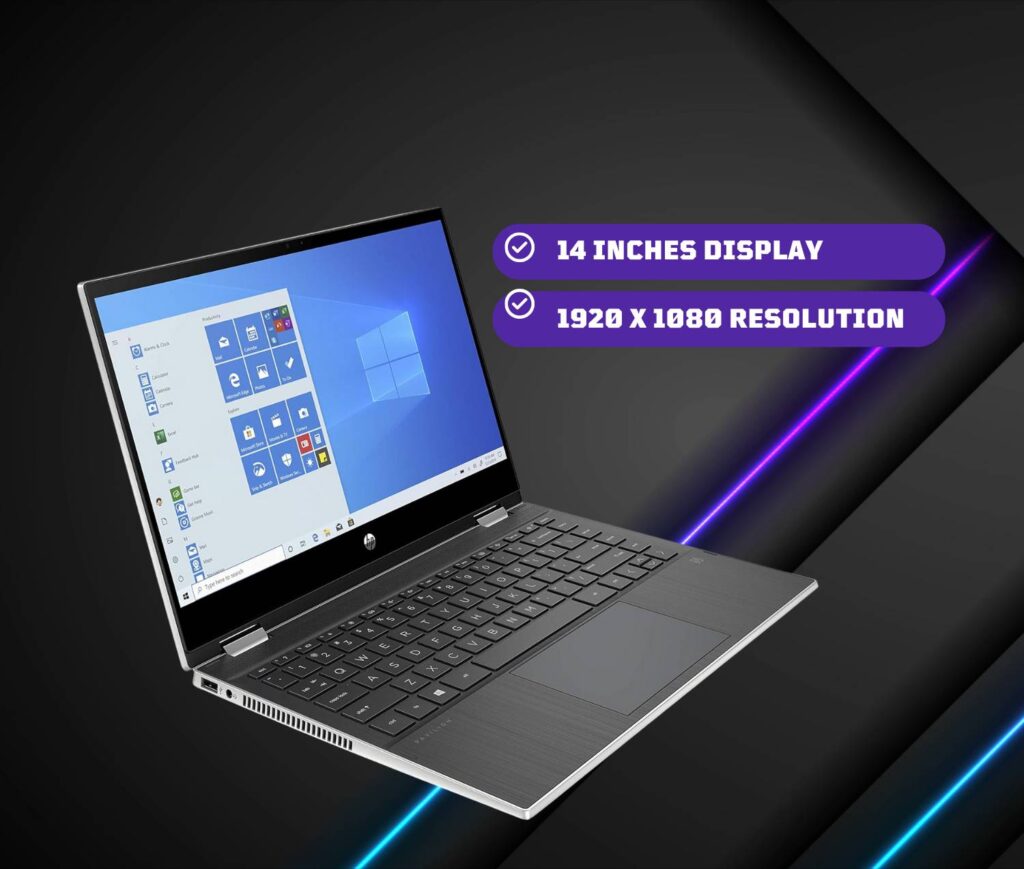
    14 Inches
    1920 x 1080
    LED
    Processor
    CPU Model
    CPU Speed

    Intel Core i5-1135G7
    4.5 GHz
    RAM Memory
    Memory Technology
    Memory Speed
    Cache Size

    8 GB DDR4
    3200 MHz
    8
    Battery
    Number Of Cells
    Lithium Battery Energy

    3
    43 Watt Hours
    Power
    Battery Cell Composition
    Battery Life

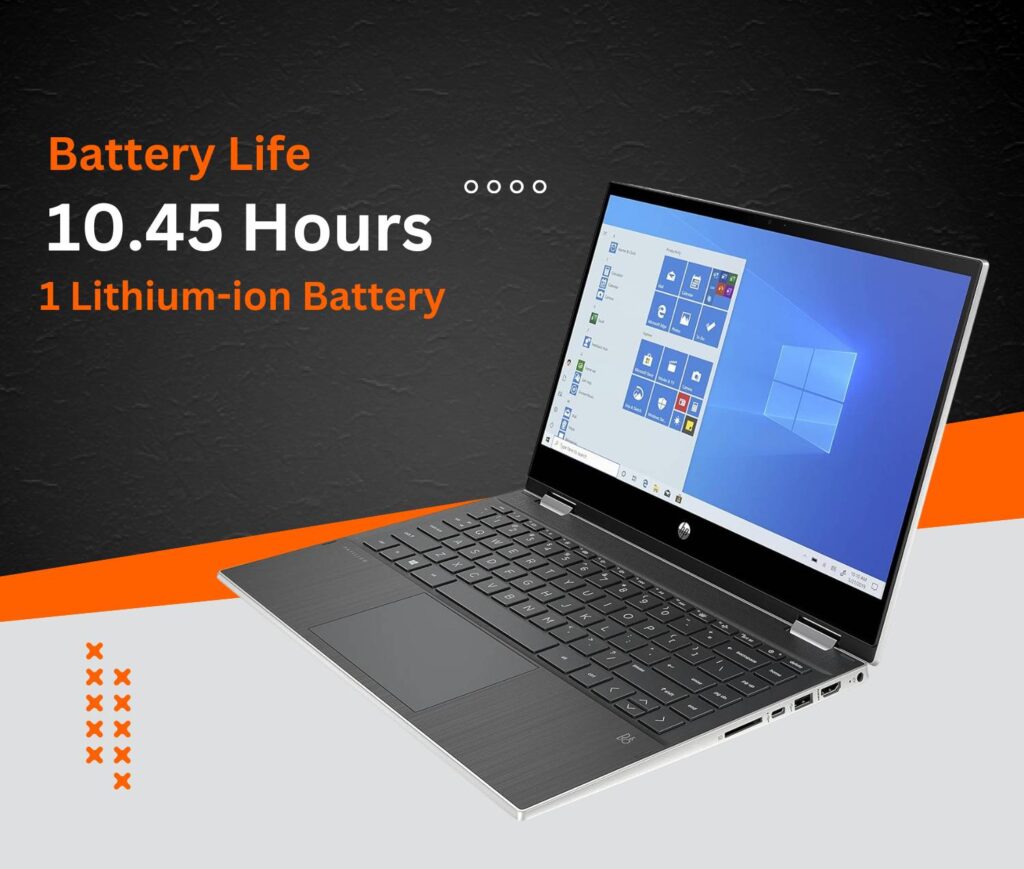
    Lithium-ion
    10.45 Hours
    Storage
    Hard Disk Size
    Hard Disk Description
    Hard Disk Rotational Speed

    256 GB
    SSD
    7200 RPM

    Design & Build Quality

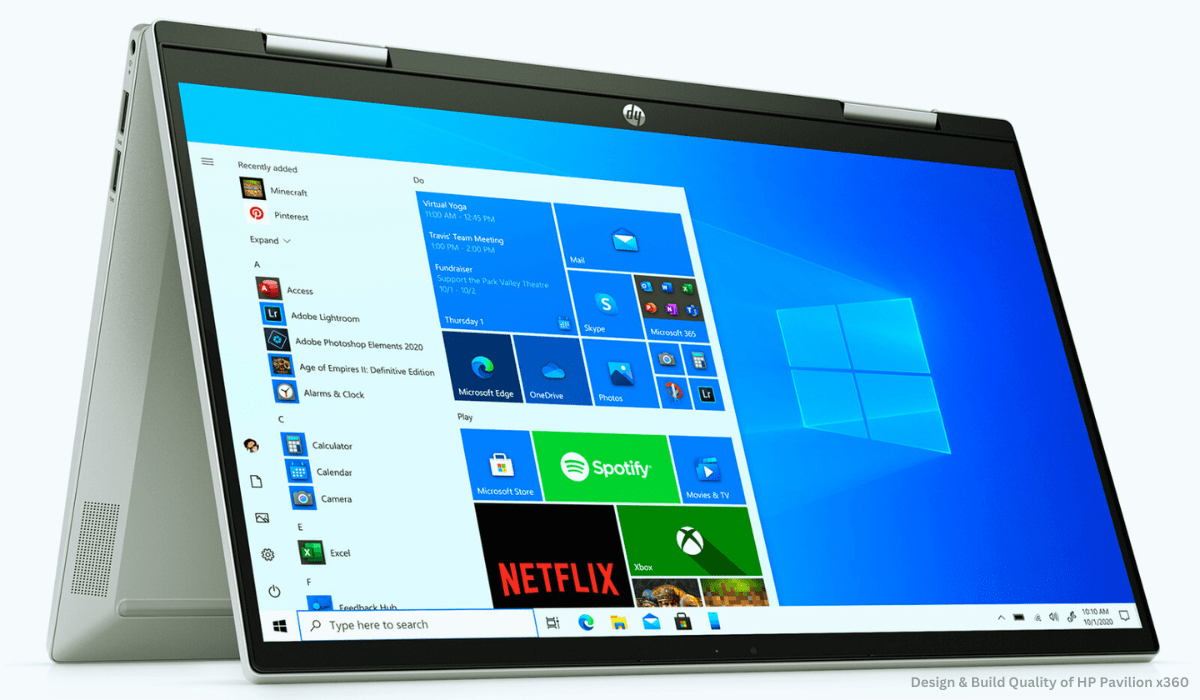
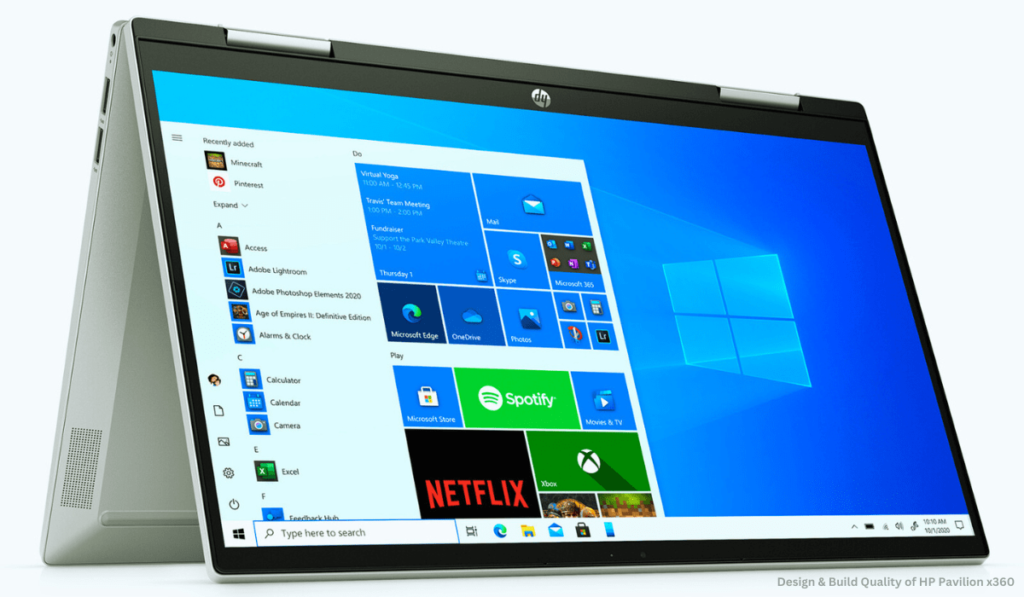
    Sleek, light, and built to last – that’s the first impression the HP Pavilion x360 makes in the design department (as many HP Pavilion x360 reviews will attest). Tipping the scales at a mere 3.5 pounds and measuring a svelte 0.7 inches thin, this 2-in-1 laptop effortlessly slips into your bag, becoming your constant companion throughout the day. But don’t let its slim profile fool you. The Pavilion x360 packs a punch when it comes to durability. Its metal chassis exudes a reassuring sturdiness, withstanding the occasional bend during mode transitions without raising any red flags. Rest assured, it feels built to tackle the rigors of daily use.

    The star of the show, however, is undoubtedly the 360-degree hinge. It glides smoothly as you seamlessly switch between laptop, tent, stand, and tablet modes, offering the versatility that defines the HP Pavilion x360 experience. This crucial component feels reassuringly solid, devoid of any unwanted wobbling, ensuring a stable and enjoyable experience across all configurations.

    Design & Build Quality of HP Pavilion x360

    Another design aspect that deserves praise is the minimal bezels. Measuring a mere 6.5mm on the sides, they contribute significantly to the modern and compact aesthetics of the Pavilion x360. This not only adds a touch of sleekness but also maximizes screen real estate for an immersive viewing experience, whether you’re working, streaming, or creating.

    Overall, the HP Pavilion x360’s design strikes a perfect balance between portability, durability, and modern flair. It’s a testament to HP’s ability to craft a device that’s both stylish and practical, perfectly complementing the versatility at its core. This aspect is sure to resonate with many users seeking a 2-in-1 laptop that seamlessly integrates into their dynamic lifestyles. Stay tuned for further sections of this HP Pavilion x360 review where we’ll delve deeper into its performance, display, and other key features!

    Display & Audio

    HP Pavilion x360 review: display

    Whether you’re devouring captivating content or unleashing your creativity, the HP Pavilion x360’s display needs to be a feast for the eyes. This latest iteration boasts a stunning 14-inch, 1080p touchscreen display that brings vibrant colors and sharp details to life. From everyday web browsing and video streaming to Zoom calls and photo editing, visuals appear crisp and clear, offering an immersive experience for your daily tasks.

    But the visual appeal doesn’t stop there. The touchscreen responsiveness is truly excellent, seamlessly translating your fingertip movements into on-screen actions when you switch to tablet mode. This makes note-taking, sketching, and interacting with touch-enabled apps a joy, truly unlocking the 2-in-1 versatility of the Pavilion x360.

    Equally impressive is the audio department. Gone are the days of tinny laptop speakers. The Pavilion x360 packs a punch with its dual speakers, delivering loud and surprisingly full sound. Whether you’re enjoying music, streaming videos, catching up on podcasts, or even indulging in casual gaming, the audio setup provides an immersive experience that rivals many dedicated external speakers. This is a welcome change for those who appreciate quality audio without the hassle of extra equipment.

    HP Pavilion x360 review

    In essence, the HP Pavilion x360’s display and audio combination caters to both visual and auditory needs, enhancing your entertainment, productivity, and creative endeavors. It’s a testament to HP’s focus on delivering a well-rounded experience that goes beyond just basic functionality, a point that will undoubtedly resonate with users seeking a 2-in-1 laptop that excels in both work and play. Stay tuned for the next section of this HP Pavilion x360 review where we’ll explore its performance and other key features!

    Performance & Battery: HP Pavilion x360 Review

    HP Pavilion x360 review

    Under the hood lies an Intel i5-1135G7 processor with integrated Iris Xe graphics and 8GB of RAM. This hardware configuration handles everyday multitasking with ease. I loaded 20+ Chrome tabs, including Google Docs, Slack, Asana, and Spotify, without noticing any lag.

    The 256GB SSD allows for fast boot-up times and app launch speeds. The Pavilion x360 takes just 12 seconds to start and less than 5 seconds to open apps after clicking.

    For battery performance, HP claims up to 10 hours of mixed-use. My testing showed it can deliver closer to 8 hours when streaming video and web browsing over Wi-Fi. This allows you to work or watch most of the day without needing an outlet.

    Read More: How to Unlock a Boost Mobile Phone

    User Experience of HP Pavilion x360

    The Pavilion x360 delivers a stellar user experience at an affordable mid-range price point. The convertible form factor works seamlessly for productivity, creativity, and entertainment. Tablet mode enables comfortable web browsing or streaming. Stand and tent modes are great for giving presentations or watching movies hands-free. And it performs excellently as a regular laptop for everyday tasks.

    The keyboard and touchpad also impress with a comfortable typing experience, accurate tracking, and multi-finger gestures. Connectivity options like Wi-Fi 6, Bluetooth 5.2, USB-A and Type-C ports allow you to hook up accessories and peripherals for extra productivity.

    Finally, the addition of the HP Command Center allows convenient customization of performance settings when you need an extra boost. You can also easily monitor system health metrics like thermals.

    Pros

    • Good for basic everyday use
    • Thin and lightweight
    • Backlit keyboard
    • Fast boot-up, quick responsiveness
    • Screen with vibrant colors, high brightness, and an appealing display.

    Cons

    • Underwhelming panel
    • Heavy operating force on keyboard keys
    • Speakers
    • Gaming/ Creative performance
    • Webcam

    Conclusion

    Concluding our deep dive into the HP Pavilion x360 14-inch, it’s clear that HP has struck a chord with this latest iteration. They’ve managed to balance versatility, power, and affordability into a sleek and portable package, creating a compelling option for a wide range of users.

    Whether you’re a student juggling assignments, an office professional on the go, a creative mind seeking an outlet, or simply a general user needing a reliable device for everyday tasks, the HP Pavilion x360 has something to offer. Its 2-in-1 design effortlessly adapts to your needs, transforming from a capable laptop to a convenient tablet, tent, or stand mode.

    In our HP Pavilion x360 review, we’ve explored its bright and responsive display, the surprisingly immersive audio, and the smoothly operating 360-degree hinge. And let’s not forget the solid performance delivered by its latest processors and ample RAM, ensuring you can tackle your tasks with ease.

    Of course, the affordability factor cannot be ignored. Compared to some high-end competitors, the HP Pavilion x360 offers excellent value for money, making it an attractive option for budget-conscious consumers.

    In conclusion, the HP Pavilion x360 14-inch emerges as a well-rounded and versatile contender in the 2-in-1 laptop market. Its blend of features, performance, and affordability makes it a strong choice for students, professionals, and general users alike. If you’re seeking a flexible and reliable device that seamlessly integrates into your dynamic lifestyle, the HP Pavilion x360 deserves a serious look.

    Is the HP Pavilion x360 good for students?

    Yes! The HP Pavilion x360’s 2-in-1 design, lightweight build, and affordable price tag make it ideal for students. Take notes in tablet mode, switch to a laptop for assignments, and enjoy long battery life throughout your day.

    How good is the battery life of the HP Pavilion x360?

    Expect 5-8 hours on average, depending on screen brightness and usage intensity. Optimize battery life by adjusting settings and utilizing power-saving modes when needed.

    Can the HP Pavilion x360 handle gaming?

    Light gaming is doable! The Pavilion x360 handles casual titles and some esports games well. However, for demanding AAA titles, consider laptops with dedicated graphics cards for smoother performance.

    How does the HP Pavilion x360 compare to other 2-in-1 laptops in its price range? 

    It punches above its weight! Compared to similar-priced 2-in-1s, the Pavilion x360 often boasts better features, performance, and overall value. Do your research, but it’s a strong contender!

    Is the HP Pavilion x360 touchscreen responsive?

    Absolutely responsive! The touchscreen is smooth, precise, and a joy to use. Take notes, sketch ideas, or navigate apps with ease in tablet mode, making the most of the 2-in-1 functionality.