Category: Product Reviews

Unbiased tech product reviews at Tech Innovation Pro. Find in-depth analysis, real-world testing, and honest comparisons. Buy with confidence, explore now!

  • Holy Stone HS720 Drone: The Ultimate Guide for Beginners

    Holy Stone HS720 Drone: The Ultimate Guide for Beginners

    Dreaming of capturing stunning aerial shots? The Holy Stone HS720 drone is your perfect launchpad! This user-friendly flyer is ideal for beginners eager to explore the world of drone piloting.

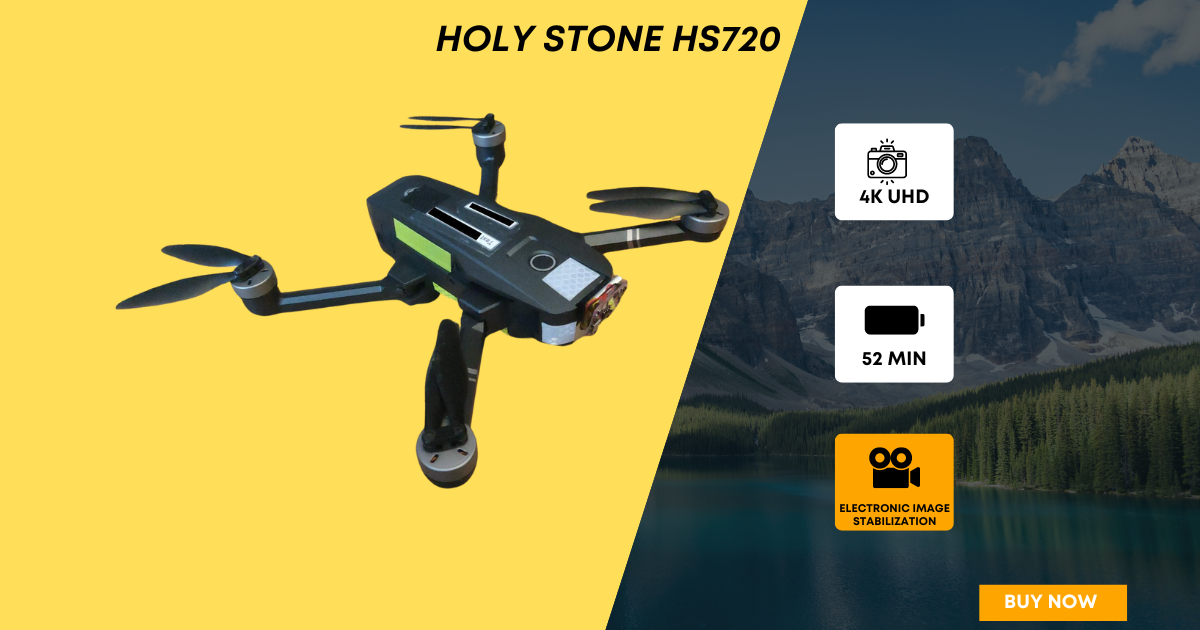
    Holy Stone HS720

    Hobbyist photographers and videographers will love its high-quality camera for capturing unique perspectives, while travelers can rejoice in its compact, portable design–perfect for documenting adventures on the go. But is the HS720 the right drone for you?

    This comprehensive guide will unveil everything you need to know: we’ll explore its features, discuss the pros and cons, compare it to other beginner-friendly drones, and ultimately help you decide if the HS720 is the key to unlocking your aerial creativity.

    Features and Specifications

    Understanding a drone’s capabilities is crucial before taking flight. The Holy Stone HS720 is packed with features designed to make flying enjoyable and accessible, especially for beginners, hobbyists, and travelers.

    Let’s delve into the key specifications and features that make this drone stand out, helping you decide if it aligns with your needs and aerial ambitions.

    Holy Stone HS720 Drone

    1. Camera Quality: Capture Stunning Aerial Memories (Great for Hobbyists & Travelers)

    • The HS720 packs a 4K UHD camera, allowing you to capture high-resolution photos and videos. While it may not compete with high-end models, it delivers exceptional quality for hobbyists and travelers looking to elevate their visuals. This camera boasts image stabilization thanks to a shock absorption holder, minimizing vibrations and ensuring crisp, high-resolution photos and videos (3840 x 2160). You can enjoy a smooth FPV (First Person View) experience with 5GHz transmission and immerse yourself in the world below with the 90° adjustable lens, allowing you to capture shots from various angles.

    2. Flight Time & Range: Perfect for Shorter Recreational Flights

    • The HS720 offers a flight time of up to 26 minutes on a single battery. This provides ample time for capturing scenic aerial shots or practicing maneuvers during your leisure time.
    • The control range extends up to 3,277 feet (1,000 meters), giving you a good amount of freedom to explore while maintaining a strong connection to the drone.

    3. Control Features: Easy Flying for Beginners

    • The HS720 prioritizes user-friendliness with a dedicated control app that allows you to operate the drone directly from your smartphone or tablet.
    • Built-in GPS ensures stable flight and provides features like automatic return to home, perfect for beginners who might lose sight of the drone or encounter low battery situations.
    • Additional features like headless mode simplify control, especially for those new to piloting drones. In headless mode, the drone’s orientation is locked relative to the controller, eliminating confusion about forward and backward movements.

    4. Design: Compact and Travel-Friendly

    • The HS720’s foldable design makes it incredibly portable. It easily fits into a backpack or travel bag, allowing you to take it anywhere on your adventures.
    • Weighing in at just 460 grams (16.2 oz), the HS720 is lightweight and falls under the weight limit for many drone regulations around the world (double-check local regulations before flying).

    5. Battery Life & Charging Time: Considerations for Hobbyists

    • The 26-minute flight time might feel limiting for extended hobbyist projects. However, the HS720 comes with dual batteries, each with a 2800 Milliamp Hour (mAh) capacity, allowing you to swap them out and effectively double your flying time during outings. This translates to up to 52 minutes of aerial exploration on a single charge!
    • Charging time can take between 5-7 hours, so plan accordingly for longer trips or multiple flight sessions.

    6. Additional Features: Enhancing the Beginner Experience

    • The HS720 boasts features like follow me mode, which instructs the drone to automatically follow you, capturing unique aerial footage as you explore.
    • Headless mode, mentioned earlier, adds another layer of control ease for beginners.

    By combining these features, the Holy Stone HS720 creates a user-friendly and feature-rich package that caters to beginners, hobbyists looking for a good starting point, and travelers seeking a compact drone companion.

    Read: Cheapest DJI Drones in 2024: Your Gateway to Stunning Aerial

    Holy Stone HS720: Pros and Cons

    The Holy Stone HS720 offers a compelling package for beginners, hobbyists, and travelers. But before you take flight, let’s explore both the pros and cons to see if it aligns with your needs.

    Holy Stone HS720

    Pros

    • Effortless Control: The HS720 shines with its intuitive app control and features like headless mode, making it a breeze to learn for beginners.
    • Safety First: Built-in GPS with automatic return to home ensures peace of mind, especially during those initial flights.
    • Value-Packed Camera: While not top-of-the-line, the 4K camera with image stabilization delivers exceptional quality for hobbyists and travelers on a budget, capturing stunning aerial memories.
    • Travel-Ready Design: The HS720’s foldable design and lightweight frame make it a perfect companion for adventurers, fitting snugly into backpacks for on-the-go exploration.
    • Decent Flight Time (for Beginners): With 26 minutes per battery, the HS720 provides ample time for beginners to practice maneuvers and capture breathtaking visuals during recreational flights.

    Cons

    • Wind Performance: Strong winds can affect the HS720’s stability compared to high-end models. Beginners might need to choose calmer days for optimal flying conditions.
    • Flight Time for Enthusiasts: The 26-minute flight time, while good for beginners, might feel limiting for hobbyists who crave longer durations for elaborate projects. Consider purchasing extra batteries for extended sessions.
    • Camera Considerations: For hobbyists seeking professional-grade footage, the HS720’s camera might have limitations, particularly in low-light conditions.

    Overall, the Holy Stone HS720 strikes a balance between affordability, user-friendliness, and features that cater to beginners, hobbyists taking their first steps in aerial photography, and travelers seeking a compact drone to document their adventures. By understanding both the strengths and weaknesses, you can make an informed decision on whether the HS720 is the perfect drone to launch your aerial journey.

    Read: Holy Stone HS360 Review: A Game-Changer in Drone Technology

    How Does the Holy Stone HS720 Compare?

    The Holy Stone HS720 sits comfortably in the beginner drone market, competing with several other options offering similar features at attractive price points. Here’s a comparison table highlighting how the HS720 stacks up against two of its closest competitors: the DJI Mini 2 SE and the Potensic Atom SE:

    [wptb id=8318]

    Here’s a breakdown of the key points:

    • Camera: All three drones offer decent camera quality with 4K or 2.7K resolution. However, the DJI Mini 2 SE sets itself apart with a 3-axis gimbal for superior stabilization, especially in windy conditions. The HS720 and Potensic Atom SE rely on Electronic Image Stabilization (EIS) which may not be as effective.
    • Flight Time: While the advertised flight times for all three drones seem similar, real-world conditions often reduce them. The DJI Mini 2 SE boasts the longest flight time, making it ideal for extended aerial exploration.
    • Price: The Potensic Atom SE and the Holy Stone HS720 are neck-and-neck for affordability, both coming in at $249.99. The DJI Mini 2 SE takes the crown for the most expensive at $299.00, but it boasts premium features like a superior camera and longer flight time.
    • Portability: All three drones are foldable and lightweight, making them easy to transport and store. However, the DJI Mini 2 SE takes the cake for portability with its ultra-lightweight design.
    • Control Features: All the drones offer essential features like app control, GPS for stable flight, auto return for a safe landing, and headless mode for easier maneuvering. The DJI Mini 2 SE boasts additional intelligent flight modes for more advanced maneuvers.

    Finding Your Perfect Drone

    Picking the right drone depends on what matters most to you. Here’s a breakdown to help you decide:

    • Tight Budget?: Both the Potensic Atom SE and the Holy Stone HS720 are budget-friendly options, priced at $249.00. This makes them ideal for those looking for a good value drone to get started.
    • Prioritizing Camera and Flight Time: For the best camera quality and extended flight time, the DJI Mini 2 SE is the way to go, although it comes with a higher price tag of $299.00.
    • Balance of Features and Affordability: If you want a feature-rich drone without breaking the bank, the Holy Stone HS720 is a strong contender. While priced the same as the Potensic Atom SE, it boasts a decent camera and a good flight time, making it a well-rounded option for beginners.

    Is the Holy Stone HS720 Right for You?

    So, after diving into the features, pros and cons, and competitor comparisons, is the Holy Stone HS720 your ideal launchpad into the world of aerial drones? Here’s a quick recap to help you decide:

    Strengths of the HS720:

    • Effortless Flight for Beginners: The HS720 shines with its user-friendly app control, features like headless mode, and safety measures like auto return to home, making it perfect for those taking their first steps with drone piloting.
    • Budget-Friendly Hobbyist Option: The HS720 offers a compelling camera with image stabilization for capturing high-quality aerial footage at a competitive price point. This makes it a great choice for hobbyists on a budget who want to explore aerial photography without breaking the bank.
    • Compact Travel Companion: The foldable design and lightweight frame make the HS720 a dream for travelers. It easily packs into backpacks, allowing you to document your adventures with stunning aerial perspectives wherever you roam.

    Who Should Consider the HS720?

    • First-Time Flyers: The intuitive controls, safety features, and relatively affordable price make the HS720 a perfect choice for beginners who want to learn the ropes of drone piloting without a hefty investment.
    • Budget-Conscious Hobbyists: Hobbyist photographers or videographers who want to experiment with aerial footage but are mindful of their budget will find the HS720’s camera quality and user-friendly features a valuable starting point.
    • Travel-Savvy Adventurers: For travelers who crave a compact and portable way to capture breathtaking aerial memories of their journeys, the HS720 is a great companion.

    The HS720 might not be ideal for:

    • Professional Videographers: If you require top-of-the-line image quality and features for professional use, high-end models with superior camera technology and longer flight times might be a better fit.
    • Long-Duration Flight Enthusiasts: For hobbyists who crave extended flight times for elaborate projects, the HS720’s flight time per battery might feel limiting. Consider drones with longer flight times or purchasing extra batteries.

    The Holy Stone HS720 strikes a solid balance between affordability, user-friendliness, and features that cater specifically to beginners, budget-conscious hobbyists, and travel enthusiasts. By understanding its strengths and limitations, you can confidently decide if the HS720 is the key to unlocking your aerial adventures!

    Conclusion

    The Holy Stone HS720 offers an enticing gateway into the world of aerial drones. Affordability, user-friendly features, and a feature set geared towards beginners make it a perfect launchpad for aspiring pilots. Hobbyists on a budget will appreciate the HS720’s camera capabilities for capturing stunning aerial footage, while travelers will love its compact and portable design.

    Ready to soar through the sky and capture breathtaking aerial memories? Don’t miss out! Explore the Holy Stone HS720, and unlock a world of aerial possibilities before it’s too late!
  • Cheapest DJI Drones in 2024: Your Gateway to Stunning Aerial

    Cheapest DJI Drones in 2024: Your Gateway to Stunning Aerial

    Have you ever dreamt of capturing the world from a bird’s-eye view? Drones have become the ultimate tool for unleashing your inner explorer, offering stunning aerial shots and a whole new perspective on familiar landscapes. But let’s be honest, those high-end professional drones can come with a hefty price tag, leaving your dream firmly grounded.

    Cheapest DJI Drones

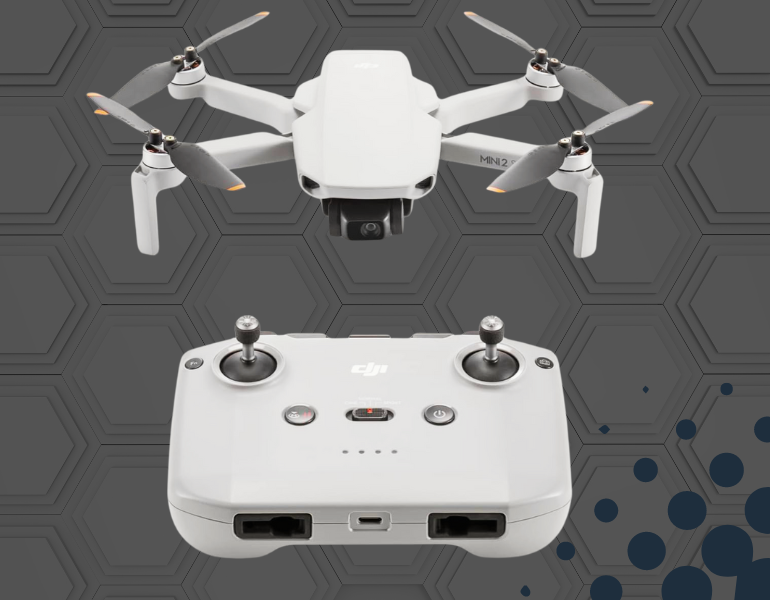
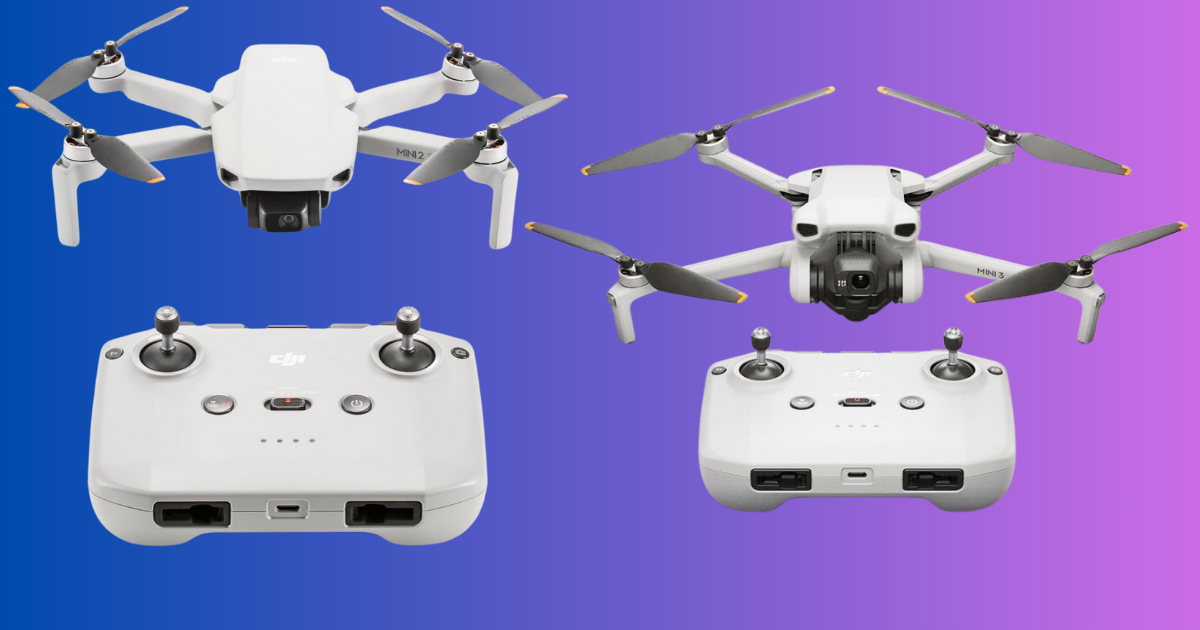
    Hold on to your hats, aspiring aerialists! There’s a hidden gem waiting to be discovered in the world of drones. DJI, the king of consumer drones, offers a fantastic option for those who are short on cash but big on dreams: the cheapest DJI drone in their lineup, the DJI Mini 2 SE.

    DJI Mini 2 SE

    $299.00

    The DJI Mini 2 SE is a lightweight drone under 249 grams with a 3-axis gimbal camera for stunning photos and videos.
    It boasts a 10km transmission range, 31-minute flight time, and auto return-to-home features, making it perfect for beginners.

    Now, the DJI Mini 2 SE isn’t just about affordability (although the DJI Mini 2 SE price of around $294.99 is music to budget-conscious ears!). This little champion packs a serious punch in a tiny package. Weighing in at a featherweight of under 250 grams, it falls into a special regulatory category in most regions (double-check your local laws before you take flight!), freeing you from the hassle of extensive drone licensing.

    But don’t be fooled by its size. The Mini 2 SE is a feature powerhouse. Here’s the best part: for that budget-friendly price tag, you get a surprisingly capable camera that captures stunning 12-megapixel photos and smooth 1080p videos.

    Imagine creating crystal-clear aerial footage of your adventures without leaving a dent in your wallet. Plus, with a flight time of up to 31 minutes, you’ll have plenty of time to explore and capture the world from a whole new perspective.

    Key Features of DJI Mini 2 SE

    Let’s explore the features of the Mini 2 SE and see how it stacks up against its slightly pricier cousin, the DJI Mini 3. Here’s a closer look at what this cheapest DJI drone has to offer:

    • Ultra Light Weight Design: Weighing under 249 grams, the Mini 2 SE is incredibly portable and doesn’t require FAA registration. You can carry it effortlessly wherever you go.
    • Stunning Photo and Video Capture: Equipped with a 1/2.3-inch CMOS sensor and a 12-megapixel camera, the Mini 2 SE shoots crystal-clear aerial photos that will leave you in awe. Plus, with the ability to record smooth 1080p HD video at 30 frames per second, you can capture those unforgettable moments from a whole new perspective.
    • HD Video Transmission: Equipped with DJI O2 technology, the Mini 2 SE delivers seamless HD video transmission with a range of up to 10 kilometers. Explore vast landscapes and capture dynamic scenes with exceptional clarity.
    • 2.7K Video Recording: The Mini 2 SE shoots 2.7K videos at up to 30 frames per second, ensuring crisp and detailed footage. Whether you’re documenting your adventures or creating content, this drone delivers impressive results.
    • Effortless Flight Control: The Mini 2 SE utilizes DJI’s intuitive OcuSync 2.0 transmission system, providing a stable and reliable connection between your drone and the controller. This translates to smooth, responsive flight control, letting you focus on capturing those perfect aerial shots.
    • Extended Flight Time: Don’t worry about cutting your adventures short. The Mini 2 SE boasts a remarkable flight time of up to 31 minutes on a single battery charge. This gives you ample opportunity to explore your surroundings and experiment with different aerial angles.
    • Simplified App Control: Flying the Mini 2 SE is a breeze, thanks to the DJI Fly app. This user-friendly app provides a clear and intuitive interface, making it easy to learn the ropes, even for beginners. The app also offers a range of helpful features, including flight tutorials, pre-programmed flight patterns, and real-time battery level monitoring.
    • Wind Resistance: With a 38 kph (Level-5) wind resistance, this drone can handle challenging weather conditions, ensuring stable flights even on breezy days.

    The DJI Mini 2 SE offers a compelling combination of affordability, portability, and impressive features. It’s the perfect cheapest DJI drone for anyone looking to enter the world of aerial photography and videography without breaking the bank.

    DJI Mini 3

    $469.00

    The DJI Mini 3 offers a powerful camera with 4K HDR video, 38-minute flight time, and social-media-friendly vertical shooting, all in a lightweight design under 249 grams. Easy to use with return-to-home and long-range transmission, it’s a great beginner drone for stunning aerial footage.

    The DJI Mini 2 SE reigns supreme in the cheapest DJI drone category, but what if you have a little more wiggle room in your budget? Enter the DJI Mini 3 – a contender for those who crave a touch more aerial firepower.

    Think of the Mini 3 as the slightly older sibling, packing some impressive upgrades over its Mini 2 SE counterpart. The most noticeable difference? Prepare to be wowed by stunning 4K HDR video. Imagine capturing those breathtaking aerial landscapes in unbelievably sharp detail, with vibrant colors that practically pop off the screen.

    Let’s explore the key features of DJI Mini 3 in detail.

    • DJI Mini 3: More Power, More Possibilities: If you’re looking for a drone that steps up the capability game without sacrificing portability, the DJI Mini 3 is your perfect match. While slightly more expensive than the Mini 2 SE, the Mini 3 packs a serious punch in terms of features and performance. Here’s why the Mini 3 might be the ideal choice for you:
    • Next-Level Image Quality: The Mini 3 boasts a larger 1/1.3-inch CMOS sensor and a whopping 48 megapixel camera, capturing stunning detail and vibrant colors in your photos. Plus, with the ability to record smooth 4K HDR video at 30 frames per second, you can create professional-looking aerial videos that are sure to impress.
    • True Vertical Shooting: Stand out on social media with the DJI Mini 3’s innovative gimbal design. It allows for 90-degree rotation, perfect for capturing captivating portrait-oriented shots optimized for Instagram and TikTok.
    • Extended Flight Time: Explore for longer with the DJI Mini 3’s impressive flight time of up to 38 minutes on a single battery. This extended flight time allows you to capture more footage and cover greater distances on your aerial adventures.
    • Enhanced Wind Resistance: Don’t let a little breeze ruin your shot. The Mini 3 boasts wind resistance of up to 38 kph (Level 5), making it suitable for flying on breezy days.
    • Advanced Safety Features: Fly with peace of mind thanks to the DJI Mini 3’s advanced safety features, including downward vision sensing, tri-directional obstacle sensing, and intelligent return-to-home functions.
    • Seamless O3 Transmission (select models): Enjoy a more stable and reliable connection with DJI’s O3 transmission technology (available on select models), offering a range of up to 12 kilometers and smooth 1080p real-time video transmission.

    The DJI Mini 3 strikes a perfect balance between portability, power, and affordability. It’s a great option for creators and hobbyists who demand more from their aerial photography and videography.

    The Mini 3 isn’t quite the cheapest DJI drone on the market, but it still falls comfortably under the DJI drone under the $500 mark, making it a fantastic option for those seeking a balance between affordability and impressive features.

    Read: Holy Stone HS360 Review: A Game-Changer in Drone Technology

    Cheapest DJI Drone Showdown

    Alright, buckle up drone enthusiasts! Now that we’ve met the reigning champion (Mini 2 SE) and the feature-packed challenger (Mini 3), it’s time to break things down and help you decide which affordable DJI drone best suits your needs.

    Here’s a handy dandy table to help you compare the Mini 2 SE and Mini 3 head-to-head:

    This table is your key to unlocking the perfect affordable DJI drone for your adventures. Let’s unpack some of the key points:

    • Video Quality: If capturing crystal-clear, sharp aerial footage is your top priority, the Mini 3’s 4K HDR video is a clear winner.
    • Shooting Modes: Craving the ability to create captivating social media content? The Mini 3’s True Vertical shooting mode might be the game-changer you need.
    • Flight Time: While both drones offer ample flying time, the Mini 3 might give you those extra precious minutes to capture that perfect shot.

    Remember, the cheapest DJI drone title belongs to the Mini 2 SE, making it ideal for budget-conscious flyers who prioritize affordability without sacrificing core functionality. However, if you have some extra room in your budget and crave superior video quality, unique shooting modes, and slightly longer flight time, the Mini 3 might be the perfect upgrade.

    Choosing the Right Cheapest DJI Drone for You

    So, you’ve met the contenders – the budget-friendly champion, the Mini 2 SE, and the feature-rich challenger, the Mini 3. Now comes the most important part: choosing the cheapest DJI drone that aligns perfectly with your aerial aspirations and, of course, your wallet.

    Let’s face it, the Mini 2 SE remains the undisputed king regarding affordability. With a price tag hovering around $339, it’s the clear winner for budget-conscious flyers who crave a reliable and easy-to-fly drone without breaking the bank. Plus, its lightweight design (under 250 grams) makes it a breeze to navigate regulations in most regions.

    However, if features are equally important, the Mini 3 might be calling your name. For those who crave stunning 4K HDR video for sharper, richer footage, or social media mavens who dream of creating captivating content with the True Vertical shooting mode, the Mini 3 offers undeniable advantages.

    Just remember, these additional features come at a slightly higher price point (still comfortably under the DJI drone under $500 mark!).

    Conclusion

    The world of drones is no longer just for professionals with hefty budgets. Thanks to fantastic options like the DJI Mini 2 SE, the title of cheapest DJI drone is finally within reach for many aspiring aerialists. This lightweight champion offers impressive features and exceptional flight time at a price that won’t leave you grounded.

    But if your budget allows for some wiggle room and features like superior video quality and unique shooting modes are a priority, the Mini 3 presents a compelling upgrade.

    Ultimately, the choice between these two fantastic affordable DJI drones comes down to your needs and budget. Head over to the official DJI website or visit authorized retailers to explore the latest prices and potential deals to find the perfect cheapest DJI drone to launch your aerial adventures!

    DJI Mini 2 SE vs. DJI Mini 3: Which drone is right for me? 

    Choosing between the DJI Mini 2 SE and Mini 3 depends on your priorities.
    The Mini 2 SE is a great pick for:
    Budget-minded flyers: It’s the most affordable option with a surprising amount of capability.
    Beginners: It offers excellent image quality with a user-friendly app and flight features.
    Those wanting good, everyday photo/video: It captures crisp 12-megapixel photos and smooth 2.7K videos.

    How long does the DJI Mini 2 SE/Mini 3 fly?

    Both drones offer decent flight times, but the Mini 3 takes the lead.
    DJI Mini 2 SE: With a standard battery, you can expect up to 31 minutes of flight time. This allows for capturing a good amount of aerial footage on a single charge.
    DJI Mini 3: The standard battery provides a flight time of up to 38 minutes. There’s also an extended battery option available for the Mini 3, pushing the limit to an impressive 51 minutes. This extended time is ideal for longer journeys or capturing complex aerial shots.

    Does the DJI Mini 2 SE/Mini 3 require registration?

    Thankfully, neither the DJI Mini 2 SE nor the Mini 3 require registration in most countries and regions due to their weight being under the crucial 250-gram limit. However, regulations can vary by location. Always double-check your local drone laws before taking flight.

    Camera Comparison: Mini 2 SE vs. Mini 3

    The camera is a key differentiating factor between these two drones.
    DJI Mini 2 SE: It features a 1/2.3-inch CMOS sensor that captures detailed 12-megapixel photos and smooth 2.7K videos at 30 fps. It also boasts a 3-axis motorized gimbal for stabilization.
    DJI Mini 3: It packs a larger 1/1.3-inch CMOS sensor, capturing stunning 48-megapixel photos and incredible 4K HDR video at 30 fps. This translates to professional-looking aerial footage with exceptional detail and vibrant colors.

    Beginner-Friendly Features: Soaring with Confidence?

    Both the DJI Mini 2 SE and Mini 3 are excellent choices for beginner drone pilots.
    DJI Fly App: This user-friendly app provides a clear interface with tutorials, pre-programmed flight patterns, and real-time battery monitoring, making it easy to learn the ropes.
    Flight Features: Both models offer auto return-to-home functions and other safety features for a stress-free flying experience.
    The Mini 3 might have slightly more advanced features, but overall, both remain very user-friendly for new pilots. The Mini 2 SE’s lower price point makes it an even more attractive option for beginners who want to ease into the world of drone piloting.
  • Amazon Kindle vs Paperwhite: The Best E-reader for You

    Amazon Kindle vs Paperwhite: The Best E-reader for You

    E-readers have revolutionized the way we consume literature. With their portability, vast libraries, and long battery life, they have become beloved companions for bookworms everywhere. At the forefront of this e-reading revolution sits Amazon’s Kindle line, offering a variety of options to suit different needs and budgets.

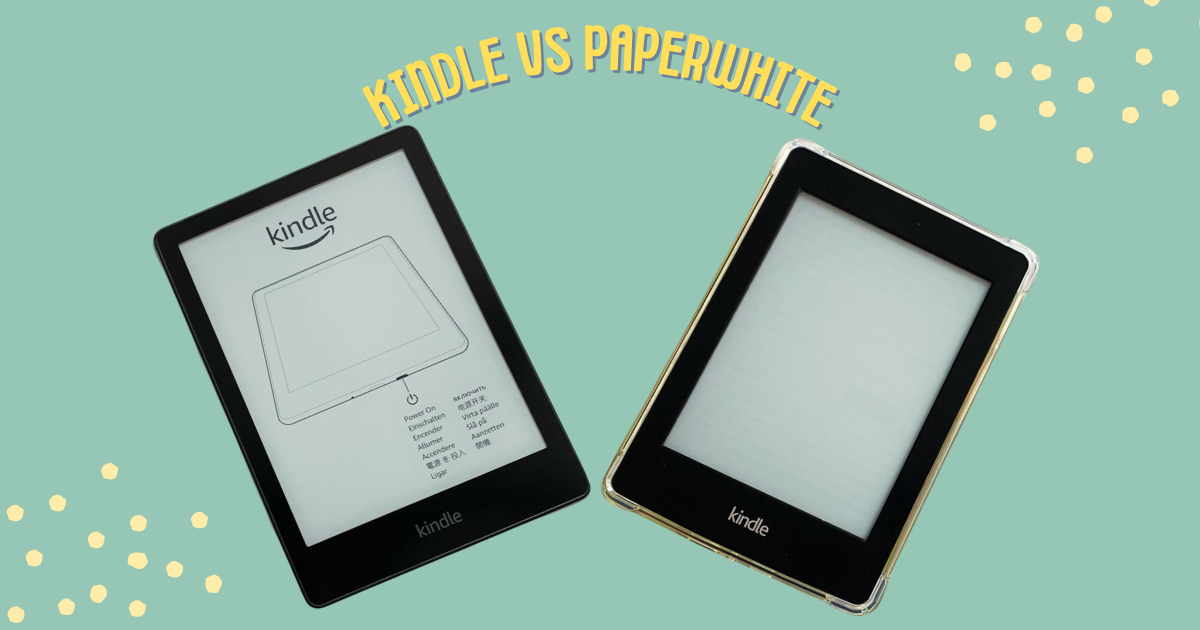
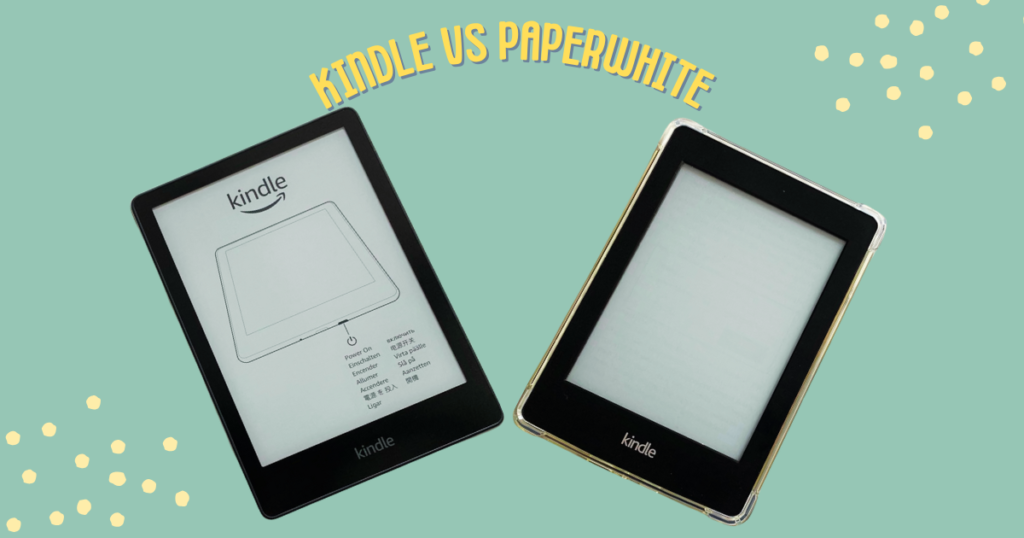
    amazon kindle vs paperwhite

    This article delves into the two most popular Kindle models—the Kindle and the Paperwhite—to help you pick the one that perfectly complements your reading journey. While both devices offer access to millions of e-books, key differences exist, particularly in display quality and feature sets, that can significantly impact your reading experience. 

    Are you unsure which Amazon Kindle to choose? Fret no more! This detailed comparison will reveal the champion for your bookshelf.
    Head-to-Head Comparison

    Our Pick
    amazon kindle vs paperwhite

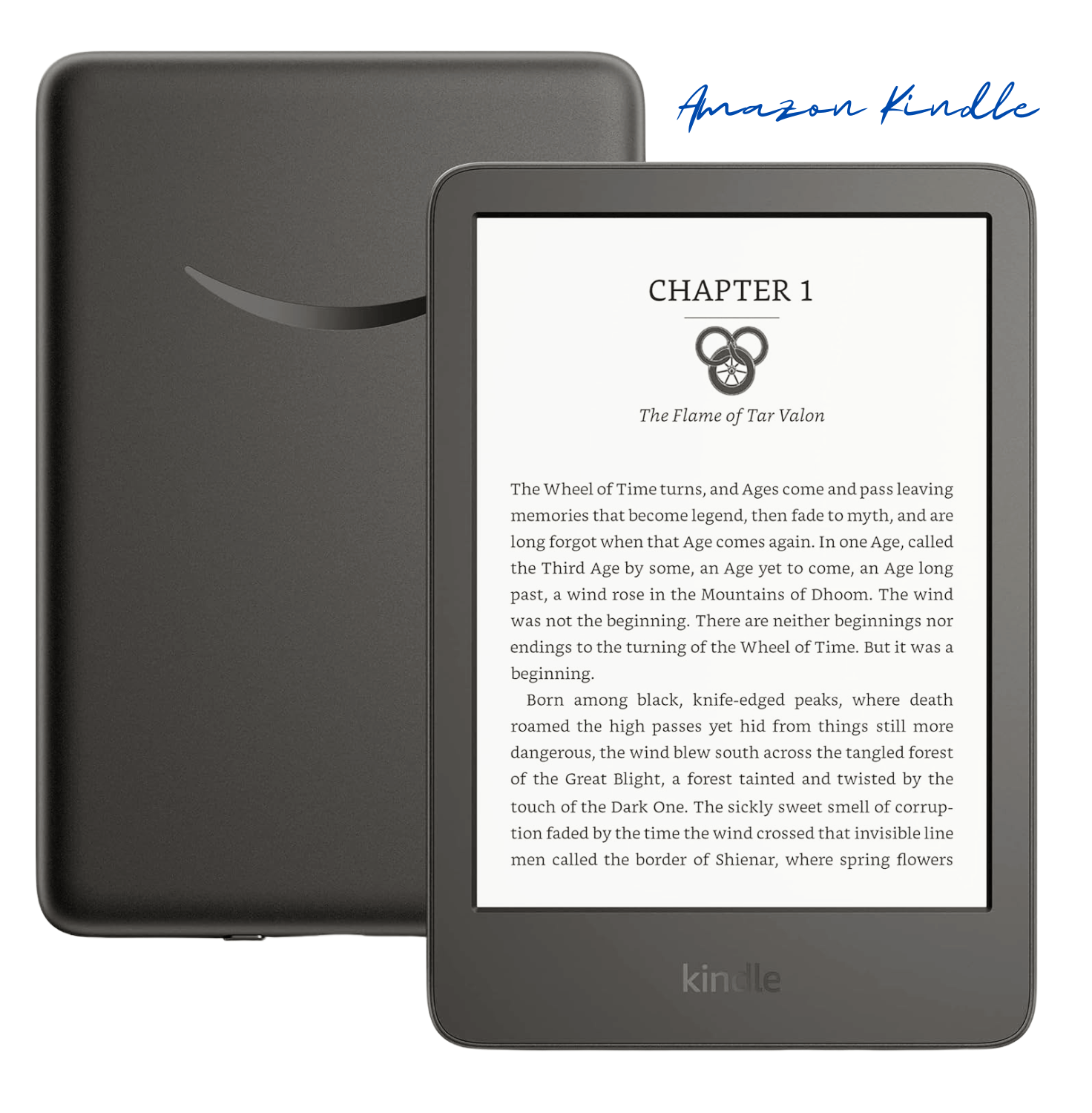
    Amazon Kindle

    $99.99
    amazon kindle vs paperwhite

    Amazon Kindle Paperwhite

    $149.99
    Display
    6” display, built-in light, 300 ppi, 16-level grayscale
    6.8” Paperwhite display, built-in light, 300 ppi, 16-level grayscale
    Size & Weight6.2” x 4.3” x 0.32”
    (5.56 oz)
    6.9” x 4.9” x 0.32” (7.23 oz)
    Storage16 GB on-device, free cloud storage for Amazon content8 GB or 16 GB on-device, free cloud storage for Amazon content
    Battery LifeUp to 6 weeks on a single chargeUp to 10 weeks on a single charge

    Display: The Heart of the Reading Experience

    When it comes to the display, both the Kindle and Kindle Paperwhite offer impressive features that elevate your reading experience. The Kindle (11th Gen) boasts a 6-inch display with built-in light, 300 ppi (pixels per inch), and 16-level grayscale. This ensures crisp text and clear images, making it easy on the eyes for prolonged reading sessions.

    On the other hand, the Kindle Paperwhite (11th Gen) takes it up a notch with a larger 6.8-inch Paperwhite display, built-in light, 300 ppi, and a 16-level gray scale. The Paperwhite’s display is designed to mimic the look of real paper, reducing glare and providing a more immersive reading experience, especially in various lighting conditions.

    This translates to crisper text and clearer images, especially beneficial for readers who indulge in graphic novels or PDFs. For those who have debated between the Amazon Kindle vs Kindle Paperwhite, it’s important to remember that the Fire is a tablet with an LCD screen, better suited for multimedia consumption, while the Paperwhite prioritizes a reading-optimized e-ink display.

    Another noteworthy difference is the backlight technology. The Kindle features a basic front light, while the Paperwhite boasts an adjustable, warm light. This allows you to fine-tune the screen’s brightness and color temperature, reducing eye strain during nighttime reading sessions.

    Features: Geared Up for Bookworms

    Storage space is really important. The regular Kindle has 8GB, which can hold tons of books. But if you’re a super bookworm or you love graphic novels, you might need Paperwhite’s bigger 8GB or 16GB options.

    The Paperwhite’s battery life is amazing. It lasts for weeks on a single charge! You can read book after book without constantly recharging. Lots of Paperwhite reviews praise this long battery life.
    Both Kindles have a built-in dictionary to easily look up words you don’t know. But the Paperwhite also has a cool vocabulary builder tool. It’s perfect for learning new words as you read.

    Love audiobooks? The Paperwhite lets you seamlessly switch between reading and listening with Audible. It’s so convenient!

    Planning to read by the pool or beach? No problem! The Paperwhite is water-resistant, so you don’t have to freak out if it gets splashed. You can just relax and enjoy your book.

    Read: Best E-Readers for Seniors in 2024: Easy Use, Big Buttons

    Design and Build Quality

    The basic Kindle is nice and compact, perfect for reading on the go. It’s so portable and lightweight! The Paperwhite is a bit bigger, but still a super comfy size to hold. Both Kindles are built tough as nails to withstand all your adventuring. But the Paperwhite does have a sleeker, more premium design that just looks and feels luxurious, you know?

    At the end of the day, choosing between these two come down to what you personally want most. If you’re looking for an affordable reader that still gives you an awesome reading experience, the regular Kindle is a stellar choice.

    But oh man, if you want a crisp high-resolution screen, that warm ambient light you can adjust, insane battery life, and cool extras like the vocabulary builder and Audible integration? The Paperwhite might just be your perfect bookish soulmate.

    Whichever Kindle you go with, you’re unlocking a whole new world of literary adventures. It’ll be your gateway to infinitely amazing stories and books! You just have to decide if you want a few more fancy bells and whistles or the most budget-friendly, solid e-reader. Either way, it’s going to change your reading game forever.

    Picking Your Perfect Match: Amazon Kindle vs Paperwhite

    So, you’ve narrowed your choices down to the Kindle and Paperwhite, but which one reigns supreme for your reading needs? Let’s break down their strengths and weaknesses to help you make an informed decision.

    The Kindle shines for value seekers. It offers a comfortable reading experience at a friendly price point, making it a fantastic choice for casual readers or those new to the e-reader world. However, its display isn’t quite as sharp as the Paperwhite’s, and the lack of an adjustable backlight might limit nighttime reading sessions.

    If you crave a more premium reading experience, the Paperwhite beckons. Its higher-resolution display delivers crisp text and clear images, while the adjustable warm light ensures comfortable reading even under the covers. The Paperwhite’s longer battery life and additional features like a vocabulary builder and audiobook integration further sweeten the deal for bookworms who devour content and appreciate the versatility of switching between reading and listening formats.

    Beyond these core differences, consider your existing book collection and reading habits. If you have a large library stored elsewhere or prefer reading physical books occasionally, the Kindle’s lower price tag might be more appealing.

    On the other hand, if you’re an audiobook enthusiast or simply love the idea of getting lost in a captivating story without ever leaving your couch, Paperwhite’s integration with Audible might be the deciding factor.

    Choosing Your E-reader Adventure

    The battle between the Kindle and Paperwhite boils down to a war of priorities. The Kindle caters to budget-conscious readers who prioritize affordability and core functionality. The Paperwhite, however, elevates the reading experience with a sharper display, customizable lighting, and features that cater to dedicated bookworms.

    Ultimately, the best Kindle for you depends on your individual needs and preferences. Consider your reading habits, budget, and desired features when picking the e-reader that will become your perfect literary companion. Happy reading!

    Is the Kindle Paperwhite screen better than the Kindle?

    Yes, the Kindle Paperwhite generally has a better screen than the Kindle. While both Kindles now have 300 ppi high-resolution displays for crisp text, the Paperwhite boasts more LEDs for brighter and more even front lighting. Additionally, the Paperwhite has a flush-front design, which some users find more aesthetically pleasing and easier on the fingers when turning pages.

    Does the Kindle Paperwhite have a warmer light?

    Yes, the Kindle Paperwhite has a warm light option. This feature allows you to adjust the screen lighting to a warmer tone, reducing blue light and creating a more comfortable reading experience at night. The standard Kindle only offers a cooler white light.

    Which Kindle lasts longer on battery?

    The Kindle tends to have a slightly longer battery life than the Paperwhite. Both Kindles offer excellent battery endurance, with the Kindle lasting up to 6 weeks and the Paperwhite lasting up to 10 weeks. However, usage patterns can affect battery life, so this may vary.

    Is the Kindle Paperwhite waterproof?

    Yes, the Kindle Paperwhite is waterproof. This makes it ideal for reading by the pool, at the beach, or even in the bathtub without worry of damage from accidental spills. The standard Kindle is not waterproof.

    Is the Kindle Paperwhite worth the extra money?

    Whether the Kindle Paperwhite is worth the extra money depends on your needs and preferences. If you prioritize a larger screen, warm light for nighttime reading, and waterproof construction, then the Paperwhite offers significant upgrades. However, if you value affordability and are happy with a basic e-reader experience, the standard Kindle is a solid choice.
  • Best E-Readers for Seniors in 2024: Easy Use, Big Buttons

    Best E-Readers for Seniors in 2024: Easy Use, Big Buttons

    As we age, our eyesight can naturally weaken, making the once-cherished activity of reading a frustrating challenge. But what if there was a way to keep the love of literature alive? Enter the world of the best e-readers for seniors. These innovative devices offer a lifeline to those who miss the joy of curling up with a good book.

    According to the National Eye Institute, nearly 1.8 million adults over 40 in the United States have age-related macular degeneration, a leading cause of vision loss. This can make reading traditional printed text difficult or even impossible.  Senior e-readers, however, come equipped with features specifically designed to combat these challenges.

    Large-print e-readers allow users to adjust font sizes to a comfortable level, eliminating the need for squinting or straining. Many models also offer easy-to-use e-reader interfaces with big buttons for effortless navigation, perfect for those with limited dexterity.

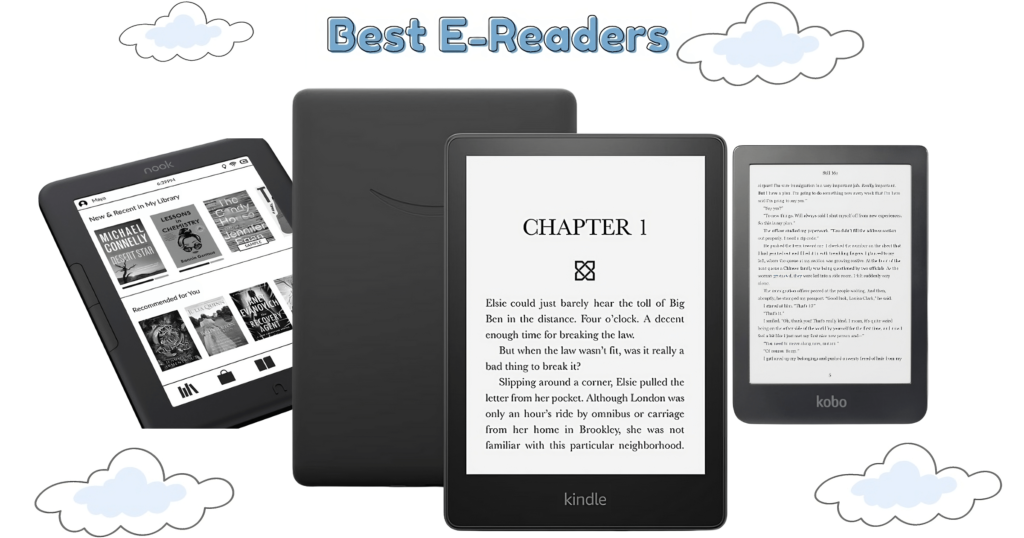
    Best e-readers for seniors

    But the benefits go beyond just enlarged fonts. The best e-readers for seniors in 2024 often come with built-in lighting, allowing for comfortable reading in any environment, day or night.

    Additionally, many offer audiobooks for seniors, a fantastic option for those who may find reading visually demanding. With audiobooks, seniors can still enjoy the power of storytelling and stay connected to the literary world they love.

    The best e-readers for seniors are also incredibly lightweight and portable. Unlike heavy traditional books, they can be easily carried around the house, on walks, or even when traveling. This portability, coupled with the vast library of e-books available for download, opens a world of possibilities for continued literary exploration.

    Whether you’re a senior citizen yourself, a caregiver for a loved one, or part of a retirement community looking to enhance the lives of its residents, exploring the world of the best e-readers for seniors is a worthwhile endeavor.  These devices can rekindle the joy of reading and unlock a universe of stories waiting to be discovered.

    Key Considerations for Best E-readers for Seniors

    Finding the best e-reader for seniors goes beyond just picking a random device.  There are several factors to consider to ensure a comfortable and enjoyable reading experience. Here’s a breakdown of the key features to keep in mind:

    • Screen Size and Resolution:  For comfortable reading, especially with enlarged text, a screen size between 6 and 8 inches is ideal. Large print e-readers often fall within this range, offering ample viewing space for magnified fonts.  Resolution, measured in pixels per inch (ppi), is equally important. Higher resolution (300 ppi or more) translates to sharper, clearer text, reducing eye strain for seniors.
    • Font Size and Adjustability: One of the biggest advantages of senior e-readers is the ability to customize font size. Look for devices with large font options and easy-to-adjust controls. This allows seniors to personalize the reading experience and choose a font size that provides optimal comfort.
    • Ease of Use: Easy-use e-readers prioritize user-friendly interfaces with clear menus and intuitive navigation.  Large, well-spaced buttons are a major plus, especially for seniors with limited dexterity.  Some models even offer simplified home screens with minimal clutter, making it easy to find desired functions.
    • Battery Life:  Who wants to be constantly tethered to a charger? A long battery life is crucial for seniors who enjoy extended reading sessions. Look for the best e-readers for seniors that boast at least a week of battery life on a single charge, ensuring uninterrupted reading time.
    • Built-in Light:  Adjustable lighting is a game-changer for comfortable reading in any environment.  Senior e-readers with built-in lights allow users to adjust the brightness to suit their preferences, whether reading in bright sunlight or enjoying a book before bed in low light.
    • Audiobooks Feature:  For seniors who have difficulty reading visually or simply prefer listening to stories, audiobooks for seniors are a fantastic option. Many of the best e-readers for seniors come with audiobook capabilities, allowing them to stay engaged with the written word through spoken narration.
    • Additional Features:  While not essential, some additional features can further enhance the reading experience for seniors. Waterproofing can provide peace of mind against accidental spills, while a built-in dictionary offers instant word definition lookups without needing a separate device.

    Ultimately, the best e-reader for seniors depends on individual needs and preferences. However, by considering these key factors, caregivers, family members, and retirement communities can make an informed choice and unlock a world of literary enjoyment for their senior loved ones.

    Top E-readers for Seniors in 2024

    Finding the best e-reader for seniors isn’t a one-size-fits-all proposition. However, by carefully considering the features outlined in the previous section, you can navigate the options and find the ideal device to reignite the joy of reading.

    Are you looking for an e-reader that feels like it was made just for you? The Kindle Paperwhite would be the best choice for you! Here’s why it’s a fantastic choice, especially for seniors:

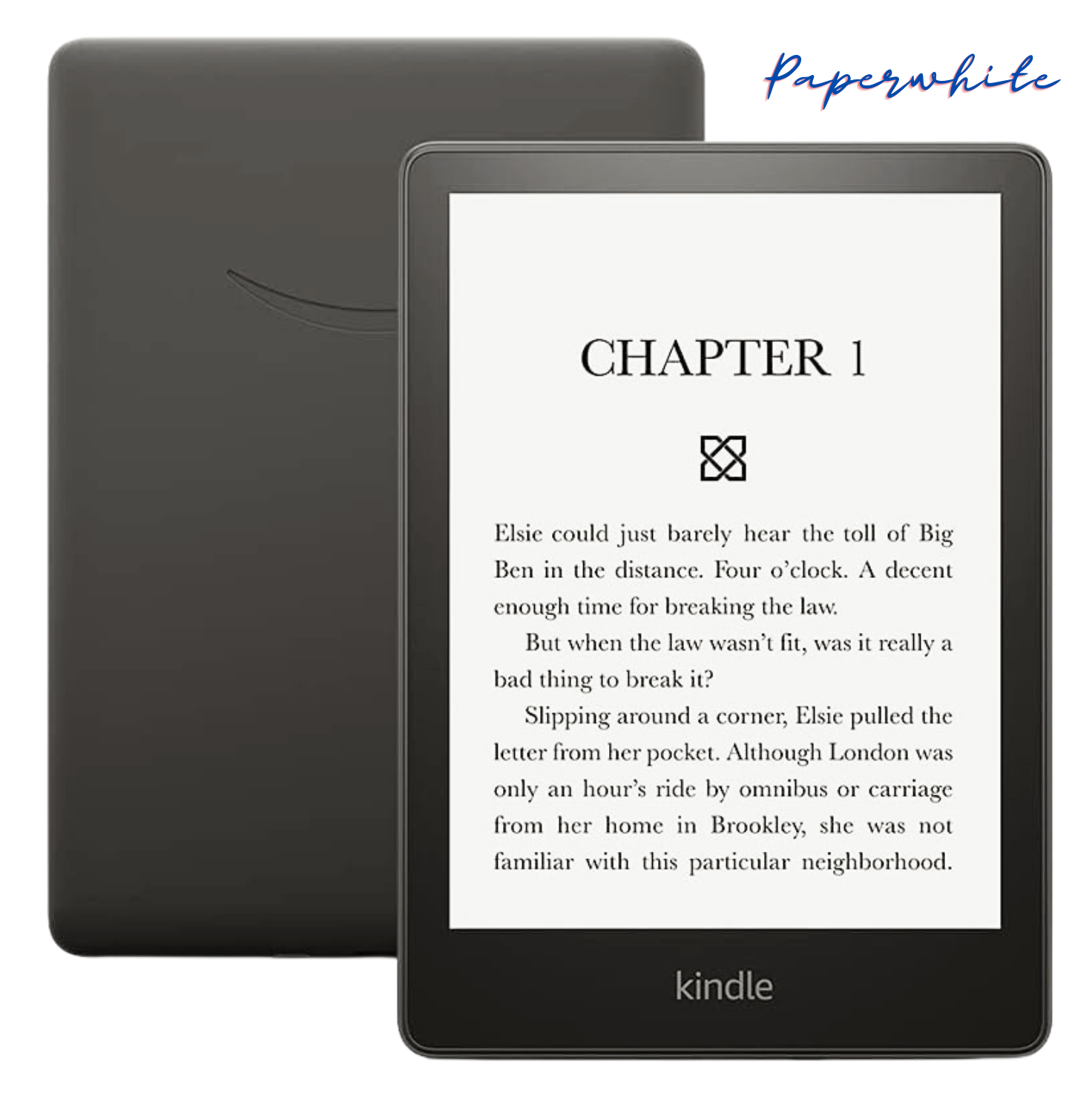
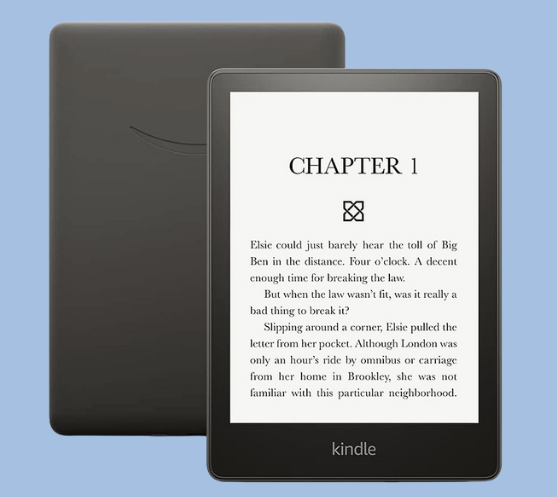
    Amazon Kindle Paperwhite

    Amazon Kindle Paperwhite (16 GB) now features a larger display, adjustable warm light, extended battery life, and quicker page turns in black.

    • Big, Beautiful Screen: Imagine a comfortable reading experience, just like holding a real book. The Paperwhite’s 6.8-inch display is clear and crisp, with an adjustable warm light that lets you go from bright white to a soothing amber glow—perfect for nighttime reading without straining your eyes. Plus, the glare-free screen means you can enjoy your book anywhere, even on a sunny day at the park.
    • Thousands of Books at Your Fingertips: Remember lugging around heavy books? Not anymore! The Paperwhite can store thousands of titles, so you can carry your entire library with you wherever you go. Plus, a single charge lasts for weeks, not hours, so you can focus on reading, not finding an outlet.
    • Easy on the Eyes: We all know how eyesight can change as we get older. The Paperwhite has features to make reading a breeze. The font size can be adjusted to make those words nice and big, and there’s even a text-to-speech option (available in English only) that lets you listen to your books instead of reading them.
    • Waterproof Worries? Be Gone! Accidental spills happen, but with the Paperwhite, you don’t have to worry about ruining your e-reader. It’s waterproof, so you can relax with a book by the pool or even take a bath with your favorite novel.
    • A World of New Stories to Discover: Feeling stuck in a reading rut? The Paperwhite opens the door to millions of ebooks, with options for every taste. Plus, with Kindle Unlimited, you can get unlimited access to a massive library of titles for a monthly subscription fee.
    • Listen Along, Hands-Free! Even if reading on screen isn’t your preference, you can still enjoy audiobooks! Pair your Paperwhite with Bluetooth headphones or speakers and lose yourself in a captivating story.
    • Simple and Hassle-Free: The Paperwhite is designed to be user-friendly, with a simple interface and no complicated setup needed. It’s completely wireless, so you can download content directly to your device without needing a computer.
    • Lightweight and Portable: Take your reading anywhere! The Paperwhite is thin and light, making it perfect for slipping into your purse, backpack, or even your pocket.
    • Peace of Mind with Long Battery Life: The e-reader offers up to ten weeks of battery life on a single charge, based on half-hour daily reading with wireless off and brightness at 13. For seniors, this means uninterrupted reading or audiobook enjoyment for extended periods without frequent recharging, enhancing their reading experience.

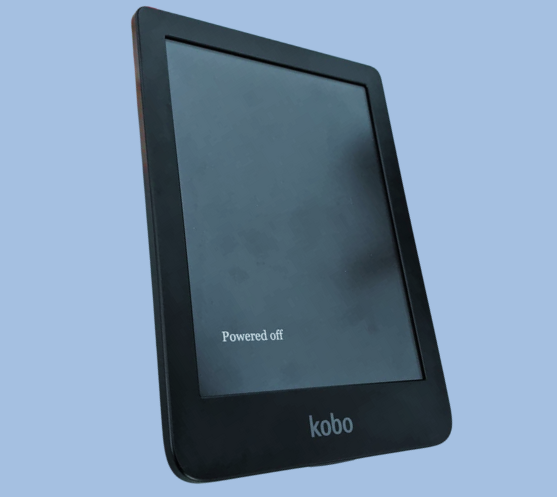
    The Kobo Clara HD

    Kobo Clara HD eReader offers a 6″ glare-free touchscreen with adjustable brightness and color temperature, WiFi connectivity, 8GB storage, and Carta E Ink Technology.

    Looking for an alternative to the Kindle Paperwhite? The Kobo Clara HD offers a compelling choice for seniors, packed with features that enhance the reading experience:

    • Adjustable Brightness and Blue Light Control: The Kobo Clara HD boasts ComfortLight PRO, a feature that lets you adjust the screen’s brightness and color temperature. This is especially useful for seniors, as it allows you to reduce blue light exposure in the evenings gradually. Reading in low light becomes easier and more comfortable, preventing eyestrain and making bedtime reading a relaxing experience.
    • Glare-Free Touchscreen for Comfortable Reading Anywhere: Unlike tablets and smartphones, the Kobo Clara HD features a glare-free 6-inch high-definition screen with 300 ppi resolution. This ensures a natural, print-like reading experience, just like reading a traditional book. You can comfortably enjoy your favorite novels even in bright sunlight without worrying about reflections.
    • Carry Your Entire Library (and More!): With a generous 8GB of storage, the Kobo Clara HD lets you store a massive collection of ebooks—up to 6,000 books! Plus, the built-in Rakuten Kobo eBookstore offers access to over 6 million titles, so you’ll never run out of reading material. Browse new releases, explore different genres, or revisit old favorites—the choice is yours!
    • A Personalized Reading Experience: Tailor your reading experience to your preferences! Choose from over 50 font sizes and 12 font styles to find the perfect combination for comfortable reading. Adjust margins, highlight passages, and take notes to enhance your comprehension and engagement with the text. The Kobo Clara HD even includes a built-in dictionary, accessible with a simple tap, for quick definition lookups.
    • Long-Lasting Battery Life for Uninterrupted Reading: The Kobo Clara HD boasts a battery life that lasts for weeks on a single charge (depending on usage). This means you can focus on reading without worrying about constantly searching for a charger. Enjoy countless hours of uninterrupted reading, whether you’re curled up at home or on the go.
    • Expand Your Reading Options with Library Borrowing: The Kobo Clara HD makes it easy to access your local library’s digital collection. Borrow ebooks directly from your eReader, expanding your reading options without having to visit the library in person (availability varies by library location).
    • Compact and Portable Design: Measuring just 4.33 x 0.33 x 6.28 inches and weighing only 5.9 ounces, the Kobo Clara HD is lightweight and easy to carry around. Tuck it into your purse, backpack, or even a large pocket, and take your reading anywhere you go!

    With its focus on comfort, customization, and extensive library options, the Kobo Clara HD emerges as a strong contender for seniors seeking a feature-rich e-reader experience.

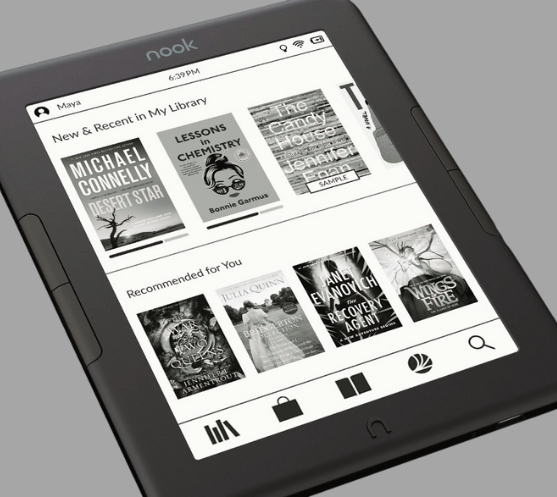
    Barnes & Noble Nook GlowLight 4e

    Barnes & Noble Nook Glowlight 4e eReader features a 6″ touchscreen, 8GB storage, and comes in Black.

    For seniors who might prefer a familiar brand and a focus on reading comfort, the Barnes & Noble Nook Glowlight 4e is a strong contender. Here’s why:

    • Classic Reading Experience: The Nook Glowlight 4e boasts a 6-inch, 212 ppi high-resolution display with a glare-resistant and fingerprint-proof lens. This delivers a crisp, clear reading experience that feels similar to a traditional book.
    • Comfortable Design: The soft-touch finish makes the Nook Glowlight 4e easy to grip and comfortable to hold for extended reading sessions. Plus, you can choose between navigating with the touchscreen or using the physical page-turning buttons, whichever method you find most comfortable.
    • Decent Battery Life: While not the longest-lasting on this list, the Nook Glowlight 4e promises weeks of reading on a single charge. This is perfect for casual readers or those who prefer shorter reading stints.
    • NOOK Cloud Integration: A perk for longtime Barnes & Noble customers is the seamless integration with NOOK Cloud. This allows you to easily pick up where you left off on any device with the free NOOK Reading App, be it your smartphone, tablet, or another NOOK device.

    However, it’s important to consider these points when comparing the Nook Glowlight 4e to other options:

    • Shorter Battery Life: Compared to the Kindle Paperwhite and Kobo Clara HD, the Nook Glowlight 4e’s battery life is a bit shorter.
    • Lower Resolution Screen: The screen resolution (212 ppi) is lower than the Kindle Paperwhite (300 ppi) and Kobo Clara HD (300 ppi). While still readable, the text might appear slightly less sharp.
    • Limited Storage: Information about storage capacity isn’t readily available, but some sources suggest it might be 8GB. This is still enough for a decent collection, but less than what the Kindle Paperwhite and Kobo Clara HD offer.

    Ultimately, the Nook Glowlight 4e is a solid choice for seniors who prioritize a familiar brand, comfortable design, and seamless cloud integration with their other devices. However, if features like long battery life, higher resolution screens, or extensive storage are top priorities, the Kindle Paperwhite and Kobo Clara HD might be better options.

    Read: Amazon Fire HD 10 Review: Best Budget Tablet Under $100

    The Power of E-readers for Seniors

    In conclusion, senior e-readers offer a gateway to a world of literary rediscovery.  These innovative devices combat the challenges faced by many seniors with declining vision, bringing the joy of reading back into their lives.  Large print options, adjustable lighting, and easy-use e-readers with an e-reader with big buttons empower seniors to read comfortably and independently.  For those who prefer listening, audiobooks for seniors provide another avenue to engage with stories.

    With a vast library of e-books readily available and a long battery life ensuring uninterrupted reading sessions, the best e-readers for seniors open a door to endless possibilities.  Imagine a world where seniors can curl up with a captivating novel on a park bench, devour a travelogue before bed, or explore the latest biographies at their leisure.  E-readers for seniors make this a reality.

    The world of literature awaits, brimming with stories waiting to be discovered. Let the best e-readers for seniors be the bridge that reconnects seniors with the cherished activity of reading. 

    With the right device in hand, the joy of getting lost in a good book can be a cherished companion for years to come.

    Are e-readers difficult to learn?

    No! Easy-use e-readers prioritize user-friendly interfaces with clear instructions and large buttons, making them ideal for seniors.

    Can I adjust the font size on e-readers?

    Absolutely! Large print e-readers allow for significant font size adjustments, ensuring comfortable reading for all.

    Where can I buy e-books?

    You can buy e-books from various online platforms, but one of the most popular and widely-trusted sources is Amazon. In this article, I’ve provided a direct link to Amazon where you can browse and purchase a wide range of e-books. Simply click on the provided link within the article to explore and buy your desired e-books effortlessly.

    Which Kindle is best for an older person?

    The Kindle Paperwhite stands out as the top choice for seniors. With its waterproof design and nearly 7-inch glare-free screen resembling real paper, it offers an adjustable display color to reduce eye fatigue.
  • Shield Your S24 Ultra: Explore the BEST S24 Ultra Cases

    Shield Your S24 Ultra: Explore the BEST S24 Ultra Cases

    We’ve all been there. That heart-stopping moment when your precious phone takes an unexpected tumble. With the stunning design and powerful features of the Samsung Galaxy S24 Ultra, protecting your investment becomes even more crucial.

    But fear not! This guide delves into the world of Samsung Galaxy S24 Ultra cases, helping you find the perfect match for your style and needs.

    S24 Ultra Case

    The Samsung Galaxy S24 Ultra, with its cutting-edge features and impressive camera capabilities, has become a prized possession for tech enthusiasts and photography aficionados alike. But owning this flagship device also means safeguarding it against accidental drops, scratches, and everyday wear. That’s where Galaxy S24 Ultra cases come into play.

    Before diving in, let’s acknowledge the reality: the S24 Ultra, for all its brilliance, is susceptible to scratches, cracks, and even water damage. Repairs can be costly, and a bulky phone deserves a stylish shield.

    In this comprehensive guide, we’ll explore the best cases available for your S24 Ultra, ensuring both protection and style. So, let’s explore the best Samsung S24 Ultra cases to keep your phone safe and looking sharp.

    Understanding What Your S24 Ultra Case Needs

    Choosing the right S24 Ultra case depends on your lifestyle and priorities. Are you an adventure seeker who needs a heavy-duty S24 Ultra case for those off-road excursions? Or perhaps a fashionista seeking a slim S24 Ultra case that complements your outfit? Here are some key factors to consider:

    • Protection Level: Consider the level of protection you need. Military-grade S24 Ultra cases offer the ultimate defense against drops and bumps, while scratch-resistant S24 Ultra cases safeguard against everyday wear and tear.
    • Material and Design: Popular choices include silicone S24 Ultra cases for excellent grip, leather S24 Ultra cases for a touch of luxury, and clear S24 Ultra cases to showcase the phone’s design. Each of the material offers varying degrees of protection and aesthetics.
    • Functionality: Look for additional features like S24 Ultra cases with kickstands for convenient hands-free viewing, S24 Ultra cases with screen protectors for comprehensive safeguards, or waterproof S24 Ultra cases for worry-free poolside adventures.

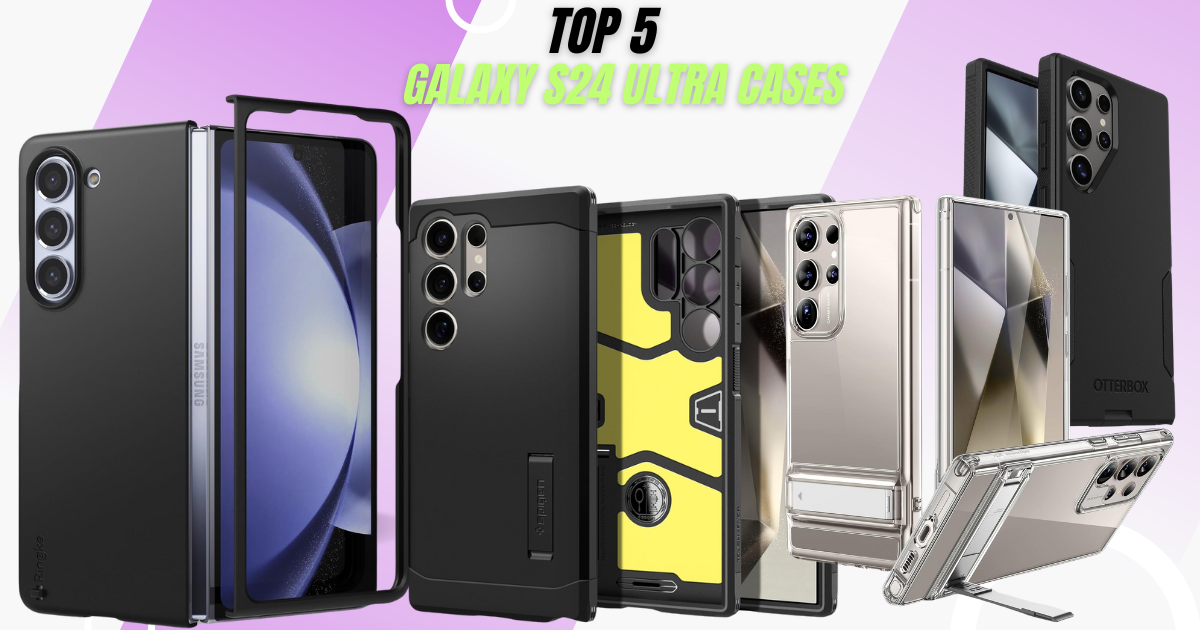
    Top 5 S24 Ultra Cases for Every Style and Need

    Now, let’s unveil some of the best contenders in the S24 Ultra case arena, including your valuable insights:

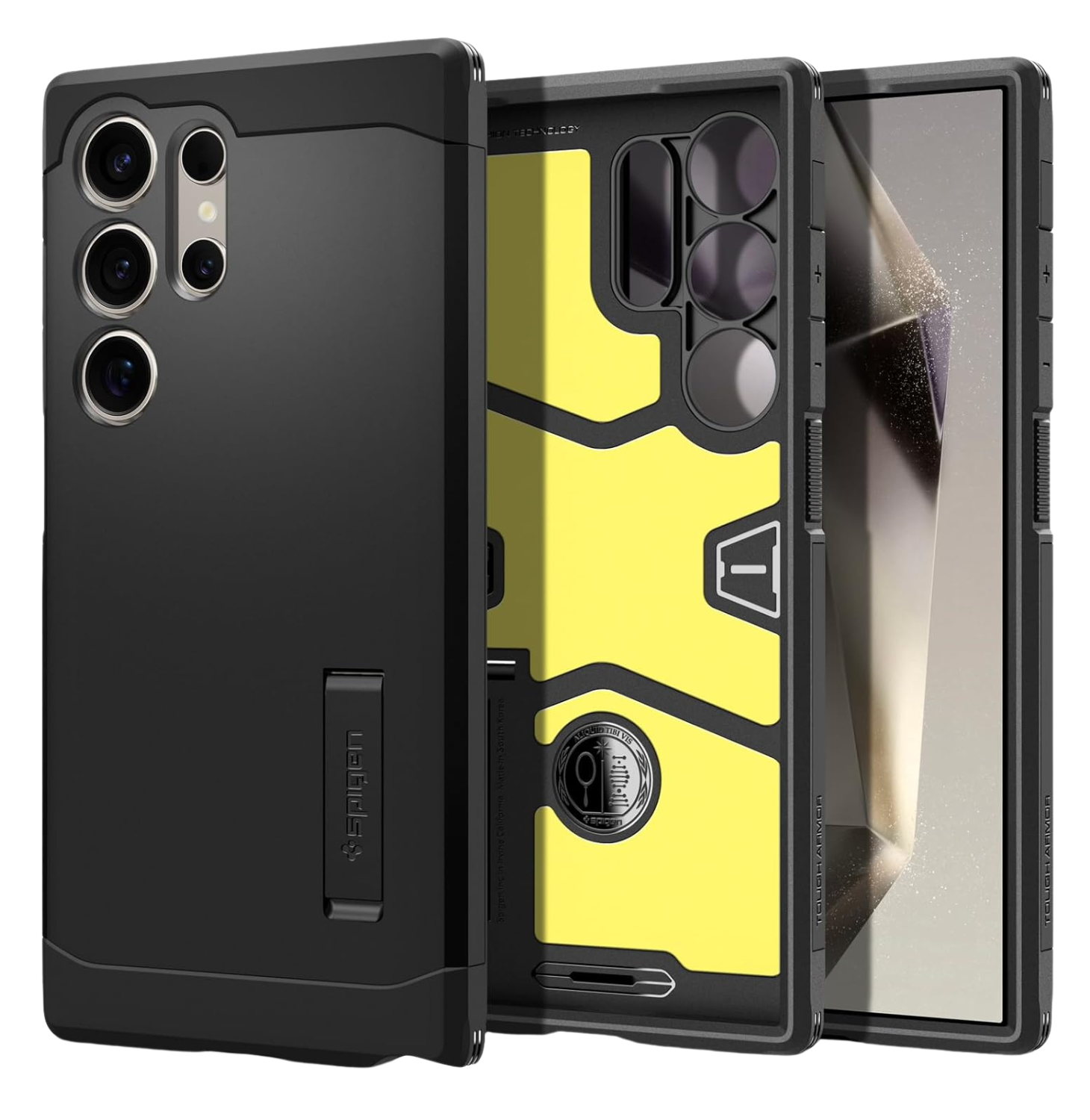
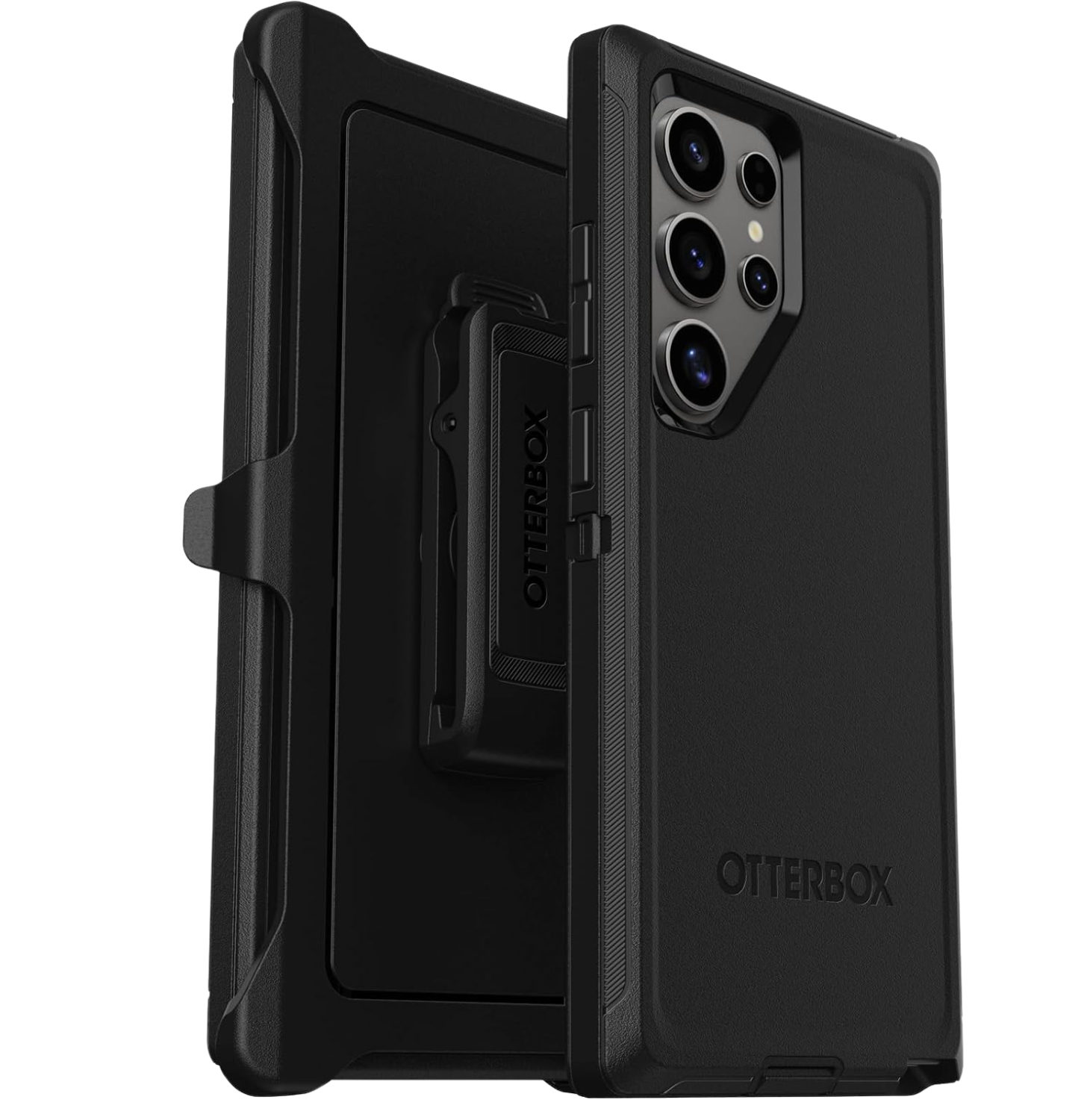
    This heavy-duty S24 Ultra case boasts military-grade drop protection and a multi-layer design for ultimate durability. The rubber outer cover and rigid inner shell provide excellent shock absorption, while port covers block dust and dirt. It even includes a holster-clip kickstand for hands-free convenience.

    Specifications
    Slim & Tough:
    Designed to be pocket-friendly while providing robust protection.
    Port Protection: Shields your phone’s ports.
    DROP+:Withstands 3 times as many drops as military standard MIL-STD-810G 516.6.
    Wireless Charging Compatible: No magnets in the case.
    Textured Sides:Ensures a secure grip.
    Warranty:Includes OtterBox limited lifetime warranty.

    This powerhouse offers similar military-grade protection with a built-in kickstand. The combination of PC, TPU, and Impact Foam materials ensures durability, while the raised edges safeguard the screen and camera.
    S Pen compatibility, wireless charging, and PowerShare functionality are all supported.

    Specifications
    Military-Grade Protection: Extreme Protection Tech ensures defense against drops.
    Built-in Kickstand: Convenient for hands-free viewing.
    Raised Edges: Safeguard the screen and camera.
    Compatibility: Works with S Pen, wireless charging, and PowerShare.

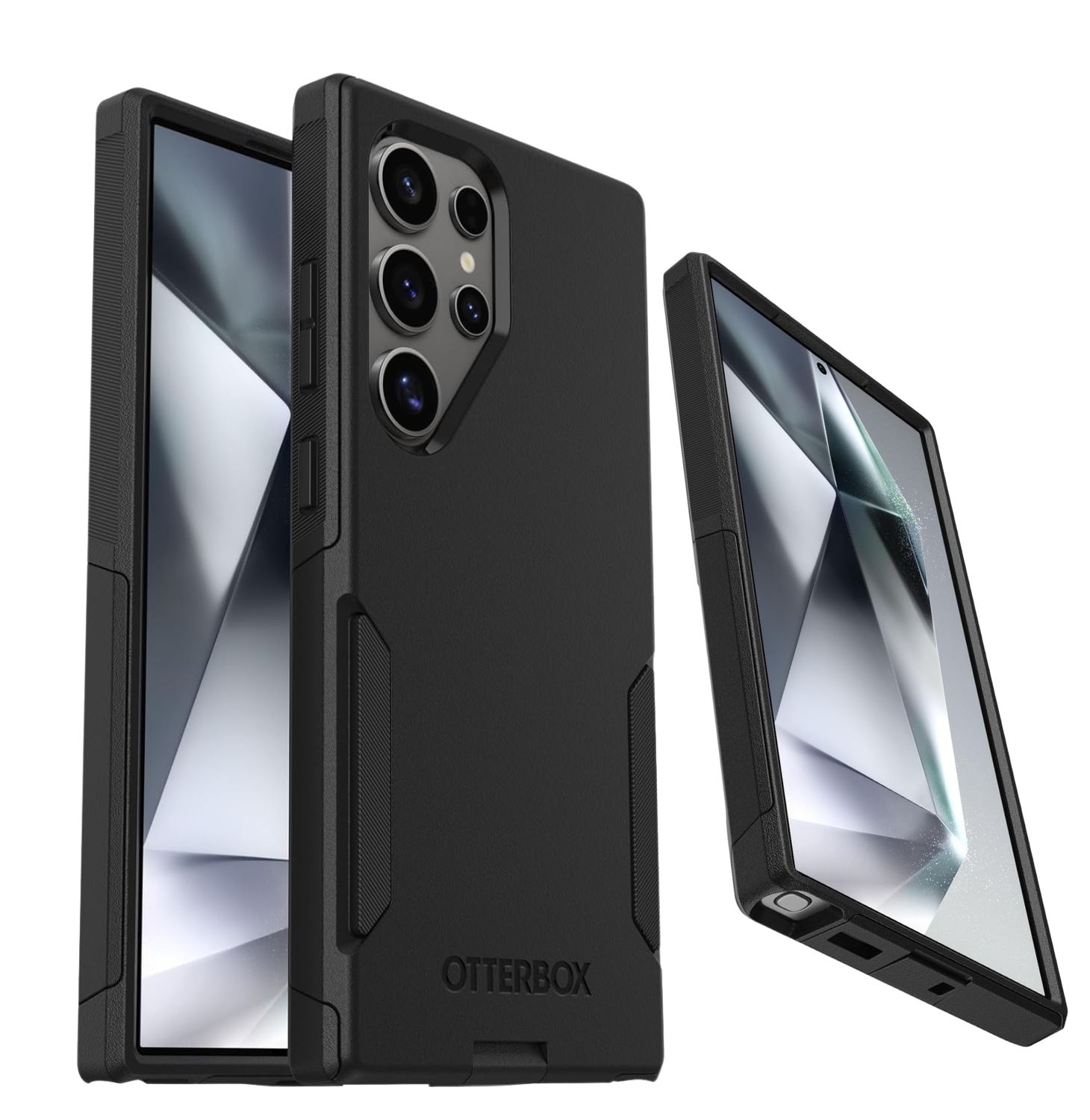
    This slim S24 Ultra case from OtterBox strikes a perfect balance between protection and style. Made with 35% recycled plastic, it features a rigid outer shell and an internal rubber cover for everyday bump and scratch defense.
    The textured sides provide a secure grip, and the slim profile ensures pocket-friendliness. It’s also wireless charging compatible.

    Specifications
    Rugged & Durable: Multi-layer construction provides ultimate grip and legendary drop protection.
    DROP+: Withstands 5 times as many drops as military standard MIL-STD-810G 516.6.
    Wireless Charging Compatible: Ensures convenience.
    Port Covers:
    Block dust and dirt from jacks and ports.
    Holster Clip Kickstand:
    The included holster doubles as a kickstand.
    Warranty: Includes OtterBox limited lifetime warranty.

    This clear S24 Ultra case with a kickstand offers a unique combination of functionality and style. The patented kickstand design provides three stable viewing modes, while the hard acrylic back showcases the phone’s design and resists yellowing.
    Military-grade drop protection with Air Guard corners raised screen edges, and Camera Guard keeps your phone safe from everyday mishaps.

    Specifications
    Compatibility: Designed exclusively for Samsung Galaxy S24 Ultra.
    3 Stand Modes:Enjoy hands-free viewing with stable stand modes for FaceTime or catching up on shows.
    Highly Adjustable Kickstand:Patented design allows you to choose any angle up to 60 degrees.
    Military-Grade Protection:Shock-absorbing Air Guard corners, raised screen edges, and Camera Guard provide certified protection against drops, bumps, and scratches.
    Crystal Clear: Hard acrylic back resists yellowing and scratches, showcasing your phone’s true style in stunning clarity.
    Complete Customer Support: Includes detailed setup videos, FAQs, a comprehensive 12-month warranty, lifetime support, and personalized assistance.

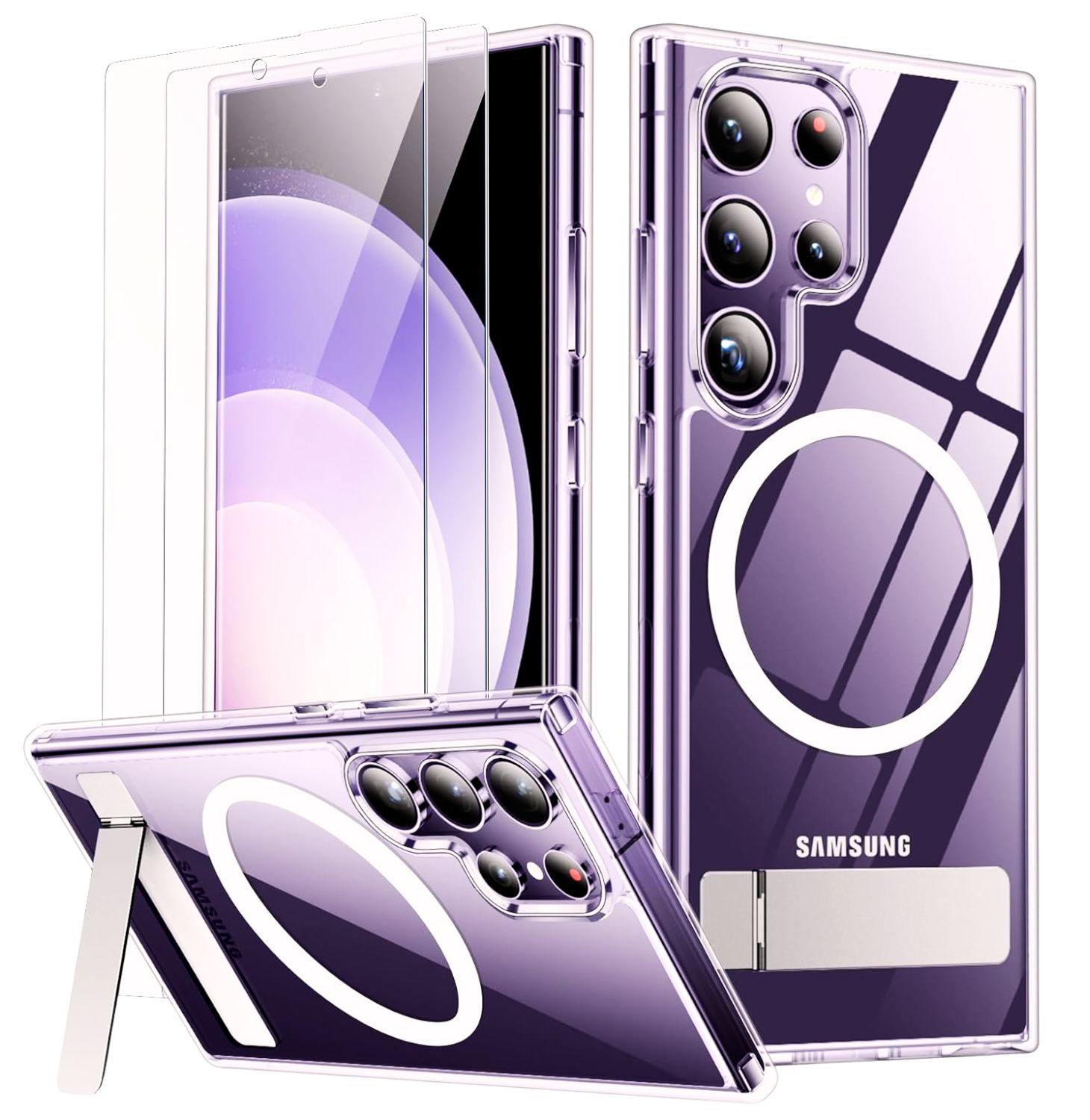
    This slim S24 Ultra case with a kickstand boasts impressive features. The built-in foldable kickstand allows for portrait, landscape, or conference call viewing modes. A powerful magnetic ring ensures faster charging with magnetic chargers and compatibility with various magnetic accessories.
    Military-grade drop protection with a combination of tough PC and soft TPU materials safeguards your phone, while the raised bezels protect the screen and camera.

    Specifications
    Case for S24 Ultra: Specifically designed for Samsung Galaxy S24 Ultra 5G (6.8-inch, 2024 Release). Please verify your phone model before purchasing.
    Functional & Invisible Stand: Foldable, sturdy stand made of light and solid Aerospace-grade aluminum. Offers flexible portrait, landscape, or conference call mode experiences.
    Super Strong Magnetic: The built-in magnetic ring aligns perfectly with magnetic chargers. Compatible with all magnetic accessories and wireless chargers.
    12FT Military-Grade Shockproof: Passed the Military Drop Test up to 12FT. Tough PC brushed back, and soft flexible rubber bumpers provide strong cushioning.

    Remember, these are just a few examples. With a vast array of S24 Ultra cases available, explore different options to find the perfect fit for you.

    Read: Galaxy S21 Case Showdown: Here Are 5 Must-See Options

    Read: Unfold Your Protection: Best Z Fold 5 Cases in 2024

    Conclusion: Shield Your S24 Ultra with Confidence

    The S24 Ultra deserves the best protection. By considering your needs and exploring the various options, you can find the ideal S24 Ultra case that safeguards your phone while reflecting your style. So, don’t leave your precious device vulnerable; choose the perfect shield and enjoy the peace of mind that comes with ultimate protection.

    Here’s a quick recap to help you decide:

    • Adventure Seekers: Prioritize heavy-duty S24 Ultra cases like the OtterBox Defender Series or Spigen Tough Armor for ultimate drop protection.
    • Fashionistas: Explore slim S24 Ultra cases like the OtterBox Commuter Series or consider a stylish clear S24 Ultra case like the ESR Boost Series to showcase your phone’s design.
    • Functionality Fanatics: Look for cases with additional features like built-in kickstands (SPIDERCASE Magnetic Case, ESR Boost Series) or wireless charging compatibility (most cases mentioned).

    No matter your style or needs, there’s a perfect S24 Ultra case out there waiting to be discovered.

    What are your top considerations when choosing a phone case? Share your thoughts in the comments below!

  • Unfold Your Protection: Best Z Fold 5 Cases in 2024

    Unfold Your Protection: Best Z Fold 5 Cases in 2024

    In a world where technology constantly evolves, the Samsung Galaxy Z Fold 5 stands out as a true marvel. Its innovative folding design seamlessly transforms a compact smartphone into a spacious tablet, offering users an unprecedented blend of portability and productivity.

    But with this groundbreaking design comes a critical consideration: protection. How can you safeguard this delicate, foldable masterpiece without compromising its elegance and functionality?

    Z Fold 5 Case

    In this comprehensive guide, we delve into the world of Z Fold 5 cases, exploring the best options available in 2024. Whether you’re a style enthusiast, a rugged adventurer, or someone who values unique features, we’ve got you covered. Let’s unfold the possibilities!

    The Importance of Z Fold 5 Cases

    Durability Beyond Design

    The Z Fold 5’s folding mechanism is a testament to engineering ingenuity and exposes the device to wear and tear. A protective case becomes more than just an accessory—it’s a shield against accidental drops, scratches, and everyday bumps. Think of it as armor for your foldable companion.

    Screen Protection: A Delicate Balance

    The expansive foldable display is the Z Fold 5’s pièce de résistance. However, it’s also its Achilles’ heel. A well-designed case with raised bezels ensures that your screen remains unscathed even when placed face-down. After all, a pristine display enhances your overall experience.

    Functionality Meets Safety

    A good case doesn’t hinder usability. It should allow seamless access to buttons, ports, and the foldable hinge. Imagine a case that complements your Z Fold 5’s functionality while cocooning it in protective layers. That’s the sweet spot we’re aiming for.

    Unlike traditional phone cases, a Galaxy Z Fold 5 case needs to address the unique challenges of a folding phone. It should safeguard both the unfolded display and the delicate hinge mechanism. Whether you prioritize ultimate protection, a balance between style and functionality, or a unique design, this guide unveils the best Z Fold 5 cases in 2024 to help you find the perfect fit.

    Top Z Fold 5 Cases for Different Needs

    Alright, so we’ve established that your brand new Galaxy Z Fold 5 needs a trusty companion – a case that complements your style and shields your phone from life’s little mishaps. But with so many options out there, where do you even begin? Fear not, fellow Z Fold 5 fan! This section is your one-stop shop for the best cases in 2024, categorized based on your specific needs.

    All-Around Protection:

    Now, we’ll delve into the world of “All-Around Protection” cases. These bad boys are built for those who demand ultimate security for their foldable masterpiece. For users seeking the ultimate shield, these Z Fold 5 cases prioritize rugged construction and drop protection.

    This Samsung Z Fold 5 case boasts military-grade certification (MIL-STD-810G) and utilizes a combination of PC and TPU materials for comprehensive protection. Raised bezels safeguard the screen and camera lenses, while Air Cushion Technology absorbs impact during falls.

    Another powerhouse in the Z Fold 5 cases arena, the Defender Series offers a multi-layered defense system. A built-in screen protector shields the foldable display, and a tough outer shell safeguards the phone’s body.

    Style & Functionality:

    Next, we’ll shift gears and explore the “Style & Functionality” category. Here, you’ll find cases that strike a perfect balance between aesthetics and protection, ensuring your Z Fold 5 looks as good as it performs. For those who value aesthetics alongside protection, these foldable phone cases strike a perfect balance.

    This sleek Samsung Galaxy Z Fold 5 case offers a comfortable grip and integrates a dedicated S Pen holder, ideal for note-taking and creative tasks on the go. The case is constructed with a combination of materials for scratch resistance and impact absorption.

    This stylish Z Fold 5 case combines a slim profile with a visually appealing geometric design. The case utilizes a dual-layer construction with a shock-absorbent core and a hard PC exterior shield.

    Innovative & Unique Cases:

    Feeling adventurous? Buckle up because we’re about to showcase some truly “Innovative & Unique Cases” that offer features beyond basic protection. These cases are for those users who are seeking a foldable phone case with S Pen holder or a truly unique design, these options offer something special:

    This unique 2-in-1 design ensures a perfect fit without being too tight or loose, allowing easy insertion and removal of your S Pen. Safeguard your device’s front screen from scratches while maintaining screen responsiveness.

    This innovative Z Fold case with hinge protection features a unique design that safeguards the hinge mechanism, a common concern for foldable phones. The case also utilizes a dual-layer construction for overall phone protection.

    Slim Z Fold Case: Finally, for the minimalists out there, we’ll wrap things up with the “Slim Z Fold Cases” section. These lightweight options provide a barely-there feel while still keeping your phone safe from scratches. For those who prioritize a minimalist profile, these slim Z Fold cases offer a lightweight and stylish solution.

    Experience luxury and durability with the LEIAU Electroplated Samsung Z Fold 5 Case. Adorned with a star diamond inlaid lens piece, this case adds a stunning, shiny finish to your phone. Enjoy anti-scratch and anti-fingerprint features to keep your device clean and new-looking.

    This ultra-thin Z Fold 5 case provides a barely-there feel while maintaining scratch resistance. The case features a textured grip for added security.

    Choosing the Right Z Fold 5 Case for You

    The ideal Z Fold 5 case depends on your individual needs and preferences. Consider your lifestyle, budget, desired level of protection, and aesthetic preferences before making your final decision.

    As you embark on the quest for the perfect Z Fold 5 case, consider these crucial factors:

    1. Lifestyle Fit: Reflect on your daily routine. Are you a globetrotter, a coffee shop dweller, or an outdoor enthusiast? Your lifestyle dictates the level of protection you need. If you’re always on the move, opt for rugged cases. If style matters most, find a case that complements your fashion sense.
    2. Budget: While protecting your Z Fold 5 is essential, your wallet matters too. Luckily, our curated list covers a range of price points. Whether you’re splurging or seeking a budget-friendly option, there’s a case for you.
    3. Protection Level: Assess how accident-prone you are. Do you drop your phone frequently? Consider MIL-STD-810G certified cases (Spigen Tough Armor Pro Case) with reinforced corners. If you’re more careful, a slim case might suffice.
    4. Aesthetics: Your Z Fold 5 case is an extension of your style. Choose one that resonates with your taste—whether it’s sleek leather, textured fabric, or a futuristic design.

    Remember, your Z Fold 5 case isn’t just an accessory; it’s a guardian for your investment. Now, let’s explore the curated list and find the one that aligns perfectly with your needs.

    Read: Galaxy S21 Case Showdown: Here Are 5 Must-See Options

    Conclusion

    Finding the perfect Z Fold 5 case doesn’t have to be a daunting task. This guide has equipped you with the knowledge to make an informed decision. Refer back to our recommendations, explore the details, and make an informed choice.

    Your Z Fold 5 deserves nothing less than the best case! So, take action today, and don’t hesitate to leave a comment below sharing your preferred Z Fold 5 case type and why!

  • Samsung Galaxy Tab A9+ Review: Big Screen Fun for Kids?

    Samsung Galaxy Tab A9+ Review: Big Screen Fun for Kids?

    The Samsung Galaxy Tab A9+ has emerged as a compelling contender in the budget tablet market, offering a harmonious blend of affordability, performance, and thoughtful design. As users seek versatile devices for both work and leisure, the Galaxy Tab A9+ steps up to the plate with its impressive features and user-friendly experience.

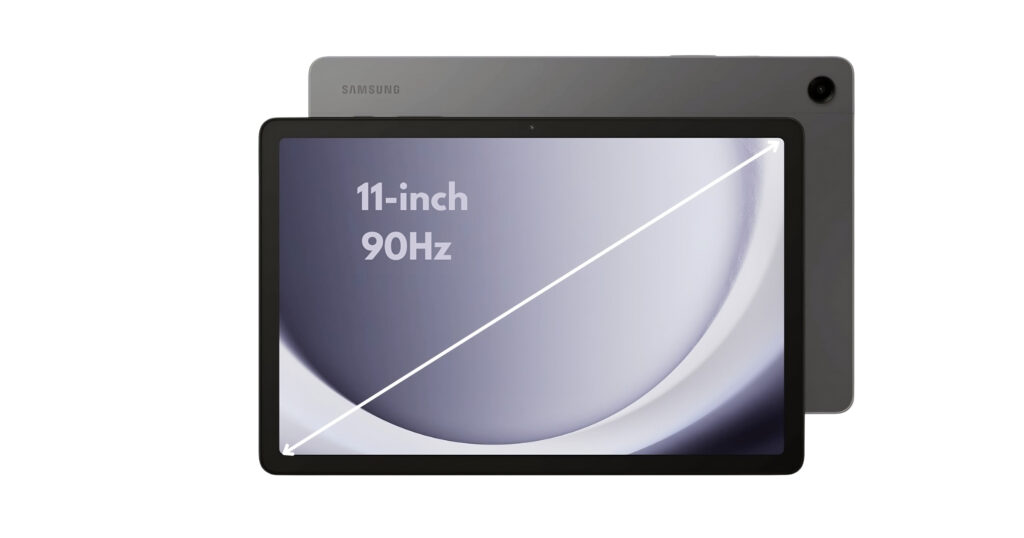
    Big screen fun! The Samsung Galaxy Tab A9+ (2023) features an immersive 11″ display, Dolby Atmos quad speakers, & an upgraded chipset. Multitask with ease & enjoy a slim, light design.

    The Galaxy Tab A9+ slots neatly into the budget end of Samsung’s Android tablet lineup in the US, replacing the Galaxy Tab A8 from 2022. Let’s dive into what makes this tablet stand out:

    Design and Build Quality

    The Galaxy Tab A9+ inherits design traits from its predecessor, the Tab A8, which earned a special place in users’ hearts. Its understated yet refined design exudes elegance, making it a pleasant companion for streaming videos, browsing the web, or tackling productivity tasks. The sturdy build ensures durability, even during everyday use.

    The Samsung Galaxy Tab A9+ strikes a balance between style and functionality with its design and build quality. Here’s a detailed look:

    • Thin and Light: Measuring just 0.27 inches thin and weighing 1.35 pounds, the Tab A9+ is a remarkably portable tablet. This makes it comfortable to hold for extended periods, making it ideal for reading ebooks, browsing the web, or watching videos.
    • Premium Feel: Samsung clad the A9+ in a sleek aluminum back that gives it a polished and premium look. The aluminum construction also enhances durability, providing peace of mind for everyday bumps and nicks.
    • Large Display, Minimal Bezels: The large 11-inch display is the centerpiece of the tablet, accentuated by minimal bezels that create a more immersive viewing experience.
    • Color Options: The Tab A9+ comes in three classic colors: Graphite, Silver, and Navy. You can choose the color that best suits your style.

    Some things to consider

    • While the aluminum build feels sturdy, some reviewers have noted that it can be a bit slippery. A case might be a good idea for added grip and protection.
    • The bezels, while minimal, are slightly thicker than those found on high-end tablets.

    Overall, the Samsung Galaxy Tab A9+ delivers a well-designed and well-built tablet, particularly for its price point. The thin and light profile makes it easy to carry around, while the aluminum construction offers a touch of elegance and durability.

    Display and Audio

    Samsung Galaxy Tab A9+ Review

    The Samsung Galaxy Tab A9+ is built for entertainment, and its display and audio system reflect that focus. The 11-inch display steals the spotlight. With a resolution of 1920 x 1200 (WUXGA) and a refresh rate of up to 90 Hz, the screen offers vibrant visuals and smooth interactions. Whether you’re binge-watching your favorite series or immersing yourself in an e-book, the Galaxy Tab A9+ delivers.

    But it’s not just about visuals—the tablet boasts quad speakers powered by Dolby Atmos. Your music, shows, and games come alive with rich, clear sound. Imagine the joy of watching a movie with your family, with each speaker contributing to the cinematic experience. Let’s delve into the details:

    Display:

    • Large and Vibrant: The centerpiece of the A9+ is its expansive 11-inch TFT LCD display. This generous screen size is perfect for watching movies, playing games, or browsing the web.
    • Sharp Resolution: With a resolution of 1920 x 1200 (WUXGA), the display offers sharp visuals and clear text. While not the highest resolution on the market, it delivers enjoyable visuals for everyday tasks.
    • Smooth Scrolling and Motion: A 90Hz refresh rate ensures smooth scrolling and transitions, making navigation and fast-paced games feel fluid and responsive.

    Audio:

    • Dolby Atmos Experience: The A9+ boasts quad speakers tuned with Dolby Atmos technology. This combination delivers immersive and rich surround sound, significantly enhancing your movie, music, and gaming experiences.
    • Loud and Clear Audio: Whether you’re watching a quiet dialogue scene or listening to action-packed music, the speakers deliver clear and well-balanced audio at ample volume.

    Some things to consider

    • Display Type: An LCD panel is used instead of an OLED panel. While LCDs offer good brightness and color accuracy, OLED panels generally provide deeper blacks and better contrast ratios.
    • No Fingerprint Sensor: The display doesn’t house a fingerprint sensor for unlocking the tablet. Fingerprint security is available via a side-mounted sensor, however.

    The Samsung Galaxy Tab A9+ display and audio combination provide a compelling entertainment experience. The large display offers plenty of screen real estate, while the 90Hz refresh rate ensures smooth visuals. The Dolby Atmos-powered quad speakers deliver immersive and room-filling sound, making the A9+ a great choice for watching movies, listening to music, or playing games.

    Performance and Software

    Samsung Galaxy Tab A9+ Review

    The performance and software of the Galaxy Tab A9+ work together to deliver a smooth and capable user experience. Let’s explore what’s powering this tablet:

    Processor:

    • Upgraded Performance: Under the hood, the Galaxy Tab A9+ packs an updated Snapdragon 695 processor. This improvement translates to snappier performance, whether you’re switching between apps, editing documents, or playing casual games. Android 13 comes pre-installed, ensuring you’re up-to-date right out of the box. This upgrade translates to improved performance for everyday tasks, including:
      • Effortlessly switching between multiple apps
      • Browsing the web with ease
      • Handling productivity tasks like document editing and note-taking
      • Enjoying casual games without lag

    While not a powerhouse for demanding games or heavy multitasking, the Snapdragon 695 is a capable processor that delivers a noticeable improvement over previous A-series tablets.

    Software:

    • Android 13 out-of-the-box: The Galaxy Tab A9+ comes pre-installed with the latest Android 13 operating system. This ensures you have access to the newest features, security updates, and optimizations from Google.
    • Samsung’s One UI Interface: Samsung overlays Android 13 with their One UI interface. This user-friendly interface provides a clean and intuitive experience specifically designed for tablets. It offers features like:
      • Multi-window functionality for efficient multitasking
      • Drag-and-drop capabilities for seamless file management
      • Dex mode, transforming the tablet into a desktop-like experience with a monitor connection (optional accessory required)

    Some things to consider

    • Mid-Range Performance: The Snapdragon 695 is a mid-range processor. While it handles everyday tasks well, users who require intensive multitasking or high-end gaming should look towards higher-end tablets.
    • Bloatware: Samsung’s One UI may include some pre-installed apps you might not use. These apps can usually be disabled or uninstalled to free up storage space.

    Overall, the combination of the upgraded Snapdragon 695 processor and Android 13 with Samsung’s One UI interface offers a smooth and capable user experience for everyday tasks, entertainment, and light to moderate productivity work.

    Storage Options

    The Samsung Galaxy Tab A9+ caters to individual storage needs with two built-in storage options and the flexibility of expandable microSD card support. Let’s delve into the details:

    Built-in Storage:

    • 64GB and 128GB Options: The Galaxy Tab A9+ comes in two storage variants: 64 GB and 128 GB. The choice depends on your typical tablet usage and how much storage you require for apps, games, photos, videos, and files.
      • 64GB: This option is suitable for users who primarily browse the web, check email, stream videos occasionally, and use lighter apps.
      • 128GB: If you plan on downloading more apps and games, storing a larger music or photo library, or working with offline files, the 128GB model provides more breathing room.

    Expandable Storage with MicroSD Cards:

    • MicroSD Support Up to 1TB: Fortunately, the Galaxy Tab A9+ doesn’t limit you to its built-in storage. It features a microSD card slot that allows you to expand your storage capacity by up to 1TB with a compatible microSD card (sold separately). This is a significant advantage, especially for users who:
      • Download a lot of movies, music, or games for offline use.
      • Take high-resolution photos and videos.
      • Need to store large work files on the tablet.

    Making the Right Storage Choice

    Here are some tips to help you decide how much storage you’ll need:

    • Consider your app usage: If you plan on installing many games or data-heavy apps, opt for the 128GB option or plan to use a microSD card.
    • Think about your media consumption: Do you store a lot of music, movies, or offline content? If so, you’ll likely benefit from more storage space.
    • Evaluate your photo and video needs: If you take high-resolution photos and videos, you’ll need more storage to store them.

    Value Proposition

    Now, let’s talk value. The base model starts at $214.99, making it an attractive proposition for budget-conscious users. But there’s more: Samsung offers a 5G-ready version for those seeking faster connectivity. Compare this to other tablets in the same price range, and the Galaxy Tab A9+ holds its ground admirably.

    Pros and Cons

    The Samsung Galaxy Tab A9+ positions itself as a budget-friendly entertainment and productivity tablet. Here’s a breakdown of its pros and cons to help you decide if it’s the right choice for you:

    Pros

    • Large and Immersive Display
    • Capable Performance for Everyday Tasks
    • Excellent Audio Experience
    • Expandable Storage
    • Family-Friendly Features
    • Thin, Light, and Durable Design
    • Affordable Price Point

    Cons

    • Mid-Range Processing Power
    • No S Pen Support
    • 15W Charging Speed
    • LCD Display
    • No Fingerprint Sensor on Display

    Ultimately, the Samsung Galaxy Tab A9+ offers a compelling balance of features and affordability for casual users, families, and students who prioritize entertainment, browsing, light productivity, and everyday tasks. By considering the pros and cons, you can decide if the A9+ aligns with your needs and usage style.

    Who Benefits Most?

    The Galaxy Tab A9+’s versatility makes it a compelling choice for various users:

    • Students: The large display is perfect for reading textbooks and ebooks. The A9+ can handle note-taking apps and research browsing with its capable processor.
    • Casual Users: Enjoy streaming movies and shows, browsing social media, and managing emails with ease. The A9+ provides a smooth experience for everyday entertainment and light productivity tasks.
    • Families: The large screen makes the A9+ ideal for family movie nights or watching shows together. Samsung Kids provides a safe and engaging space for children to learn and play, while expandable storage allows you to store plenty of movies, games, and educational apps for everyone.
    • Budget-Minded Users: Looking for a large-screen tablet without breaking the bank? The A9+ offers excellent value with its feature set and affordable price point.
    • Light Gamers: While not a powerhouse, the A9+ can handle casual games without any issues.

    Read: Facetel Q7 Tablet Review: Budget Hero or Big Disappointment?

    Parental Controls & Kid-Friendly Content

    The Samsung Galaxy Tab A9+ isn’t just about entertainment; it can be a valuable educational tool for children as well. But for parents, ensuring a safe and controlled environment is crucial. Here’s how the A9+ addresses those concerns:

    • Samsung Kids: This dedicated app creates a safe space for your children to explore age-appropriate content. It offers:
      • Curated Content: Educational games, interactive activities, and child-friendly videos ensure your kids are learning and having fun.
      • Parental Controls: Set screen time limits, manage app access, and monitor usage to ensure a healthy digital balance.
      • Customizable Profiles: Create individual profiles for each child, allowing for personalized content and time restrictions.
    • Simple Setup: Setting up Samsung Kids is easy and intuitive. You can quickly establish a safe environment for your children, giving you peace of mind.

    Beyond Samsung Kids:

    • Google Play Parental Controls: The Galaxy Tab A9+ allows you to leverage Google Play’s parental controls. This lets you restrict app downloads, and in-app purchases, and manage content filtering based on your child’s age.

    In summary, the Samsung Galaxy Tab A9+ strikes a balance between affordability and functionality. It won’t replace a high-end laptop, but it’s a reliable companion for everyday tasks. Whether you’re a student, a parent, or someone seeking an affordable tablet, the Galaxy Tab A9+ deserves a spot on your radar.

    Remember, technology evolves, but thoughtful design and usability remain timeless. The Galaxy Tab A9+ embodies this philosophy, making it a worthy addition to your digital arsenal. So go ahead, explore, create, and enjoy—Samsung’s got you covered!

    Read: The Best Tablets Under $300: 5 Tablets for School & Fun

  • Anker PowerCore Slim 10000 Review: Stay Charged All Day

    Anker PowerCore Slim 10000 Review: Stay Charged All Day

    Ever been stuck on a long trip with a dying phone? A portable charger can be a lifesaver in situations like this, ensuring you stay connected and powered up throughout the day. Enter the Anker PowerCore Slim 10000, a pocket-sized powerhouse that packs a punch.

    Anker PowerCore Slim 10000 portable charger

    This Anker offering is a portable charger, essentially a power bank. Its PowerIQ charging technology promises optimized charging speeds for your devices. However, the USB-C port is for input only, meaning it can only be used to recharge the power bank itself. Compatible devices include iPhone 15 and earlier models, as well as Samsung Galaxy phones and likely other Android devices.

    This Anker 10000 slim option boasts a 10,000mAh capacity, offering multiple charges for your devices without weighing you down. While I’ve used various portable chargers in the past, the Anker PowerCore Slim 10000 stands out for its impressive combination of size and capacity.

    Key Specifications
    BrandAnker
    Battery Capacity10000
    Connector TypeUSB-C, USB-A, Micro-USB
    Special FeatureFast Charging
    Model NumberA1229
    Weight7.5 ounces
    ColorBlack

    Features

    The Anker PowerCore Slim lives up to its name with a slim and compact design. This makes it easy to slip into your pocket or bag, perfect for carrying around all day. Despite its size, it packs a significant punch with a 10,000mAh capacity. However, it’s important to note that due to voltage conversion, the usable capacity is closer to 8,000mAh. This still translates to real-world benefits, typically offering multiple charges for your smartphone.

    Anker is known for its innovative charging technology, and the Anker PowerCore Slim 10000 is no exception. It features PowerIQ, which intelligently identifies your device and adjusts the charging speed for optimal performance. This ensures your devices get the fastest possible charge without any risk of damage.

    Another thoughtful feature is the trickle-charging mode. This mode is perfect for low-power devices like Bluetooth headphones or fitness trackers, providing a gentle charge that prevents the power bank from shutting off prematurely. The Anker PowerCore Slim 10000 boasts two input ports, a USB-C and a Micro-USB, for recharging the unit itself.

    For charging your devices, it features a single USB-A output port. (While it doesn’t come with a built-in cable, most users likely have spare cables already.) Anker prioritizes safety with their MultiProtect safety system (if included in this model), which safeguards against overcharging, short circuits, and temperature control, giving you peace of mind while charging your devices.sharemore_vert

    Performance

    In my real-world testing of the Anker PowerCore Slim 10000, I found it to be a reliable and convenient companion. It easily fit into my pocket without feeling bulky, making it perfect for carrying around during errands or day trips. Charging my phone was a breeze.

    Anker PowerCore Slim 10000

    The phone charged quickly, and the charging speed seemed to match Anker’s claims. For example, it took roughly two hours to fully charge my smartphone with a 3000mAh battery, which aligns with the expected charging speed for a device with this capacity.

    The portability of the Anker 10000 slim is a major advantage. Whether you’re commuting to work, exploring a new city, or simply lounging at the park, it’s easy to keep this power bank on hand to avoid running out of juice. It’s small and lightweight enough to not feel like a burden, ensuring you always have a backup charge within reach.

    The Anker PowerCore Slim 10000 is incredibly user-friendly. There’s no complicated setup required. It’s a true plug-and-play experience. Simply connect your device’s charging cable to the USB-A output port and the power bank will automatically begin charging. Some models may feature an indicator light that displays the charging status or indicates when trickle mode is activated. If your model has this feature, consult the included manual (or search online for the Anker PowerCore Slim 10000 manual) for specific details on the light’s meaning.

    Value

    The Anker PowerCore Slim 10000 typically falls within a price range of [$16 to $22] (be sure to check current pricing). Considering its features and performance, this price represents a good value. The combination of a slim design, decent capacity, fast charging (for compatible devices), and Anker’s reputation for quality makes it a worthwhile investment.

    It’s important to note that there are other Anker Power Bank options available, including the Anker PowerCore Slim 10000 PD, which offers faster charging through its USB-C Power Delivery port. However, these models may come at a slightly higher price point. If fast charging with USB-C isn’t crucial for you, the standard Anker PowerCore Slim 10000 offers excellent value for its features.

    Find More: Anker Power Banks: Top 5 Picks for Portable Power

    Conclusion

    The Anker PowerCore Slim 10000 has impressed me with its portability, reliable performance, and user-friendly design. It lives up to its name, offering a slim and compact form factor that easily fits in your pocket or bag.

    Despite its size, it packs a punch with a 10,000mAh capacity, providing multiple charges for your smartphone and other compatible devices. Anker’s PowerIQ technology ensures optimized charging speeds, while the trickle-charging mode caters to low-power devices. Safety features like the MultiProtect system (if included) provide peace of mind.

    Overall, the Anker PowerCore Slim 10000 is an excellent choice for anyone who needs a reliable and portable power source on the go. Frequent travelers, business professionals, gamers, and anyone who spends a lot of time away from an outlet will find this power bank to be a valuable companion. It ensures you stay connected and powered up throughout your day, eliminating the worry of a dead battery.

    For those seeking even faster charging with USB-C Power Delivery, consider the Anker PowerCore Slim 10000 PD, though it may come at a slightly higher cost. Whichever model you choose, the Anker PowerCore Slim series offers a compelling combination of features and performance, making it a top contender in the portable charger market.

  • Anker 737 Power Bank Review in 2024: PowerCore 24K

    Anker 737 Power Bank Review in 2024: PowerCore 24K

    In our increasingly mobile world, staying connected and powered throughout the day is crucial. Anker power banks have become a go-to solution for people on the go, offering a reliable source of portable charging

    Anker, a renowned brand in the portable charger market, consistently delivers high-quality and innovative products. The Anker 737 Power Bank, also known as the Anker 737 or PowerCore 24K, is a powerhouse when it comes to portable charging solutions. Designed by Anker, a trusted brand in the tech industry, this power bank offers impressive features that cater to the needs of modern users. Let’s dive into its key attributes:

    • High Capacity: With a massive 24,000mAh battery, the Anker 737 ensures you stay connected throughout the day. Whether you’re on a long flight, a road trip, or simply away from a power outlet, this power bank has your back.
    • Ultra-Powerful Charging: The Anker 737 boasts an impressive 140W output, making it suitable for charging a wide range of devices. From smartphones and tablets to laptops and cameras, it can handle them all.

    This Anker powerhouse packs a 24,000mAh punch, featuring 140W output, a smart display, and compatibility with various devices like iPhones, Samsung phones, and laptops.

    In this review, we will delve into the specifics of this charger, analyse its technical specifications, explore its functionality, and provide real-world usage scenarios. We’ll also compare it to similar products on the market to help you decide if the Anker 737 is the ideal choice for you.

    Product Specifications
    Product NameAnker 737 Power Bank/PowerCore 24K
    Product Dimensions4.56 x 2.15 x 1.95 inches
    Weight1.4 pounds (roughly 0.64 kg)
    Model numberA1289
    Battery1 Lithium Polymer
    ManufacturerAnker
    Country of OriginChina
    • Technical Specifications:
      • Battery Capacity: 24,000mAh (milliampere-hours)
      • Power Output: Up to 140W (watts)
      • Ports: 2x USB-C ports, 1x USB-A port
      • Supported Charging Protocols: Power Delivery 3.1
    Anker 737 Power Bank

    Anker 737 Power Bank is a powerhouse designed to conquer your charging woes. Packed with a whopping 24,000 mAh capacity, this gadget is like a portable energy station in your pocket. Think of it as having multiple charges for your smartphone, topping off your tablet, or even giving your laptop a boost—all without needing to scramble for an outlet.

    But the Anker 737 isn’t just about brute force. It’s equipped with 140W Power Delivery 3.1, the latest and greatest in charging technology. Imagine going from near dead to fully charged in a fraction of the time—perfect for those moments when you need a quick power-up.

    Here’s the beauty: the Anker 737 isn’t playing favorites with your devices. It boasts two USB-C ports and one USB-A port, allowing you to charge up to three devices simultaneously. Traveling with friends? No problem! Everyone can stay connected and powered on during the adventure.

    Smart Digital Display

    The power bank features an intuitive digital display. This display provides real-time information, including:

    • Output Power: Easily monitor the power being delivered to your devices.
    • Input Power: Keep track of the charging speed when refilling the power bank.
    • Recharge Time: Know how long it’ll take to fully charge the Anker 737.
    Anker 737 Power Bank

    Functionality Breakdown:

    • High Capacity (24,000 mAh): This impressive capacity allows you to charge your phone multiple times, tablets, and even some laptops, making it ideal for extended trips or situations where access to power outlets is limited.
    • 140W Power Delivery 3.1: Equipped with the latest charging technology, the Anker 737 delivers fast charging capabilities, significantly reducing charging times for compatible devices.
    • Multiple Ports (2x USB-C, 1x USB-A): The presence of three ports provides flexibility, allowing you to charge up to three devices simultaneously. This is perfect for charging your phone, tablet, and other gadgets on the go.

    Read Also: Anker Power Banks: Top 5 Picks for Portable Power

    Comparison with Other Anker Power Banks

    Let’s compare the Anker 737 Power Bank with some other popular Anker models:

    1. Anker PowerCore 26800 PD: While the 737 offers 24,000mAh, the PowerCore 26800 PD boasts a whopping 26,800mAh capacity. However, the 737 wins in terms of portability and display features.
    2. Anker PowerCore+ 26800: Similar in capacity to the 737, the PowerCore+ 26800 includes Qualcomm Quick Charge 3.0 support. If fast charging is your priority, consider this model.
    3. Anker PowerCore Essential 20000: If you’re looking for a more compact option, the PowerCore Essential 20000 offers 20,000mAh and weighs less. It lacks the digital display but gets the job done efficiently.

    In summary, the Anker 737 Power Bank strikes a balance between capacity, features, and convenience. It’s a reliable choice for anyone seeking a versatile portable charger.

    Pros:

    • High Capacity (24,000mAh): The Anker 737 Power Bank boasts a massive 24,000mAh capacity, allowing you to charge your smartphone multiple times, tablets, and even some laptops. This extensive capacity makes it a suitable companion for extended journeys or situations where frequent access to power outlets is limited.
    • Powerful and Fast Charging: Equipped with 140W Power Delivery 3.1 technology, the Anker 737 delivers exceptional charging speeds, significantly reducing charging times for compatible devices. This ensures you can quickly power up your gadgets and stay connected throughout the day.
    • Informative Digital Display: An integrated digital display provides users with valuable insights, including the remaining charge level and estimated recharge time. This transparency allows for informed charging decisions and efficient power management.
    • Relatively Quick Recharge Time: The Anker 737 can be fully recharged in approximately 2.5 hours using the included wall charger. This is a significant advantage compared to other high-capacity power banks, which often require longer charging times.

    Cons:

    • Bulkier and Heavier: Due to its high capacity, the Anker 737 is slightly bulkier and heavier compared to some other portable chargers on the market. This might be a minor drawback for users prioritizing extreme portability.
    • Lack of Wireless Charging Support: Unfortunately, Anker 737 does not offer wireless charging capabilities. If you prefer cable-free charging, this might be a drawback.

    Conclusion

    The Anker 737 Power Bank ( Anker 737 PowerCore 24k) is a compelling option for users seeking a powerful and high-capacity portable charger. Its high capacity, fast charging capabilities, and smart display make it a standout choice.

    Whether you’re a frequent traveler, a digital nomad, or simply someone who values reliable power on the go, the Anker 737 is worth considering. It caters to individuals with demanding power requirements, especially those who frequently travel or work in locations with limited access to power outlets. So, don’t miss out—grab your Anker 737 Power Bank today!

    If you’re looking for a portable charger that can keep your devices powered throughout the day and even charge your laptop, the Anker 737 is definitely worth considering. Remember to consult product manuals (like the Anker 737 power bank manual available online) for detailed information and to ensure compatibility before making a purchase.

    What is the return policy of Anker 737 Power Bank?

    You’ll need to check Anker’s website or the retailer you purchased it from (e.g., Amazon) for their specific return policy on the Anker 737 Power Bank.

    What is the capacity of Anker 737 Power Bank?

    The Anker 737 Power Bank has a capacity of 24,000mAh (milliampere-hours). This is a high capacity that allows it to charge your devices multiple times.

    How long does it take to charge a laptop with this power bank?

    Charging time will vary depending on your laptop model and battery size. However, the Anker 737’s powerful output should significantly reduce charging time compared to a standard charger.

    Can I use this power bank for my camera?

    Yes, the Anker 737 Power Bank should be suitable for your camera if it uses a standard USB charging cable (check your camera manual for confirmation).
  • Anker Power Banks: Top 5 Picks for Portable Power

    Anker Power Banks: Top 5 Picks for Portable Power

    In today’s fast-paced world, staying connected is more important than ever. Whether you’re navigating a busy day of meetings or exploring the great outdoors, your devices are your lifeline to the world. But what happens when your battery levels plummet and there’s not an outlet in sight?

    Enter Anker Power Banks, the portable charging solution that ensures your devices never run out of juice when you need them most.

    Anker Power Banks

    From the sleek Anker Nano Power Bank to the robust Anker 737 Power Bank, Anker offers a range of power banks designed to meet the diverse needs of modern life. With high-speed charging capabilities and cutting-edge technology, Anker Power Banks are more than just a battery pack; they’re a reliable companion for your on-the-go lifestyle.

    Features and Benefits

    Anker Power Banks stand out in the market for their exceptional features and benefits. Here’s why they are the go-to choice for mobile power:

    • High-Speed Charging: Ditch the waiting game. Anker’s proprietary technology ensures rapid charging, thanks to features like PowerIQ 3.0. Power up your devices in record time and get back to what matters most. For instance, the Anker PowerCore series boasts advanced charging capabilities that can revive your smartphone or tablet significantly faster than standard chargers.
    • Variety of Capacities: No matter your charging scenario, there’s an Anker Power Bank to match. Need a quick top-up for a night out? The Anker Nano Power Bank, with its compact design, is your perfect companion. Embarking on a camping trip and requiring extended power? The Anker Prime Power Bank offers a larger capacity to keep you juiced up for days.
    • Advanced Safety Features: Anker prioritizes safety. Each power bank is equipped with a multi-protection system to safeguard your devices against overcharging, overheating, and short circuits. With Anker, you can have peace of mind knowing both you and your gadgets are protected.
    • Unmatched Portability: Anker understands mobility is key. Models like the Anker 737 Power Bank showcase a sleek, lightweight design that effortlessly fits in any bag or pocket, making it ideal for travel or everyday adventures.
    • Built to Last: Durability is a hallmark of Anker Power Banks. Constructed with high-quality materials, they can withstand the rigors of everyday use. Anker power banks are reliable companions, ensuring you have a constant power source wherever life takes you.

    Choosing Anker goes beyond just a power bank; it’s an investment in peace of mind. With Anker, you’re always a plug away from a full charge, ready to conquer any challenge.

    Anker Nano Power Bank

    The Anker Nano Power Bank is an ultra-portable charger that packs a punch. Despite its compact size (around 4 inches long), it boasts a 10,000mAh capacity, enough to provide multiple charges for your smartphone or other compatible devices.

    Let’s dive into the features that make the Anker Nano Power Bank a must-have:

    • Built-in USB-C Cable: Eliminate the need to carry separate cables. The integrated cable ensures effortless charging for your devices and the power bank itself.
    • 30W Fast Charging: Experience lightning-fast charging speeds. Power up the power bank to 50% in just 45 minutes or charge your iPhone 15 halfway within 30 minutes, keeping you connected wherever you go.
    • 10,000mAh Capacity: Despite its compact size, the Anker Nano Power Bank packs a punch with a 10,000mAh capacity, offering multiple charges for your smartphone or other compatible devices.
    • Ultra-Portable Design: Measuring only 10.4 × 5.2 × 2.6 cm, this power bank easily fits in your pocket or bag, making it the perfect travel companion.
    • Multiple Color Options: Choose from a variety of stylish colors to match your personal preference, including Black Stone, Ice Lake Blue, Lilac Purple, Shell White, and Sprout Green.

    Beyond the core functionality, here are some additional perks you’ll enjoy:

    • Wide Compatibility: It charges a wide range of devices, including iPhones, Android smartphones, tablets, laptops, and more.
    • Advanced Safety Features: Built-in safeguards protect your devices from overcharging, overheating, and short circuits.
    • Sustainable Choice: The outer casing is made from 80% recycled plastic, making it an eco-friendly option.

    Perfect for:

    • Business professionals on the go.
    • Students carrying multiple devices.
    • Travelers seeking a lightweight charging solution.
    • Anyone who needs a reliable backup power source.

    Anker 511 Power Bank

    The Anker 511 Power Bank is a versatile 2-in-1 solution. Its built-in foldable plug allows you to charge directly from a wall outlet, eliminating the need for a separate adapter. When you’re on the go, the 5,000mAh battery provides portable power to keep your devices juiced up.

    For those seeking a convenient and portable charging option, the Anker 511 Power Bank is a perfect choice. This innovative 2-in-1 design combines the functionality of a wall charger and a portable power bank, offering ultimate versatility for your on-the-go needs.

    This versatile device goes beyond just a portable charger. Let’s explore the features that make it a game-changer:

    • 2-in-1 Design: Charge your devices directly from a wall outlet using the built-in foldable plug, eliminating the need for a separate adapter. When you’re on the move, the 5,000mAh battery provides reliable power wherever you go.
    • Ultra-Compact Size: The sleek cuboid shape and foldable plug make this power bank remarkably compact and easy to carry in your pocket or bag.
    • Long-lasting Performance: Anker’s advanced technology ensures the battery maintains a maximum capacity of 90% even after 20 months, providing reliable power for extended periods.
    • High-Speed Charging: Equipped with Anker’s PowerIQ 3.0 technology, the Anker 511 Power Bank delivers rapid charging speeds for various devices, including iPhones, Android smartphones, and more.

    On top of its 2-in-1 convenience, the Anker 511 Power Bank offers some additional benefits you’ll appreciate:

    • Wide Compatibility: It charges a broad range of devices, making it your one-stop charging solution.
    • Safety Certified: Built with multiple safeguards to protect your devices from overcharging, overheating, and short circuits.
    • Peace of Mind: Backed by Anker’s industry-leading 24-month warranty and friendly customer service.

    Perfect for:

    • Everyday use: Keep it in your bag for a quick charge throughout the day.
    • Travel: The compact size and foldable plug make it ideal for carrying on trips.
    • Business professionals: Ensure your devices stay powered during meetings and business travels.

    ANKER PowerCore III 

    The Anker PowerCore III offers the freedom of both wireless and wired charging. This portable charger boasts a 10,000mAh capacity, allowing you to wirelessly charge your compatible devices at 10W or use the built-in USB-C and USB-A ports for high-speed wired charging.

    The Anker PowerCore III 10K Wireless redefines convenience with its innovative combination of wireless charging and a portable power bank. This versatile device caters to users who demand both portability and the freedom of cable-free charging.

    Let’s delve into the features that make this a versatile charging companion:

    • Wireless Charging on the Go: Experience the ease of Qi-certified wireless charging. Simply place your compatible smartphone or earbuds on the pad for effortless power up to 10W.
    • High-Speed Wired Charging: In addition to wireless charging, the PowerCore III 10K boasts 18W USB-C and USB-A ports, allowing you to quickly charge other devices with cables.
    • 10,000mAh Capacity: This power bank packs enough juice to provide multiple charges for your smartphone, tablet, or other compatible devices.
    • Desktop Mode: Connect the power bank to a power source through the USB-C port and transform it into a wireless charging pad. This allows you to charge your device wirelessly while simultaneously recharging the power bank itself.

    Beyond its core charging capabilities, the Anker PowerCore III boasts additional features you’ll love:

    • Anker Advantage: Backed by Anker’s renowned reputation for quality and reliable technology.
    • Wide Compatibility: It works seamlessly with a variety of Qi-enabled devices.
    • Travel-Friendly Design: Compact and lightweight for easy portability in your bag or pocket.
    • Safety Features: Equipped with safeguards to protect your devices from overcharging, overheating, and short circuits.

    Perfect for:

    • Business professionals seeking a versatile charging solution for meetings and travels.
    • Tech enthusiasts who appreciate the convenience of wireless charging.
    • Anyone who wants a reliable power bank for various devices.

    Anker 733 Power Bank

    The Anker 733 Power Bank combines the power of a 65W wall charger with a 10,000mAh portable battery. Featuring 2 USB-C ports and 1 USB-A port, it allows you to simultaneously charge up to 3 devices, making it ideal for families, professionals, or group activities.

    The Anker 733 Power Bank takes portable charging to a whole new level. This innovative 2-in-1 device combines the functionality of a powerful wall charger with a portable power bank, offering exceptional versatility and speed for all your charging needs.

    Let’s explore the features that turn this into a must-have for any mobile charger:

    • 2-in-1 Design: This power bank doubles as a 65W wall charger, eliminating the need for a separate adapter. Plug it directly into the wall to power your devices or detach the portable charger for on-the-go use.
    • Triple Charging Power: Equipped with 2 USB-C ports and 1 USB-A port, the Anker 733 allows you to simultaneously charge up to 3 devices, making it ideal for families, business trips, or group activities.
    • Next-Gen GaNPrime Technology: Anker’s cutting-edge GaNPrime technology ensures faster charging times, efficient power delivery, and a compact design compared to traditional chargers.
    • High-Speed Charging: With 65W Power Delivery support, the Anker 733 can rapidly charge compatible laptops, tablets, and smartphones.

    Packing a punch beyond just portability, the Anker 733 Power Bank offers some additional benefits: 

    • Widespread Compatibility: Charges a broad range of devices, from smartphones and tablets to laptops and more.
    • Advanced Safety Features: Anker’s ActiveShield 2.0 technology safeguards your devices against overcharging, overheating, and short circuits.
    • Durable Design: Built with high-quality materials to withstand everyday wear and tear.
    • Peace of Mind: Backed by Anker’s industry-leading 24-month warranty and reliable customer service.

    Perfect for:

    • Power users who need to charge multiple devices simultaneously.
    • Professionals who require a reliable charging solution for laptops and mobile devices.
    • Travelers seeking a versatile and powerful portable charger.

    Read: The Best Tablets Under $300: 5 Tablets for School & Fun

    Anker 737 Power Bank

    The Anker 737 Power Bank is a charging beast with a 24,000mAh capacity and 140W fast charging. Perfect for power users who need to stay charged all day.

    The Anker 737 Power Bank is the ultimate powerhouse for users with relentless charging demands. This high-capacity portable charger boasts an exceptional array of features, making it ideal for professionals, frequent travelers, and anyone who needs to stay connected throughout the day.

    Dive deep into the features that make this a portable charging champion:

    • Massive 24,000mAh Capacity: This power bank packs enough juice to charge an iPhone 13 nearly 5 times or a 12.9-inch 2021 iPad Pro almost 1.3 times. Conquer long journeys or power through intensive tasks without worrying about running out of battery.
    • Smart Digital Display: Gain real-time insights into the charging process. The integrated display shows output/input power and estimates the remaining charging time for the power bank itself, ensuring informed and efficient power management.
    • Blazing-Fast 140W Two-Way Charging: Experience unparalleled charging speeds with Anker’s Power Delivery 3.1 technology. This allows for rapid energy delivery to laptops, phones, and other compatible devices, keeping you powered up on the go.

    While the Anker 737 Power Bank excels in high-capacity charging, it also comes with some additional perks:

    • Wide Compatibility: It charges a vast array of devices, including laptops, tablets, smartphones, and more.
    • Advanced Safety Features: Built-in safeguards protect your devices from overcharging, overheating, and short circuits.
    • Compact and Portable: Despite its high capacity, the Anker 737 remains remarkably portable for easy carrying in your bag.
    • Peace of Mind: Backed by Anker’s industry-leading 24-month warranty and reliable customer service.

    Perfect for:

    • Professionals who require a reliable power source for laptops and mobile devices during extended work hours or travel.
    • Gamers and content creators seeking a power bank that can handle demanding tasks.
    • Frequent travelers who need to stay connected in remote locations with limited access to outlets.

    Read Full Review: Anker 737 Power Bank Review in 2024: PowerCore 24K

    How to Choose the Right Anker Power Bank

    Anker offers a diverse range of power banks, each catering to specific needs. Choosing the right one can seem overwhelming, but fret not! Here’s a guide to help you find your ideal portable charging companion:

    1. Identify Your Power Requirements:

    • Light Users: For occasional top-ups of smartphones or tablets, a compact power bank like the Anker Nano Power Bank with its 10,000mAh capacity might suffice.
    • Moderate Users: If you regularly charge your phone and other devices throughout the day, consider a mid-range option like the Anker PowerCore 10K or Anker 511 Power Bank (5,000mAh) for extended use.
    • Heavy Users: For powering laptops, tablets, and multiple devices simultaneously, a high-capacity powerhouse like the Anker 737 Power Bank (24,000mAh) is ideal.

    2. Prioritize Charging Speed:

    • Look for power banks with PowerIQ or Power Delivery technology for faster charging times. This is especially crucial if you’re constantly on the go and need quick power boosts.

    3. Consider Portability:

    • Frequent travelers: Opt for a compact and lightweight option like the Anker Nano Power Bank that easily fits in your pocket or bag.
    • Occasional travelers: A mid-sized power bank like the Anker PowerCore 10K offers a good balance between capacity and portability.

    4. Multiple Ports: Do you juggle multiple devices?

    • Power banks with multiple ports, like the Anker 733 Power Bank, allow you to simultaneously charge your phone, tablet, and other gadgets, eliminating the need for multiple chargers.

    By evaluating these factors, you’ll be well-equipped to choose the Anker Power Bank that perfectly aligns with your charging habits and lifestyle. Don’t settle for low battery anxiety! Visit their website to explore the entire Anker Power Bank collection and find your perfect match.

    Are you ready to untether yourself from wall sockets and embrace the freedom of portability? Purchasing an Anker Power Bank is a decision that promises convenience and reliability. Whether it’s the Anker 737 Power Bank with its colossal energy reserve or the Anker Nano Power Bank for those seeking sleek efficiency, Anker has you covered.

    With high-speed charging technology, robust build quality, and customer-centric warranties, these power banks are a smart investment for anyone on the move.

    To sum up, Anker Power Banks like the Anker PowerCore and Anker Prime Power Bank offer a blend of high capacity, durability, and high-speed charging that stands out in the portable power market. They are not just gadgets but lifelines that keep our digital world spinning without interruption. With Anker, you’re choosing a brand synonymous with quality and innovation.