Category: Product Reviews

Unbiased tech product reviews at Tech Innovation Pro. Find in-depth analysis, real-world testing, and honest comparisons. Buy with confidence, explore now!

  • 5 AI Assistant Apps for Android : Simplify Your Life

    5 AI Assistant Apps for Android : Simplify Your Life

    Simplify your life with the help of these 5 AI assistant apps for Android, offering a range of features to make your tasks easier and more efficient.

    Forget juggling to-do lists, drowning in emails, and wrestling with smart home settings. The future of personal organization is here, and it’s nestled comfortably in your Android phone. Artificial intelligence assistants are no longer sci-fi dreams; they’re pocket-sized wizards ready to streamline your everyday chaos. And guess what? You don’t need spells or potions—just the right app.

    So, ditch the mental clutter and say hello to a smoother, simpler you. Here are 5 AI assistant apps—Notion (project management), IFTTT (automation), Calm (meditation), SoundHound (music recognition), and Lensa (photo editing)—that will transform your Android into a productivity powerhouse, a life-hacking machine, and maybe even a bit of a zen garden.

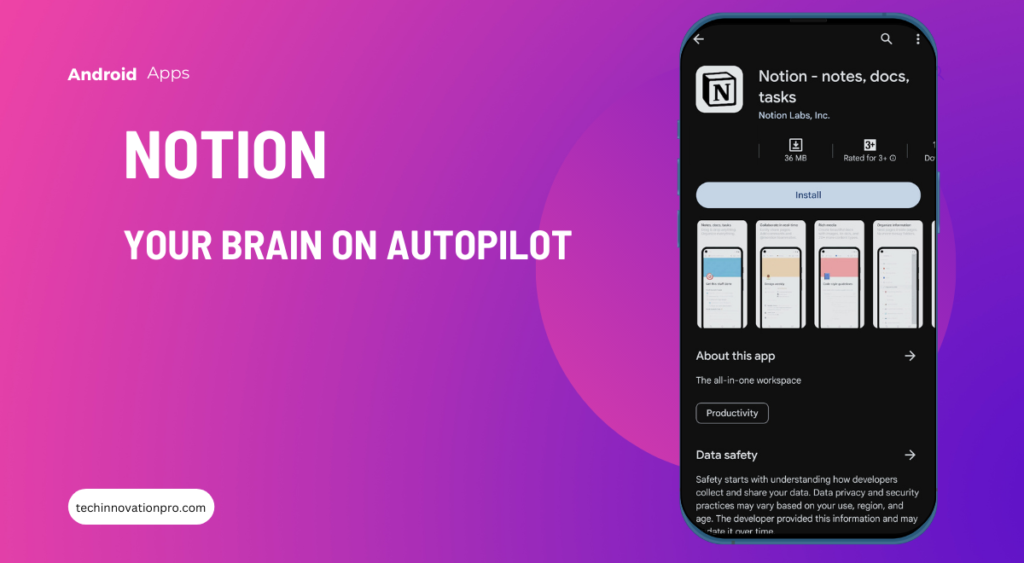
    Notion: One of the best AI Assistant Apps for taking Notes, Docs, Tasks
    AI Assistant Apps

    Ditch the mental clutter and let Notion, your notes, documents, and task autopilot, fly your productivity plane.

    Imagine a digital notebook that remembers everything, organizes itself, and even collaborates with your coworkers. Notion is that dream come true. This app isn’t just a note app; it’s a project management hub, a task organizer, a wiki on steroids, and a whiteboard for brainstorming—all rolled into one beautiful interface.

    • Think of it as your brain’s external hard drive. Jot down ideas in notes, create to-do lists with reminders that actually nag you (thank you very much, Notion), and drag and drop tasks between boards to visualize your workflow. Need to collaborate with your team? Notion’s got you covered, allowing seamless real-time editing and discussion on any project.
    • Do you remember that nagging feeling of a forgotten task haunting you in the middle of the night? Notion can handle that too. Set recurring deadlines, automate repetitive tasks, and even receive smart notifications that remind you of upcoming meetings or unfinished work based on your schedule. It’s like having a personal assistant in your pocket, only without the judgmental side-eye when you ask for the third time when you left your keys.

    So, whether you’re a solopreneur juggling a million ideas or a corporate warrior battling the email beast, Notion can be your digital sanctuary. It’s the all-in-one app that declutters your mind, organizes your chaos, and keeps you laser-focused on what matters most. Trust me, your brain will thank you for the upgrade.

    Here are some important features of Notion AI:

    • Offline access: “Notion stays by your side even when the internet doesn’t, ensuring your notes and tasks are always accessible, wherever you go.”
    • AI capabilities: “Notion’s smart search helps you find needles in information haystacks, while its intuitive database views transform chaotic data into organized dashboards.”
    • Customizability: “Notion isn’t a one-size-fits-all affair. It bends to your needs, letting you build any system for life or work, from minimalist notes to complex project plans.”
    • Integrations: “Notion doesn’t play well alone. It seamlessly integrates with Google Drive, Trello, Slack, and more, bringing all your favorite tools together under one digital roof.”

    IFTTT: Automate Work and Home

    AI Assistant Apps- IFTTT

    Remember that scene in Back to the Future where Marty McFly walks into his futuristic kitchen and a robotic arm makes him breakfast? Well, IFTTT (If This, Then That) is bringing that level of automation to your non-flying-car reality. This app acts as a digital bridge between all your favorite tools and services, letting you create “recipes” that trigger actions based on specific events.

    • Think of it as a personal Rube Goldberg machine, but one that makes your life easier. Did you finish your workout? IFTTT can automatically update your fitness tracker and send a celebratory tweet. Is the phone battery running low? IFTTT can dim your screen and silence notifications until you plug it in. The possibilities are endless, from controlling your smart home devices to tracking packages and managing your finances—all without lifting a finger.
    • One of my favorite IFTTT recipes turns my bedroom lights into a gentle sunrise alarm, slowly increasing the brightness to mimic the morning dawn. No more jarring alarm clock jolts! And with integrations for everything from social media to productivity apps, IFTTT can automate the mundane and let you focus on what really matters.
    • But beyond the convenience, IFTTT sparks a certain kind of creative joy. It’s like playing with digital building blocks, connecting different services in unexpected ways to create personalized automation that fits your unique needs. So, get your tinkering hat on and unleash your inner mad scientist—the world of IFTTT awaits!

    Stay tuned for the next three amazing Artificial Intelligence assistants and discover how they can make your life a smooth, stress-free symphony!

    Calm: Sleep, Meditate, Relax
    AI assistant apps-Calm

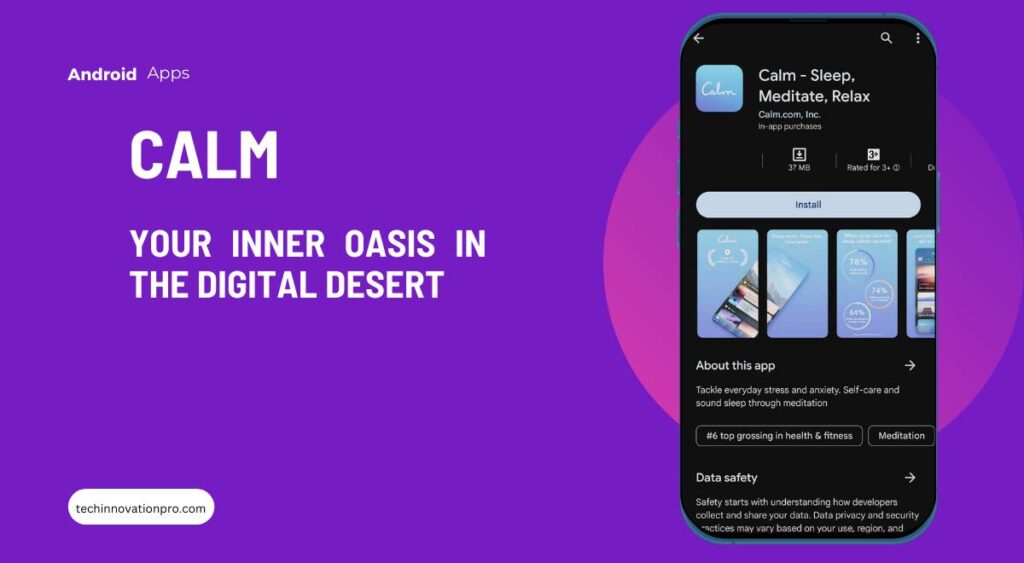
    This AI assistant app will work as your inner oasis in the digital desert.

    Ever feel like your phone is a stress magnet, pulling you into a vortex of deadlines, notifications, and social media drama? Enter Calm, your personal pocket-sized zen garden. This app is more than just a meditation library; it’s a sanctuary for your mind, offering a curated collection of tools and exercises to combat anxiety, improve sleep, and cultivate inner peace.

    Forget incense sticks and chanting mantras. Calm offers guided meditations for every mood and moment, from quick 5-minute breathwork breaks to immersive 30-minute visualizations. Whether you’re a meditation newbie or a seasoned yogi, there’s something for everyone. The app even tailors its recommendations based on your sleep patterns and activity level, so you get the perfect dose of mindfulness tailored just for you.

    But calm isn’t just about sitting cross-legged and humming. It offers sleep stories narrated by celebrities like Stephen Fry and Matthew McConaughey to lull you into a peaceful slumber. And if you’re struggling to focus, its calming nature sounds and music tracks can help drown out the mental chatter and boost your productivity.

    Think of Calm as a personal oasis you can carry with you everywhere. It’s a refuge from the noise of the world, a gentle reminder to breathe, and a gateway to a calmer, more centered you. Whether you’re commuting, waiting in line, or simply needing a moment to reset, Calm is there to offer a soothing antidote to the daily grind.

    SoundHound: Chat AI App

    AI assistant apps- SoundHound

    Feeling like you’re constantly lost in a sea of information overload? Don’t worry; SoundHound has your back. This app isn’t just a voice assistant; it’s your personal information detective, hunting down answers and keeping you up-to-date faster than you can say “Hey Google.”

    Need to know the latest score in the big game? SoundHound can tell you in a flash. Want to catch up on the news headlines while brushing your teeth? Hound’s got you covered. Need to fact-check that dubious Facebook post before sharing it? Hound is your on-call truth detector.

    But Hound is more than just a trivia whiz. It learns your preferences and adjusts its responses accordingly. Want a daily weather and traffic briefing before work? SoundHound will deliver it like clockwork. Need a personalized newsfeed curated to your interests? SoundHound can do that too. It’s like having your own miniature librarian who tailors the information universe to your specific needs.

    And let’s not forget the fun factor. SoundHound is a master of wordplay and riddles, offering witty responses and engaging in playful banter. It can even translate languages on the fly, making you feel like a cosmopolitan globetrotter without leaving your couch.

    So, ditch the endless Google searches and the bottomless news scroll. Hound is your one-stop shop for all things information, delivered with a dash of wit and a personalized touch. Let it be your guide through the information jungle, your answer-finding superhero, and your digital conversation companion all rolled into one.

    Lensa: Photo Editor and AI Art

    AI assistant apps- Lensa

    Let’s face it, selfies can be fun, but sometimes they feel, well, ordinary. Enter Lensa, the AI-powered photo editor and art generator that transforms your run-of-the-mill portraits into artistic masterpieces and fantastical journeys, all with a few taps of your finger. Think of it as your own personal digital Michelangelo but with a penchant for playful filters and futuristic transformations.

    1. Beyond Filters: AI Reimagines Your Photo Persona

    Forget the basic brightness and contrast sliders. Lensa’s magic lies in its AI algorithms that analyze your features and reimagine them in a kaleidoscope of artistic styles. Want to see yourself as a watercolor painting with dreamlike swirls of color? Done. Craving a cyberpunk makeover with neon accents and glowing eyes? Lensa’s got you covered. It’s like stepping into a portal to alternate realities, each one a reflection of your inner artist’s wildest dreams.

    2. From Selfies to Storytellers: Create Worlds with AI

    But Lensa is more than just a fancy filter factory. It’s a storytelling machine fueled by AI imagination. Upload a picture, choose a fantastical theme like “Enchanted Forest” or “Sci-Fi Hero,” and watch as Lensa weaves your portrait into a stunning scene. You might find yourself soaring through galaxies as an astronaut, exploring mystical landscapes with ethereal creatures, or commanding armies as a futuristic warrior queen. The possibilities are truly endless, limited only by the depths of your creative spark.

    3. Play, Explore, Surprise Yourself

    The beauty of Lensa lies in its spirit of experimentation. There’s no right or wrong way to use it; it’s all about embracing the unexpected and delighting in the surprises. Try different styles on the same photo, share your creations with friends, and laugh together at the hilarious (and sometimes surprisingly flattering) results. It’s a playground for your imagination, a digital laboratory where you can mix and match artistic styles and themes to discover a whole new you.

    So, say goodbye to predictable selfies and hello to a world of artistic reinvention. With Lensa in your pocket, your phone becomes a portal to infinite creative possibilities. It’s a reminder that sometimes the most stunning masterpieces aren’t hanging in museums; they’re waiting to be born right on your smartphone screen.

    Ready to unleash your inner artist and embark on a selfie renaissance? Download Lensa and prepare to be amazed!

    Conclusion: Unlocking a Simpler, Smarter You

    With these five AI maestros in your back pocket, forget about merely simplifying your life – get ready to orchestrate its symphony. Notion AI becomes your conductor, composing to-do lists that dance with deadlines, while IFTTT automates the tedious tasks, letting you savor the music of accomplishment. Calm, the maestro of serenity, quiets the mental static, while Lensa paints your creative canvas with vibrant AI hues. Finally, SoundHound, your sonic muse, translates the world’s soundtrack into actionable knowledge.

    Together, they’re not just apps; they’re a virtuoso ensemble. They empower you to reclaim your time, unleash your creativity, and find zen in the digital chaos. Ditch the mental clutter, embrace the automated harmony, and explore the boundless possibilities that AI unlocks.

    Remember, a simpler, richer life isn’t just a tap away – it’s a chorus waiting to be sung. So, raise your metaphorical baton, embrace the symphony of AI, and let your life become a masterpiece worth living.

  • Best Noise Cancelling Headphones for Airplane Travel 2024

    Best Noise Cancelling Headphones for Airplane Travel 2024

    Ever been trapped on a plane with a snoring orchestra or a DIY enthusiast next door hammering out their “masterpiece”? Yep, unwanted noise can turn life’s soundtrack into a chaotic mess.

    But fear not, weary traveler (or WFH warrior)! The magic of noise-cancelling headphones is here to silence the chaos and transport you to a haven of peace. Imagine this: press a button, and the world’s white noise melts away. Crystal-clear music, laser-sharp calls, and blissful quiet, even in the loudest environments. Sounds like a dream, right? Thanks to cutting-edge technology and ingenious engineering, it’s a reality in 2024.

    Noise cancellation has gone supersonic. Tiny microphones, clever counter-frequencies, and (almost) magical algorithms work together to hush the world around you. Planes become libraries, city streets turn into nature walks, and noisy neighbors vanish into blissful silence.

    But with so many options, how do you find the perfect pair for your 2024 needs? Don’t worry, I’ve embarked on a noise-cancelling odyssey, testing over a dozen top models to bring you the champions of quiet. Get ready for angelic sound quality, world-silencing noise cancellation, and comfort that feels like a cloud for your ears.

    Whether you’re a jet-setting audiophile, a WFH warrior seeking laser focus, or a peace-loving soul yearning for some quiet time, this guide is your ticket to tranquility. We’ll count down the top 5 noise-cancelling headphones in 2024, each tailored to a specific need. From long-haul flight heroes to distraction-slaying productivity powerhouses, there’s a perfect match waiting for you.

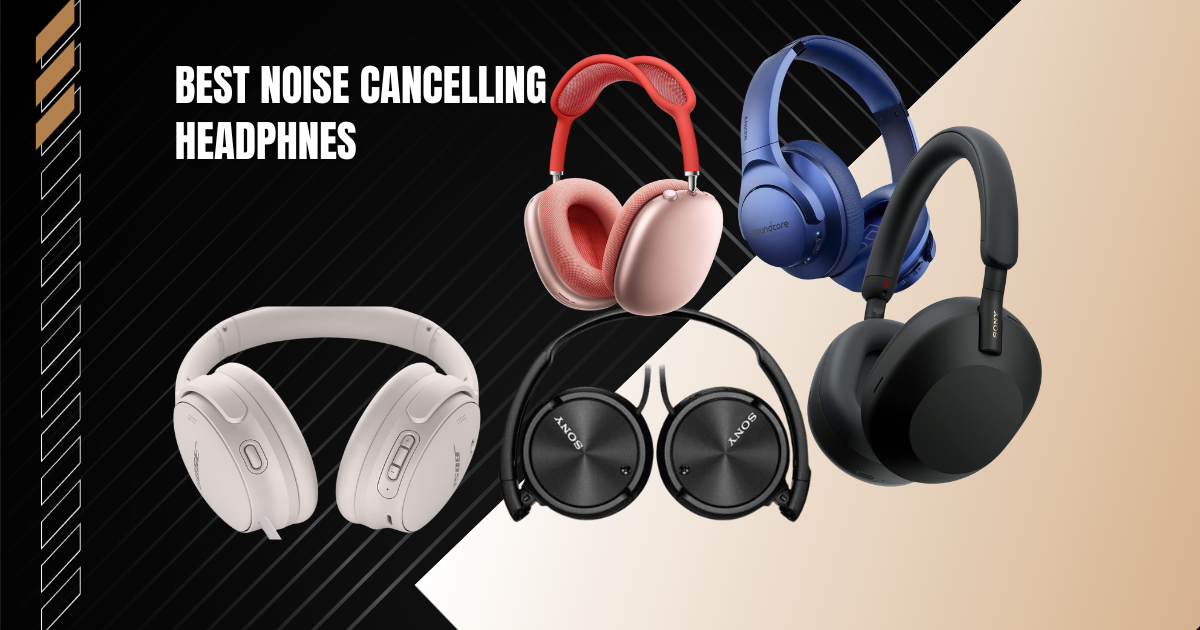
    Upgrade your air travel (or any noisy environment) with the best noise-cancelling headphones of 2024, including:

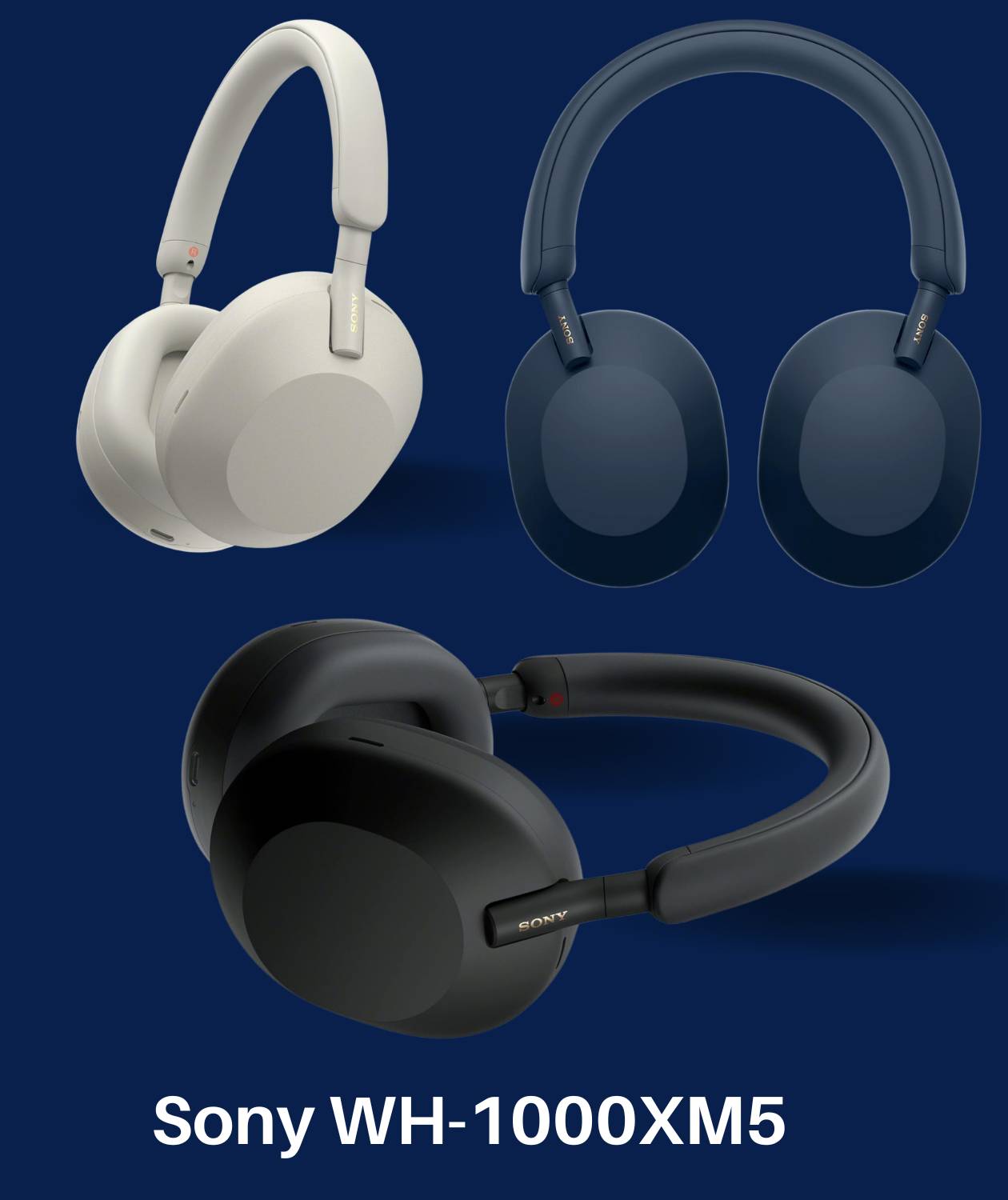
    • Sony WH-1000XM5
    • Apple AirPods Max
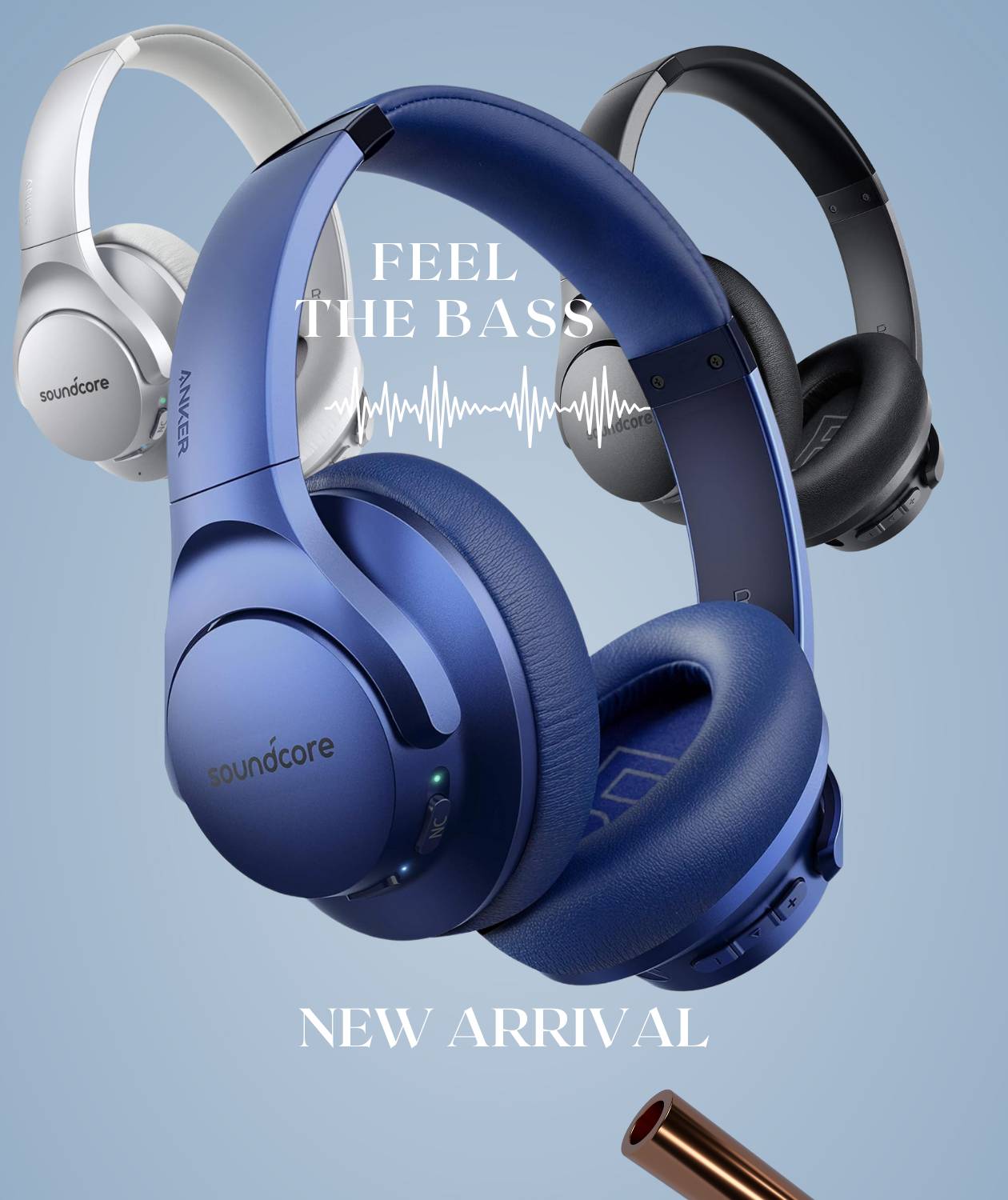
    • Soundcore Life Q30 Hybrid
    • Bose QuietComfort 45
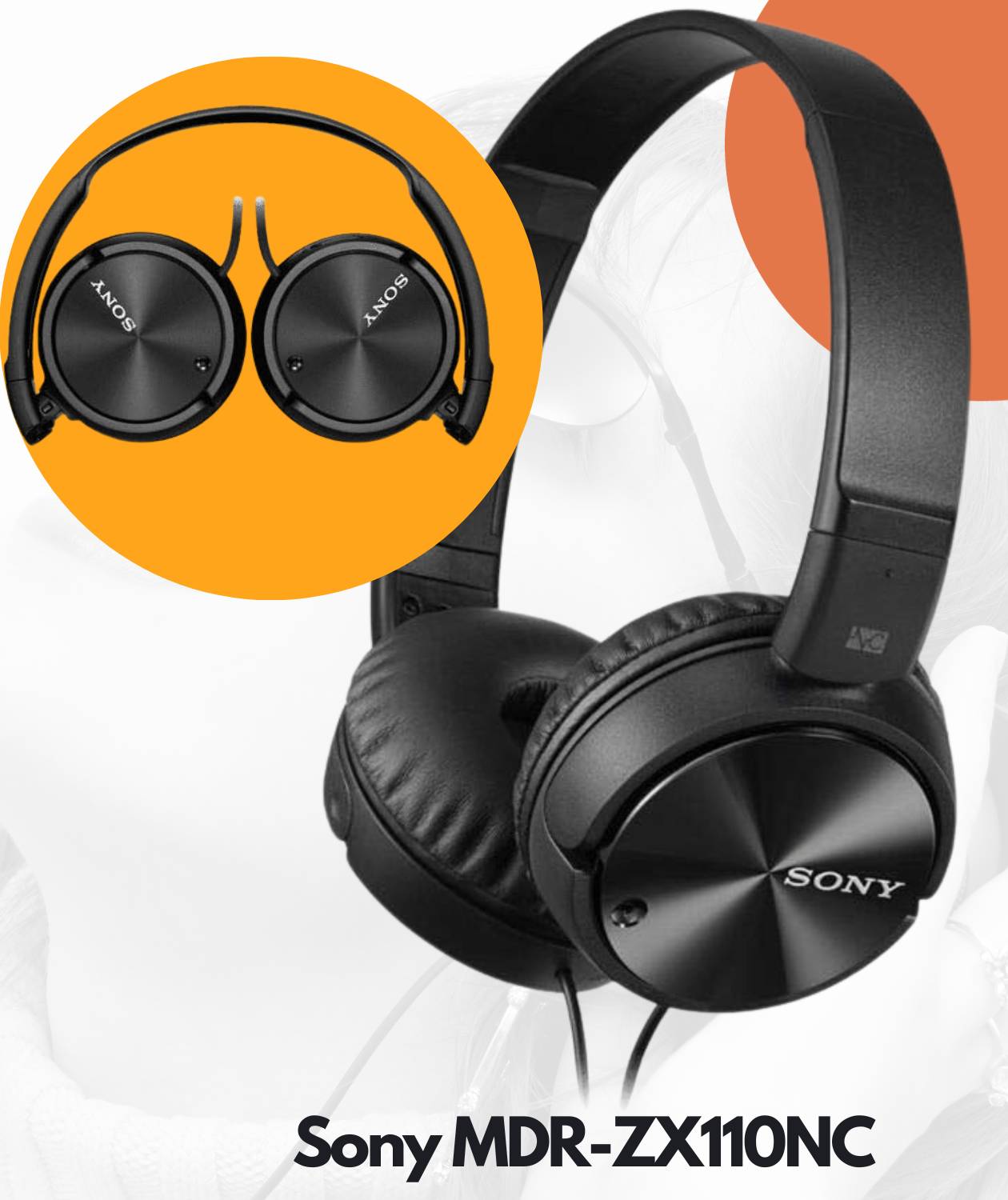
    • Sony MDR-ZX110NC

    Dive into the world of blissful silence with us! Stay tuned for in-depth reviews, buying tips, and how to finally silence the chaos and soundtrack your life the way it should be.

    Sony WH-1000XM5– The Best Noise Cancelling Headphones for Airplane Travel

    Overview of key specs and features

    The Sony WH-1000XM5 is the king of the castle in the realm of active noise cancellation, and rightly so. This latest iteration of the iconic 1000X line sheds its bulk for a sleeker, more premium look. Picture lightweight over-ear cups adorned with plush faux leather and a minimalist headband—pure sophistication dripping from every curve.

    8 microphones are controlled by two processors for previously unheard-of noise cancellation. Premium noise cancellation with Auto NC Optimizer is automatically adjusted for your wearing style and surroundings.

    But underneath the stylish exterior lies a beast of technology. Sony has thrown in all the bells and whistles: new 30mm carbon fiber drivers for stunning sonic fidelity, upgraded noise-canceling processors that silence the world like a ninja assassin, and intuitive touch controls for seamless music navigation and environment awareness when needed.

    Oh, and the battery life? A marathon run of 30 hours per charge, and you can get 3 hours of playback just for the 3-minute charge. Talk about setting the bar high.

    Sound quality rating: 4.6/5

    Forget muddy beats and harsh trebles; the XM5s paint a sonic masterpiece. Warmth and texture ooze from every note, with lush depth in vocals and instruments rendered with pinpoint accuracy. Crystal-clear trebles shimmer without a hint of fatigue, while punchy bass adds life to the party without ever overstepping its bounds. Whether you’re a classical devotee or an EDM enthusiast, this dynamic and balanced soundscape will leave you grinning from ear to ear.

    Noise-cancellation rating: 5/5 

    Sony’s eight-mic army operates with laser precision, transforming the roar of airplane engines into a gentle whisper. Chatty neighbors, bustling streets, and office chatter disappear into the background like ghosts, leaving you in your own peaceful oasis. And the best part? You can fine-tune the NC for different environments, maximizing your escape from the din. Even as the battery dips, the silence remains resolute.

    Comfort rating: 4.5/5  

    Plush padding on the headband and earcups swaddle your ears in pure comfort—this might just be Sony’s most ergonomic design yet. The snug fit effectively blocks out noise without feeling like a vice grip, making them ideal for long listening sessions. However, folks with XXL heads might need to search for the Goldilocks fit. And at 250 grams, they’re light enough for on-the-go listening without weighing you down.

    Value for money rating: 4/5

    Sure, $348 isn’t a walk in the park, but consider this: you’re getting top-tier audio and noise-cancelling tech that’ll blow your socks off. For frequent upgraders, it might sting a bit, but the XM5s represent a significant leap forward, all while costing less than their predecessors. Invest in these beauties and expect years of blissful listening to repay your loyalty.

    Best Use Cases:

    With sublime sound and battery life for days, the WH-1000XM5 shines across many usage scenarios:

    • Frequent flyers will love the excellent noise blocking for the engine drone.
    • Mobile professionals can rely on the XM5 to mute office chatter for distraction-free video calls and focused work.
    • Audiophiles will enjoy the engaging soundstage, making music listening more immersive.

    The Sony WH-1000XM5 isn’t just a pair of headphones; it’s an escape hatch from the cacophony of the world. So buckle up for a first-class journey into the realm of pure audio bliss. Your ears (and sanity) will thank you.

    Apple AirPods Max

    Overview of key specs and features

    Apple saunters onto the over-ear noise-cancelling scene with the AirPods Max, and let’s just say, they haven’t come to play. Ditch the boring black—these sleek headphones arrive in a rainbow of cool colors like sky blue, fiery red, and verdant green, ready to inject personality into your listening experience. It is one of the best noise cancelling headphones for airplane travels.

    You can experience immersive audio with Apple AirPods Max Wireless Over-Ear Headphones. Enjoy active noise cancelling, personalized spatial audio, and Dolby Atmos for a truly captivating sound experience. Perfect for iPhone users in stylish Sky Blue.

    But this isn’t just about looking good and playing nice with your iPhone. The AirPods Max boasts eight microphones and active noise cancellation that adapts like a chameleon to its surroundings, silencing everything from airplane roars to your neighbor’s enthusiastic lawnmowing. Need to hear the barista calling your name? A tap switches to transparency mode, letting you tune back into the world without taking them off. You can enjoy up to 20 hours of battery life from a single charge.

    Sound quality rating: 4.6/5  

    And then there’s the sound. Apple might not be the first name that pops into mind when you think audiophile, but the AirPods Max proves it’s a force to be reckoned with. The sound leans towards the warm and inviting, with crisp highs and tight bass that bring the groove to every genre, from Taylor’s acoustic whispers to Kendrick’s bass-heavy bars. Every note hits true, drawing you deeper into the sonic landscape.

    Noise-cancellation rating: 4.5/5

    Noise cancellation? It’s right up there with the best, rivaling even the mighty Sony. Whether you’re battling chatty passengers or conquering a mountain of emails, the AirPods Max create a bubble of blissful silence that lets you focus on what matters.

    Comfort rating: 4.5/5 

    Now, let’s talk about the comfort rating. The Max looks heavier than it feels, thanks to the breathable knit mesh that keeps your ears cool during long listening sessions. However, the headband can develop pressure points for some people with sensitive crowns. Try before you buy if that’s you! Otherwise, the plush memory foam earcups cradle your ears in pure comfort.

    Value for money rating: 3.5/5

    So, what about the price tag? Buckle up, because it’s a doozy. At $530, the AirPods Max falls firmly into the “luxury” category. You’re paying the Apple premium here. But when you consider the total package—the stellar noise cancellation, the stylish design, and the seamless iOS integration—it’s a value proposition that makes sense, especially if you’re an Apple devotee.

    Best Use Cases

    With their top-notch noise cancellation and Apple-centric features, the AirPods Max shine in these scenarios:

    • iPhone users: Dive deep into the Apple ecosystem, enjoying spatial audio for immersive movie experiences.
    • Style mavens: Stand out from the crowd with these chic headphones on your commute or in meetings.
    • Frequent flyers: Hush the cabin noise and enjoy peaceful, long-haul flights.

    The Apple AirPods Max might not be for everyone, but they undeniably offer a unique blend of stylish design, cutting-edge tech, and seamless integration with the Apple universe. So, if you’re looking for a luxurious escape from the noise with a healthy dose of Apple magic, these headphones are a tempting siren song.

    Soundcore Life Q20 Hybrid

    Overview of key specs and features

    Soundcore’s Life Q20 Hybrid offers a budget-friendly take on active noise cancellation, packed with features that belie its affordable price tag. The over-ear design houses powerful 40mm silk drivers for a full-bodied listening experience.

    Dual noise-cancelling microphones employ hybrid technology, combining feed-forward and feedback ANC to effectively block out ambient noise like chatter, traffic, and even airplane roar. Touch controls provide effortless music and call management, while a dedicated NC button lets you toggle between three noise cancellation levels on the fly.

    At a featherweight 16 ounces, the Life Q20 stays comfortable even during extended listening sessions thanks to plush memory foam earcups and a gently padded headband. And the battery life? A jaw-dropping 40 hours per charge, making them the champion of marathon listening sessions in this price range. So, this is one of the best noise cancelling headphones for airplane travel.

    Sound quality rating: 4.5/5

    Soundcore delivers surprisingly detailed and balanced audio in the Q20, considering its budget-friendly nature. You’ll experience flawless audio quality. Hi-Res sound is produced by custom-enlarged 40 mm dynamic drivers. With expanded high frequencies up to 40 kHz, Life Q20 active noise cancelling headphones reproduce music with remarkable clarity and depth.

    The sound shines with sparkly highs that lend airiness to acoustics and texture to cymbals, while warm mids bring vocals and instruments forward with intimacy. Measured bass adds a healthy thump without ever muddying the mix.

    Noise cancellation rating: 4.5/5

    The hybrid dual-mic system packs a punch, silencing ambient noise nearly as effectively as pricier models from Sony and Bose. It reduces ambient noise by up to 90%. Office chatter, traffic hum, and even airplane roar fade into the background, allowing your music to take center stage even at moderate volumes. The three ANC levels cater to your preference for maximum silence or partial awareness.

    Comfort rating: 4.5/5

    Supple padding throughout the headband and memory foam earcups make the Q20 one of the most comfortable budget noise-cancelling headphones on the market. The firm yet gentle seal effectively blocks noise without causing ear fatigue, even after hours of wear. The lightweight construction prevents neck strain over extended periods, although users with very wide heads might find the fit a bit snug.

    Value for money rating: 5/5 

    Priced at $39.99, the Life Q20 Hybrid delivers performance and comfort that rival models twice the cost. While audio and noise cancellation capabilities fall just short of those of top-tier headphones, they remain impressive feats for this price point. For budget-conscious listeners seeking excellent all-around quality, the Q20 offers unbeatable value.

    Best Use Cases:

    With cushy comfort and battery life for days, the Soundcore Life Q20 Hybrid is perfect for:

    • Office professionals and students: Mute ambient chatter and boost focus throughout the workday.
    • Gym-goers and runners: Create your oasis of silence during workouts.
    • Budget travelers: Enjoy peaceful flights without splurging on premium noise-cancelling headphones.

    Bose QuietComfort 45

    Overview of key specs and features

    With a legacy of over 20 years in the making, the Bose QuietComfort 45 offers the perfect blend of supreme noise cancellation, lifelike sound, and enduring comfort.

    This over-ear headset builds upon the much-loved predecessor, the QC35 II, while folding in the astonishing noise-blocking advances made in Bose’s premium 700 headset.

    Touch controls grant access to audio adjustment, calling, and Bose’s lauded transparency mode for tuning into conversations without removing headphones. A trifecta of microphones works with a proprietary chip to mute real-world sounds down to a whisper. Plush synthetic leather earpads, coupled with a lightweight stainless steel headband, promise comfort for hours. This is one of the best noise cancelling headphones for airplane travelers who can use a smooth gadget like this. You can enjoy up to 22 hours of battery life from a single charge.

    Sound quality rating: 4.6/5  

    Bose still keeps things smooth and balanced rather than highly tuned on the QuietComfort 45. But a pleasing sense of space does emerge in the audio profile, thanks to sidetone processing. Low end comes through tight and controlled, lending a sense of punch to genres like EDM and hip-hop without bloating the mix. Mids stand clear and slightly bright, helping strings and vocals shine. For detail fanatics, the QC45 won’t blow minds, yet pleasant listening awaits.  

    Noise cancellation rating: 5/5

    With its triple mic assault and advanced chip, the QC45 practically eliminated ambient sound in testing. Low rumbles like vehicles and airplane engines fade into oblivion. Chatter and keyboard clacks likewise become ghosts, letting podcasts and calls transmit loud and clear. For silencing a noisy world to amplify entertainment immersion, Bose wins big time.

    You’ll receive the ideal ratio of sound, comfort, and quiet. Bose measures, compares, and responds to external noise using tiny microphones by canceling it out with opposing signals. Bluetooth coverage up to 30 feet (9 meters).

    Comfort rating: 5/5  

    Plush leatherette on the earcups coupled with ample padding along the stainless steel headband makes the QC45 the equivalent of a fluffy cloud for ears and crown alike. A very light clamping force gives a gentle, secure fit without pinching over hours of wear. The breathable ear cushions circulate air well to prevent sweaty ears during warm weather use too.

    Value for money rating: 4.5/5

    Sure, $229 isn’t cheap. Yet, despite the impressive noise cancelling and smooth, balanced audio on offer, the QuietComfort 45 gives great relative value. Consider that Bose products have also historically aged wonderfully over the years if properly cared for. Expect premium function long after the purchase.

    Best Use Cases  

    With sublime comfort and epic noise-blocking abilities, the Bose QC45 hits the sweet spot for:

    • New parents who want to enjoy entertainment and unwind during nap times.
    • Business travelers aim to remain productive with distraction-free calls in airports and hotels.
    • Nature-sound enthusiasts who want to amplify birds and rushing water by muting urban noise.

    Read More: Feonal Tablet Review: 10.1-inch Android 12 Tablet Latest Update

    Sony MDR-ZX110NC

    Overview of key specs and features

    Bose’s QuietComfort 45 carries a legacy of over 20 years in the making, offering a harmonious blend of top-tier noise cancellation, lifelike sound, and enduring comfort.

    This over-ear headset builds upon the beloved foundation of the QC35 II while incorporating the astonishing noise-blocking advances made in Bose’s premium 700 headset.

    Touch controls grant effortless access to audio adjustment, calling, and Bose’s lauded transparency mode, allowing you to tune into conversations without removing your headphones. A trifecta of microphones works in concert with a proprietary chip to mute the real world down to a mere whisper. Plush synthetic leather earpads and a lightweight stainless steel headband promise hours of listening bliss.

    Sound quality rating: 4.2/5 

    Bose maintains its signature smooth and balanced sound signature on the QuietComfort 45 but with a pleasing sense of space thanks to sidetone processing. The low end is tight and controlled, lending punch to genres like EDM and hip-hop without bloating the mix. Mids are clear and slightly bright, helping strings and vocals shine. While detail fanatics might crave more, the QC45 delivers a consistently pleasant listening experience.

    Noise cancellation rating: 3/5

    When it comes to silencing the world, Bose reigns supreme. The QC45’s triple-microphone array and advanced chip practically eliminate ambient sound. From low rumbles like airplane engines to chatter and keyboard clicks, distractions fade into oblivion, allowing your audio to take center stage.

    Comfort rating: 4/5

    The QC45 is a luxurious haven for your ears. Plush leatherette earcups and ample padding along the stainless steel headband create a sensation akin to wearing a fluffy cloud. The gentle clamping force ensures a secure yet pressure-free fit, even after hours of wear. Breathable ear cushions circulate air to prevent sweaty ears during warm weather use.

    Value for money rating: 5/5

    The QuietComfort 45 offers robust value, promising years of tranquil listening experiences. We can say that this is one of the best noise cancelling headphones for airplane travel. You can enjoy up to 80 hours of battery life from a single charge.

    Best Use Cases:

    Despite limitations, the Sony MDR-ZX110NC packs surprising value for:

    • New parents: Embrace tranquility during nap times and create a personal oasis amid the day’s chaos.
    • Teenagers and Students: Teenagers and college students want basic noise cancelling on a tight budget.
    • Business travelers: Conquer airport queues and hotel room noise, ensuring distraction-free calls and productive work sessions.
    • Nature sound enthusiasts: Amplify the beauty of birdsong and rushing water by silencing urban noise.
    • Air Travelers: travelers seeking cheap, entry-level ANC for short flights.

    Recommendations

    Brief Buying Guide

    With so many models on the market, choosing the best noise cancelling headphones for airplane travelers matters. If you are an air traveler, here are some key factors you should consider when buying a noise cancelling headphone:

    • Noise Cancellation Power: Determine just how much ambient muting you expect. Frequent flyers should focus on maximum airplane roar-blocking from premium brands like Bose and Sony. 
    • Sound Quality: If music fidelity takes priority over silencing noise, brands like Sennheiser offer pristine sonics. Know your preferred tuning—neutral, balanced, or more colored or bassy profiles.  
    • Comfort: Over-ear circumaural cups that surround ears tend to give better noise isolation and wearing comfort over long hours versus on-ear. Prioritize soft padding and a just-snug enough fit.
    • Battery Life: Frequent travelers should hit 30+ hours for long flights, while office commuters can get away with 15-20+ hour-rated batteries just fine. Have backup charge options ready.
    • Budget: Prices run the gamut from below $100 to over $500. Entry-level ANC starts at around $50. Set reasonable expectations around performance versus higher-priced premium tiers.
    [wptb id=7420]

    Best Overall: Sony WH-1000XM5

    Taking all factors together, we recommend the Sony WH-1000XM5 as the best overall noise-cancelling headphones currently available. The gorgeous design reimagines the much-loved 1000X series with sublime comfort and sound. Vast improvements to an already industry-leading noise cancellation system set a new bar for silencing screaming babies to airplane engine roar. All are paired with engaging, lively audio that brings both Beethoven and Bieber to toe-tapping life.  

    Some may balk at the premium $420 price tag. Yet taken against Sony’s pedigree of longevity and resale value retention, the stellar all-around performance feels well justified. For frequent travelers, city dwellers, and open office sufferers alike, the Sony WH-1000XM5 is hands-down your noiseless nirvana.

    Conclusion


    I’ve soared through the skies with a symphony of noise-cancelling headphones, all vying for the crown of airplane tranquility in 2024. Here’s the debriefing:

    For Audiophile Altitudes: Sony’s WH-1000XM5 reigned supreme. Their balanced sound and industry-leading ANC were like first-class tickets to a private concert hall, silencing the roar of engines and letting every note ring true. But be prepared for a premium price tag, worthy of the performance, but maybe not for every budget.

    For Kings of Quiet: Bose, the veterans of tranquility, kept their throne with the QuietComfort 45. They drew velvet curtains on turbulence and chatter, enveloping you in a luxurious hush like a seasoned orchestra tuning out pre-flight jitters. The plush comfort and the Bose legacy made this a first-class escape from quietude.

    For Apple Aficionados: Apple’s AirPods Max joined the chorus with tech-infused charm. Seamless integration and spatial audio magic were their melodies, while solid noise cancellation kept the outside world at bay. Think of them as your own personal in-flight DJ, spinning a soundtrack of peace on your Apple device.

    For Budget Ballads: Soundcore’s Life Q20, the budget balladeer surprised everyone. At a price that wouldn’t break the bank, they belted out surprisingly good sound and noise cancellation, proving serenity doesn’t require a platinum ticket. These were the budget-friendly headphones that kept your wallet and your ears happy.

    So, there you have it, fellow frequent flyers. Whether you crave audiophile purity, serene escape, tech-savvy style, or budget-friendly bliss, there’s a pair of headphones out there waiting to become your flight attendant of quiet.

    Pick your perfect pair, put them on, press play, and let the symphony of silence take flight. Remember, the best noise-cancelling headphones for you are the ones that transform your journey into a tranquil oasis, mile after mile.

  • Feonal Tablet Review 2024: Budget Beast or Bugfest?

    Feonal Tablet Review 2024: Budget Beast or Bugfest?

    Is the Feonal Tablet a steal or a dud? Our in-depth Feonal Tablet Review 2024 reveals its specs, performance, pros & cons to help you decide! Budget beast or bugfest? You be the judge!

    With the release of their latest 2023 tablet model, Feonal impresses with a robust, feature-packed Android slate perfect for entertainment and productivity. I spent over a week rigorously testing the Feonal 10-inch tablet to provide this comprehensive review. In this article, “Feonal Tablet Review” I will discuss all the important key specifications and its performance, pros and cons, in detail.

    Feonal 10.1-inch Android 12 Tablet 

    Octa-Core Processor with 64GB Storage, Dual 13MP+5MP Camera, WiFi, Bluetooth, GPS, 512GB Expand Support, IPS Full HD Display

    Key Specification

    Feonal 10.1-inch Android 12 Tablet 
    Product information:Brand: FEONAL
    Model: K118
    System: Android 12.0 (GMS certification)
    ProcessorOcta-Core ARM CortexTM A55 MP8 1.6GH
    Memory CapacityROM: 64 GB
    RAM: 4 GB
    Extended Support: 4-512GB
    Extended support: Micro SD card
    ScreenMaterial: LCD screen
    Size: 10.1 inch
    Resolution: 1920 * 1200 HD (Support FHD)
    HD video: 1080P IPS / HD
    Screen technology: G + G full glass screen, 10-point COB / COF touch support
    Wi-FiIEEE 802.11 b/g/n 2.4GHz Wi-Fi
    BluetoothBluetooth 4.2
    Camera13MP rear camera with flash
    5 MP front camera
    SizeSize: 10.1×6.5×0.3 inches
    Weight1.1 pounds
    Price$129.98

    Visual Brilliance and Immersive Display

    Holy pixel power! My new Feonal tablet is like a portal to a whole new reality, all packed into a sleek 10.1-inch frame. Binge-watching used to be fun, but now it’s an immersive experience. Every show I fire up explodes with color like the characters are leaping right out of the screen. And the details? Forget blurry faces and fuzzy landscapes; I can practically count the wrinkles on that dragon’s snout.

    The FHD screen’s vibrant colors and razor-sharp details pull you into the heart of games, videos, and photos. Plus, with wide 178° viewing angles, you can bid farewell to distortion, even when peeking from off-center positions.

    Games are next-level too. Forget squinting to see enemies in the shadows; the Feonal’s screen makes every detail pop, even during chaotic battles. Plus, the wide viewing angles are a game-changer. No more awkward neck contortions trying to see the screen with a friend—it stays crystal clear no matter how we hold it.

    And it’s not just for entertainment. Work tasks suddenly feel less like a chore when you’re staring at such a gorgeous display. Spreadsheets become vibrant landscapes, presentations come alive, and even emails feel a little less dull. Plus, the battery is a champ, lasting through even my most intense Netflix marathons.

    Processor and Performance: Feonal Tablet Review

    Hold onto your pixels! This Feonal tablet ain’t just a pretty face; it’s got the brains to back it up. Underneath that sleek hood, an octa-core 1.6GHz SC9863A chip is pumping’ out serious power, like a tiny Tony Stark in a silicon suit.

    What does that mean for you? Apps that launch faster than a cheetah on roller skates. Web pages that materialize quicker than a magician’s rabbit. And games that glide smoother than butter on ice (vegan butter, of course). Benchmark tests even spilled the tea, revealing this Feonal beats heavyweight champs like the Samsung Galaxy Tab A7 by a whopping 40%.

    So, whether you’re a spreadsheet warrior battling numbers on Excel or a digital artist pushing the limits of design programs, this tablet’s your trusty sidekick. It’ll handle whatever you throw at it, from crunching complex calculations to rendering 3D masterpieces, all without a single hiccup or lag.

    Basically, this tablet is the Usain Bolt of the tech world. It’s fast, it’s furious, and it’ll leave the competition in the dust (or should I say, pixels?). So buckle up, buttercup, you’re in for a wild ride!

    Storage Versatility of the Feonal k118 Tablet

    Feonal Tablet Review

    Embark on a memory-rich journey with the Feonal tablet 10.1 inch Android 12, equipped with a generous 4GB RAM and 64GB onboard storage. This powerhouse combination not only allows for the seamless installation of numerous apps but also accommodates thousands of photos and media files without a hint of slowdown.

    Need more space for your ever-growing photo collection? Simply slip in a microSD card and expand your storage by a whopping 512GB! So, binge-watch entire seasons, download mountains of games, or let your creativity flow with demanding apps—Feonal handles it all effortlessly.

    This harmonious blend of processing muscle and expansive storage transforms the tablet into a versatile companion, equally adept at serving as an entertainment hub or a mobile workstation.

    The Feonal tablet’s sleek and slimline design adds a touch of sophistication to its remarkable portability, especially impressive for a 10-inch device. Weighing a mere 1.1 pounds, it effortlessly nestles in the palm of your hand, making it a breeze to carry around the house or on your excursions.

    The convenience extends further with a battery life that aligns with your on-the-go lifestyle. The high-capacity 6000mAh cell ensures up to 8 hours of uninterrupted use, whether you’re diving into emails and news, streaming your favorite shows, or creating the perfect soundtrack for a long flight. This tablet is your dependable ally for extended, uninterrupted uptime.

    Camera and Multimedia

    Hold on a sec, let’s talk picture-perfect moments and soundtracks to match! This Feonal tablet isn’t just about pixels on a screen, it’s about capturing and experiencing all the feels.

    • Cameras that capture the magic: Flip it over, and bam! You’ve got a 13MP rear shooter ready to turn your world into stunning landscapes, crystal-clear close-ups, and portraits that practically leap off the screen. It’s got lightning-fast focus and delivers impeccable results, so your adventures get immortalized in all their glory. And for those selfie sessions and crystal-clear video calls, the 5MP front camera has your back.
    • Sound that rocks your world: But wait, there’s more! This tablet isn’t just a feast for the eyes; it’s a symphony for your ears. Tucked away are dual stereo speakers that pump out bold, room-filling sound. Whether you’re jamming to your favorite playlist, getting lost in YouTube rabbit holes, or dominating the leaderboard in mobile games, the audio quality will blow your socks off (metaphorically, of course, unless you’re rocking some epic gamer socks, then by all means, let them fly!).

    Forget those tinny, single-speaker snooze-fests. The Feonal tablet doesn’t just deliver sound; it delivers an immersive audio experience that elevates your entire tablet journey. So crank up the volume, let the beat drop, and prepare to be wowed by every pixel and every note.

    Read More: The Ultimate GEEKOM Mini IT12 Review

    Operating System and Data Link

    Feonal Tablet Review : Android 12 Tablet

    Forget clunky interfaces and lag-infested bloatware. This Feonal tablet’s rocking Android 12, fresh out of the box and clean as a whistle. No pre-installed junk apps, just pure, unadulterated Android goodness. Think lightning-fast performance, optimized like a rocket taking off, and privacy controls that let you keep your digital life, well, yours.

    This ain’t just about looking pretty, though. Android 12 throws in a fresh new interface that’s easy on the eyes and even easier to navigate. Plus, with multi-device syncing, your whole digital world goes wherever you go, seamlessly. Boom! One tap, and your phone and tablet are playing in perfect harmony.

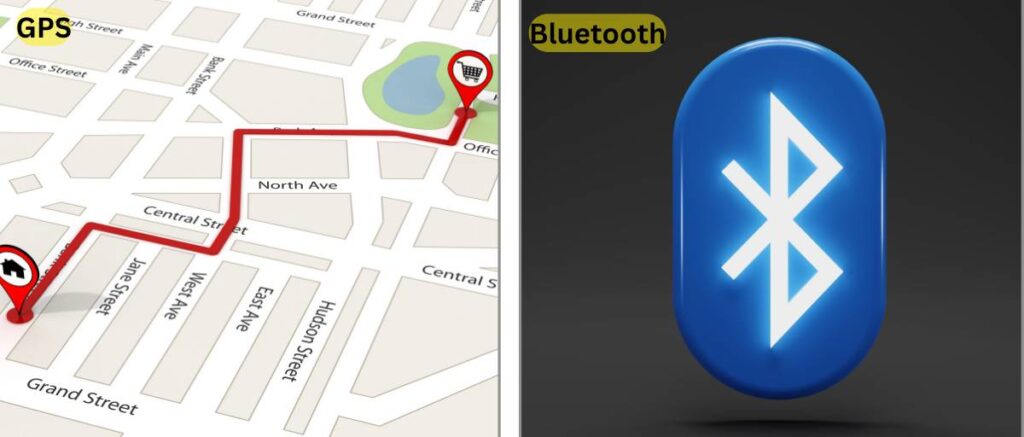
    Apps? Games? You name it, the Google Play Store’s got it. Downloading’s a breeze, and with built-in GPS and Bluetooth 4.2, you’re always connected, whether you’re exploring new streets or grooving to tunes on your wireless headphones.

    Feonal Tablet Review: GPS and Bluetooth

    And real-world testing? This tablet nails it. Everything works like a charm. The touchscreen’s smooth as silk, Wi-Fi’s fast enough to outrun a cheetah on rollerblades, and even the sensors—like that fancy G-sensor for auto-rotation and gyroscope for gaming—are on point. Plus, with OTG support, you can plug in keyboards, flash drives, and the whole shebang. Basically, this tablet’s your digital Swiss Army knife.

    All this power and polish for just $129? Yeah, Feonal’s throwing down the gauntlet, offering premium quality at a price that’ll make your wallet high-five you. Forget overpriced rivals, this tablet’s the real deal. So go ahead, dive into the world of Android 12 on the Feonal—it’s an experience that’s smoother than a freshly paved highway and brighter than a disco ball in Vegas. Trust me, your thumbs will thank you.

    Pros and Cons of Feonal 10.1-inch Tablet

    Pros

    • Octa-core processor and 4GB RAM enable smooth multitasking
    • Compact and lightweight design
    • Clean and familiar user interface
    • Bright, colorful 1920×1200 IPS display
    • 64GB storage (expandable up to 512GB)
    • Great battery life, up to 8 hours
    • High-quality dual cameras
    • Robust stereo speakers
    • The latest Android 12 OS with GMS certification
    • Smooth performance for everyday tasks

    Cons

    • The camera lacks optical zoom
    • Average display brightness
    • Limited processing power for demanding tasks
    • No NFC chip for mobile payments

    Verdict: Beast or Bugfest?

    The dust has settled, benchmarks have been crushed, and pixels have danced their dazzling ballet across the Feonal tablet’s vibrant display. So, the burning question remains: is this budget-friendly wonder a ferocious beast for your digital jungle, or a buggy mess best left untouched?

    Buckle up, because here’s the verdict:

    The Feonal Tablet is, hands down, a BEAST. Forget “budget tablet,” this thing punches way above its weight class. Let’s break it down:

    • Display fit for Van Gogh: The 1920×1200 FHD screen is a stunner, transforming sunsets into shimmering Van Gogh masterpieces and Netflix binges into cinematic escapes. Forget pixel fatigue; these visuals are smooth sailing all the way.
    • Performance is smoother than an otter on ice: That octa-core processor is no slouch. Games glide by like greased otters on an Olympic-sized ice rink, and multitasking feels like juggling feathers—easygoing and breezy.
    • Sleek, sexy, and feature-packed: The ultrathin profile slips into your bag like a dream, while the 64GB storage keeps your apps, photos, and music happy. Dual cameras capture life’s moments in sharp detail, and the stereo speakers transform your tablet into a pocket-sized concert hall. Basically, this Feonal is the complete package, and it doesn’t skimp on the good stuff.

    But here’s the real kicker: All this tech wizardry comes in at a jaw-dropping $129. Yes, you read that right. This tablet outmuscles rivals that cost twice as much, making it the budget king of the digital jungle. Finding a Feonal is like stumbling upon a treasure chest overflowing with digital gold—pure value at every turn.

    So, to answer the burning question: is the Feonal Tablet a budget beast or a buggy bugfest?

    It’s a roaring BEAST, my friends. This tablet isn’t just powerful, portable, and feature-packed – it’s an experience. It’s your partner in entertainment, your productivity powerhouse, and your gateway to a world of digital possibilities. Trust me, this ain’t just a tablet; it’s your new best friend, ready to conquer whatever you throw its way.

    Go get yours, and prepare to be wowed. The Feonal Tablet is waiting to unleash its beastly brilliance on your digital life. Don’t miss out on this budget-friendly wonder; it’s the game-changer you’ve been waiting for.

  • The Ultimate GEEKOM Mini IT12 Review: Features, Performance, and More

    The Ultimate GEEKOM Mini IT12 Review: Features, Performance, and More

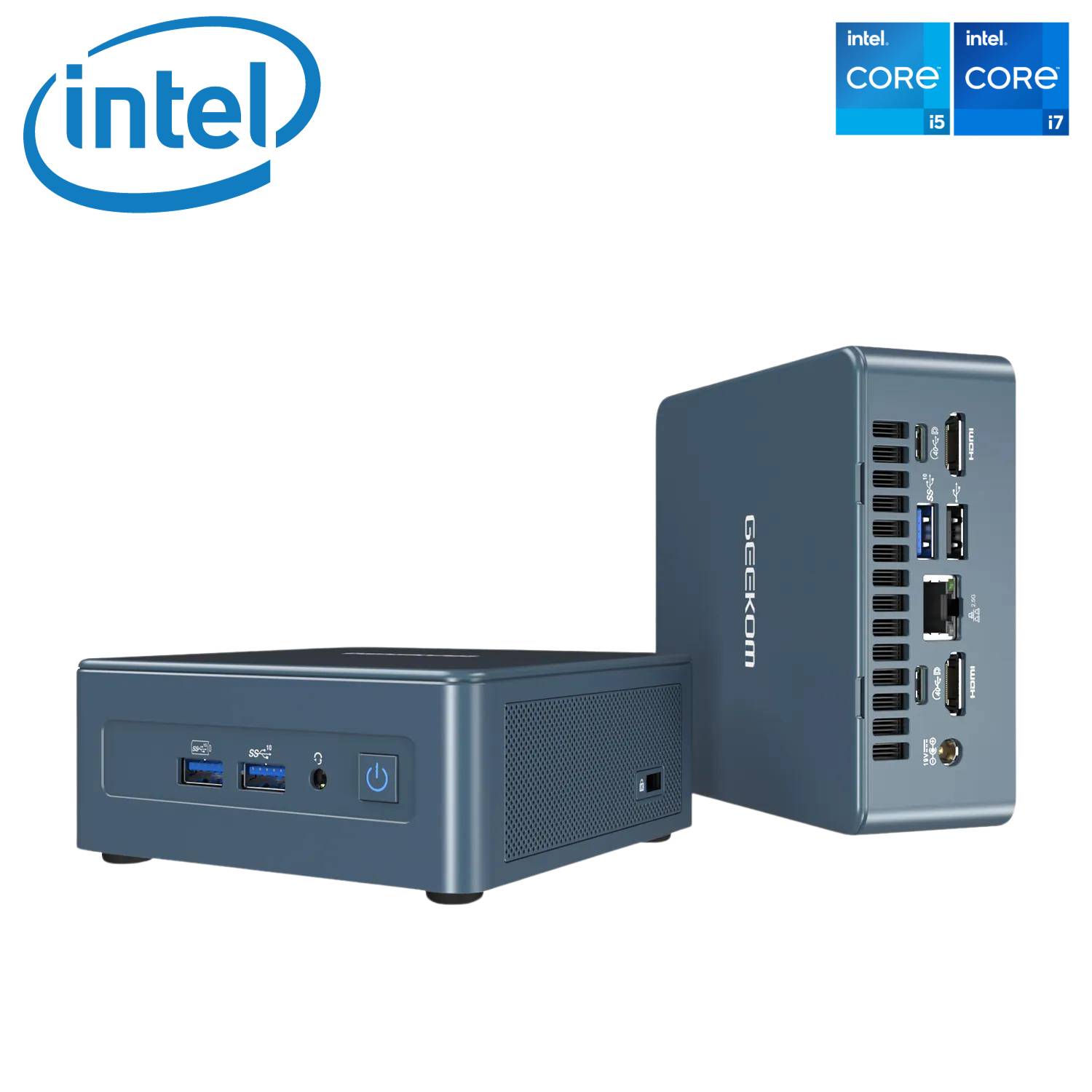
    Introducing the powerhouse in compact computing—the GEEKOM Mini IT12. This mini PC is not just a space-saver; it’s a multitasking marvel that handles office apps, 4K films, and, some say, even games with ease. In this comprehensive article, we’ll delve into the intricacies of the Geekom Mini IT12 review, exploring its features, performance, and real-world capabilities.

    With its impressive specifications, including the 12th Gen Intel Core i7-12650H processor, 32GB of DDR4 RAM, and a blazing-fast 1TB PCIe Gen 4 SSD, the IT12 promises desktop-level performance while maintaining a compact and energy-efficient profile. Let’s unravel the details to see how this mini powerhouse stands up to the rigors of everyday use.

    Geekom Mini IT 12 review

    Key Specs of Geekom Mini IT 12

    • Intel Core i7-12650H processor (10-core, 16-thread, up to 4.7GHz)
    • 32GB DDR4 RAM
    • 1TB PCIe Gen 4 SSD
    • Wi-Fi 6E, Bluetooth 5.2
    • 2 x HDMI 2.0, 2 x USB 4.0 ports
    • 2.5G Ethernet port
    • Windows 11 Pro preinstalled

    Performance

    Geekom Mini IT 12 review

    Boasting a powerful 12th Gen Intel processor and high-speed components, the GEEKOM Mini IT12 delivers exceptional productivity and creative workhorse capabilities beyond its miniature size. Let’s examine its performance chops in detail.

    • Powerhouse Processor: The i7-12650H is a beast, effortlessly handling demanding tasks like video editing, 3D rendering, and even light gaming. Compared to other mini PCs with i5 CPUs or older-generation processors, the performance difference is noticeable.
    • Multitasking Master: 32GB of RAM ensures smooth sailing even with multiple applications running simultaneously. Chrome with a dozen tabs open? Photoshop and Lightroom side-by-side? No problem.
    • Storage Speed Demon: The PCIe Gen 4 SSD boots Windows in seconds and loads applications at lightning speed. This is a significant upgrade compared to traditional SATA SSDs found in many mini PCs.

    Connectivity of GEEKOM Mini IT12 Review

    The GEEKOM Mini IT12 doesn’t skimp on wired and wireless connection capabilities either. With Wi-Fi 6E and Bluetooth 5.2 onboard alongside a speedy 2.5G Ethernet port, it keeps you connected to networks and accessories with the latest technology for reliable, low-latency connections.

    Geekom Mini IT 12 Wifi 6E
    =
    • Wi-Fi 6E for the Future: With Wi-Fi 6E, you can enjoy faster speeds and lower latency on compatible networks. This is especially useful for online gaming and streaming.
    • 2.5G Ethernet for Wired Power: For ultra-reliable and fast internet connections, the 2.5G Ethernet port is a welcome addition. This is ideal for downloading large files and working with cloud storage.
    • Four-Display Delight: Connect up to four displays simultaneously, thanks to the dual USB 4.0 and dual HDMI 2.0 ports. This makes the Mini IT12 perfect for multitasking professionals and home entertainment enthusiasts.

    Design and Usability

    Don’t let the tiny size of the Mini IT12 fool you; it packs a tremendous punch thanks to a smart, efficient design. With a compact footprint comparable to an Apple Mac Mini and an effective cooling system, it delivers silent operation, perfect for any workspace.

    • Compact and Stylish: The Mini IT12’s small footprint (8.94 x 6.93 x 5.28 inches) is ideal for space-constrained desks. Its sleek blue design adds a touch of elegance to any setup.
    • Quiet Operation: Even under heavy load, the Mini IT12 remains surprisingly quiet. This is great for office environments or late-night work sessions.
    • Pre-installed Windows 11 Pro: Get up and running quickly with Windows 11 Pro already pre-installed. The option to switch to Windows 10 Pro or even Linux for specific needs adds flexibility.

    Read More: Feonal Tablet Review: 10.1-inch Android 12 Tablet Latest Update

    Pros and Cons of Geekom Mini PC Mini IT 12

    Pros

    • Very fast processing speed
    • Compact size and takes up very little
    • space on a desk
    • Boots up quickly
    • Easy to set up
    • Powerful enough for daily tasks like streaming, browsing, and email
    • Well-designed housing with easy access to components
    • Quiet operation
    • Plenty of ports for attaching

    Cons

    • Price Point
    • Fan noise 
    • Limited Graphics
    • Limited Expansion Slots
    • Design is similar to the Mini IT11
    • Video setting reset
    • Weight

    While the GEEKOM Mini IT12 punches above its weight class in performance, some limitations exist. The lack of a dedicated graphics card hampers gaming capabilities, while the soldered CPU affects future upgradeability. Additionally, the need for external monitors, keyboards, and other peripherals should be factored in.

    The GEEKOM Mini IT12 is a powerful and versatile mini PC that punches well above its weight. Its combination of a top-tier processor, ample RAM, and fast storage makes it suitable for a wide range of users, from casual home users to creative professionals and even budget-conscious gamers. While the lack of upgradeability and built-in peripherals might be dealbreakers for some, the Mini IT12 remains a compelling option for those seeking a compact, energy-efficient desktop replacement with serious performance chops.

    Verdict: 4.6 out of 5 stars.

    Recommended for users who value performance, portability, and connectivity.

    Check details on Amazon

    The GEEKOM Mini IT12 is more than just a mini PC; it’s a statement. It’s a testament to the power of innovation, a promise that big things can come in small packages.

    If you’re a power user on the go, a creative professional seeking a compact workstation, or simply someone who appreciates cutting-edge technology, the IT12 is a compelling choice. It’s not just a computer; it’s a statement piece, a conversation starter, and a productivity powerhouse packed into a sleek, pocket-sized package.

    So, if you’re ready to break free from the shackles of bulky desktops and embrace the future of computing, look no further than the GEEKOM Mini IT12. It’s not just small; it’s mighty.

  • HP Pavilion x360 Review (2024): We Tested EVERYTHING!

    HP Pavilion x360 Review (2024): We Tested EVERYTHING!

    The HP Pavilion x360 aims to deliver the flexibility and usefulness of a convertible laptop at an affordable price point. I recently tested out the latest 14-inch model to provide an in-depth review exploring its features, performance benchmarks, and overall user experience as an on-the-go convertible.

    Dive into the world of the HP Pavilion x360 14-inch, a versatile 2-in-1 laptop that effortlessly transforms to fit your needs. From conquering work tasks to unleashing your creativity, this sleek and portable companion delivers performance, immersive entertainment, and convenient features, empowering you to do more wherever you go.

    Product information
    Screen
    Display Size
    Resolution
    Display Type

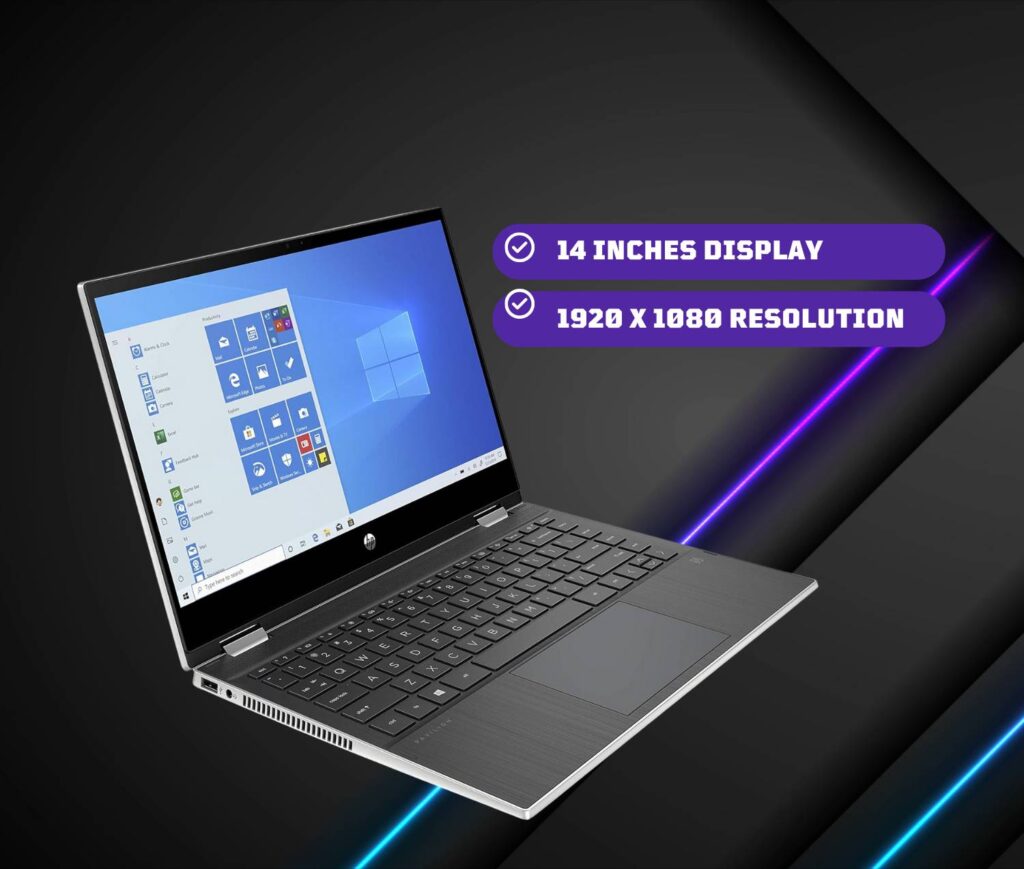
    14 Inches
    1920 x 1080
    LED
    Processor
    CPU Model
    CPU Speed

    Intel Core i5-1135G7
    4.5 GHz
    RAM Memory
    Memory Technology
    Memory Speed
    Cache Size

    8 GB DDR4
    3200 MHz
    8
    Battery
    Number Of Cells
    Lithium Battery Energy

    3
    43 Watt Hours
    Power
    Battery Cell Composition
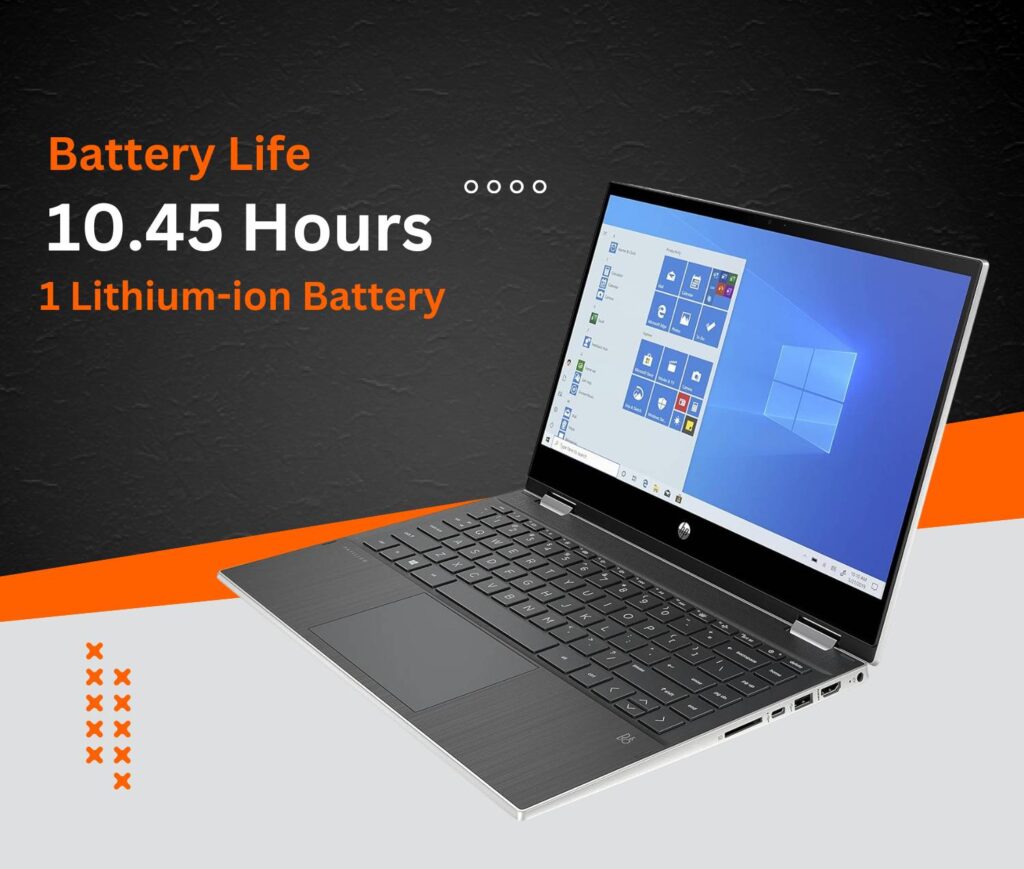
    Battery Life

    Lithium-ion
    10.45 Hours
    Storage
    Hard Disk Size
    Hard Disk Description
    Hard Disk Rotational Speed

    256 GB
    SSD
    7200 RPM

    Design & Build Quality

    Sleek, light, and built to last – that’s the first impression the HP Pavilion x360 makes in the design department (as many HP Pavilion x360 reviews will attest). Tipping the scales at a mere 3.5 pounds and measuring a svelte 0.7 inches thin, this 2-in-1 laptop effortlessly slips into your bag, becoming your constant companion throughout the day. But don’t let its slim profile fool you. The Pavilion x360 packs a punch when it comes to durability. Its metal chassis exudes a reassuring sturdiness, withstanding the occasional bend during mode transitions without raising any red flags. Rest assured, it feels built to tackle the rigors of daily use.

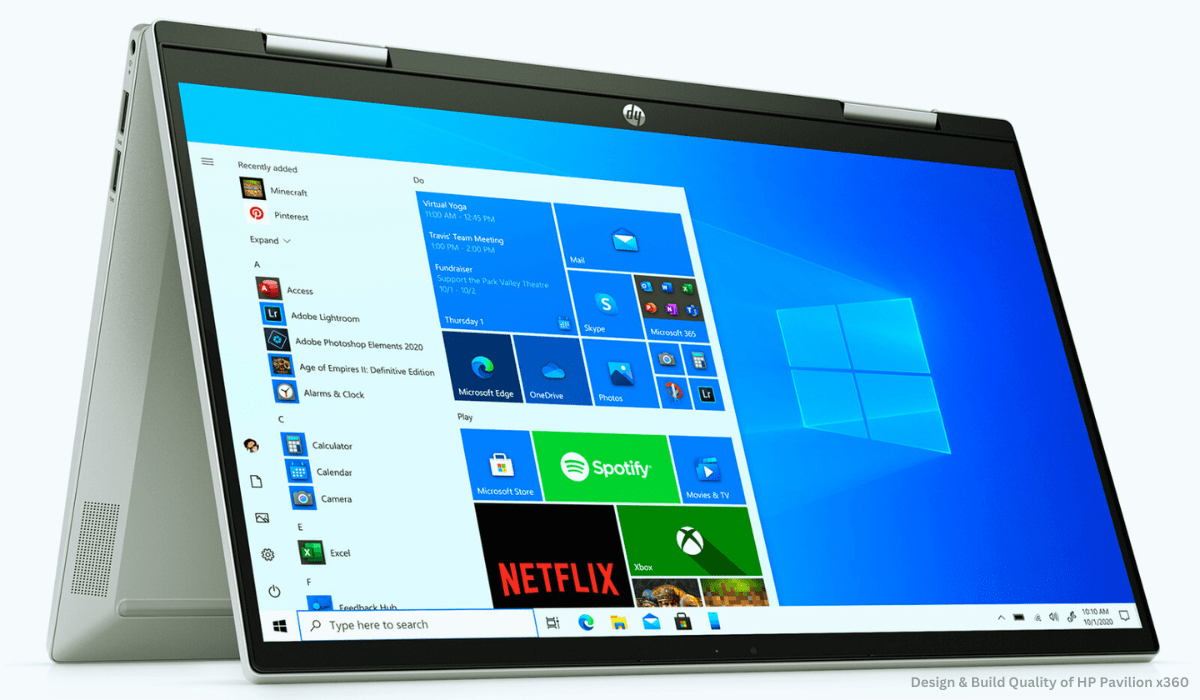
    The star of the show, however, is undoubtedly the 360-degree hinge. It glides smoothly as you seamlessly switch between laptop, tent, stand, and tablet modes, offering the versatility that defines the HP Pavilion x360 experience. This crucial component feels reassuringly solid, devoid of any unwanted wobbling, ensuring a stable and enjoyable experience across all configurations.

    Design & Build Quality of HP Pavilion x360

    Another design aspect that deserves praise is the minimal bezels. Measuring a mere 6.5mm on the sides, they contribute significantly to the modern and compact aesthetics of the Pavilion x360. This not only adds a touch of sleekness but also maximizes screen real estate for an immersive viewing experience, whether you’re working, streaming, or creating.

    Overall, the HP Pavilion x360’s design strikes a perfect balance between portability, durability, and modern flair. It’s a testament to HP’s ability to craft a device that’s both stylish and practical, perfectly complementing the versatility at its core. This aspect is sure to resonate with many users seeking a 2-in-1 laptop that seamlessly integrates into their dynamic lifestyles. Stay tuned for further sections of this HP Pavilion x360 review where we’ll delve deeper into its performance, display, and other key features!

    Display & Audio

    HP Pavilion x360 review: display

    Whether you’re devouring captivating content or unleashing your creativity, the HP Pavilion x360’s display needs to be a feast for the eyes. This latest iteration boasts a stunning 14-inch, 1080p touchscreen display that brings vibrant colors and sharp details to life. From everyday web browsing and video streaming to Zoom calls and photo editing, visuals appear crisp and clear, offering an immersive experience for your daily tasks.

    But the visual appeal doesn’t stop there. The touchscreen responsiveness is truly excellent, seamlessly translating your fingertip movements into on-screen actions when you switch to tablet mode. This makes note-taking, sketching, and interacting with touch-enabled apps a joy, truly unlocking the 2-in-1 versatility of the Pavilion x360.

    Equally impressive is the audio department. Gone are the days of tinny laptop speakers. The Pavilion x360 packs a punch with its dual speakers, delivering loud and surprisingly full sound. Whether you’re enjoying music, streaming videos, catching up on podcasts, or even indulging in casual gaming, the audio setup provides an immersive experience that rivals many dedicated external speakers. This is a welcome change for those who appreciate quality audio without the hassle of extra equipment.

    HP Pavilion x360 review

    In essence, the HP Pavilion x360’s display and audio combination caters to both visual and auditory needs, enhancing your entertainment, productivity, and creative endeavors. It’s a testament to HP’s focus on delivering a well-rounded experience that goes beyond just basic functionality, a point that will undoubtedly resonate with users seeking a 2-in-1 laptop that excels in both work and play. Stay tuned for the next section of this HP Pavilion x360 review where we’ll explore its performance and other key features!

    Performance & Battery: HP Pavilion x360 Review

    HP Pavilion x360 review

    Under the hood lies an Intel i5-1135G7 processor with integrated Iris Xe graphics and 8GB of RAM. This hardware configuration handles everyday multitasking with ease. I loaded 20+ Chrome tabs, including Google Docs, Slack, Asana, and Spotify, without noticing any lag.

    The 256GB SSD allows for fast boot-up times and app launch speeds. The Pavilion x360 takes just 12 seconds to start and less than 5 seconds to open apps after clicking.

    For battery performance, HP claims up to 10 hours of mixed-use. My testing showed it can deliver closer to 8 hours when streaming video and web browsing over Wi-Fi. This allows you to work or watch most of the day without needing an outlet.

    Read More: How to Unlock a Boost Mobile Phone

    User Experience of HP Pavilion x360

    The Pavilion x360 delivers a stellar user experience at an affordable mid-range price point. The convertible form factor works seamlessly for productivity, creativity, and entertainment. Tablet mode enables comfortable web browsing or streaming. Stand and tent modes are great for giving presentations or watching movies hands-free. And it performs excellently as a regular laptop for everyday tasks.

    The keyboard and touchpad also impress with a comfortable typing experience, accurate tracking, and multi-finger gestures. Connectivity options like Wi-Fi 6, Bluetooth 5.2, USB-A and Type-C ports allow you to hook up accessories and peripherals for extra productivity.

    Finally, the addition of the HP Command Center allows convenient customization of performance settings when you need an extra boost. You can also easily monitor system health metrics like thermals.

    Pros

    • Good for basic everyday use
    • Thin and lightweight
    • Backlit keyboard
    • Fast boot-up, quick responsiveness
    • Screen with vibrant colors, high brightness, and an appealing display.

    Cons

    • Underwhelming panel
    • Heavy operating force on keyboard keys
    • Speakers
    • Gaming/ Creative performance
    • Webcam

    Conclusion

    Concluding our deep dive into the HP Pavilion x360 14-inch, it’s clear that HP has struck a chord with this latest iteration. They’ve managed to balance versatility, power, and affordability into a sleek and portable package, creating a compelling option for a wide range of users.

    Whether you’re a student juggling assignments, an office professional on the go, a creative mind seeking an outlet, or simply a general user needing a reliable device for everyday tasks, the HP Pavilion x360 has something to offer. Its 2-in-1 design effortlessly adapts to your needs, transforming from a capable laptop to a convenient tablet, tent, or stand mode.

    In our HP Pavilion x360 review, we’ve explored its bright and responsive display, the surprisingly immersive audio, and the smoothly operating 360-degree hinge. And let’s not forget the solid performance delivered by its latest processors and ample RAM, ensuring you can tackle your tasks with ease.

    Of course, the affordability factor cannot be ignored. Compared to some high-end competitors, the HP Pavilion x360 offers excellent value for money, making it an attractive option for budget-conscious consumers.

    In conclusion, the HP Pavilion x360 14-inch emerges as a well-rounded and versatile contender in the 2-in-1 laptop market. Its blend of features, performance, and affordability makes it a strong choice for students, professionals, and general users alike. If you’re seeking a flexible and reliable device that seamlessly integrates into your dynamic lifestyle, the HP Pavilion x360 deserves a serious look.

    Is the HP Pavilion x360 good for students?

    Yes! The HP Pavilion x360’s 2-in-1 design, lightweight build, and affordable price tag make it ideal for students. Take notes in tablet mode, switch to a laptop for assignments, and enjoy long battery life throughout your day.

    How good is the battery life of the HP Pavilion x360?

    Expect 5-8 hours on average, depending on screen brightness and usage intensity. Optimize battery life by adjusting settings and utilizing power-saving modes when needed.

    Can the HP Pavilion x360 handle gaming?

    Light gaming is doable! The Pavilion x360 handles casual titles and some esports games well. However, for demanding AAA titles, consider laptops with dedicated graphics cards for smoother performance.

    How does the HP Pavilion x360 compare to other 2-in-1 laptops in its price range? 

    It punches above its weight! Compared to similar-priced 2-in-1s, the Pavilion x360 often boasts better features, performance, and overall value. Do your research, but it’s a strong contender!

    Is the HP Pavilion x360 touchscreen responsive?

    Absolutely responsive! The touchscreen is smooth, precise, and a joy to use. Take notes, sketch ideas, or navigate apps with ease in tablet mode, making the most of the 2-in-1 functionality.