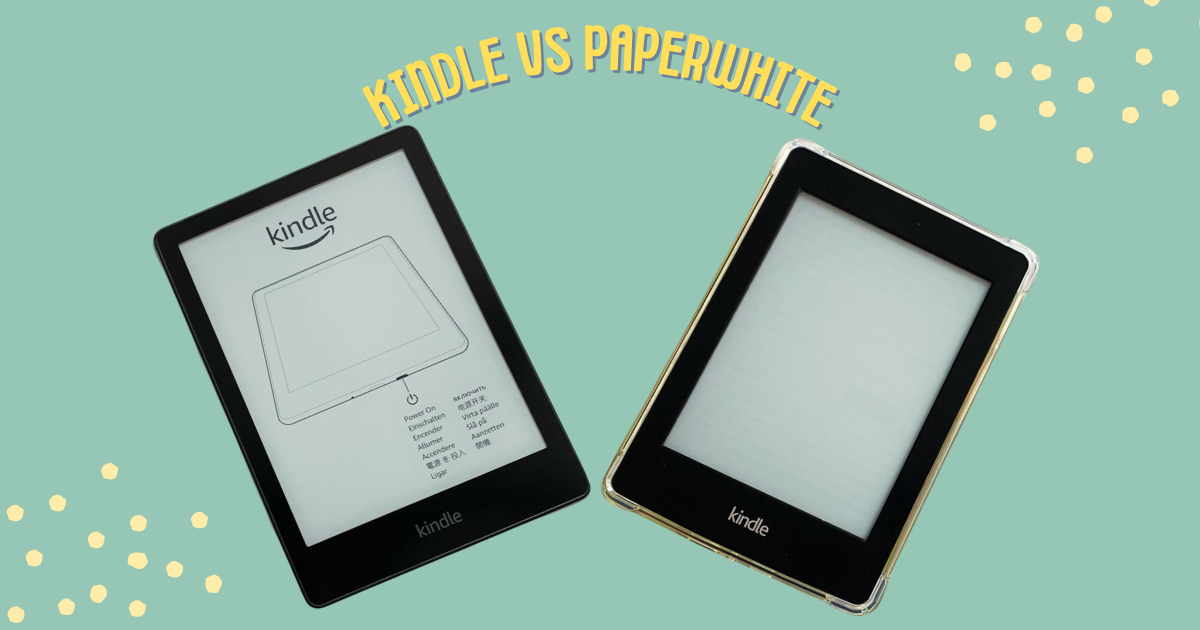
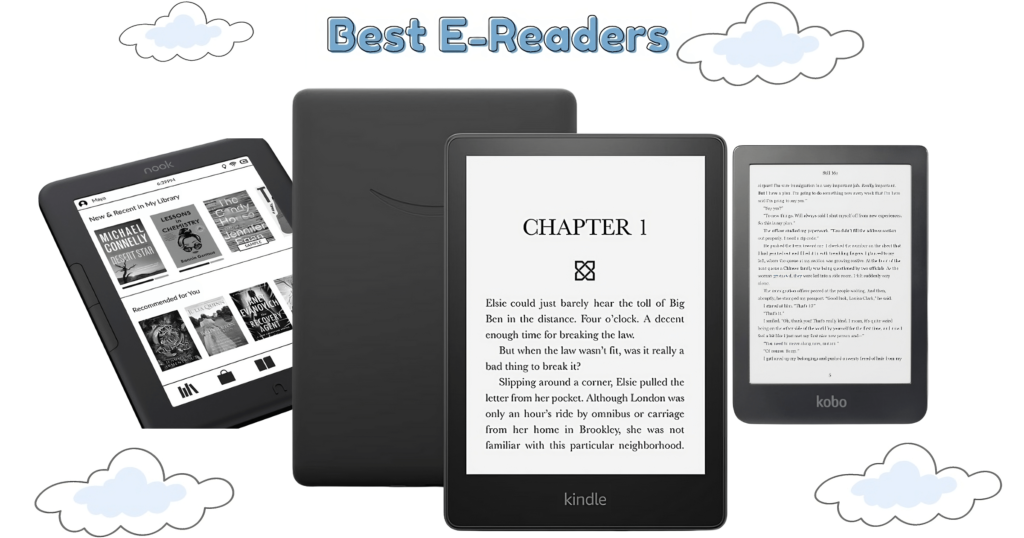
E-readers have revolutionized the way we consume literature. With their portability, vast libraries, and long battery life, they have become beloved companions for bookworms everywhere. At the forefront of this e-reading revolution sits Amazon’s Kindle line, offering a variety of options to suit different needs and budgets.
This article delves into the two most popular Kindle models—the Kindle and the Paperwhite—to help you pick the one that perfectly complements your reading journey. While both devices offer access to millions of e-books, key differences exist, particularly in display quality and feature sets, that can significantly impact your reading experience.
Are you unsure which Amazon Kindle to choose? Fret no more! This detailed comparison will reveal the champion for your bookshelf.
16 GB on-device, free cloud storage for Amazon content
8 GB or 16 GB on-device, free cloud storage for Amazon content
Battery Life
Up to 6 weeks on a single charge
Up to 10 weeks on a single charge
Display: The Heart of the Reading Experience
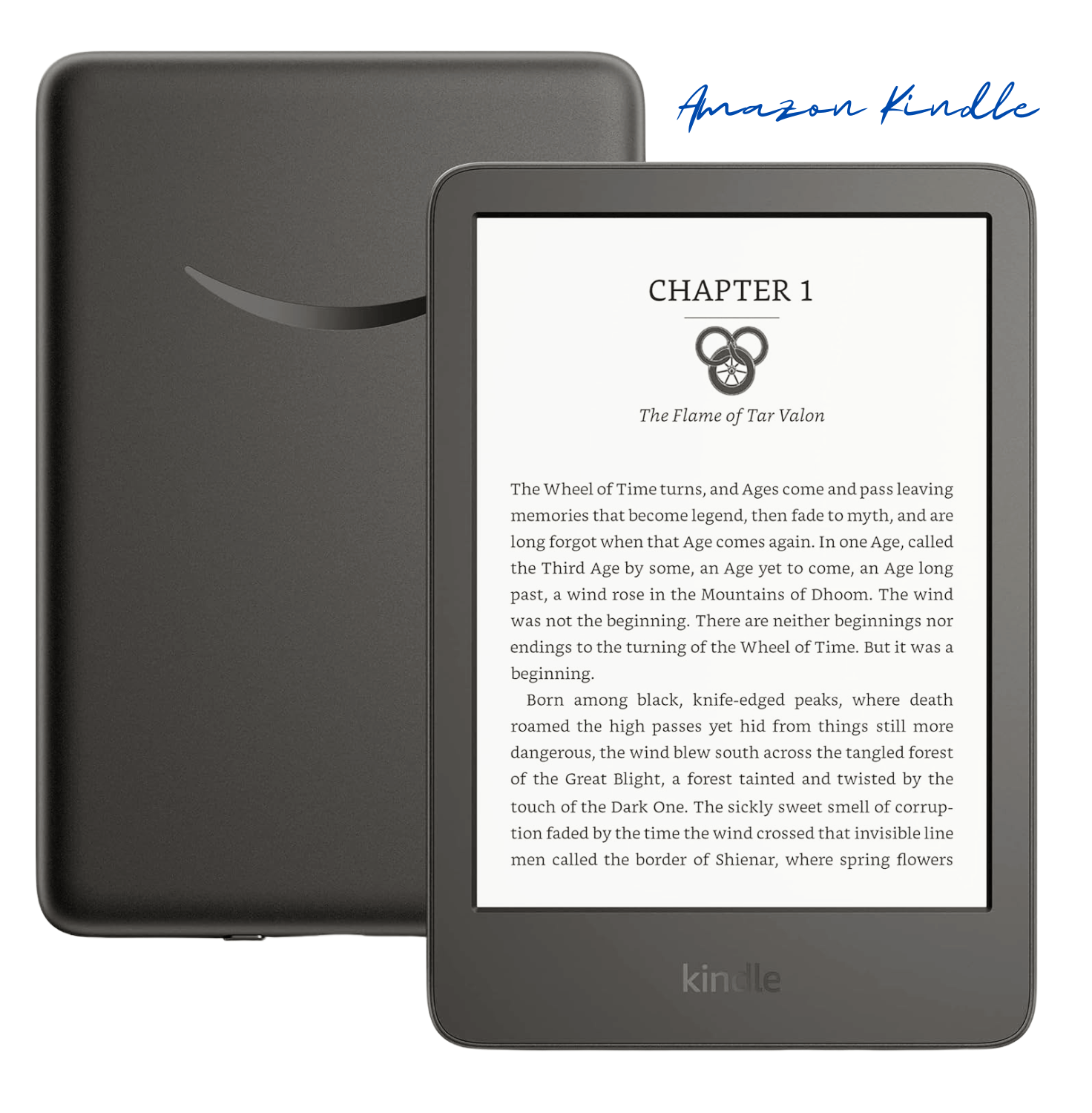
When it comes to the display, both the Kindle and Kindle Paperwhite offer impressive features that elevate your reading experience. The Kindle (11th Gen) boasts a 6-inch display with built-in light, 300 ppi (pixels per inch), and 16-level grayscale. This ensures crisp text and clear images, making it easy on the eyes for prolonged reading sessions.
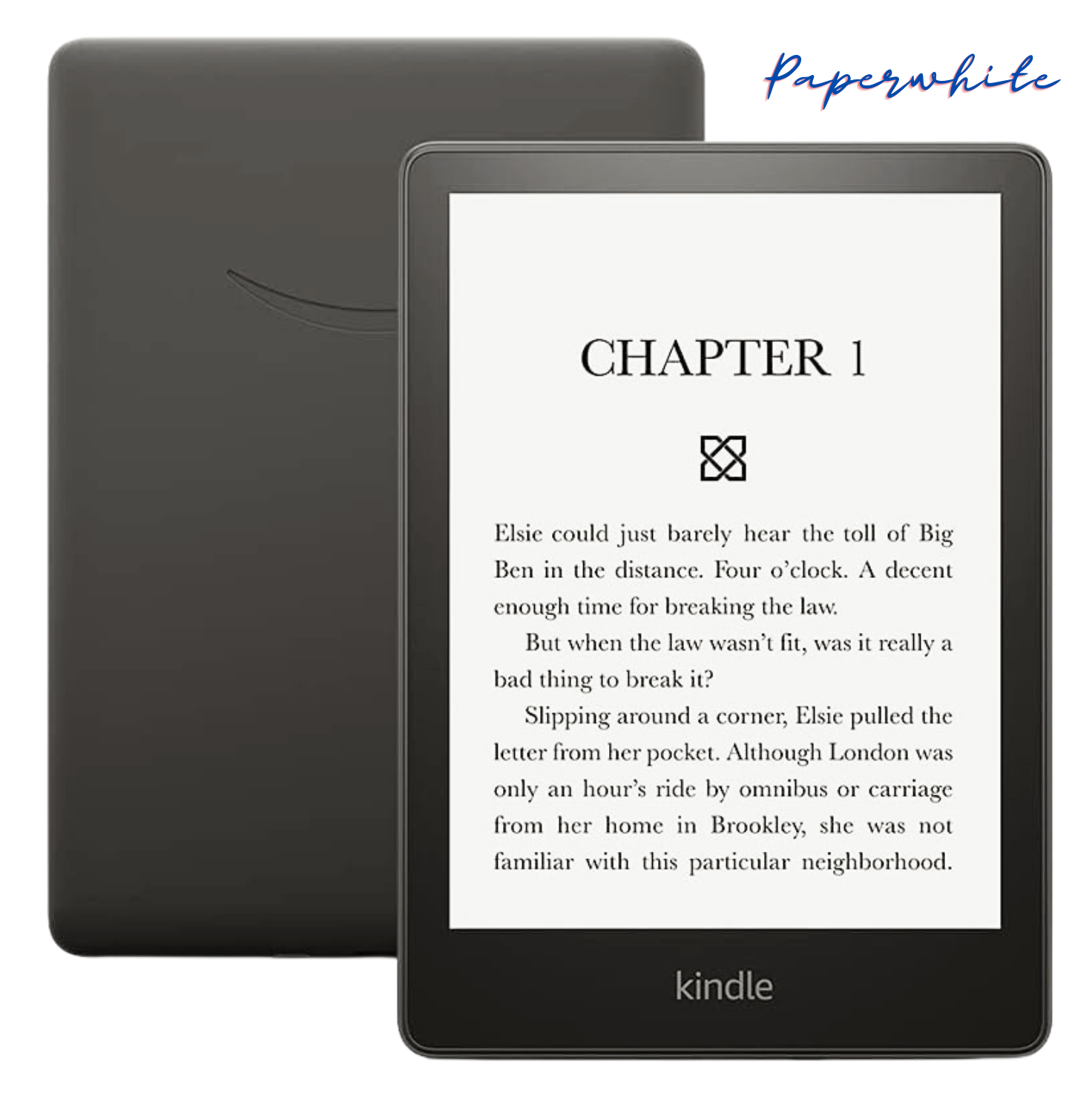
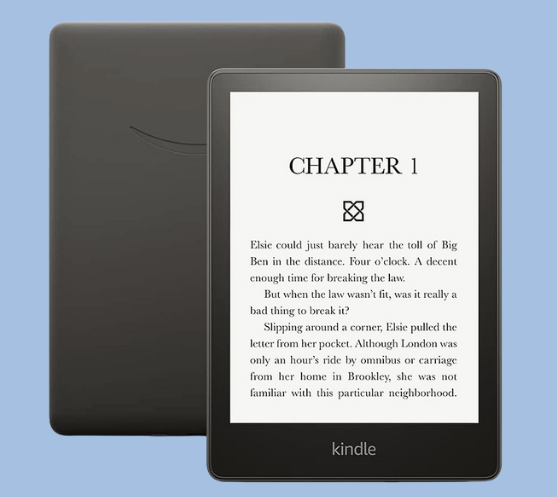
On the other hand, the Kindle Paperwhite (11th Gen) takes it up a notch with a larger 6.8-inch Paperwhite display, built-in light, 300 ppi, and a 16-level gray scale. The Paperwhite’s display is designed to mimic the look of real paper, reducing glare and providing a more immersive reading experience, especially in various lighting conditions.
This translates to crisper text and clearer images, especially beneficial for readers who indulge in graphic novels or PDFs. For those who have debated between the Amazon Kindle vs Kindle Paperwhite, it’s important to remember that the Fire is a tablet with an LCD screen, better suited for multimedia consumption, while the Paperwhite prioritizes a reading-optimized e-ink display.
Another noteworthy difference is the backlight technology. The Kindle features a basic front light, while the Paperwhite boasts an adjustable, warm light. This allows you to fine-tune the screen’s brightness and color temperature, reducing eye strain during nighttime reading sessions.
Features: Geared Up for Bookworms
Storage space is really important. The regular Kindle has 8GB, which can hold tons of books. But if you’re a super bookworm or you love graphic novels, you might need Paperwhite’s bigger 8GB or 16GB options.
The Paperwhite’s battery life is amazing. It lasts for weeks on a single charge! You can read book after book without constantly recharging. Lots of Paperwhite reviews praise this long battery life.
Both Kindles have a built-in dictionary to easily look up words you don’t know. But the Paperwhite also has a cool vocabulary builder tool. It’s perfect for learning new words as you read.
Love audiobooks? The Paperwhite lets you seamlessly switch between reading and listening with Audible. It’s so convenient!
Planning to read by the pool or beach? No problem! The Paperwhite is water-resistant, so you don’t have to freak out if it gets splashed. You can just relax and enjoy your book.
The basic Kindle is nice and compact, perfect for reading on the go. It’s so portable and lightweight! The Paperwhite is a bit bigger, but still a super comfy size to hold. Both Kindles are built tough as nails to withstand all your adventuring. But the Paperwhite does have a sleeker, more premium design that just looks and feels luxurious, you know?
At the end of the day, choosing between these two come down to what you personally want most. If you’re looking for an affordable reader that still gives you an awesome reading experience, the regular Kindle is a stellar choice.
But oh man, if you want a crisp high-resolution screen, that warm ambient light you can adjust, insane battery life, and cool extras like the vocabulary builder and Audible integration? The Paperwhite might just be your perfect bookish soulmate.
Whichever Kindle you go with, you’re unlocking a whole new world of literary adventures. It’ll be your gateway to infinitely amazing stories and books! You just have to decide if you want a few more fancy bells and whistles or the most budget-friendly, solid e-reader. Either way, it’s going to change your reading game forever.
Picking Your Perfect Match: Amazon Kindle vs Paperwhite
So, you’ve narrowed your choices down to the Kindle and Paperwhite, but which one reigns supreme for your reading needs? Let’s break down their strengths and weaknesses to help you make an informed decision.
The Kindle shines for value seekers. It offers a comfortable reading experience at a friendly price point, making it a fantastic choice for casual readers or those new to the e-reader world. However, its display isn’t quite as sharp as the Paperwhite’s, and the lack of an adjustable backlight might limit nighttime reading sessions.
If you crave a more premium reading experience, the Paperwhite beckons. Its higher-resolution display delivers crisp text and clear images, while the adjustable warm light ensures comfortable reading even under the covers. The Paperwhite’s longer battery life and additional features like a vocabulary builder and audiobook integration further sweeten the deal for bookworms who devour content and appreciate the versatility of switching between reading and listening formats.
Beyond these core differences, consider your existing book collection and reading habits. If you have a large library stored elsewhere or prefer reading physical books occasionally, the Kindle’s lower price tag might be more appealing.
On the other hand, if you’re an audiobook enthusiast or simply love the idea of getting lost in a captivating story without ever leaving your couch, Paperwhite’s integration with Audible might be the deciding factor.
Choosing Your E-reader Adventure
The battle between the Kindle and Paperwhite boils down to a war of priorities. The Kindle caters to budget-conscious readers who prioritize affordability and core functionality. The Paperwhite, however, elevates the reading experience with a sharper display, customizable lighting, and features that cater to dedicated bookworms.
Ultimately, the best Kindle for you depends on your individual needs and preferences. Consider your reading habits, budget, and desired features when picking the e-reader that will become your perfect literary companion. Happy reading!
Is the Kindle Paperwhite screen better than the Kindle?
Yes, the Kindle Paperwhite generally has a better screen than the Kindle. While both Kindles now have 300 ppi high-resolution displays for crisp text, the Paperwhite boasts more LEDs for brighter and more even front lighting. Additionally, the Paperwhite has a flush-front design, which some users find more aesthetically pleasing and easier on the fingers when turning pages.
Does the Kindle Paperwhite have a warmer light?
Yes, the Kindle Paperwhite has a warm light option. This feature allows you to adjust the screen lighting to a warmer tone, reducing blue light and creating a more comfortable reading experience at night. The standard Kindle only offers a cooler white light.
Which Kindle lasts longer on battery?
The Kindle tends to have a slightly longer battery life than the Paperwhite. Both Kindles offer excellent battery endurance, with the Kindle lasting up to 6 weeks and the Paperwhite lasting up to 10 weeks. However, usage patterns can affect battery life, so this may vary.
Is the Kindle Paperwhite waterproof?
Yes, the Kindle Paperwhite is waterproof. This makes it ideal for reading by the pool, at the beach, or even in the bathtub without worry of damage from accidental spills. The standard Kindle is not waterproof.
Is the Kindle Paperwhite worth the extra money?
Whether the Kindle Paperwhite is worth the extra money depends on your needs and preferences. If you prioritize a larger screen, warm light for nighttime reading, and waterproof construction, then the Paperwhite offers significant upgrades. However, if you value affordability and are happy with a basic e-reader experience, the standard Kindle is a solid choice.
As we age, our eyesight can naturally weaken, making the once-cherished activity of reading a frustrating challenge. But what if there was a way to keep the love of literature alive? Enter the world of the best e-readers for seniors. These innovative devices offer a lifeline to those who miss the joy of curling up with a good book.
According to the National Eye Institute, nearly 1.8 million adults over 40 in the United States have age-related macular degeneration, a leading cause of vision loss. This can make reading traditional printed text difficult or even impossible. Senior e-readers, however, come equipped with features specifically designed to combat these challenges.
Large-print e-readers allow users to adjust font sizes to a comfortable level, eliminating the need for squinting or straining. Many models also offer easy-to-use e-reader interfaces with big buttons for effortless navigation, perfect for those with limited dexterity.
But the benefits go beyond just enlarged fonts. The best e-readers for seniors in 2024 often come with built-in lighting, allowing for comfortable reading in any environment, day or night.
Additionally, many offer audiobooks for seniors, a fantastic option for those who may find reading visually demanding. With audiobooks, seniors can still enjoy the power of storytelling and stay connected to the literary world they love.
The best e-readers for seniors are also incredibly lightweight and portable. Unlike heavy traditional books, they can be easily carried around the house, on walks, or even when traveling. This portability, coupled with the vast library of e-books available for download, opens a world of possibilities for continued literary exploration.
Whether you’re a senior citizen yourself, a caregiver for a loved one, or part of a retirement community looking to enhance the lives of its residents, exploring the world of the best e-readers for seniors is a worthwhile endeavor. These devices can rekindle the joy of reading and unlock a universe of stories waiting to be discovered.
Key Considerations for Best E-readers for Seniors
Finding the best e-reader for seniors goes beyond just picking a random device. There are several factors to consider to ensure a comfortable and enjoyable reading experience. Here’s a breakdown of the key features to keep in mind:
Screen Size and Resolution: For comfortable reading, especially with enlarged text, a screen size between 6 and 8 inches is ideal. Large print e-readers often fall within this range, offering ample viewing space for magnified fonts. Resolution, measured in pixels per inch (ppi), is equally important. Higher resolution (300 ppi or more) translates to sharper, clearer text, reducing eye strain for seniors.
Font Size and Adjustability: One of the biggest advantages of senior e-readers is the ability to customize font size. Look for devices with large font options and easy-to-adjust controls. This allows seniors to personalize the reading experience and choose a font size that provides optimal comfort.
Ease of Use: Easy-use e-readers prioritize user-friendly interfaces with clear menus and intuitive navigation. Large, well-spaced buttons are a major plus, especially for seniors with limited dexterity. Some models even offer simplified home screens with minimal clutter, making it easy to find desired functions.
Battery Life: Who wants to be constantly tethered to a charger? A long battery life is crucial for seniors who enjoy extended reading sessions. Look for the best e-readers for seniors that boast at least a week of battery life on a single charge, ensuring uninterrupted reading time.
Built-in Light: Adjustable lighting is a game-changer for comfortable reading in any environment. Senior e-readers with built-in lights allow users to adjust the brightness to suit their preferences, whether reading in bright sunlight or enjoying a book before bed in low light.
Audiobooks Feature: For seniors who have difficulty reading visually or simply prefer listening to stories, audiobooks for seniors are a fantastic option. Many of the best e-readers for seniors come with audiobook capabilities, allowing them to stay engaged with the written word through spoken narration.
Additional Features: While not essential, some additional features can further enhance the reading experience for seniors. Waterproofing can provide peace of mind against accidental spills, while a built-in dictionary offers instant word definition lookups without needing a separate device.
Ultimately, the best e-reader for seniors depends on individual needs and preferences. However, by considering these key factors, caregivers, family members, and retirement communities can make an informed choice and unlock a world of literary enjoyment for their senior loved ones.
Top E-readers for Seniors in 2024
Finding the best e-reader for seniors isn’t a one-size-fits-all proposition. However, by carefully considering the features outlined in the previous section, you can navigate the options and find the ideal device to reignite the joy of reading.
Are you looking for an e-reader that feels like it was made just for you? The Kindle Paperwhite would be the best choice for you! Here’s why it’s a fantastic choice, especially for seniors:
Big, Beautiful Screen: Imagine a comfortable reading experience, just like holding a real book. The Paperwhite’s 6.8-inch display is clear and crisp, with an adjustable warm light that lets you go from bright white to a soothing amber glow—perfect for nighttime reading without straining your eyes. Plus, the glare-free screen means you can enjoy your book anywhere, even on a sunny day at the park.
Thousands of Books at Your Fingertips: Remember lugging around heavy books? Not anymore! The Paperwhite can store thousands of titles, so you can carry your entire library with you wherever you go. Plus, a single charge lasts for weeks, not hours, so you can focus on reading, not finding an outlet.
Easy on the Eyes: We all know how eyesight can change as we get older. The Paperwhite has features to make reading a breeze. The font size can be adjusted to make those words nice and big, and there’s even a text-to-speech option (available in English only) that lets you listen to your books instead of reading them.
Waterproof Worries? Be Gone! Accidental spills happen, but with the Paperwhite, you don’t have to worry about ruining your e-reader. It’s waterproof, so you can relax with a book by the pool or even take a bath with your favorite novel.
A World of New Stories to Discover: Feeling stuck in a reading rut? The Paperwhite opens the door to millions of ebooks, with options for every taste. Plus, with Kindle Unlimited, you can get unlimited access to a massive library of titles for a monthly subscription fee.
Listen Along, Hands-Free! Even if reading on screen isn’t your preference, you can still enjoy audiobooks! Pair your Paperwhite with Bluetooth headphones or speakers and lose yourself in a captivating story.
Simple and Hassle-Free: The Paperwhite is designed to be user-friendly, with a simple interface and no complicated setup needed. It’s completely wireless, so you can download content directly to your device without needing a computer.
Lightweight and Portable: Take your reading anywhere! The Paperwhite is thin and light, making it perfect for slipping into your purse, backpack, or even your pocket.
Peace of Mind with Long Battery Life: The e-reader offers up to ten weeks of battery life on a single charge, based on half-hour daily reading with wireless off and brightness at 13. For seniors, this means uninterrupted reading or audiobook enjoyment for extended periods without frequent recharging, enhancing their reading experience.
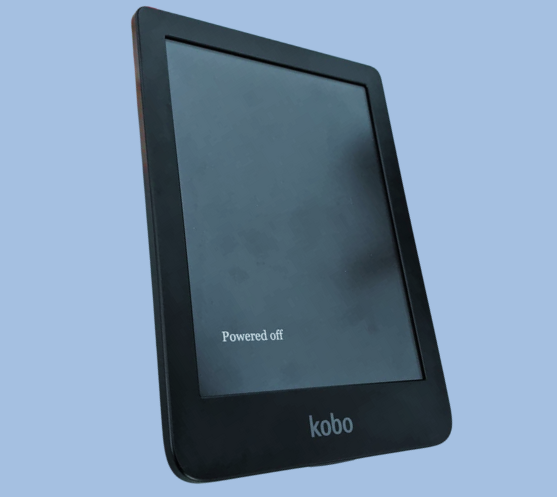
Kobo Clara HD eReader offers a 6″ glare-free touchscreen with adjustable brightness and color temperature, WiFi connectivity, 8GB storage, and Carta E Ink Technology.
Looking for an alternative to the Kindle Paperwhite? The Kobo Clara HD offers a compelling choice for seniors, packed with features that enhance the reading experience:
Adjustable Brightness and Blue Light Control: The Kobo Clara HD boasts ComfortLight PRO, a feature that lets you adjust the screen’s brightness and color temperature. This is especially useful for seniors, as it allows you to reduce blue light exposure in the evenings gradually. Reading in low light becomes easier and more comfortable, preventing eyestrain and making bedtime reading a relaxing experience.
Glare-Free Touchscreen for Comfortable Reading Anywhere: Unlike tablets and smartphones, the Kobo Clara HD features a glare-free 6-inch high-definition screen with 300 ppi resolution. This ensures a natural, print-like reading experience, just like reading a traditional book. You can comfortably enjoy your favorite novels even in bright sunlight without worrying about reflections.
Carry Your Entire Library (and More!): With a generous 8GB of storage, the Kobo Clara HD lets you store a massive collection of ebooks—up to 6,000 books! Plus, the built-in Rakuten Kobo eBookstore offers access to over 6 million titles, so you’ll never run out of reading material. Browse new releases, explore different genres, or revisit old favorites—the choice is yours!
A Personalized Reading Experience: Tailor your reading experience to your preferences! Choose from over 50 font sizes and 12 font styles to find the perfect combination for comfortable reading. Adjust margins, highlight passages, and take notes to enhance your comprehension and engagement with the text. The Kobo Clara HD even includes a built-in dictionary, accessible with a simple tap, for quick definition lookups.
Long-Lasting Battery Life for Uninterrupted Reading: The Kobo Clara HD boasts a battery life that lasts for weeks on a single charge (depending on usage). This means you can focus on reading without worrying about constantly searching for a charger. Enjoy countless hours of uninterrupted reading, whether you’re curled up at home or on the go.
Expand Your Reading Options with Library Borrowing: The Kobo Clara HD makes it easy to access your local library’s digital collection. Borrow ebooks directly from your eReader, expanding your reading options without having to visit the library in person (availability varies by library location).
Compact and Portable Design: Measuring just 4.33 x 0.33 x 6.28 inches and weighing only 5.9 ounces, the Kobo Clara HD is lightweight and easy to carry around. Tuck it into your purse, backpack, or even a large pocket, and take your reading anywhere you go!
With its focus on comfort, customization, and extensive library options, the Kobo Clara HD emerges as a strong contender for seniors seeking a feature-rich e-reader experience.
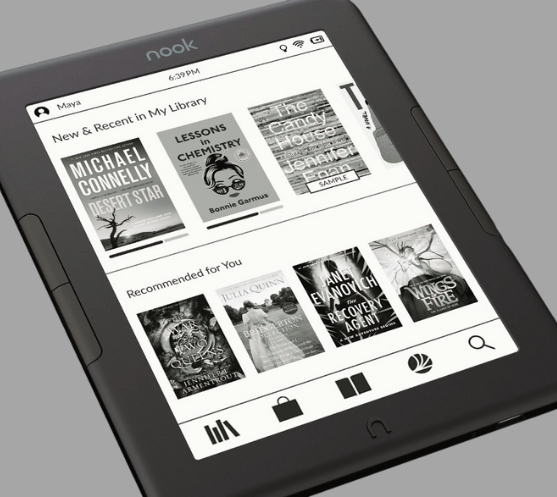
For seniors who might prefer a familiar brand and a focus on reading comfort, the Barnes & Noble Nook Glowlight 4e is a strong contender. Here’s why:
Classic Reading Experience: The Nook Glowlight 4e boasts a 6-inch, 212 ppi high-resolution display with a glare-resistant and fingerprint-proof lens. This delivers a crisp, clear reading experience that feels similar to a traditional book.
Comfortable Design: The soft-touch finish makes the Nook Glowlight 4e easy to grip and comfortable to hold for extended reading sessions. Plus, you can choose between navigating with the touchscreen or using the physical page-turning buttons, whichever method you find most comfortable.
Decent Battery Life: While not the longest-lasting on this list, the Nook Glowlight 4e promises weeks of reading on a single charge. This is perfect for casual readers or those who prefer shorter reading stints.
NOOK Cloud Integration: A perk for longtime Barnes & Noble customers is the seamless integration with NOOK Cloud. This allows you to easily pick up where you left off on any device with the free NOOK Reading App, be it your smartphone, tablet, or another NOOK device.
However, it’s important to consider these points when comparing the Nook Glowlight 4e to other options:
Shorter Battery Life: Compared to the Kindle Paperwhite and Kobo Clara HD, the Nook Glowlight 4e’s battery life is a bit shorter.
Lower Resolution Screen: The screen resolution (212 ppi) is lower than the Kindle Paperwhite (300 ppi) and Kobo Clara HD (300 ppi). While still readable, the text might appear slightly less sharp.
Limited Storage: Information about storage capacity isn’t readily available, but some sources suggest it might be 8GB. This is still enough for a decent collection, but less than what the Kindle Paperwhite and Kobo Clara HD offer.
Ultimately, the Nook Glowlight 4e is a solid choice for seniors who prioritize a familiar brand, comfortable design, and seamless cloud integration with their other devices. However, if features like long battery life, higher resolution screens, or extensive storage are top priorities, the Kindle Paperwhite and Kobo Clara HD might be better options.
In conclusion, senior e-readers offer a gateway to a world of literary rediscovery. These innovative devices combat the challenges faced by many seniors with declining vision, bringing the joy of reading back into their lives. Large print options, adjustable lighting, and easy-use e-readers with an e-reader with big buttons empower seniors to read comfortably and independently. For those who prefer listening, audiobooks for seniors provide another avenue to engage with stories.
With a vast library of e-books readily available and a long battery life ensuring uninterrupted reading sessions, the best e-readers for seniors open a door to endless possibilities. Imagine a world where seniors can curl up with a captivating novel on a park bench, devour a travelogue before bed, or explore the latest biographies at their leisure. E-readers for seniors make this a reality.
The world of literature awaits, brimming with stories waiting to be discovered. Let the best e-readers for seniors be the bridge that reconnects seniors with the cherished activity of reading.
With the right device in hand, the joy of getting lost in a good book can be a cherished companion for years to come.
Are e-readers difficult to learn?
No! Easy-use e-readers prioritize user-friendly interfaces with clear instructions and large buttons, making them ideal for seniors.
Can I adjust the font size on e-readers?
Absolutely! Large print e-readers allow for significant font size adjustments, ensuring comfortable reading for all.
Where can I buy e-books?
You can buy e-books from various online platforms, but one of the most popular and widely-trusted sources is Amazon. In this article, I’ve provided a direct link to Amazon where you can browse and purchase a wide range of e-books. Simply click on the provided link within the article to explore and buy your desired e-books effortlessly.
Which Kindle is best for an older person?
The Kindle Paperwhite stands out as the top choice for seniors. With its waterproof design and nearly 7-inch glare-free screen resembling real paper, it offers an adjustable display color to reduce eye fatigue.
The Samsung Galaxy Tab A9+ has emerged as a compelling contender in the budget tablet market, offering a harmonious blend of affordability, performance, and thoughtful design. As users seek versatile devices for both work and leisure, the Galaxy Tab A9+ steps up to the plate with its impressive features and user-friendly experience.
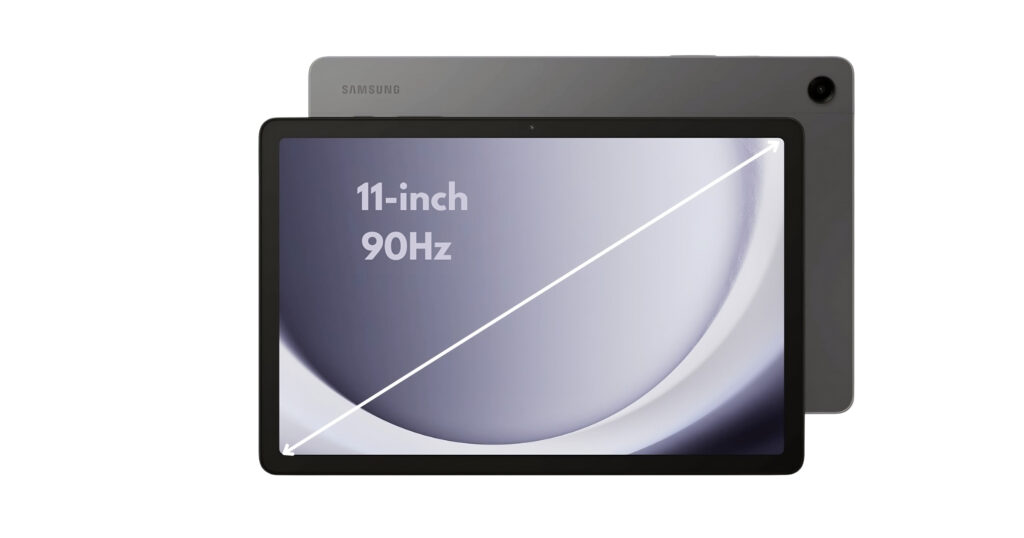
Big screen fun! The Samsung Galaxy Tab A9+ (2023) features an immersive 11″ display, Dolby Atmos quad speakers, & an upgraded chipset. Multitask with ease & enjoy a slim, light design.
The Galaxy Tab A9+ slots neatly into the budget end of Samsung’s Android tablet lineup in the US, replacing the Galaxy Tab A8 from 2022. Let’s dive into what makes this tablet stand out:
Design and Build Quality
The Galaxy Tab A9+ inherits design traits from its predecessor, the Tab A8, which earned a special place in users’ hearts. Its understated yet refined design exudes elegance, making it a pleasant companion for streaming videos, browsing the web, or tackling productivity tasks. The sturdy build ensures durability, even during everyday use.
The Samsung Galaxy Tab A9+ strikes a balance between style and functionality with its design and build quality. Here’s a detailed look:
Thin and Light: Measuring just 0.27 inches thin and weighing 1.35 pounds, the Tab A9+ is a remarkably portable tablet. This makes it comfortable to hold for extended periods, making it ideal for reading ebooks, browsing the web, or watching videos.
Premium Feel: Samsung clad the A9+ in a sleek aluminum back that gives it a polished and premium look. The aluminum construction also enhances durability, providing peace of mind for everyday bumps and nicks.
Large Display, Minimal Bezels: The large 11-inch display is the centerpiece of the tablet, accentuated by minimal bezels that create a more immersive viewing experience.
Color Options: The Tab A9+ comes in three classic colors: Graphite, Silver, and Navy. You can choose the color that best suits your style.
Some things to consider
While the aluminum build feels sturdy, some reviewers have noted that it can be a bit slippery. A case might be a good idea for added grip and protection.
The bezels, while minimal, are slightly thicker than those found on high-end tablets.
Overall, the Samsung Galaxy Tab A9+ delivers a well-designed and well-built tablet, particularly for its price point. The thin and light profile makes it easy to carry around, while the aluminum construction offers a touch of elegance and durability.
Display and Audio
The Samsung Galaxy Tab A9+ is built for entertainment, and its display and audio system reflect that focus. The 11-inch display steals the spotlight. With a resolution of 1920 x 1200 (WUXGA) and a refresh rate of up to 90 Hz, the screen offers vibrant visuals and smooth interactions. Whether you’re binge-watching your favorite series or immersing yourself in an e-book, the Galaxy Tab A9+ delivers.
But it’s not just about visuals—the tablet boasts quad speakers powered by Dolby Atmos. Your music, shows, and games come alive with rich, clear sound. Imagine the joy of watching a movie with your family, with each speaker contributing to the cinematic experience. Let’s delve into the details:
Display:
Large and Vibrant: The centerpiece of the A9+ is its expansive 11-inch TFT LCD display. This generous screen size is perfect for watching movies, playing games, or browsing the web.
Sharp Resolution: With a resolution of 1920 x 1200 (WUXGA), the display offers sharp visuals and clear text. While not the highest resolution on the market, it delivers enjoyable visuals for everyday tasks.
Smooth Scrolling and Motion: A 90Hz refresh rate ensures smooth scrolling and transitions, making navigation and fast-paced games feel fluid and responsive.
Audio:
Dolby Atmos Experience: The A9+ boasts quad speakers tuned with Dolby Atmos technology. This combination delivers immersive and rich surround sound, significantly enhancing your movie, music, and gaming experiences.
Loud and Clear Audio: Whether you’re watching a quiet dialogue scene or listening to action-packed music, the speakers deliver clear and well-balanced audio at ample volume.
Some things to consider
Display Type: An LCD panel is used instead of an OLED panel. While LCDs offer good brightness and color accuracy, OLED panels generally provide deeper blacks and better contrast ratios.
No Fingerprint Sensor: The display doesn’t house a fingerprint sensor for unlocking the tablet. Fingerprint security is available via a side-mounted sensor, however.
The Samsung Galaxy Tab A9+ display and audio combination provide a compelling entertainment experience. The large display offers plenty of screen real estate, while the 90Hz refresh rate ensures smooth visuals. The Dolby Atmos-powered quad speakers deliver immersive and room-filling sound, making the A9+ a great choice for watching movies, listening to music, or playing games.
Performance and Software
The performance and software of the Galaxy Tab A9+ work together to deliver a smooth and capable user experience. Let’s explore what’s powering this tablet:
Processor:
Upgraded Performance: Under the hood, the Galaxy Tab A9+ packs an updated Snapdragon 695 processor. This improvement translates to snappier performance, whether you’re switching between apps, editing documents, or playing casual games. Android 13 comes pre-installed, ensuring you’re up-to-date right out of the box. This upgrade translates to improved performance for everyday tasks, including:
Effortlessly switching between multiple apps
Browsing the web with ease
Handling productivity tasks like document editing and note-taking
Enjoying casual games without lag
While not a powerhouse for demanding games or heavy multitasking, the Snapdragon 695 is a capable processor that delivers a noticeable improvement over previous A-series tablets.
Software:
Android 13 out-of-the-box: The Galaxy Tab A9+ comes pre-installed with the latest Android 13 operating system. This ensures you have access to the newest features, security updates, and optimizations from Google.
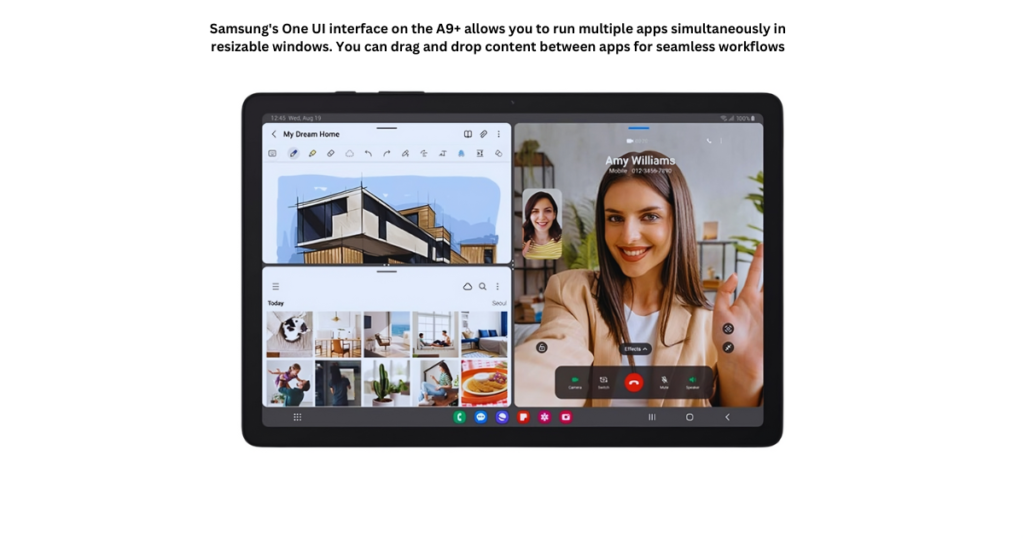
Samsung’s One UI Interface: Samsung overlays Android 13 with their One UI interface. This user-friendly interface provides a clean and intuitive experience specifically designed for tablets. It offers features like:
Multi-window functionality for efficient multitasking
Drag-and-drop capabilities for seamless file management
Dex mode, transforming the tablet into a desktop-like experience with a monitor connection (optional accessory required)
Some things to consider
Mid-Range Performance: The Snapdragon 695 is a mid-range processor. While it handles everyday tasks well, users who require intensive multitasking or high-end gaming should look towards higher-end tablets.
Bloatware: Samsung’s One UI may include some pre-installed apps you might not use. These apps can usually be disabled or uninstalled to free up storage space.
Overall, the combination of the upgraded Snapdragon 695 processor and Android 13 with Samsung’s One UI interface offers a smooth and capable user experience for everyday tasks, entertainment, and light to moderate productivity work.
Storage Options
The Samsung Galaxy Tab A9+ caters to individual storage needs with two built-in storage options and the flexibility of expandable microSD card support. Let’s delve into the details:
Built-in Storage:
64GB and 128GB Options: The Galaxy Tab A9+ comes in two storage variants: 64 GB and 128 GB. The choice depends on your typical tablet usage and how much storage you require for apps, games, photos, videos, and files.
64GB: This option is suitable for users who primarily browse the web, check email, stream videos occasionally, and use lighter apps.
128GB: If you plan on downloading more apps and games, storing a larger music or photo library, or working with offline files, the 128GB model provides more breathing room.
Expandable Storage with MicroSD Cards:
MicroSD Support Up to 1TB: Fortunately, the Galaxy Tab A9+ doesn’t limit you to its built-in storage. It features a microSD card slot that allows you to expand your storage capacity by up to 1TB with a compatible microSD card (sold separately). This is a significant advantage, especially for users who:
Download a lot of movies, music, or games for offline use.
Take high-resolution photos and videos.
Need to store large work files on the tablet.
Making the Right Storage Choice
Here are some tips to help you decide how much storage you’ll need:
Consider your app usage: If you plan on installing many games or data-heavy apps, opt for the 128GB option or plan to use a microSD card.
Think about your media consumption: Do you store a lot of music, movies, or offline content? If so, you’ll likely benefit from more storage space.
Evaluate your photo and video needs: If you take high-resolution photos and videos, you’ll need more storage to store them.
Value Proposition
Now, let’s talk value. The base model starts at $214.99, making it an attractive proposition for budget-conscious users. But there’s more: Samsung offers a 5G-ready version for those seeking faster connectivity. Compare this to other tablets in the same price range, and the Galaxy Tab A9+ holds its ground admirably.
The Samsung Galaxy Tab A9+ positions itself as a budget-friendly entertainment and productivity tablet. Here’s a breakdown of its pros and cons to help you decide if it’s the right choice for you:
Pros
Large and Immersive Display
Capable Performance for Everyday Tasks
Excellent Audio Experience
Expandable Storage
Family-Friendly Features
Thin, Light, and Durable Design
Affordable Price Point
Cons
Mid-Range Processing Power
No S Pen Support
15W Charging Speed
LCD Display
No Fingerprint Sensor on Display
Ultimately, the Samsung Galaxy Tab A9+ offers a compelling balance of features and affordability for casual users, families, and students who prioritize entertainment, browsing, light productivity, and everyday tasks. By considering the pros and cons, you can decide if the A9+ aligns with your needs and usage style.
Who Benefits Most?
The Galaxy Tab A9+’s versatility makes it a compelling choice for various users:
Students: The large display is perfect for reading textbooks and ebooks. The A9+ can handle note-taking apps and research browsing with its capable processor.
Casual Users: Enjoy streaming movies and shows, browsing social media, and managing emails with ease. The A9+ provides a smooth experience for everyday entertainment and light productivity tasks.
Families: The large screen makes the A9+ ideal for family movie nights or watching shows together. Samsung Kids provides a safe and engaging space for children to learn and play, while expandable storage allows you to store plenty of movies, games, and educational apps for everyone.
Budget-Minded Users: Looking for a large-screen tablet without breaking the bank? The A9+ offers excellent value with its feature set and affordable price point.
Light Gamers: While not a powerhouse, the A9+ can handle casual games without any issues.
The Samsung Galaxy Tab A9+ isn’t just about entertainment; it can be a valuable educational tool for children as well. But for parents, ensuring a safe and controlled environment is crucial. Here’s how the A9+ addresses those concerns:
Samsung Kids: This dedicated app creates a safe space for your children to explore age-appropriate content. It offers:
Curated Content: Educational games, interactive activities, and child-friendly videos ensure your kids are learning and having fun.
Parental Controls: Set screen time limits, manage app access, and monitor usage to ensure a healthy digital balance.
Customizable Profiles: Create individual profiles for each child, allowing for personalized content and time restrictions.
Simple Setup: Setting up Samsung Kids is easy and intuitive. You can quickly establish a safe environment for your children, giving you peace of mind.
Beyond Samsung Kids:
Google Play Parental Controls: The Galaxy Tab A9+ allows you to leverage Google Play’s parental controls. This lets you restrict app downloads, and in-app purchases, and manage content filtering based on your child’s age.
In summary, the Samsung Galaxy Tab A9+ strikes a balance between affordability and functionality. It won’t replace a high-end laptop, but it’s a reliable companion for everyday tasks. Whether you’re a student, a parent, or someone seeking an affordable tablet, the Galaxy Tab A9+ deserves a spot on your radar.
Remember, technology evolves, but thoughtful design and usability remain timeless. The Galaxy Tab A9+ embodies this philosophy, making it a worthy addition to your digital arsenal. So go ahead, explore, create, and enjoy—Samsung’s got you covered!
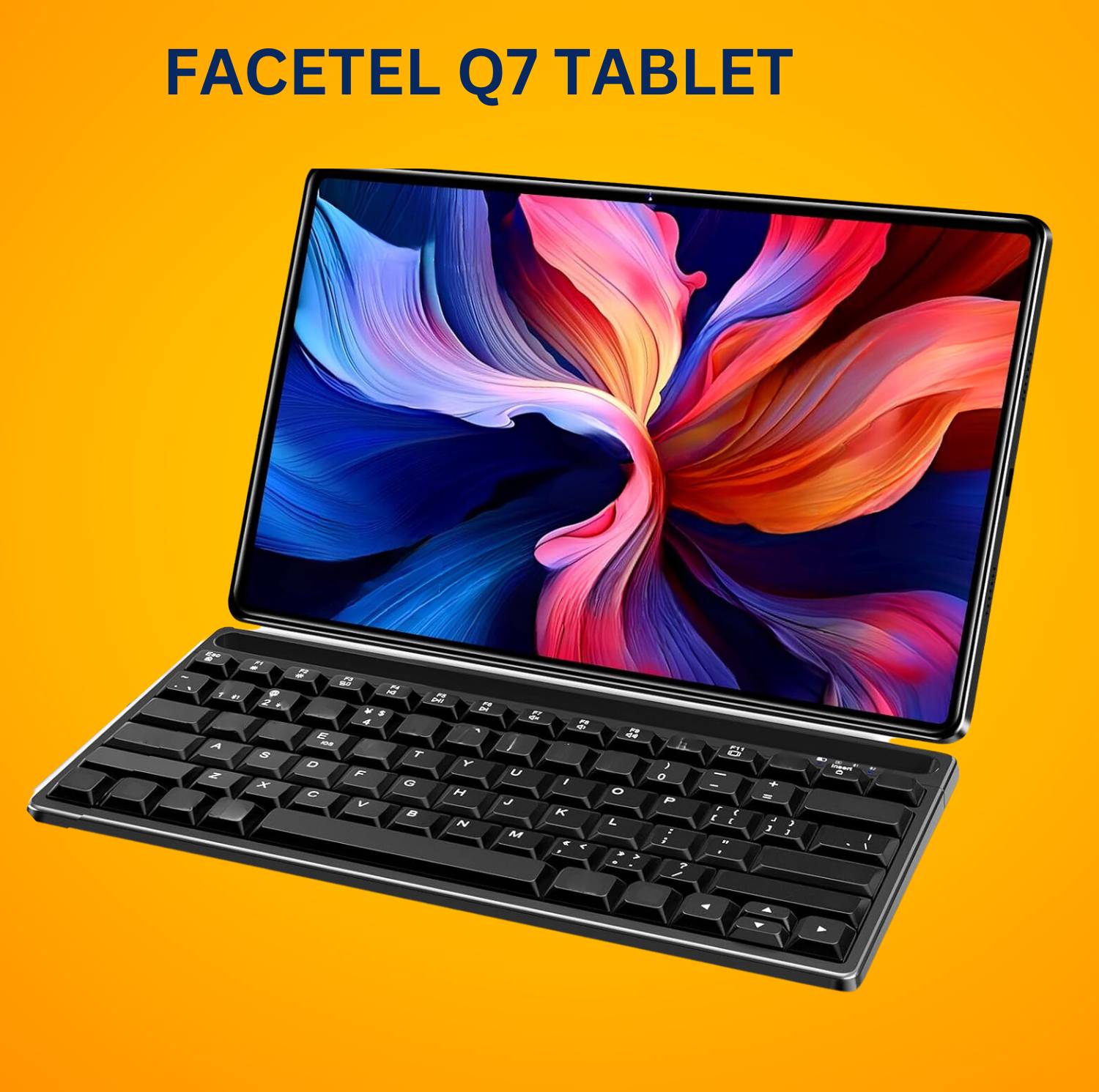
In the ever-evolving world of tablets, budget options often leave us with a nagging question: can affordability truly coexist with quality? Enter the Facetel Q7 Tablet, a device poised to disrupt the budget segment with its promising specs and wallet-friendly price tag. Let’s embark on a comprehensive Facetel Q7 tablet review.
The Facetel Q7 Tablet is for people who want a good tablet without spending too much money. It’s great for students who need a big screen for studying and taking notes. It’s also good for professionals who want to work and have fun on the same device. And if you just want a simple tablet for social media and fun stuff, it’s good for that too. Even if you’re not sure about tablets, the price is so good that you might want to try it out and see what it can do.
So, what exactly makes the Facetel Q7 Tablet tick? The following are some of the main features of this tablet that you should think about:
Key Points
A Display of Value
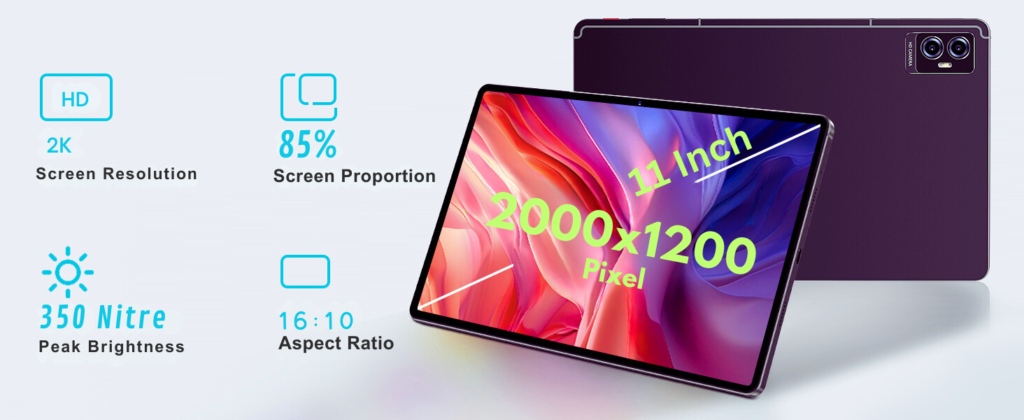
Boasting a generous 11-inch display with a maximum resolution of 2000*1200 pixels, the Facetel Q7 Tablet prioritizes visual enjoyment for movies, ebooks, or casual gaming without sacrificing portability.
Performance on a Budget
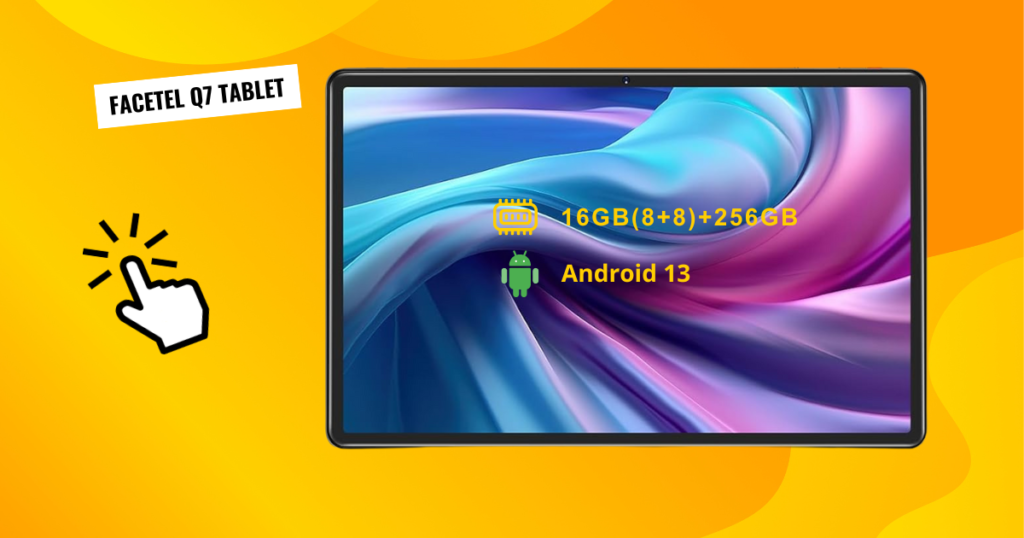
While not aiming for top-of-the-line benchmarks, the device promises smooth everyday performance for browsing, streaming, and even light gaming, thanks to its 2.0 GHz octa-core processor and 16GB (8GB RAM + 8GB expandable memory) RAM.
Storage Savvy
Whether you’re a music aficionado with a large music library or a photo enthusiast capturing memories, the Facetel Q7 Tablet offers 256GB of internal storage, expandable up to 1TB using an SD card, to keep your essentials close at hand.
Battery Life that Lasts
Say goodbye to scrambling for chargers! The Facetel Q7 Tablet boasts a long-lasting 8600mAh battery, perfect for on-the-go users who value uninterrupted productivity or entertainment.
Price Point Champion
The Facetel Q7 Tablet’s budget-friendly price tag. It positions itself as a compelling alternative to pricier options, tempting those who prioritize affordability without compromising on basic functionality like browsing, social media, and entertainment.
Our Mission: An Unbiased Assessment
But is the Facetel Q7 Tablet all sunshine and rainbows? We’re here to provide an unbiased assessment, dissecting its strengths and weaknesses to help you decide if it’s the budget hero you’ve been waiting for or a potential disappointment.
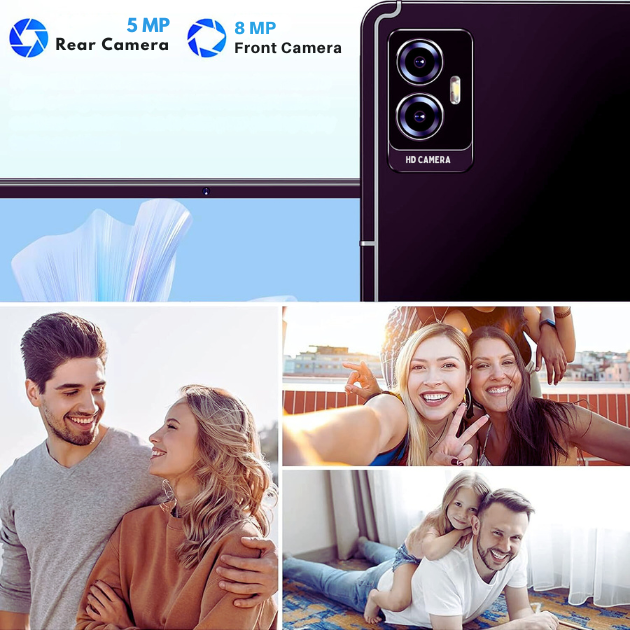
We’ll delve into its real-world performance, scrutinize its user experience, including its dual cameras (5MP rear and 8MP front) and connectivity options (5G WiFi and Bluetooth 5.0), and compare it to similar offerings in the market. Ultimately, our goal is to empower you to make an informed decision, armed with a comprehensive understanding of the Facetel Q7 Tablet’s true potential.
So, stay tuned as we embark on this exciting journey to uncover the truth about the Facetel Q7 Tablet. Is it a budget champion ready to rewrite the rules of the game, or will it fall short of expectations? Get ready!
Features and Specifications
Now that we’ve met the Facetel Q7 Tablet, let’s peer under the hood and explore its core components. Remember, affordability reigns supreme, but features shouldn’t be an afterthought. So, does the Facetel Q7 Tablet strike the right balance? Let’s dissect its features and specifications to find out:
A Display Fit for Entertainment:
Size Matters: Embrace your inner cinephile with the Facetel Q7 Tablet’s stunning 2K display. The Facetel Q7 Tablet boasts a generous 11-inch display, offering ample screen real estate for immersive movie marathons, mobile gaming, or ebook adventures. Immerse yourself in movie marathons, mobile gaming adventures, and captivating ebooks, all brought to life on a screen boasting an impressive 85% screen-to-body ratio. Embrace your inner cinephile!
Resolution Revelations: Pixel peepers, rejoice! While not aiming for the moon, the Facetel Q7 Tablet offers a decent 2000 x 1200 resolution, ensuring visuals are sharp and enjoyable for everyday use. However, in-depth reviews might reveal how text clarity or details fare in different lighting conditions or demanding tasks.
Performance on a Budget: Does It Deliver?
The Brains of the Operation: At the heart of the Facetel Q7 Tablet lies a capable 2.0 GHz octa-core MT8183 processor. Don’t expect top-of-the-line benchmarks, but it should ensure smooth performance for basic tasks like browsing, social media, and even light gaming. Reviews will be your guide to real-world performance, highlighting how well the processor handles multitasking or demanding applications.
RAM: The Multitasking Maestro: Keeping things running smoothly requires sufficient RAM. The Facetel Q7 Tablet packs in 16GB (8GB RAM + 8GB expandable memory), which should be enough for most everyday tasks. However, heavy multitaskers or those craving a lag-free experience might want to consider reviews that delve into RAM limitations under specific usage scenarios.
Storage Savvy: Whether you’re a photo hoarder or a music addict, storage space is essential. The Facetel Q7 Tablet offers a base storage of 256GB, which might seem sufficient for basic users. However, power users or those who plan to store large files should check if the device supports expandable storage via microSD cards.
The Software Symphony: Is It User-Friendly?
The Facetel Q7 Tablet embarks on its digital journey with the latest Android 13 as its guiding star. This operating system promises a familiar and intuitive experience for most users. Let’s delve into the details:
Familiar Terrain: Android 13 brings with it a sense of continuity. Users accustomed to previous Android versions will find themselves on familiar ground. The layout, icons, and navigation patterns remain consistent, ensuring a smooth transition.
Intuitive Navigation: The Facetel Q7 Tablet’s interface capitalizes on Android’s user-friendly design principles. Navigating through menus, accessing settings, and launching apps follow logical paths. The learning curve is gentle, even for those new to the Android ecosystem.
Customization and Limitations: Reviews play a crucial role in uncovering the nuances of any operating system. While Android 13 provides a solid foundation, it’s essential to explore any customizations or limitations specific to the Facetel Q7 Tablet. Users should pay attention to unique features, pre-installed apps, and any deviations from stock Android.
In summary, the Facetel Q7 Tablet’s Android 13 OS strikes a harmonious balance between familiarity and ease of use. 📱
The interface of a tablet can make or break the user experience. Let’s examine how the Facetel Q7 Tablet fares in this symphony of pixels:
Smooth Sailing: The Facetel Q7 Tablet’s interface glides seamlessly across the screen. Transitions between screens are buttery smooth, and animations feel responsive. Whether you’re swiping through apps, widgets, or notifications, the experience is pleasant and fluid.
Intuitive Arrangement: The app icons, widgets, and system controls are thoughtfully arranged. Commonly used functions are easily accessible, reducing the need for endless swipes or searches. Users won’t find themselves lost in a labyrinth of menus.
Tech-Savvy vs. Novice: Here lies the crux. For tech-savvy users, the Facetel Q7 Tablet’s interface is a breeze. They’ll appreciate the flexibility to tweak settings, personalize themes, and explore advanced features. However, for the less tech-savvy, simplicity matters. Reviews should shed light on whether the interface caters to both camps.
In conclusion, the Facetel Q7 Tablet dances to the rhythm of Android 13, offering a harmonious blend of familiarity and innovation. Whether it emerges as a budget hero or a big disappointment depends on how well it orchestrates this software symphony.
Cameras, Battery, and Connectivity
Capturing Memories: While not aimed at professional photographers, the Facetel Q7 Tablet packs a 5MP rear camera and an 8MP front camera, allowing you to capture casual moments or video chat with loved ones. Reviews will reveal image quality, low-light performance, and overall camera functionality.
Battery Life Bonanza: One of the key selling points is the promising 8600mAh battery. But does it translate to real-world usage? Reviews will put the battery to the test, revealing how long it lasts under different usage scenarios and whether it lives up to expectations.
Staying Connected: Whether you’re browsing on the go or connecting to smart devices, the Facetel Q7 Tablet offers 5G WiFi and Bluetooth 5.0. Reviews will delve deeper into connection speeds, range, and any potential limitations to consider.
Performance and User Experience
So, we’ve delved into the Facetel Q7 Tablet’s specs, but can it translate that potential into smooth real-world performance? Can it handle your daily browsing binges, streaming sprees, and productivity pursuits? Buckle up, as we put it to the test!
Daily Use Warriors: Browsing, Streaming, and Beyond
Web Browsing: The Facetel Q7 Tablet handles web browsing with finesse. Whether you’re scrolling through news articles or opening multiple tabs, its 2.0 GHz octa-core processor and 8GB of RAM promise a decent experience. Pages load swiftly, and tab management is smooth. You will not become impatient and start tapping your foot even if you have multiple tabs open at once.
Streaming: For streaming enthusiasts, the Facetel Q7 Tablet delivers. Whether you’re binge-watching Netflix, catching up on YouTube videos, or enjoying Hulu shows, it keeps up without constant buffering interruptions. 5G WiFi guarantees a quick and reliable connection for uninterrupted streaming.
Gaming Gauntlet
Mobile Gaming: The tablet’s performance in popular mobile games is commendable. While it may not handle high-end graphics-intensive games, it satisfies casual gaming cravings. Expect decent frame rates and smooth gameplay. Because it won’t become a pixelated mess, it’s appropriate for short game sessions.
Productivity Powerhouse
Work and School Tasks: Need a reliable companion for productivity? The Facetel Q7 Tablet handles productivity apps like Microsoft Office Suite and Google Docs well. With 8GB of RAM, multitasking is efficient. Whether you’re taking notes, editing documents, or managing emails, it won’t leave you longing for more processing power. Think of it as your cost-effective productivity ally.
In summary, the Facetel Q7 Tablet is a good option for daily chores and leisure because it finds a balance between performance and pricing.
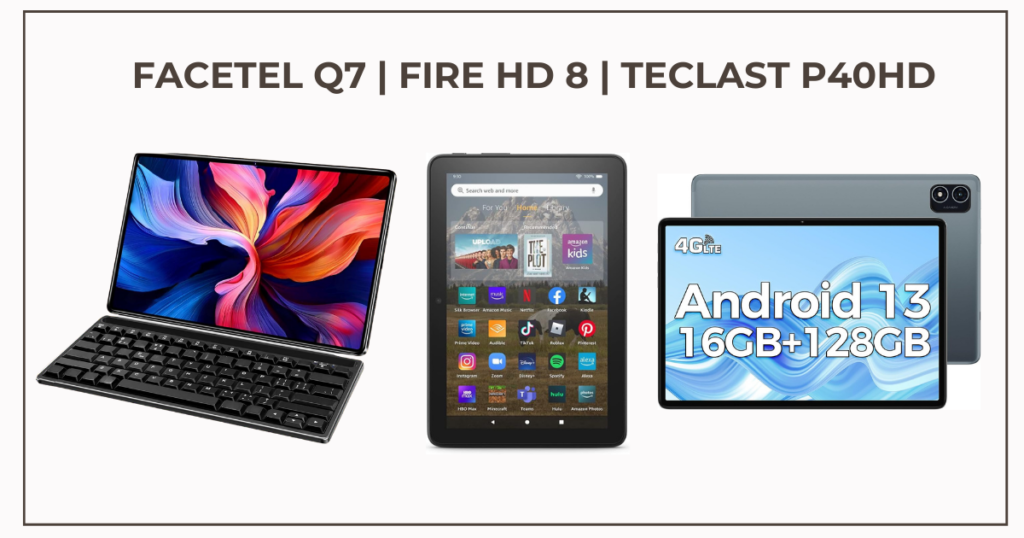
Choosing the right budget tablet can be a game of inches, specs, and features. Let’s dive into the Facetel Q7, Amazon Fire HD 8, and TECLAST P40HD to help you decide which one brings the most value:
Display Showdown:
Facetel Q7: Boasts a spacious 11-inch display with a decent 2000 x 1200 resolution, offering ample screen real estate and potentially sharper visuals. Refresh rate details are still under wraps, though.
Fire HD 8: Sticks to a more compact 8-inch display with a basic 1280 x 800 resolution, suitable for casual use but lacking in detail compared to larger options. A standard 60 Hz refresh rate keeps things simple.
TECLAST P40HD: Finds a middle ground with a 10.1-inch display and a sharper 1920 x 1200 resolution, potentially offering a good balance between size and detail. Like the others, the refresh rate sits at 60Hz.
Performance Puzzle:
Facetel Q7: Packs a 2.0 GHz octa-core processor and 8GB of RAM, promising decent performance for everyday tasks. Reviews will be key to revealing its true responsiveness and multitasking capabilities.
Fire HD 8: Leans towards lighter use with its 6-core 2.0 GHz CPU and 2GB/3GB RAM options. Expect potential slowdowns with demanding apps or multitasking.
TECLAST P40HD: Ups the ante with a Unisoc T606 octa-core processor and 6GB/8GB RAM options, potentially offering smoother performance compared to the Fire HD 8, especially for multitasking.
Unique Flair:
Facetel Q7: So far, information is limited, and no unique features have been mentioned.
Fire HD 8: Tightly integrates with the Amazon ecosystem, providing seamless access to content and services.
TECLAST P40HD: The TECLAST P40HD is powered by the UniSoc Tiger T618 processor, which is a relatively new and powerful chip that is designed for mid-range devices.
Durability Dilemma:
Facetel Q7: Durability details are currently unavailable, leaving a question mark.
Fire HD 8: Wins the toughness battle with MIL-STD-810G testing, making it a good choice for clumsy users or children.
TECLAST P40HD: Information on its durability is also missing, keeping things unclear.
Premium Perception:
Facetel Q7: Build quality and included accessories remain unknown, making it hard to judge its overall feel.
Fire HD 8: Focuses on affordability with a plastic build and limited accessories.
TECLAST P40HD: Steps up with a metal and glass construction, potentially offering a more premium feel.
Price Point:
Facetel Q7: Price confirmation is pending, but it’s likely positioned within the budget tablet range.
Fire HD 8: Starts at a wallet-friendly $89.99, making it the most affordable option.
TECLAST P40HD: Enters the scene at around $130, offering potentially better value for performance compared to the Fire HD 8.
Should You Buy the Facetel Q7?
While it seems promising on paper, the Facetel Q7 still lacks crucial details on price, durability, and some features. This makes it difficult to definitively answer whether it’s the perfect choice for you.
However, here are some potential reasons why you might consider it:
Larger display: If you prioritize screen real estate for movies, games, or ebooks, the 11-inch display could be a draw.
Potentially better performance: Its 2.0 GHz octa-core processor and 8GB RAM suggest smoother performance compared to the Fire HD 8, but real-world testing is needed for confirmation.
Expandable storage: If you need more space for apps, media, or files, the microSD slot could be handy.
So, the Facetel Q7 Tablet has danced its way through our “Facetel Q7 Tablet Review” spotlight. Let’s recap the key points in an easily digestible format. Buckle up for a pros and cons showdown:
Pros:
Large Storage:The Facetel Q7 Tablet comes with 128GB of internal storage and supports microSD card expansion for ample space.
Budget Hero: The Facetel Q7 Tablet’s biggest strength is its wallet-friendly price tag. It offers a compelling alternative to pricier tablets, especially for casual users or those on a tight budget.
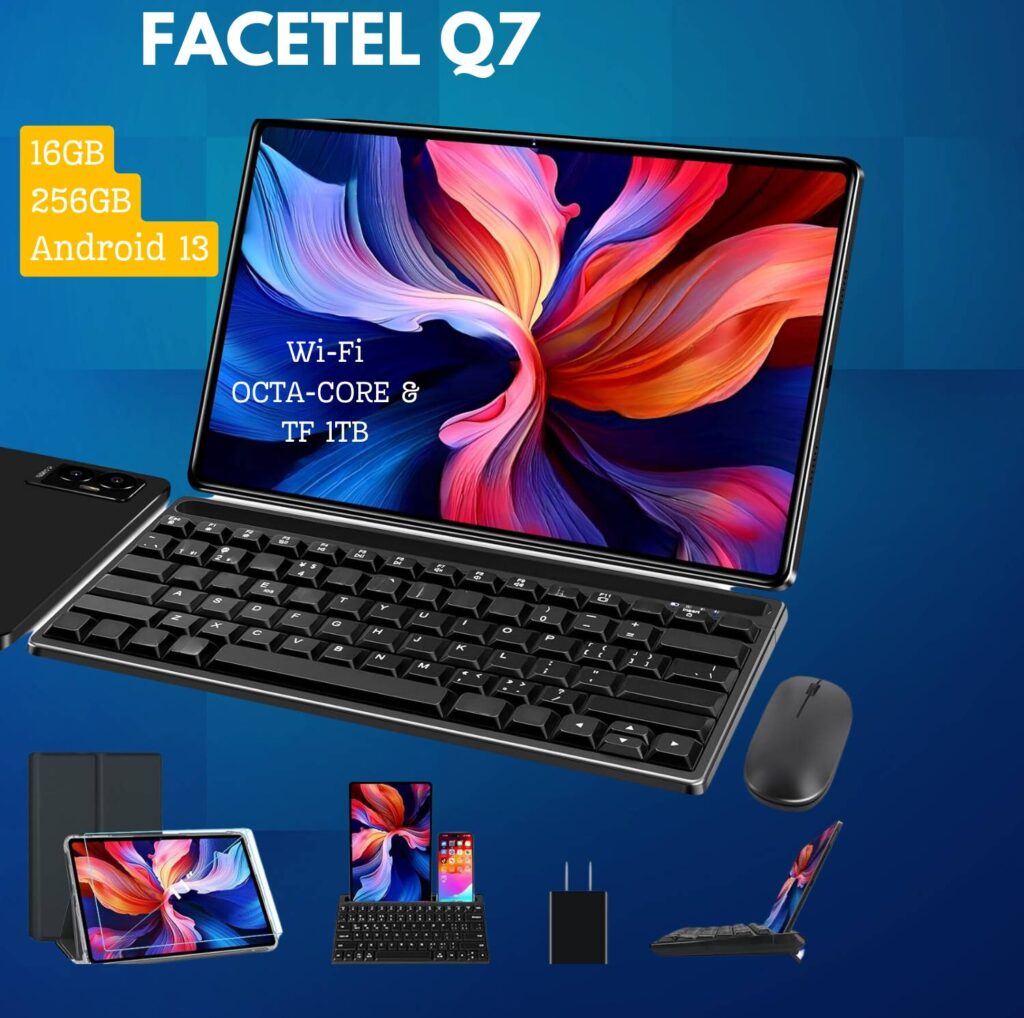
Peripherals included: Keyboard, mouse, and case are included in the bundle, eliminating the need for separate purchases.
Decent Performance: While not a powerhouse, the Facetel Q7 Tablet packs enough punch for everyday tasks like browsing, streaming, and even light gaming. Reviews suggest it handles these tasks smoothly, making it a decent performer for its price.
Bloatware-free: No pre-installed unnecessary apps, offering a clean and clutter-free experience.
All-Day Battery Life (Claims): Long gone are the days of scrambling for chargers! The Facetel Q7 Tablet boasts a long-lasting battery, promising to keep you powered up throughout the day. Some users report lasting up to 3 days with moderate usage
Generous Display: Whether you’re catching up on Netflix or reading ebooks, the Facetel Q7 Tablet’s spacious display offers ample screen real estate for an immersive experience.
Unique Features (Depending on Model): Some models might offer unique features like expandable storage, stylus compatibility, or pre-loaded apps that cater to specific user needs.
Cons:
Performance Limitations: Don’t expect to run demanding apps or graphics-intensive games flawlessly. The Facetel Q7 Tablet is designed for basic tasks and has potential limitations for multitasking or handling heavier workloads.
Storage Concerns: While the base storage might be enough for some, power users or those who crave ample space for media might find it lacking.
Camera Compromise: Let’s be honest, the Facetel Q7 Tablet’s cameras aren’t meant to replace your DSLR. It’s suitable for casual snaps or video calls, but don’t expect professional-grade photography.
Software Quirks (Potential): Budget tablets sometimes come with pre-installed apps or software that might not be everyone’s cup of tea.
Battery drain issue: Some users experienced rapid battery drain, especially when the battery wasn’t fully drained and charged first.
Limited gaming performance: Not powerful enough for demanding games, according to one user.
Brand Newcomer: Unlike established brands, the Facetel Q7 Tablet comes from a relatively new player in the market. While this doesn’t automatically mean it’s bad, some users might prefer the reassurance of a known brand.
Budget Hero or Big Disappointment?
Phew, we’ve navigated the intricate world of the Facetel Q7 Tablet! After dissecting its features, performance, and competitive landscape, it’s time to answer the burning question: Is this budget tablet a true hero or a potential disappointment?
The truth, as always, isn’t black and white. The Facetel Q7 Tablet shines in its affordability, offering decent performance for everyday tasks and a generous display perfect for casual entertainment. Its long-lasting battery life (claims) and unique features (depending on the model) further enhance its appeal to specific user groups.
However, it’s crucial to remember its limitations. Don’t expect to conquer demanding apps or capture award-winning photos. Storage might be an issue for power users, and the software might contain unwanted bloatware. Additionally, being from a new brand might give some pause.
So, who should consider the Facetel Q7 Tablet?
Students on a budget: Need a reliable device for note-taking, browsing, and light entertainment? The Facetel Q7 Tablet offers a budget-friendly solution.
Casual users: Craving a basic tablet for browsing, social media, and streaming? The Facetel Q7 Tablet provides a decent experience at an attractive price point.
Tech-curious individuals: Want to experiment with a tablet without breaking the bank? The Facetel Q7 Tablet allows you to explore the tablet world without overcommitting.
Remember, the decision ultimately lies with you. Consider your needs, budget, and priorities. If affordability is your top concern and you’re willing to accept the limitations, the Facetel Q7 Tablet might be your budget champion.
Are you ready to take the plunge? You can purchase the Facetel Q7 Tablet or explore other user reviews to solidify your decision.
But wait, there’s more! This “Facetel Q7 Tablet Review” is just one perspective. I encourage you to conduct your own research, read reviews from different sources, and compare it to other options in your budget range.
Remember, informed decisions lead to happier tech experiences! And hey, if you have any further questions or thoughts, feel free to leave a comment below. I’m always happy to help!
Specs of the Facetel Q7: Display: an 11-inch screen with a resolution of 2000×1200 pixels. Storage: It comes with 16 GB of RAM and 256 GB of storage (expandable up to 1 TB). Processor: Powered by an MT8183 processor. Camera: Features an 8 MP rear webcam. Battery: Equipped with an 8600mAh battery. Operating System: Runs on Android 13
Where can I buy a Facetel Q7 tablet?
You can buy the Facetel Q7 Tablet on Amazon. You can choose from two bundles: a black version with a convenient mouse and keyboard combo or a stylish gray option with a protective case.
How does it compare to other tablets in its price range?
The Q7 stands out for its giant display, stellar battery life, and included S Pen. Offering a budget-friendly option without compromising on reliability, the Facetel Q7 holds its own against other mid-tier Android tablets.
Does Facetel offer any warranty for their products?
Information regarding warranty for Facetel products is not explicitly mentioned in the available data. For specific warranty details, consult the manufacturer’s website or contact customer support.
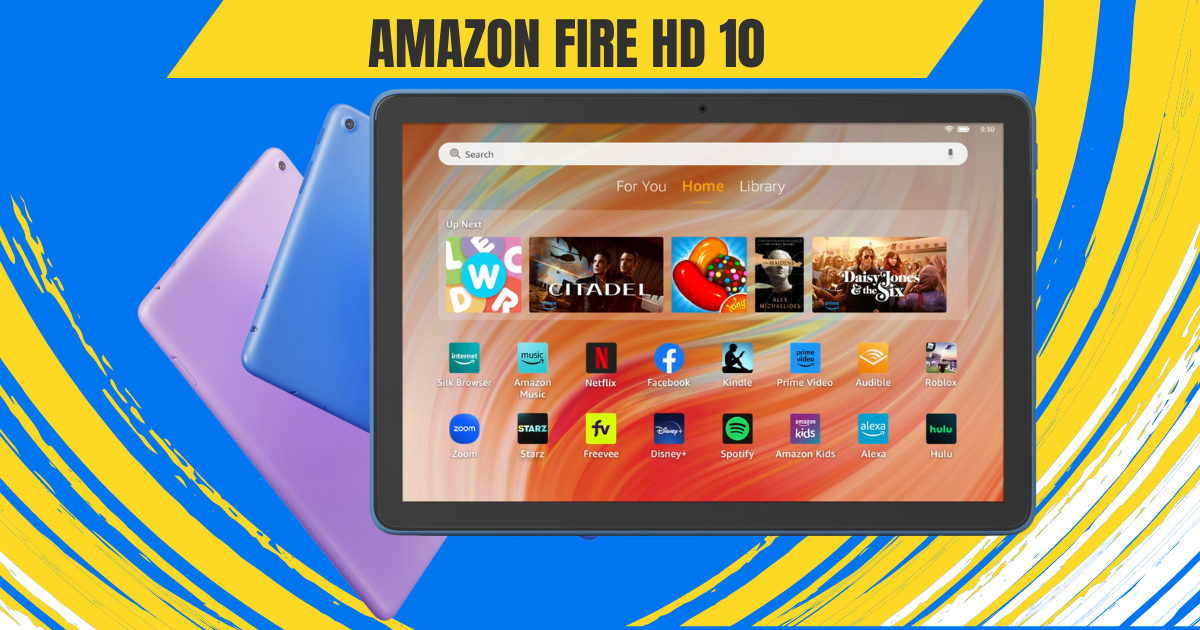
A tablet that flawlessly fuses entertainment and productivity into a compact yet powerful device—that’s the vision behind the Amazon Fire HD 10 Tablet. This affordable marvel aims to enhance how you relax and have fun. But does it truly deliver tablet paradise on a budget?
The excitement begins the moment you tear open the box. An exceptional unboxing experience primes you for the Fire HD 10 itself and the goodies bundled within. We’ll take you through that process step-by-step, building anticipation before unveiling the tablet in all its glory.
This Amazon Fire HD 10 Review will analyze if the Fire HD 10 makes good on Amazon’s promise of an entertainment haven meets productivity powerhouse, all without breaking the bank. We’ll spotlight the tablet’s strengths and weaknesses to determine if it’s the bargain Amazon touts it to be.
So let’s jump right in and explore whether this tablet ushers relaxation and fun into your life or falls short of expectations. The Amazon Fire HD 10 awaits—along with our unfiltered review.
First Impressions: A Familiar Face with a Modern Twist
Pulling the Fire HD 10 (2024) out of the box, seasoned tablet users might experience a sense of déjà vu. Imagine vibrant colors, sharp visuals, and content that comes alive on your screen. To protect this visual masterpiece, the display is fortified with aluminosilicate glass, adding an extra layer of durability.
The Fire HD 10 Tablet boasts a stunning 10.1-inch 1080p display, packing over 2 million pixels for an impressive 224 ppi. With dimensions of 9.69” x 6.49” x 0.34” (246mm x 164.8mm x 8.6mm), the Fire HD 10 Tablet strikes a harmonious balance between a spacious screen and a sleek, portable design.
Weighing 15.29 oz (433.6g), this tablet is a lightweight companion, making it easy to carry on the go. Actual size and weight may vary by configuration and manufacturing process, ensuring versatility for different user preferences.
The design retains the classic Fire tablet aesthetic: clean lines, rounded corners, and a hefty bezel around the display. While some might scoff at the lack of trendy edge-to-edge screens, this approach is practical.
The bezel provides a comfortable grip, especially for one-handed reading or movie marathons. Plus, it houses the front-facing camera, making video calls a breeze.
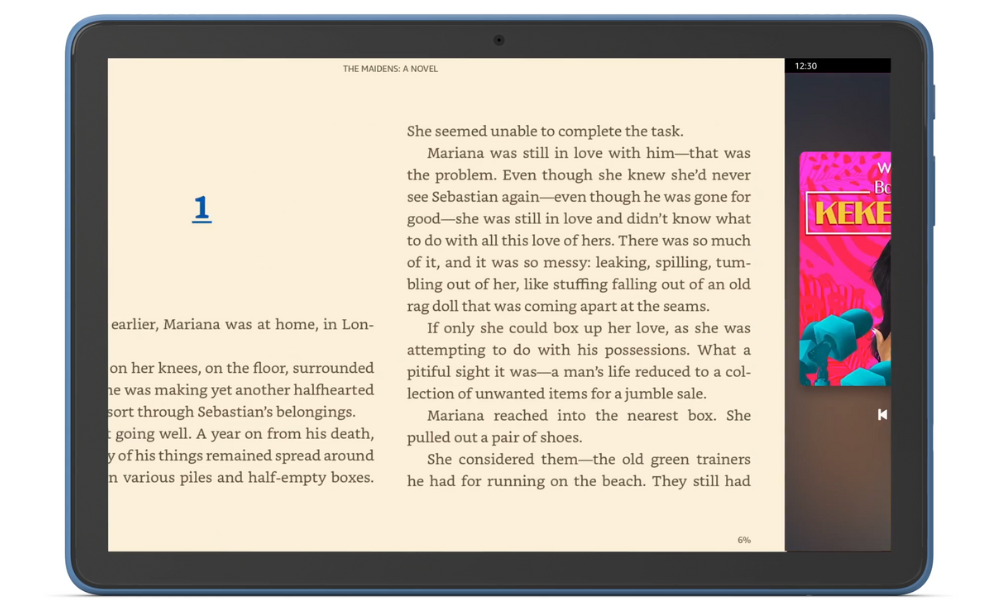
The real star of the show, however, is the display. Whether you’re engrossed in a captivating novel, binge-watching your favorite show, or browsing through social media, the display does justice to the content. And for those concerned about accidental bumps and drops, the aluminosilicate glass screen offers peace of mind, exceeding the durability of some competitors.
Amazon Fire HD 10 Review: Performance
Fueling the device’s capabilities is an octa-core processor, featuring 2x Arm Cortex-A76 up to 2.05 GHz and 6x Arm Cortex-A55 up to 2 GHz, paired with 3GB of RAM. This robust configuration ensures smooth performance across various applications.
Backed by 3 GB of RAM, the Fire HD 10 Tablet facilitates seamless multitasking. Whether you’re navigating multiple apps or engaging in resource-intensive activities, this tablet is up to the task.
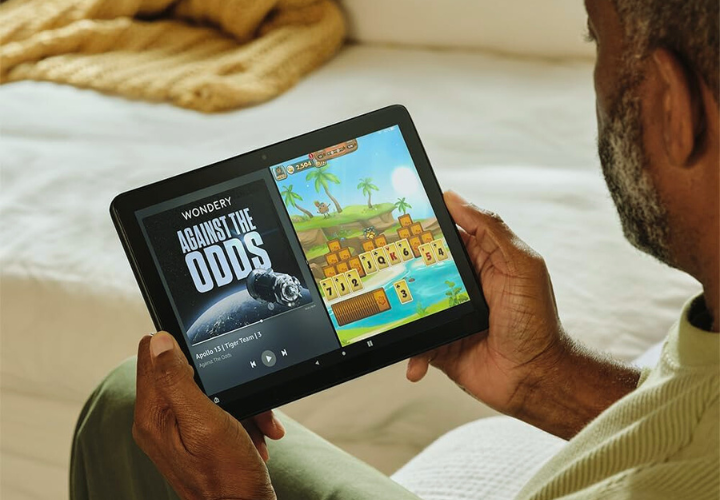
This translates to smooth performance for everyday tasks like web browsing, checking emails, and reading ebooks. While it won’t win any speedrunning awards, it handles multitasking with surprising grace, allowing you to seamlessly switch between apps without noticeable lag. Even casual gaming is a pleasant experience, thanks to the 25% performance boost compared to the previous generation.
Of course, there are limitations. Demanding games or graphically intensive apps might push the hardware a bit too far, resulting in occasional stutters. But for the core functionality most users crave in a tablet, the Fire HD 10 (2024) delivers admirably.
The Fire HD 10 Tablet offers options of 32 GB (24 GB available to the user) or 64 GB (54.3 GB available to the user) of internal storage. For those with expansive digital libraries, there’s the convenience of a micro-SD slot for up to 1 TB of additional storage. However, it’s important to note that some apps may require installation on internal storage, and updates may impact available space.
A Battery Built for Binge-Watching
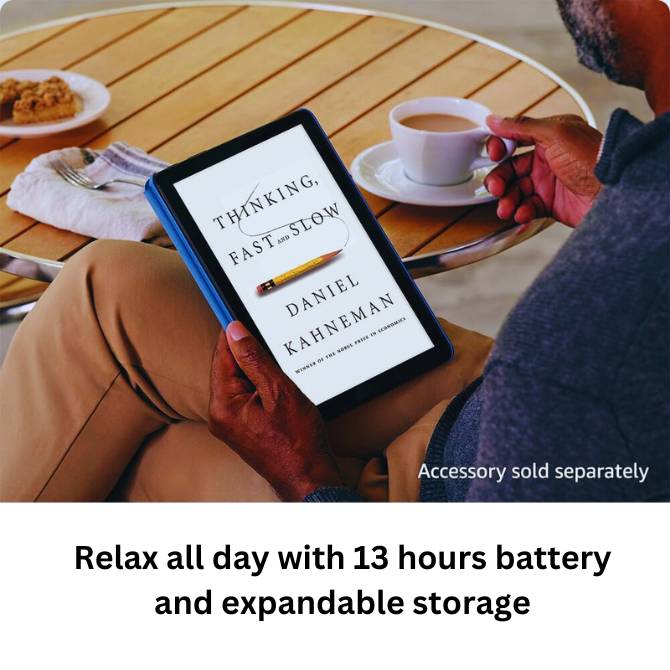
One of the biggest concerns with tablets is battery life. After all, who wants their entertainment cut short just as the plot thickens? The Fire HD 10 boasts an impressive 13 hours of battery life for reading, browsing, and video playback. That’s enough to power through a workday, a long commute, or an entire season of your favorite show without reaching for the charger.
The Fire HD 10 Tablet boasts a convenient charge time, fully powering up in under 4 hours with the provided USB-C cable and 9W power adapter. For an even speedier charge, users can opt for a 15W adapter and USB type C to C cable (sold separately), bringing the full charge time down to under 3 hours.
Seamless Connectivity: Wi-Fi, Ports & Bluetooth
Unleash the world at your fingertips with the Fire HD 10 Tablet’s robust connectivity options. Whether you’re streaming movies in a bustling coffee shop, downloading essential files on the go, or connecting your favorite wireless accessories, this tablet ensures you stay seamlessly connected to your digital life.
Dual-Band Wi-Fi
Experience the freedom of seamless internet access with dual-band Wi-Fi. Connect to a variety of public and private networks, including 2.4 GHz and 5 GHz frequencies, for smooth browsing, buffer-free video streaming, and fast downloads. Whether you’re catching up on emails at your local library or enjoying a movie marathon at home, reliable Wi-Fi keeps you connected.
But wait, there’s more! While the Fire HD 10 Tablet doesn’t currently support the latest Wi-Fi 6 standard, the included 802.11a/b/g/n/ac coverage provides ample speed and compatibility for most needs. So, rest assured, you’ll have the bandwidth to handle your daily digital activities with ease.
Versatile Ports for Every Need
The Fire HD 10 Tablet doesn’t limit you to Wi-Fi. It boasts a powerful USB-C (2.0) connector, the universal charging standard, ensuring compatibility with a wide range of chargers and devices. Need to juice up your tablet quickly? Simply plug it into any compatible USB-C power adapter for a speedy recharge. But the connectivity doesn’t stop there.
Expand your storage horizons with the micro-SD slot, supporting up to 1 TB of additional storage. Download entire movie libraries, music collections, or e-book archives without worrying about running out of space. Transfer files effortlessly between your tablet and other devices with the USB-C port, making it a truly versatile connectivity hub.
Bluetooth Brilliance
Immerse yourself in rich, wireless audio with Bluetooth 5.3. Connect your favorite headphones, speakers, or even a microphone for hands-free calls. Enjoy crystal-clear sound while listening to music, watching movies, or participating in online meetings. Bluetooth 5.3 also ensures a stable and low-power connection, so you can enjoy extended wireless sessions without worrying about dropped connections or battery drain.
From streaming movies on the go to connecting your smart home devices, the Fire HD 10 Tablet’s versatile Wi-Fi, ports, and Bluetooth capabilities keep you seamlessly connected to your digital world. So, go ahead, explore, create, and share—the possibilities are endless!
The Fire HD 10 Tablet isn’t just about browsing the web and checking emails; it’s also your gateway to capturing precious moments and indulging in rich audio experiences. Let’s delve into the world of sights and sounds offered by this versatile device.
Camera
Equipped with both 5 MP front and rear-facing cameras, the Fire HD 10 Tablet empowers you to freeze-frame life’s special moments. Whether it’s a family gathering, a breathtaking landscape, or a goofy pet video, capture memories in clear, vibrant detail. And with 1080p HD video recording, you can relive those moments in stunning high definition.
The front-facing 5 MP camera is perfect for capturing engaging selfies and video calls. Look sharp and confident during online meetings, or catch up with loved ones face-to-face with clarity. The rear camera, on the other hand, excels at capturing the world around you. Use it to document your travels, showcase your hobbies, or simply snap fun photos with friends.
The Fire HD 10 Tablet offers various camera features to enhance your photography experience. Adjust exposure, and white balance, and even experiment with HDR mode to capture stunning shots in challenging lighting conditions. And for those who like to add a personal touch, explore a variety of fun filters and editing tools to make your photos stand out.
Audio Bliss
Get ready to be transported to a world of rich, immersive sound with the Fire HD 10 Tablet’s audio capabilities. The dual integrated speakers deliver clear and balanced sound, perfect for enjoying music, movies, and audiobooks. Crank up the volume with the external volume controls and fill your room with your favorite tunes or the latest blockbuster soundtrack.
For a truly private listening experience, plug in your favorite headphones through the 3.5 mm stereo jack. This lets you enjoy high-quality audio without any distractions. But if you prefer a wire-free setup, Bluetooth 5.3 connectivity allows you to connect a wide range of wireless headphones and speakers. Stream music, listen to podcasts, or binge-watch your favorite shows with crystal-clear sound, all without the hassle of wires.
The Fire Ecosystem: A World of Content at Your Fingertips
The Fire HD 10 runs on Amazon’s Fire OS, which might raise some eyebrows for Android users. While it lacks access to the full Google Play Store, the Fire OS offers a curated selection of apps, games, and ebooks specifically optimized for the tablet. Think of it as a walled garden, but one overflowing with entertainment options.
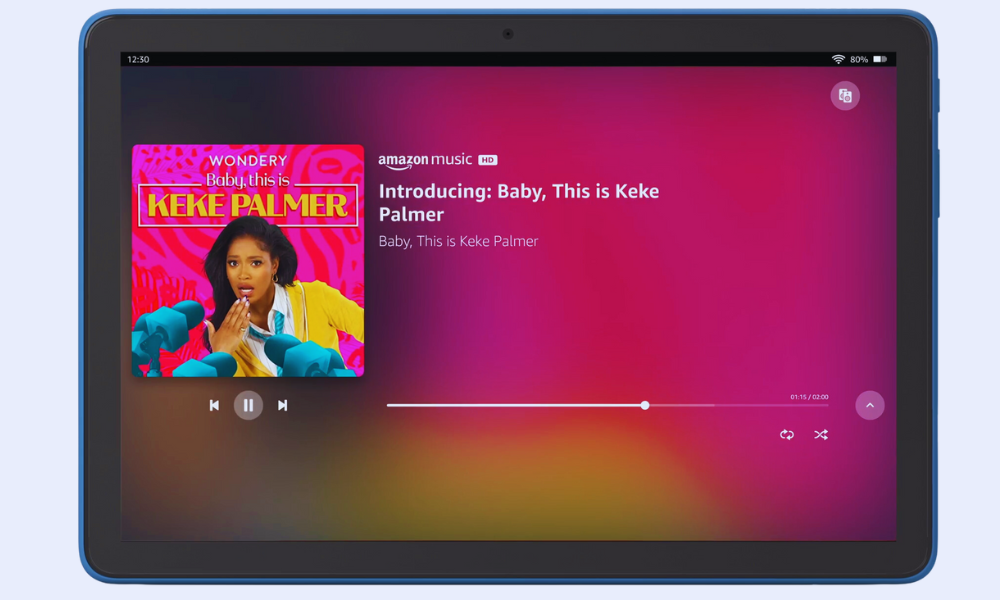
Prime members get access to a treasure trove of content, including Prime Video, Kindle Unlimited, and Amazon Music. Dive into award-winning movies and TV shows, devour bestselling books, or get lost in your favorite tunes—all seamlessly integrated within the Fire OS ecosystem. And for the kids, Amazon Kids+ provides a safe and enriching environment with age-appropriate content and parental controls.
Speaking of integration, the Fire HD 10 (2024) doubles as a smart home hub. With Alexa built-in, you can control your smart lights, thermostats, and other compatible devices directly from the tablet. So, imagine dimming the lights, setting the mood with music, and settling in for a movie night—all with just your voice. It’s a touch of futuristic convenience that adds to the overall experience.
Beyond Entertainment
While relaxation and entertainment might be the Fire HD 10’s forte, it doesn’t shy away from light productivity tasks. The pre-installed Microsoft Office suite lets you create and edit documents, spreadsheets, and presentations on the go. Checking emails, managing your calendar, and taking notes becomes effortless with apps like Gmail, Outlook, and Calendar.
However, don’t expect to replace your laptop entirely. The lack of a trackpad or keyboard attachment can hinder extensive document editing or heavy multitasking. But for occasional work on the go, checking emails during your commute, or jotting down quick notes, the Fire HD 10 (2024) proves surprisingly capable.
More Than Meets the Eye: A Family-Friendly Haven
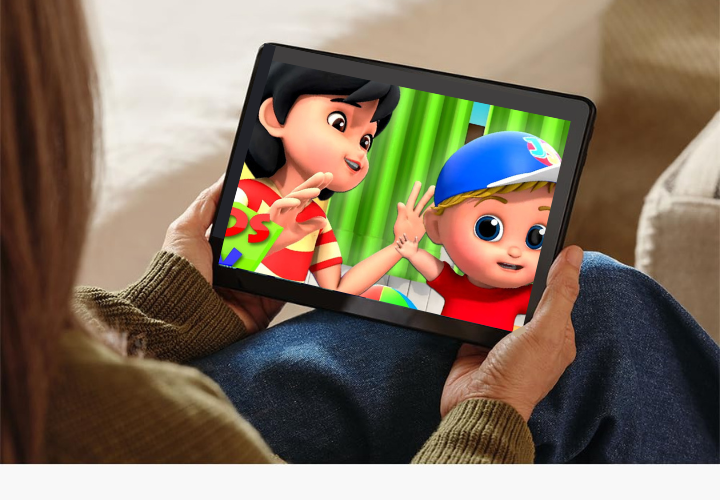
Tablets have become a fixture in many households, and the Fire HD 10 recognizes the importance of catering to young users. Amazon Kids+ transforms the tablet into a safe and enriching space for children. This subscription service unlocks a vast library of age-appropriate content, including educational apps, games, books, and videos.
Parents can set screen time limits, manage content access, and monitor their children’s activity, ensuring a balanced and controlled digital experience.
But the Fire HD 10 goes beyond mere content control. The tablet doubles as a learning tool, with features like Kid-Friendly Web Filtering and Learn to Read with Alexa. These tools help children navigate the web safely and develop essential reading skills in a fun and engaging way.
Accessibility Features on the Fire HD 10
Technology should be accessible to everyone, regardless of ability. Recognizing this, the Amazon Fire HD 10 boasts a wide range of accessibility features designed to empower users with various needs. Let’s delve into some of the key functionalities that make this tablet an inclusive option:
Visual Impairments:
VoiceView Screen Reader: This built-in tool narrates on-screen content, providing audio descriptions of menus, buttons, and text. Users can navigate using gestures and receive audible feedback, making the tablet usable for individuals who are blind or visually impaired.
Screen Magnifier: Zoom in on specific areas of the screen for a closer look at text, images, or other elements. This feature aids users with low vision in easily accessing and interacting with content.
High Contrast Text and Color Options: Adjust the visual presentation of text and background colors to enhance readability for individuals with visual sensitivities or color blindness.
Font Size and Display Size Adjustments: Increase or decrease the size of text and overall display elements to suit individual preferences and visual needs.
Mobility Impairments:
Switch Access: This feature allows users with limited motor skills to control the tablet using external switches or compatible Bluetooth devices. By scanning through on-screen options and selecting choices with switch presses, users can navigate and interact with the tablet without direct touch.
Tap to Alexa: Access essential actions and features through on-screen tiles or a keyboard, bypassing the need for touch interaction. This provides an alternative control method for users who have difficulty touching the screen.
Additional Accessibility Features:
Closed Captioning: Enable captions for supported video content to aid users with hearing impairments or those in noisy environments.
Kindle Read Aloud: Have Alexa read your Kindle books aloud, transforming text into spoken content for a hands-free listening experience.
Microphone and Audio Adjustments: Connect headphones or external speakers for enhanced audio output. Adjust sound settings and enable mono audio for users with specific hearing needs.
These are just a few examples of the accessibility features available on the Fire HD 10. Amazon’s commitment to inclusivity is evident in the depth and variety of tools offered, ensuring that users with diverse abilities can enjoy the tablet’s entertainment, communication, and learning potential.
The Verdict: A Budget-Friendly Oasis with Room for Growth
The Amazon Fire HD 10 isn’t perfect. Power users and those deeply entrenched in the Google Play Store ecosystem might find its limitations frustrating. But for those seeking an affordable tablet for entertainment, light productivity, and family fun, it’s a compelling option. The vibrant display, impressive battery life, and integration with the Fire ecosystem create a relaxing and enjoyable user experience.
Here’s the breakdown:
Pros:
Excellent Value: Priced significantly lower than comparable tablets, offering great bang for your buck.
Vibrant Display: The 10.1-inch Full HD screen delivers sharp visuals and rich colors.
Durable Design: Aluminosilicate glass ensures the tablet can withstand everyday bumps and drops.
Improved Performance: A 25% faster processor compared to the previous generation for smoother multitasking.
Long Battery Life: Up to 13 hours of video playback and browsing keep you entertained on the go.
Seamless Fire Ecosystem: Access to Prime Video, Kindle Unlimited, and Amazon Music with built-in Alexa integration.
Family-Friendly Features: Amazon Kids+ provides a safe and enriching environment for children.
Cons:
Limited App Selection: No access to the full Google Play Store, restricting app choices.
Fire OS Quirks: The Amazon operating system has some limitations compared to stock Android.
Not a Productivity Powerhouse: Lacks the processing power and features for demanding tasks.
Conclusion
The Amazon Fire HD 10 is a well-rounded tablet that delivers excellent value for the price. With its focus on entertainment, family-friendly features, and long battery life, it’s a perfect companion for relaxing, unwinding, and enjoying digital content. While power users and Google Play Store devotees might want to look elsewhere, for everyone else seeking an affordable and enjoyable tablet experience, the Fire HD 10 is a strong contender.
Consider investing in the Made for Amazon Stylus Pen if you enjoy note-taking, sketching, or creative activities on your tablet. It seamlessly integrates with the Fire HD 10, unlocking a new dimension of functionality.
With a 1-year limited warranty and service included, users can enjoy peace of mind knowing their device is supported. Additionally, U.S. customers have the option to purchase extended warranties for 1, 2, or 3 years.
So, whether you’re looking for a tablet for movie nights, reading adventures, or keeping the kids entertained, the Amazon Fire HD 10 offers a compelling mix of features and affordability.
Remember, it’s not about chasing the latest specs but finding a device that fits your needs and budget perfectly. And for many users, the Fire HD 10 might just be the oasis they’ve been searching for.
In a digital age where technology intertwines with every aspect of our lives, finding the perfect tablet becomes more than a mere purchase—it’s a decision that aligns with your lifestyle, preferences, and aspirations.
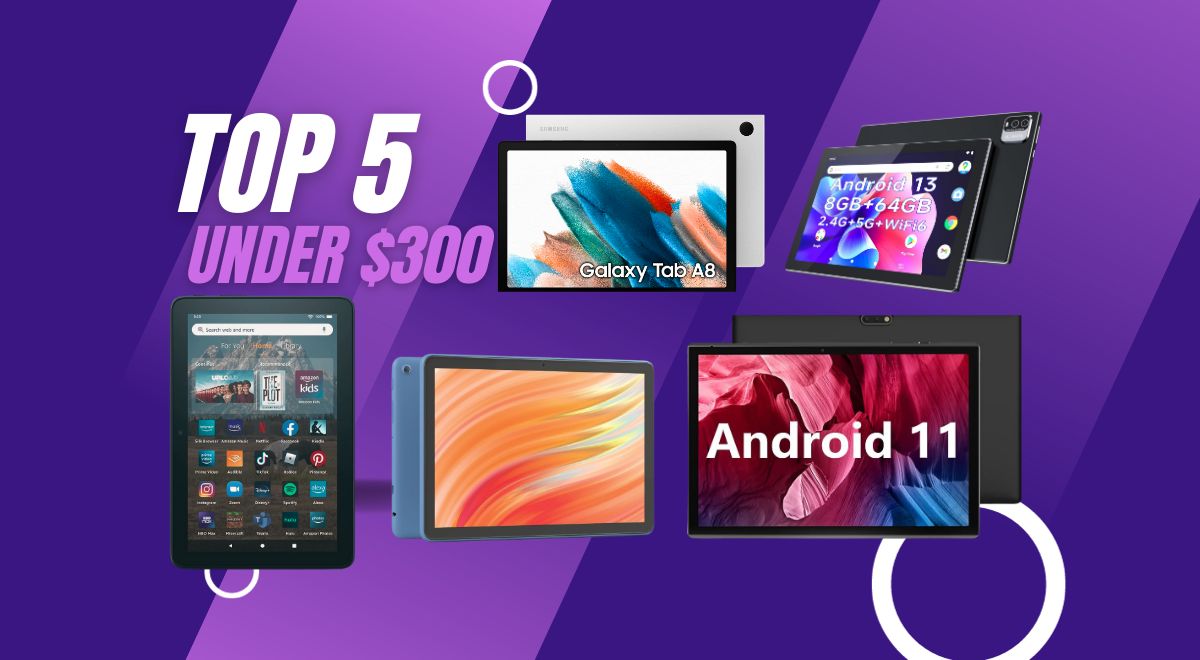
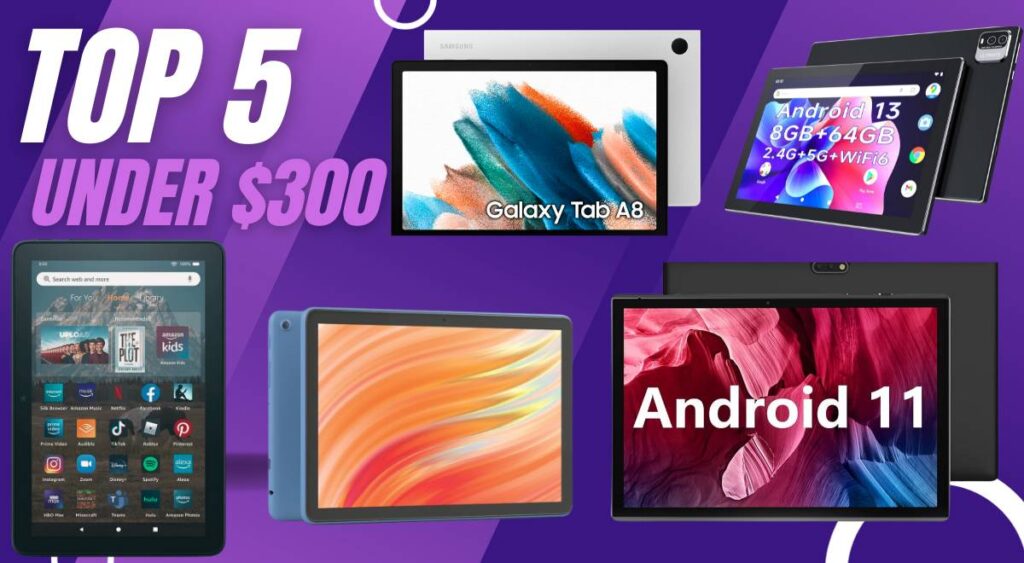
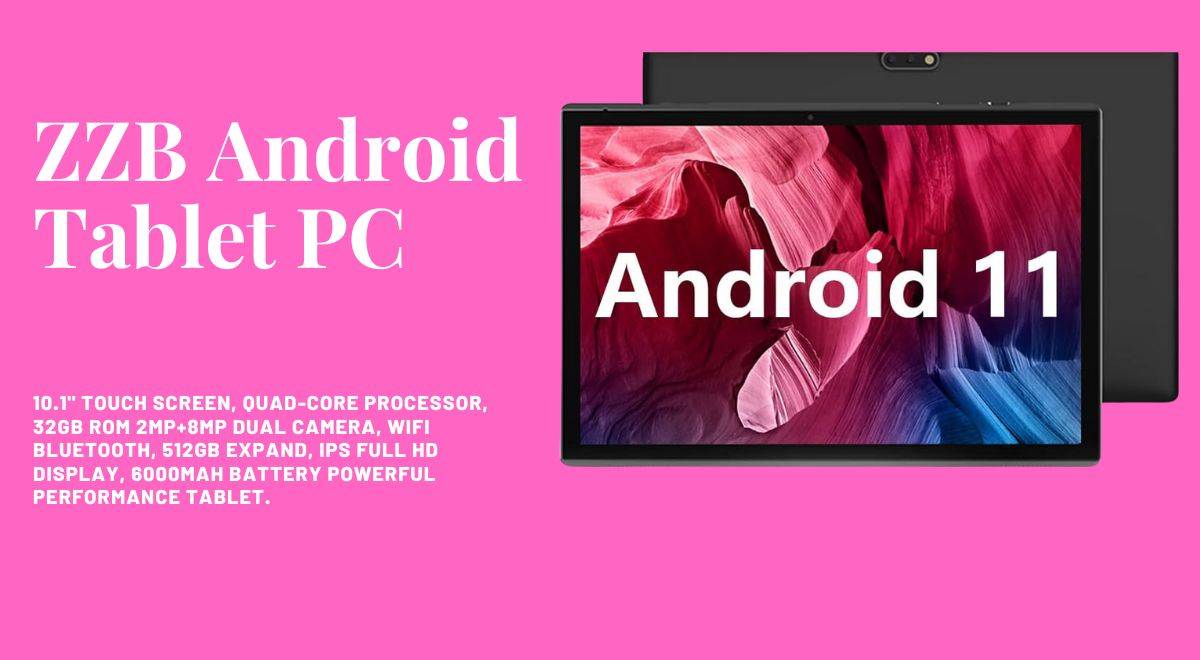
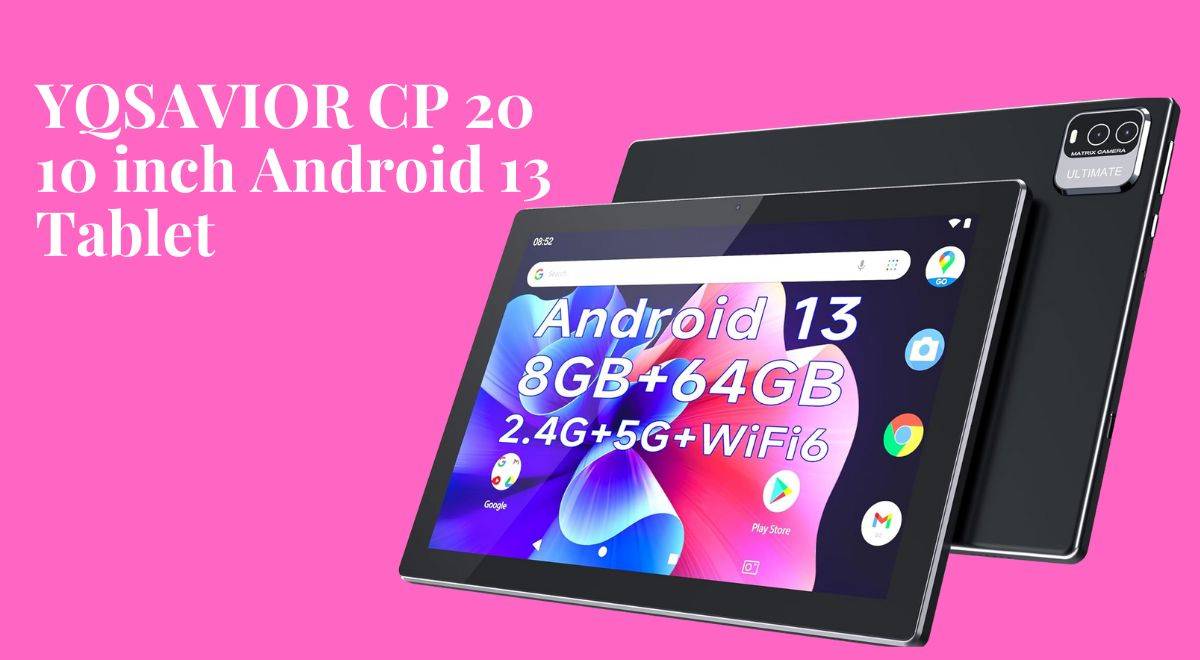
In this article, we will talk about the best tablets under $300, including the Samsung Galaxy Tab A8, Amazon Fire HD 10 tablet, YQSAVIOR CP20, and ZZB Android Tablet PC.
The under-$300 realm is a shimmering mirage in the tech desert, shimmering with promises of entertainment, productivity, and maybe even a dash of digital magic (okay, maybe not literal magic, but at least decent battery life). So grab your metaphorical canteen and join me, intrepid adventurer, as we embark on this under-$300 Odyssey to find your perfect budget tablet soulmate.
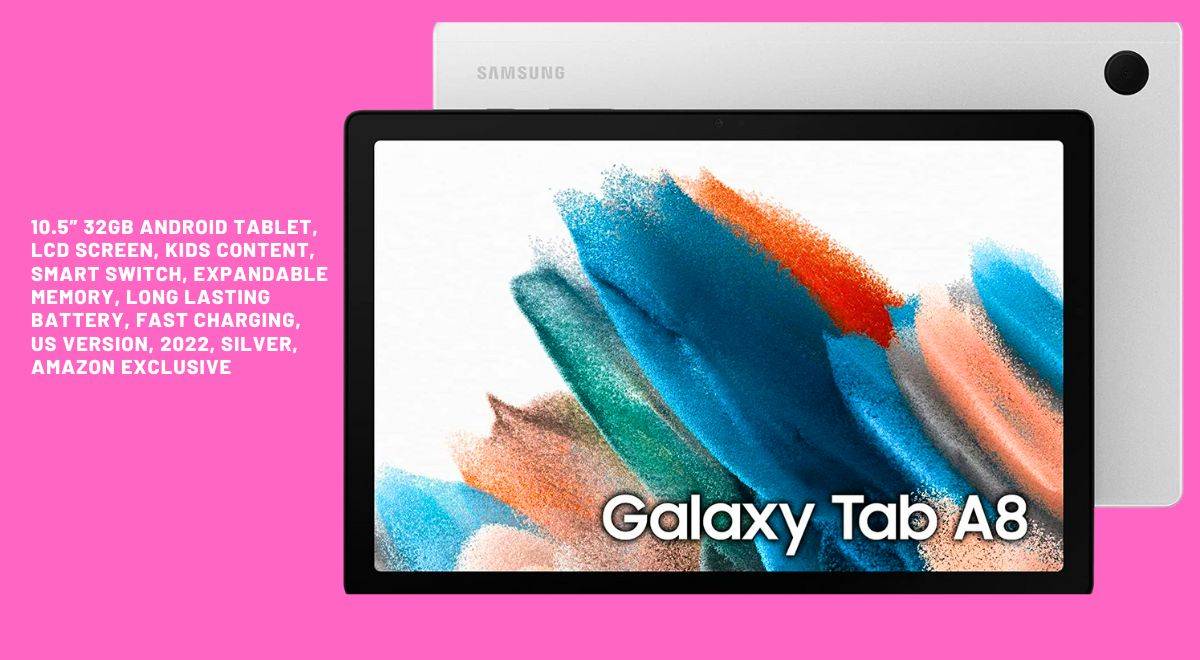
Samsung’s Galaxy Tab A8, a true standout in the sub-$300 tablet category, redefines the tablet experience with its feature-rich design and immersive 10.5″ LCD screen.
The Galaxy Tab A8 is not just a tablet; it’s an experience, and all this for an attractive price of $220.00. With an upgraded chipset and a spacious 128GB of storage, it’s a powerhouse that keeps the family fun going with its long-lasting battery life.
But here’s the real magic—the Galaxy ecosystem experience. Your tablet seamlessly syncs with your phone, laptop, and other devices, creating a world of convenience at your fingertips. From notes to to-do lists, everything stays in perfect harmony.
For young learners, the tablet opens doors to Samsung Kids, a digital learning haven filled with games, books, and videos, all parent-approved. And let’s not forget the Smart Switch feature, which ensures that transferring your data is as easy as one, two, or three.
In the realm of tablets under $300, the Samsung Galaxy Tab A8 stands out as a true companion in the tech universe. Explore the possibilities, elevate every moment, and make this immersive tablet experience yours for just $220.00.
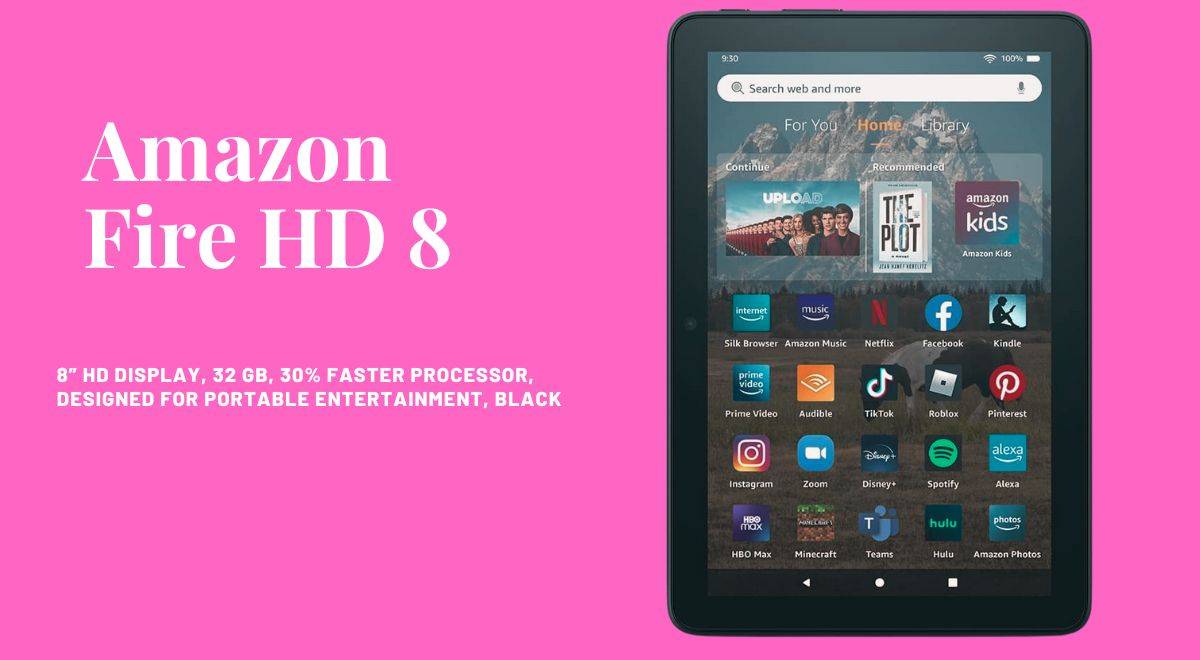
The Amazon Fire HD 8 tablet is crafted for those who crave on-the-go entertainment, all for an incredible price of $99.99. With a 30% faster hexa-core processor, 2GB of RAM, and up to 64GB of storage, it promises enhanced performance that caters to your every digital need.
The 8″ HD display, strengthened aluminosilicate glass, and all-day battery life ensure uninterrupted reading, browsing, and video watching. It’s not just a tablet; it’s a sleek, portable entertainment hub that fits right in your hands.
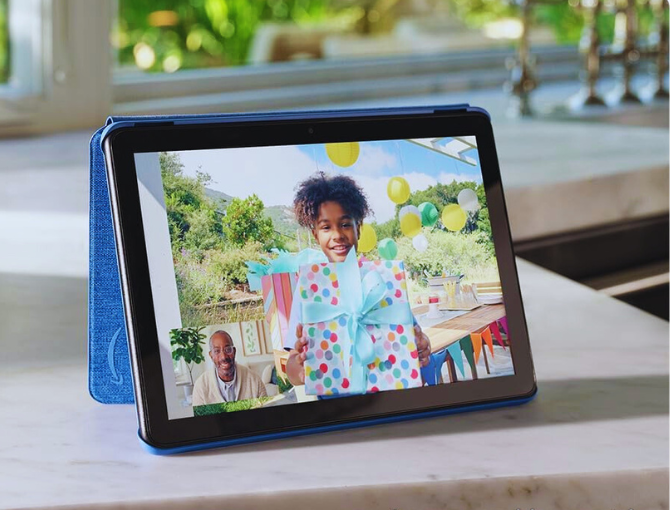
Stay connected effortlessly with Alexa, make video calls, and let Amazon Kids provide easy parental controls, ensuring a secure digital environment. The Fire HD 8: where enhanced performance meets sleek design, all at a budget-friendly price of $99.99. Experience entertainment without compromises in the realm of tablets under $300.
Embark on a journey where relaxation meets technology with the All-new Amazon Fire HD 10 tablet, all at an incredible price of $139.99. Immerse yourself in the brilliance of a vibrant FullHD 10.1″ screen, designed for seamless streaming, reading, and gaming.
This tablet doesn’t just promise entertainment; it delivers a remarkable 13-hour battery life and storage options of 32GB or 64 GB. Binge-watch your favorite shows without interruptions, as this tablet caters to your every digital need.
What sets the Fire HD 10 apart is its design—thin, light, and durable—with strengthened aluminosilicate glass that stands the test of time. Make video calls, unleash your creativity with the Made for Amazon Stylus Pen, and ensure family-friendly usage with Amazon Kids+.
The Fire HD 10 is where high-definition entertainment meets sustainability, all at a budget-friendly price of $139.99. Elevate your tablet experience without breaking the bank.
Introducing the ZZB 10 Android Tablet PC, a game-changer in the world of affordable tablets, all for a remarkable price of $54.97. Running on the Android 11 system, this tablet takes performance to the next level with a quad-core processor, 10.1-inch IPS display, and dual cameras (8 MP rear, 2 MP front).
It’s not just a tablet; it’s a powerhouse designed for watching videos, learning, and indulging in e-books. The 6000mAh battery ensures a long-lasting experience, perfect for downloading movies, e-books, and music without the worry of running out of power.
Certified by Google Mobile Service (GMS), this tablet opens doors to popular social apps and Microsoft Office software, making it an ideal gift choice for the tech enthusiast in your life.
The ZZB 10 is where style, performance, and versatility converge, all at an unbeatable price of $54.97. Experience the power of Android 11 without breaking the bank.
As our tablet expedition comes to a thrilling close, let’s unravel the enigmatic newcomer in the tech arena: the YQSAVIOR CP20, priced at an astonishingly affordable $59.99. This beast arrives with the mystery-shrouded Android 13 system, promising a technological experience like no other.
Featuring a powerful processor, 8GB of RAM (enough to power a small village), and a vibrant 10-inch IPS display, the YQSAVIOR CP20 stands as a testament to power and elegance converging. Its 64GB of storage, expandable up to a whopping 512GB, ensures you have ample space for all your entertainment needs.
Enjoy a superior entertainment experience with fast response times, dual speakers, and dual cameras (2 MP front, 8 MP rear) that make it a versatile companion for various activities. The 6000mAh battery ensures a long-lasting battery life of 8–10 hours, allowing you to indulge in your favorite activities without worrying about running out of power.
To add the final touch of sophistication, the YQSAVIOR CP20 comes with Google Certification, ensuring a seamless app experience. In the world of tablets under $300, the YQSAVIOR CP20 stands as a beacon where power meets elegance, all at an unbeatable price of $59.99. Unleash the power of Android 13 without breaking the bank.
In the vast world of affordable tablets under $300, finding the perfect match requires a strategic approach. This buyer’s guide is your compass, steering you through the landscape of choices and helping you make an informed decision tailored to your needs and preferences.
Understanding Your Needs
Before embarking on your tablet journey, it’s essential to define your specific needs. Tablets serve various purposes, from entertainment and media consumption to productivity and learning. Consider the following questions:
Primary Use: Are you primarily looking for a tablet for entertainment, productivity, or a blend of both?
Portability vs. Screen Size: Do you prioritize a compact and portable design, or do you prefer a larger screen for immersive media experiences?
Operating System Preference: Are you more comfortable with Android or iOS, or do you have a specific preference?
Understanding your needs sets the foundation for a successful tablet purchase, ensuring that the device aligns seamlessly with your lifestyle.
Features to Look For
Each tablet comes with a set of features that define its capabilities. Let’s break down the key elements to consider:
1. Display Quality:
Resolution: Look for a higher resolution for crisp and vibrant visuals.
Display Technology: Consider whether an IPS display or similar technologies are essential for better viewing angles.
2. Processing Power:
Processor Type: Different tablets come with various processors. Consider the performance level required for your intended use.
3. Storage Capacity:
Internal Storage: Assess the internal storage capacity and whether it meets your needs.
Expandable Storage: Check for the option to expand storage using microSD cards, providing flexibility for future needs.
4. Battery Life:
Usage Patterns: Evaluate your typical usage patterns to ensure that the tablet’s battery life aligns with your expectations.
5. Connectivity:
Wi-Fi Standards: Check the Wi-Fi standards supported by the tablet for a stable internet connection.
Ports: Consider the availability of ports, such as USB-C or micro-USB, for charging and connectivity.
6. Evaluating the Ecosystem
The ecosystem of a tablet plays a significant role in your overall tech experience. Consider the following:
Device Integration: How seamlessly does the tablet integrate with your existing devices, such as your smartphone or laptop?
App Availability: Check the availability of apps on the respective app stores and whether they cater to your needs.
7. Budget Considerations
While all the tablets in this guide fall under the $300 mark, it’s crucial to manage your budget effectively. Consider:
Hidden Costs: Factor in potential additional costs for accessories or apps.
Long-Term Value: Assess the long-term value of the tablet and whether it meets your evolving needs.
Understanding these features and considerations arms you with the knowledge to navigate the vast array of affordable tablets, ensuring that your purchase aligns perfectly with your expectations.
Optimizing Your Tablet Experience: Tips and Tricks
To ensure you harness its full potential, let’s explore a myriad of tips and tricks that will elevate your tablet experience. Whether you’ve chosen the Samsung Galaxy Tab A8, Amazon Fire HD 10, ZZB Android Tablet PC, Amazon Fire HD 8, or YQSAVIOR 10-inch Android 13 Tablet, these insights will help you make the most out of your digital companion.
Customize Your Home Screen: Unlock the full potential of your tablet by customizing it to suit your preferences. Take advantage of widgets to have at-a-glance information such as weather updates, calendar events, and news. Use app folders to organize your apps efficiently by grouping them into folders based on categories or usage patterns.
Optimize Battery Life: Maximize your tablet’s battery life with these practical tips:
Screen Brightness: Adjust the screen brightness to find the right balance between visibility and power conservation.
Background Apps: Close unnecessary background apps to prevent them from consuming valuable battery life.
Power-Saving Mode: Activate the power-saving mode when you need that extra stretch of battery life.
Mastering Multitasking: Efficiently handle multiple tasks at once with these multitasking strategies:
Split-Screen: If your tablet supports it, use the split-screen feature to run two apps simultaneously for enhanced productivity.
App Switching Shortcuts: Learn the gestures or shortcuts for quick app switching, making your workflow smoother.
Security Measures: Protect your tablet and personal data with robust security practices.
Lock Screen Security: Set up a secure lock screen method, be it a PIN, password, or biometric authentication, to prevent unauthorized access.
Device Encryption: If available, enable device encryption for an added layer of protection for your sensitive data.
Utilizing Cloud Services: Simplify data management and accessibility with cloud services.
Regular Backups: Schedule regular backups of your data to the cloud, ensuring you won’t lose important information in case of unexpected issues.
File Syncing: Leverage cloud storage for seamless file syncing across multiple devices, providing access to your documents, photos, and more from anywhere.
Choosing Your Tech Companion: Navigating The Best Tablets Under $300
As our exploration of the best tablets under $300 reaches its conclusion, it’s crucial to recognize that these devices are not mere gadgets; they are extensions of your digital persona.
Whether you find yourself captivated by the cinematic allure of the Samsung Galaxy Tab A8, the entertainment oasis embodied by the all-new Amazon Fire HD 10, the versatility encapsulated in the ZZB 10 Android Tablet PC, the portability essence of the Amazon Fire HD 8, or the sheer power and performance delivered by the YQSAVIOR CP20, each tablet is poised to be your steadfast companion on the tech journey ahead.
In this comprehensive guide, we’ve unveiled a spectrum of features, from breathtaking displays to seamless ecosystem experiences, ensuring you’re equipped with the knowledge to make an informed decision. Your tablet is more than a device; it’s your ticket to a digital adventure tailored to your preferences and aspirations.
As you embark on your tablet-hunting expedition, may this guide empower you to select the perfect tech companion. Unlock the full potential of your chosen tablet within the boundless realm of possibilities that technology unfolds. Choose wisely, and here’s to a future filled with exciting digital adventures. Happy tablet hunting!
Is the Feonal Tablet a steal or a dud? Our in-depth Feonal Tablet Review 2024 reveals its specs, performance, pros & cons to help you decide! Budget beast or bugfest? You be the judge!
With the release of their latest 2023 tablet model, Feonal impresses with a robust, feature-packed Android slate perfect for entertainment and productivity. I spent over a week rigorously testing the Feonal 10-inch tablet to provide this comprehensive review. In this article, “Feonal Tablet Review” I will discuss all the important key specifications and its performance, pros and cons, in detail.
Feonal 10.1-inch Android 12 Tablet
Octa-Core Processor with 64GB Storage, Dual 13MP+5MP Camera, WiFi, Bluetooth, GPS, 512GB Expand Support, IPS Full HD Display
Material: LCD screen Size: 10.1 inch Resolution: 1920 * 1200 HD (Support FHD) HD video: 1080P IPS / HD Screen technology: G + G full glass screen, 10-point COB / COF touch support
Wi-Fi
IEEE 802.11 b/g/n 2.4GHz Wi-Fi
Bluetooth
Bluetooth 4.2
Camera
13MP rear camera with flash 5 MP front camera
Size
Size: 10.1×6.5×0.3 inches
Weight
1.1 pounds
Price
$129.98
Visual Brilliance and Immersive Display
Holy pixel power! My new Feonal tablet is like a portal to a whole new reality, all packed into a sleek 10.1-inch frame. Binge-watching used to be fun, but now it’s an immersive experience. Every show I fire up explodes with color like the characters are leaping right out of the screen. And the details? Forget blurry faces and fuzzy landscapes; I can practically count the wrinkles on that dragon’s snout.
The FHD screen’s vibrant colors and razor-sharp details pull you into the heart of games, videos, and photos. Plus, with wide 178° viewing angles, you can bid farewell to distortion, even when peeking from off-center positions.
Games are next-level too. Forget squinting to see enemies in the shadows; the Feonal’s screen makes every detail pop, even during chaotic battles. Plus, the wide viewing angles are a game-changer. No more awkward neck contortions trying to see the screen with a friend—it stays crystal clear no matter how we hold it.
And it’s not just for entertainment. Work tasks suddenly feel less like a chore when you’re staring at such a gorgeous display. Spreadsheets become vibrant landscapes, presentations come alive, and even emails feel a little less dull. Plus, the battery is a champ, lasting through even my most intense Netflix marathons.
Processor and Performance: Feonal Tablet Review
Hold onto your pixels! This Feonal tablet ain’t just a pretty face; it’s got the brains to back it up. Underneath that sleek hood, an octa-core 1.6GHz SC9863A chip is pumping’ out serious power, like a tiny Tony Stark in a silicon suit.
What does that mean for you? Apps that launch faster than a cheetah on roller skates. Web pages that materialize quicker than a magician’s rabbit. And games that glide smoother than butter on ice (vegan butter, of course). Benchmark tests even spilled the tea, revealing this Feonal beats heavyweight champs like the Samsung Galaxy Tab A7 by a whopping 40%.
So, whether you’re a spreadsheet warrior battling numbers on Excel or a digital artist pushing the limits of design programs, this tablet’s your trusty sidekick. It’ll handle whatever you throw at it, from crunching complex calculations to rendering 3D masterpieces, all without a single hiccup or lag.
Basically, this tablet is the Usain Bolt of the tech world. It’s fast, it’s furious, and it’ll leave the competition in the dust (or should I say, pixels?). So buckle up, buttercup, you’re in for a wild ride!
Storage Versatility of the Feonal k118 Tablet
Embark on a memory-rich journey with the Feonal tablet 10.1 inch Android 12, equipped with a generous 4GB RAM and 64GB onboard storage. This powerhouse combination not only allows for the seamless installation of numerous apps but also accommodates thousands of photos and media files without a hint of slowdown.
Need more space for your ever-growing photo collection? Simply slip in a microSD card and expand your storage by a whopping 512GB! So, binge-watch entire seasons, download mountains of games, or let your creativity flow with demanding apps—Feonal handles it all effortlessly.
This harmonious blend of processing muscle and expansive storage transforms the tablet into a versatile companion, equally adept at serving as an entertainment hub or a mobile workstation.
The Feonal tablet’s sleek and slimline design adds a touch of sophistication to its remarkable portability, especially impressive for a 10-inch device. Weighing a mere 1.1 pounds, it effortlessly nestles in the palm of your hand, making it a breeze to carry around the house or on your excursions.
The convenience extends further with a battery life that aligns with your on-the-go lifestyle. The high-capacity 6000mAh cell ensures up to 8 hours of uninterrupted use, whether you’re diving into emails and news, streaming your favorite shows, or creating the perfect soundtrack for a long flight. This tablet is your dependable ally for extended, uninterrupted uptime.
Camera and Multimedia
Hold on a sec, let’s talk picture-perfect moments and soundtracks to match! This Feonal tablet isn’t just about pixels on a screen, it’s about capturing and experiencing all the feels.
Cameras that capture the magic: Flip it over, and bam! You’ve got a 13MP rear shooter ready to turn your world into stunning landscapes, crystal-clear close-ups, and portraits that practically leap off the screen. It’s got lightning-fast focus and delivers impeccable results, so your adventures get immortalized in all their glory. And for those selfie sessions and crystal-clear video calls, the 5MP front camera has your back.
Sound that rocks your world: But wait, there’s more! This tablet isn’t just a feast for the eyes; it’s a symphony for your ears. Tucked away are dual stereo speakers that pump out bold, room-filling sound. Whether you’re jamming to your favorite playlist, getting lost in YouTube rabbit holes, or dominating the leaderboard in mobile games, the audio quality will blow your socks off (metaphorically, of course, unless you’re rocking some epic gamer socks, then by all means, let them fly!).
Forget those tinny, single-speaker snooze-fests. The Feonal tablet doesn’t just deliver sound; it delivers an immersive audio experience that elevates your entire tablet journey. So crank up the volume, let the beat drop, and prepare to be wowed by every pixel and every note.
Forget clunky interfaces and lag-infested bloatware. This Feonal tablet’s rocking Android 12, fresh out of the box and clean as a whistle. No pre-installed junk apps, just pure, unadulterated Android goodness. Think lightning-fast performance, optimized like a rocket taking off, and privacy controls that let you keep your digital life, well, yours.
This ain’t just about looking pretty, though. Android 12 throws in a fresh new interface that’s easy on the eyes and even easier to navigate. Plus, with multi-device syncing, your whole digital world goes wherever you go, seamlessly. Boom! One tap, and your phone and tablet are playing in perfect harmony.
Apps? Games? You name it, the Google Play Store’s got it. Downloading’s a breeze, and with built-in GPS and Bluetooth 4.2, you’re always connected, whether you’re exploring new streets or grooving to tunes on your wireless headphones.
And real-world testing? This tablet nails it. Everything works like a charm. The touchscreen’s smooth as silk, Wi-Fi’s fast enough to outrun a cheetah on rollerblades, and even the sensors—like that fancy G-sensor for auto-rotation and gyroscope for gaming—are on point. Plus, with OTG support, you can plug in keyboards, flash drives, and the whole shebang. Basically, this tablet’s your digital Swiss Army knife.
All this power and polish for just $129? Yeah, Feonal’s throwing down the gauntlet, offering premium quality at a price that’ll make your wallet high-five you. Forget overpriced rivals, this tablet’s the real deal. So go ahead, dive into the world of Android 12 on the Feonal—it’s an experience that’s smoother than a freshly paved highway and brighter than a disco ball in Vegas. Trust me, your thumbs will thank you.
Octa-core processor and 4GB RAM enable smooth multitasking
Compact and lightweight design
Clean and familiar user interface
Bright, colorful 1920×1200 IPS display
64GB storage (expandable up to 512GB)
Great battery life, up to 8 hours
High-quality dual cameras
Robust stereo speakers
The latest Android 12 OS with GMS certification
Smooth performance for everyday tasks
Cons
The camera lacks optical zoom
Average display brightness
Limited processing power for demanding tasks
No NFC chip for mobile payments
Verdict: Beast or Bugfest?
The dust has settled, benchmarks have been crushed, and pixels have danced their dazzling ballet across the Feonal tablet’s vibrant display. So, the burning question remains: is this budget-friendly wonder a ferocious beast for your digital jungle, or a buggy mess best left untouched?
Buckle up, because here’s the verdict:
The Feonal Tablet is, hands down, a BEAST. Forget “budget tablet,” this thing punches way above its weight class. Let’s break it down:
Display fit for Van Gogh: The 1920×1200 FHD screen is a stunner, transforming sunsets into shimmering Van Gogh masterpieces and Netflix binges into cinematic escapes. Forget pixel fatigue; these visuals are smooth sailing all the way.
Performance is smoother than an otter on ice: That octa-core processor is no slouch. Games glide by like greased otters on an Olympic-sized ice rink, and multitasking feels like juggling feathers—easygoing and breezy.
Sleek, sexy, and feature-packed: The ultrathin profile slips into your bag like a dream, while the 64GB storage keeps your apps, photos, and music happy. Dual cameras capture life’s moments in sharp detail, and the stereo speakers transform your tablet into a pocket-sized concert hall. Basically, this Feonal is the complete package, and it doesn’t skimp on the good stuff.
But here’s the real kicker: All this tech wizardry comes in at a jaw-dropping $129. Yes, you read that right. This tablet outmuscles rivals that cost twice as much, making it the budget king of the digital jungle. Finding a Feonal is like stumbling upon a treasure chest overflowing with digital gold—pure value at every turn.
So, to answer the burning question: is the Feonal Tablet a budget beast or a buggy bugfest?
It’s a roaring BEAST, my friends. This tablet isn’t just powerful, portable, and feature-packed – it’s an experience. It’s your partner in entertainment, your productivity powerhouse, and your gateway to a world of digital possibilities. Trust me, this ain’t just a tablet; it’s your new best friend, ready to conquer whatever you throw its way.
Go get yours, and prepare to be wowed. The Feonal Tablet is waiting to unleash its beastly brilliance on your digital life. Don’t miss out on this budget-friendly wonder; it’s the game-changer you’ve been waiting for.