Tag: Budget tablet

  • Samsung Galaxy Tab A9+ Review: Big Screen Fun for Kids?

    Samsung Galaxy Tab A9+ Review: Big Screen Fun for Kids?

    The Samsung Galaxy Tab A9+ has emerged as a compelling contender in the budget tablet market, offering a harmonious blend of affordability, performance, and thoughtful design. As users seek versatile devices for both work and leisure, the Galaxy Tab A9+ steps up to the plate with its impressive features and user-friendly experience.

    Big screen fun! The Samsung Galaxy Tab A9+ (2023) features an immersive 11″ display, Dolby Atmos quad speakers, & an upgraded chipset. Multitask with ease & enjoy a slim, light design.

    The Galaxy Tab A9+ slots neatly into the budget end of Samsung’s Android tablet lineup in the US, replacing the Galaxy Tab A8 from 2022. Let’s dive into what makes this tablet stand out:

    Design and Build Quality

    The Galaxy Tab A9+ inherits design traits from its predecessor, the Tab A8, which earned a special place in users’ hearts. Its understated yet refined design exudes elegance, making it a pleasant companion for streaming videos, browsing the web, or tackling productivity tasks. The sturdy build ensures durability, even during everyday use.

    The Samsung Galaxy Tab A9+ strikes a balance between style and functionality with its design and build quality. Here’s a detailed look:

    • Thin and Light: Measuring just 0.27 inches thin and weighing 1.35 pounds, the Tab A9+ is a remarkably portable tablet. This makes it comfortable to hold for extended periods, making it ideal for reading ebooks, browsing the web, or watching videos.
    • Premium Feel: Samsung clad the A9+ in a sleek aluminum back that gives it a polished and premium look. The aluminum construction also enhances durability, providing peace of mind for everyday bumps and nicks.
    • Large Display, Minimal Bezels: The large 11-inch display is the centerpiece of the tablet, accentuated by minimal bezels that create a more immersive viewing experience.
    • Color Options: The Tab A9+ comes in three classic colors: Graphite, Silver, and Navy. You can choose the color that best suits your style.

    Some things to consider

    • While the aluminum build feels sturdy, some reviewers have noted that it can be a bit slippery. A case might be a good idea for added grip and protection.
    • The bezels, while minimal, are slightly thicker than those found on high-end tablets.

    Overall, the Samsung Galaxy Tab A9+ delivers a well-designed and well-built tablet, particularly for its price point. The thin and light profile makes it easy to carry around, while the aluminum construction offers a touch of elegance and durability.

    Display and Audio
    Samsung Galaxy Tab A9+ Review

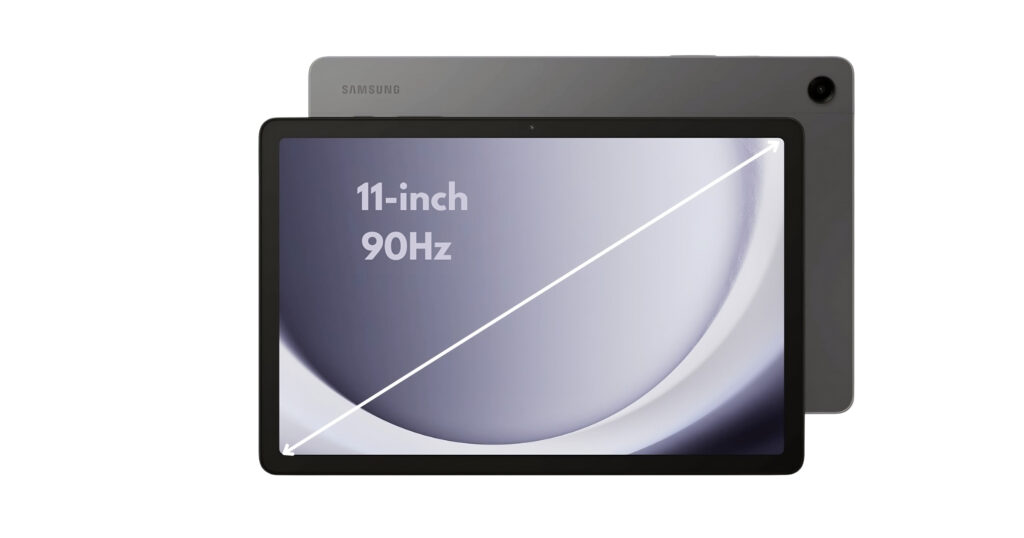
    The Samsung Galaxy Tab A9+ is built for entertainment, and its display and audio system reflect that focus. The 11-inch display steals the spotlight. With a resolution of 1920 x 1200 (WUXGA) and a refresh rate of up to 90 Hz, the screen offers vibrant visuals and smooth interactions. Whether you’re binge-watching your favorite series or immersing yourself in an e-book, the Galaxy Tab A9+ delivers.

    But it’s not just about visuals—the tablet boasts quad speakers powered by Dolby Atmos. Your music, shows, and games come alive with rich, clear sound. Imagine the joy of watching a movie with your family, with each speaker contributing to the cinematic experience. Let’s delve into the details:

    Display:

    • Large and Vibrant: The centerpiece of the A9+ is its expansive 11-inch TFT LCD display. This generous screen size is perfect for watching movies, playing games, or browsing the web.
    • Sharp Resolution: With a resolution of 1920 x 1200 (WUXGA), the display offers sharp visuals and clear text. While not the highest resolution on the market, it delivers enjoyable visuals for everyday tasks.
    • Smooth Scrolling and Motion: A 90Hz refresh rate ensures smooth scrolling and transitions, making navigation and fast-paced games feel fluid and responsive.

    Audio:

    • Dolby Atmos Experience: The A9+ boasts quad speakers tuned with Dolby Atmos technology. This combination delivers immersive and rich surround sound, significantly enhancing your movie, music, and gaming experiences.
    • Loud and Clear Audio: Whether you’re watching a quiet dialogue scene or listening to action-packed music, the speakers deliver clear and well-balanced audio at ample volume.

    Some things to consider

    • Display Type: An LCD panel is used instead of an OLED panel. While LCDs offer good brightness and color accuracy, OLED panels generally provide deeper blacks and better contrast ratios.
    • No Fingerprint Sensor: The display doesn’t house a fingerprint sensor for unlocking the tablet. Fingerprint security is available via a side-mounted sensor, however.

    The Samsung Galaxy Tab A9+ display and audio combination provide a compelling entertainment experience. The large display offers plenty of screen real estate, while the 90Hz refresh rate ensures smooth visuals. The Dolby Atmos-powered quad speakers deliver immersive and room-filling sound, making the A9+ a great choice for watching movies, listening to music, or playing games.

    Performance and Software
    Samsung Galaxy Tab A9+ Review

    The performance and software of the Galaxy Tab A9+ work together to deliver a smooth and capable user experience. Let’s explore what’s powering this tablet:

    Processor:

    • Upgraded Performance: Under the hood, the Galaxy Tab A9+ packs an updated Snapdragon 695 processor. This improvement translates to snappier performance, whether you’re switching between apps, editing documents, or playing casual games. Android 13 comes pre-installed, ensuring you’re up-to-date right out of the box. This upgrade translates to improved performance for everyday tasks, including:
      • Effortlessly switching between multiple apps
      • Browsing the web with ease
      • Handling productivity tasks like document editing and note-taking
      • Enjoying casual games without lag

    While not a powerhouse for demanding games or heavy multitasking, the Snapdragon 695 is a capable processor that delivers a noticeable improvement over previous A-series tablets.

    Software:

    • Android 13 out-of-the-box: The Galaxy Tab A9+ comes pre-installed with the latest Android 13 operating system. This ensures you have access to the newest features, security updates, and optimizations from Google.
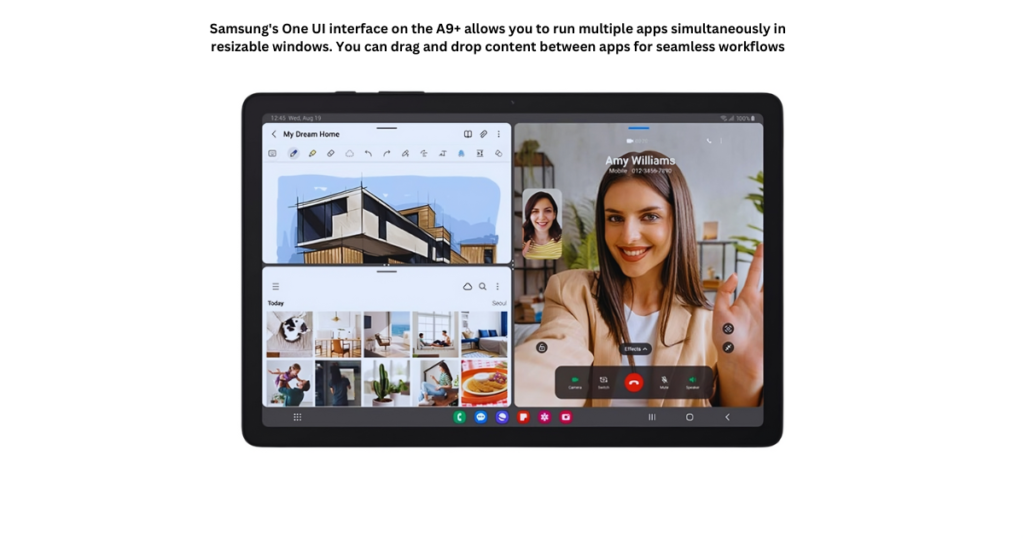
    • Samsung’s One UI Interface: Samsung overlays Android 13 with their One UI interface. This user-friendly interface provides a clean and intuitive experience specifically designed for tablets. It offers features like:
      • Multi-window functionality for efficient multitasking
      • Drag-and-drop capabilities for seamless file management
      • Dex mode, transforming the tablet into a desktop-like experience with a monitor connection (optional accessory required)

    Some things to consider

    • Mid-Range Performance: The Snapdragon 695 is a mid-range processor. While it handles everyday tasks well, users who require intensive multitasking or high-end gaming should look towards higher-end tablets.
    • Bloatware: Samsung’s One UI may include some pre-installed apps you might not use. These apps can usually be disabled or uninstalled to free up storage space.

    Overall, the combination of the upgraded Snapdragon 695 processor and Android 13 with Samsung’s One UI interface offers a smooth and capable user experience for everyday tasks, entertainment, and light to moderate productivity work.

    Storage Options

    The Samsung Galaxy Tab A9+ caters to individual storage needs with two built-in storage options and the flexibility of expandable microSD card support. Let’s delve into the details:

    Built-in Storage:

    • 64GB and 128GB Options: The Galaxy Tab A9+ comes in two storage variants: 64 GB and 128 GB. The choice depends on your typical tablet usage and how much storage you require for apps, games, photos, videos, and files.
      • 64GB: This option is suitable for users who primarily browse the web, check email, stream videos occasionally, and use lighter apps.
      • 128GB: If you plan on downloading more apps and games, storing a larger music or photo library, or working with offline files, the 128GB model provides more breathing room.

    Expandable Storage with MicroSD Cards:

    • MicroSD Support Up to 1TB: Fortunately, the Galaxy Tab A9+ doesn’t limit you to its built-in storage. It features a microSD card slot that allows you to expand your storage capacity by up to 1TB with a compatible microSD card (sold separately). This is a significant advantage, especially for users who:
      • Download a lot of movies, music, or games for offline use.
      • Take high-resolution photos and videos.
      • Need to store large work files on the tablet.

    Making the Right Storage Choice

    Here are some tips to help you decide how much storage you’ll need:

    • Consider your app usage: If you plan on installing many games or data-heavy apps, opt for the 128GB option or plan to use a microSD card.
    • Think about your media consumption: Do you store a lot of music, movies, or offline content? If so, you’ll likely benefit from more storage space.
    • Evaluate your photo and video needs: If you take high-resolution photos and videos, you’ll need more storage to store them.

    Value Proposition

    Now, let’s talk value. The base model starts at $214.99, making it an attractive proposition for budget-conscious users. But there’s more: Samsung offers a 5G-ready version for those seeking faster connectivity. Compare this to other tablets in the same price range, and the Galaxy Tab A9+ holds its ground admirably.

    Pros and Cons

    The Samsung Galaxy Tab A9+ positions itself as a budget-friendly entertainment and productivity tablet. Here’s a breakdown of its pros and cons to help you decide if it’s the right choice for you:

    Pros

    • Large and Immersive Display
    • Capable Performance for Everyday Tasks
    • Excellent Audio Experience
    • Expandable Storage
    • Family-Friendly Features
    • Thin, Light, and Durable Design
    • Affordable Price Point

    Cons

    • Mid-Range Processing Power
    • No S Pen Support
    • 15W Charging Speed
    • LCD Display
    • No Fingerprint Sensor on Display

    Ultimately, the Samsung Galaxy Tab A9+ offers a compelling balance of features and affordability for casual users, families, and students who prioritize entertainment, browsing, light productivity, and everyday tasks. By considering the pros and cons, you can decide if the A9+ aligns with your needs and usage style.

    Who Benefits Most?

    The Galaxy Tab A9+’s versatility makes it a compelling choice for various users:

    • Students: The large display is perfect for reading textbooks and ebooks. The A9+ can handle note-taking apps and research browsing with its capable processor.
    • Casual Users: Enjoy streaming movies and shows, browsing social media, and managing emails with ease. The A9+ provides a smooth experience for everyday entertainment and light productivity tasks.
    • Families: The large screen makes the A9+ ideal for family movie nights or watching shows together. Samsung Kids provides a safe and engaging space for children to learn and play, while expandable storage allows you to store plenty of movies, games, and educational apps for everyone.
    • Budget-Minded Users: Looking for a large-screen tablet without breaking the bank? The A9+ offers excellent value with its feature set and affordable price point.
    • Light Gamers: While not a powerhouse, the A9+ can handle casual games without any issues.

    Read: Facetel Q7 Tablet Review: Budget Hero or Big Disappointment?

    Parental Controls & Kid-Friendly Content

    The Samsung Galaxy Tab A9+ isn’t just about entertainment; it can be a valuable educational tool for children as well. But for parents, ensuring a safe and controlled environment is crucial. Here’s how the A9+ addresses those concerns:

    • Samsung Kids: This dedicated app creates a safe space for your children to explore age-appropriate content. It offers:
      • Curated Content: Educational games, interactive activities, and child-friendly videos ensure your kids are learning and having fun.
      • Parental Controls: Set screen time limits, manage app access, and monitor usage to ensure a healthy digital balance.
      • Customizable Profiles: Create individual profiles for each child, allowing for personalized content and time restrictions.
    • Simple Setup: Setting up Samsung Kids is easy and intuitive. You can quickly establish a safe environment for your children, giving you peace of mind.

    Beyond Samsung Kids:

    • Google Play Parental Controls: The Galaxy Tab A9+ allows you to leverage Google Play’s parental controls. This lets you restrict app downloads, and in-app purchases, and manage content filtering based on your child’s age.

    In summary, the Samsung Galaxy Tab A9+ strikes a balance between affordability and functionality. It won’t replace a high-end laptop, but it’s a reliable companion for everyday tasks. Whether you’re a student, a parent, or someone seeking an affordable tablet, the Galaxy Tab A9+ deserves a spot on your radar.

    Remember, technology evolves, but thoughtful design and usability remain timeless. The Galaxy Tab A9+ embodies this philosophy, making it a worthy addition to your digital arsenal. So go ahead, explore, create, and enjoy—Samsung’s got you covered!

    Read: The Best Tablets Under $300: 5 Tablets for School & Fun
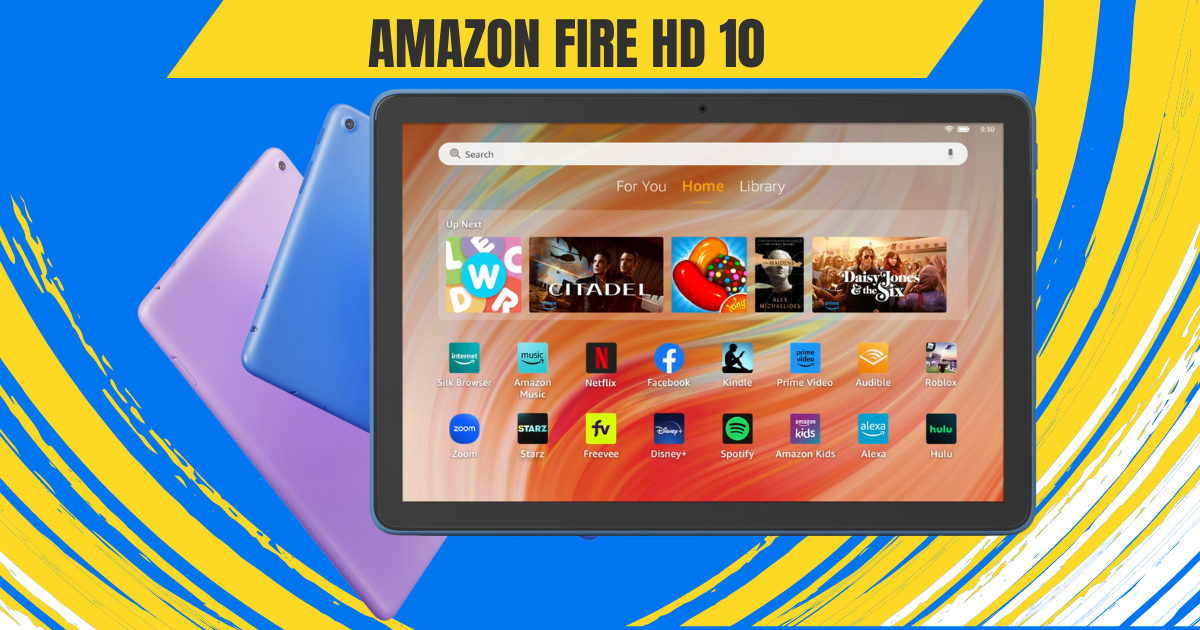
  • Amazon Fire HD 10 Review: Best Budget Tablet Under $100

    Amazon Fire HD 10 Review: Best Budget Tablet Under $100

    A tablet that flawlessly fuses entertainment and productivity into a compact yet powerful device—that’s the vision behind the Amazon Fire HD 10 Tablet. This affordable marvel aims to enhance how you relax and have fun. But does it truly deliver tablet paradise on a budget?

    The excitement begins the moment you tear open the box. An exceptional unboxing experience primes you for the Fire HD 10 itself and the goodies bundled within. We’ll take you through that process step-by-step, building anticipation before unveiling the tablet in all its glory.

    This Amazon Fire HD 10 Review will analyze if the Fire HD 10 makes good on Amazon’s promise of an entertainment haven meets productivity powerhouse, all without breaking the bank. We’ll spotlight the tablet’s strengths and weaknesses to determine if it’s the bargain Amazon touts it to be.

    So let’s jump right in and explore whether this tablet ushers relaxation and fun into your life or falls short of expectations. The Amazon Fire HD 10 awaits—along with our unfiltered review.

    First Impressions: A Familiar Face with a Modern Twist

    Multitasking in amazon fire hd 10

    Pulling the Fire HD 10 (2024) out of the box, seasoned tablet users might experience a sense of déjà vu. Imagine vibrant colors, sharp visuals, and content that comes alive on your screen. To protect this visual masterpiece, the display is fortified with aluminosilicate glass, adding an extra layer of durability.

    The Fire HD 10 Tablet boasts a stunning 10.1-inch 1080p display, packing over 2 million pixels for an impressive 224 ppi. With dimensions of 9.69” x 6.49” x 0.34” (246mm x 164.8mm x 8.6mm), the Fire HD 10 Tablet strikes a harmonious balance between a spacious screen and a sleek, portable design.

    Weighing 15.29 oz (433.6g), this tablet is a lightweight companion, making it easy to carry on the go. Actual size and weight may vary by configuration and manufacturing process, ensuring versatility for different user preferences.

    The design retains the classic Fire tablet aesthetic: clean lines, rounded corners, and a hefty bezel around the display. While some might scoff at the lack of trendy edge-to-edge screens, this approach is practical.

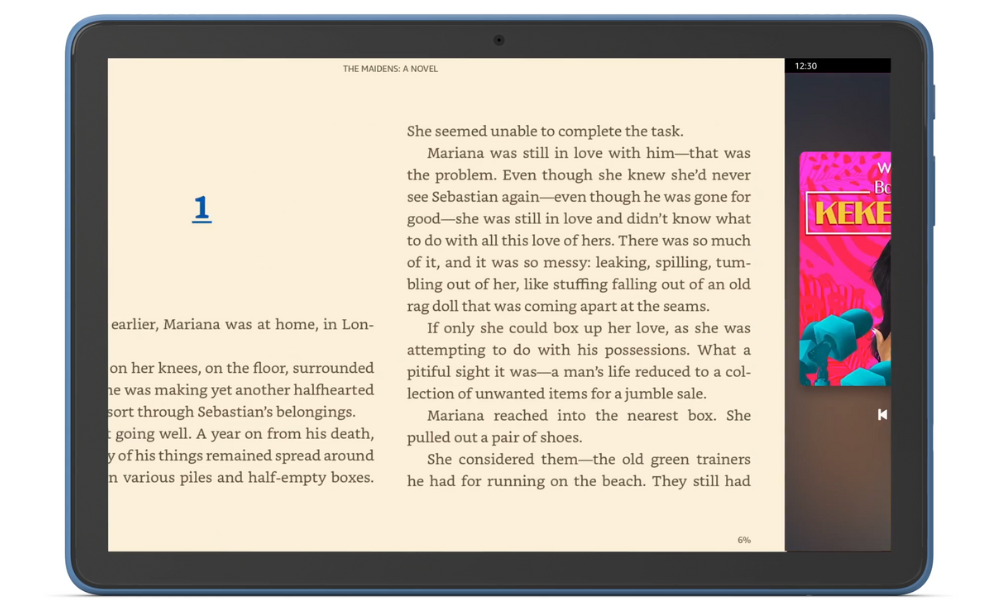
    reading in amazon fire hd 10

    The bezel provides a comfortable grip, especially for one-handed reading or movie marathons. Plus, it houses the front-facing camera, making video calls a breeze.

    The real star of the show, however, is the display. Whether you’re engrossed in a captivating novel, binge-watching your favorite show, or browsing through social media, the display does justice to the content. And for those concerned about accidental bumps and drops, the aluminosilicate glass screen offers peace of mind, exceeding the durability of some competitors.

    Amazon Fire HD 10 Review: Performance

    Fueling the device’s capabilities is an octa-core processor, featuring 2x Arm Cortex-A76 up to 2.05 GHz and 6x Arm Cortex-A55 up to 2 GHz, paired with 3GB of RAM. This robust configuration ensures smooth performance across various applications.

    Backed by 3 GB of RAM, the Fire HD 10 Tablet facilitates seamless multitasking. Whether you’re navigating multiple apps or engaging in resource-intensive activities, this tablet is up to the task.

    multitasking in amazon fire hd 10

    This translates to smooth performance for everyday tasks like web browsing, checking emails, and reading ebooks. While it won’t win any speedrunning awards, it handles multitasking with surprising grace, allowing you to seamlessly switch between apps without noticeable lag. Even casual gaming is a pleasant experience, thanks to the 25% performance boost compared to the previous generation.

    Of course, there are limitations. Demanding games or graphically intensive apps might push the hardware a bit too far, resulting in occasional stutters. But for the core functionality most users crave in a tablet, the Fire HD 10 (2024) delivers admirably.

    The Fire HD 10 Tablet offers options of 32 GB (24 GB available to the user) or 64 GB (54.3 GB available to the user) of internal storage. For those with expansive digital libraries, there’s the convenience of a micro-SD slot for up to 1 TB of additional storage. However, it’s important to note that some apps may require installation on internal storage, and updates may impact available space.

    A Battery Built for Binge-Watching

    Amazon fire hd 10 battery life

    One of the biggest concerns with tablets is battery life. After all, who wants their entertainment cut short just as the plot thickens? The Fire HD 10 boasts an impressive 13 hours of battery life for reading, browsing, and video playback. That’s enough to power through a workday, a long commute, or an entire season of your favorite show without reaching for the charger.

    The Fire HD 10 Tablet boasts a convenient charge time, fully powering up in under 4 hours with the provided USB-C cable and 9W power adapter. For an even speedier charge, users can opt for a 15W adapter and USB type C to C cable (sold separately), bringing the full charge time down to under 3 hours.

    Seamless Connectivity: Wi-Fi, Ports & Bluetooth

    Unleash the world at your fingertips with the Fire HD 10 Tablet’s robust connectivity options. Whether you’re streaming movies in a bustling coffee shop, downloading essential files on the go, or connecting your favorite wireless accessories, this tablet ensures you stay seamlessly connected to your digital life.

    Dual-Band Wi-Fi

    Experience the freedom of seamless internet access with dual-band Wi-Fi. Connect to a variety of public and private networks, including 2.4 GHz and 5 GHz frequencies, for smooth browsing, buffer-free video streaming, and fast downloads. Whether you’re catching up on emails at your local library or enjoying a movie marathon at home, reliable Wi-Fi keeps you connected.

    But wait, there’s more! While the Fire HD 10 Tablet doesn’t currently support the latest Wi-Fi 6 standard, the included 802.11a/b/g/n/ac coverage provides ample speed and compatibility for most needs. So, rest assured, you’ll have the bandwidth to handle your daily digital activities with ease.

    Versatile Ports for Every Need

    The Fire HD 10 Tablet doesn’t limit you to Wi-Fi. It boasts a powerful USB-C (2.0) connector, the universal charging standard, ensuring compatibility with a wide range of chargers and devices. Need to juice up your tablet quickly? Simply plug it into any compatible USB-C power adapter for a speedy recharge. But the connectivity doesn’t stop there.

    Expand your storage horizons with the micro-SD slot, supporting up to 1 TB of additional storage. Download entire movie libraries, music collections, or e-book archives without worrying about running out of space. Transfer files effortlessly between your tablet and other devices with the USB-C port, making it a truly versatile connectivity hub.

    Bluetooth Brilliance

    Immerse yourself in rich, wireless audio with Bluetooth 5.3. Connect your favorite headphones, speakers, or even a microphone for hands-free calls. Enjoy crystal-clear sound while listening to music, watching movies, or participating in online meetings. Bluetooth 5.3 also ensures a stable and low-power connection, so you can enjoy extended wireless sessions without worrying about dropped connections or battery drain.

    From streaming movies on the go to connecting your smart home devices, the Fire HD 10 Tablet’s versatile Wi-Fi, ports, and Bluetooth capabilities keep you seamlessly connected to your digital world. So, go ahead, explore, create, and share—the possibilities are endless!

    Also Read: The Best Tablets Under $300: 5 Tablets for School & Fun

    Camera and Audio Features

    The Fire HD 10 Tablet isn’t just about browsing the web and checking emails; it’s also your gateway to capturing precious moments and indulging in rich audio experiences. Let’s delve into the world of sights and sounds offered by this versatile device.

    Camera

    amazon fire hd 10 camera quality

    Equipped with both 5 MP front and rear-facing cameras, the Fire HD 10 Tablet empowers you to freeze-frame life’s special moments. Whether it’s a family gathering, a breathtaking landscape, or a goofy pet video, capture memories in clear, vibrant detail. And with 1080p HD video recording, you can relive those moments in stunning high definition.

    The front-facing 5 MP camera is perfect for capturing engaging selfies and video calls. Look sharp and confident during online meetings, or catch up with loved ones face-to-face with clarity. The rear camera, on the other hand, excels at capturing the world around you. Use it to document your travels, showcase your hobbies, or simply snap fun photos with friends.

    The Fire HD 10 Tablet offers various camera features to enhance your photography experience. Adjust exposure, and white balance, and even experiment with HDR mode to capture stunning shots in challenging lighting conditions. And for those who like to add a personal touch, explore a variety of fun filters and editing tools to make your photos stand out.

    Audio Bliss

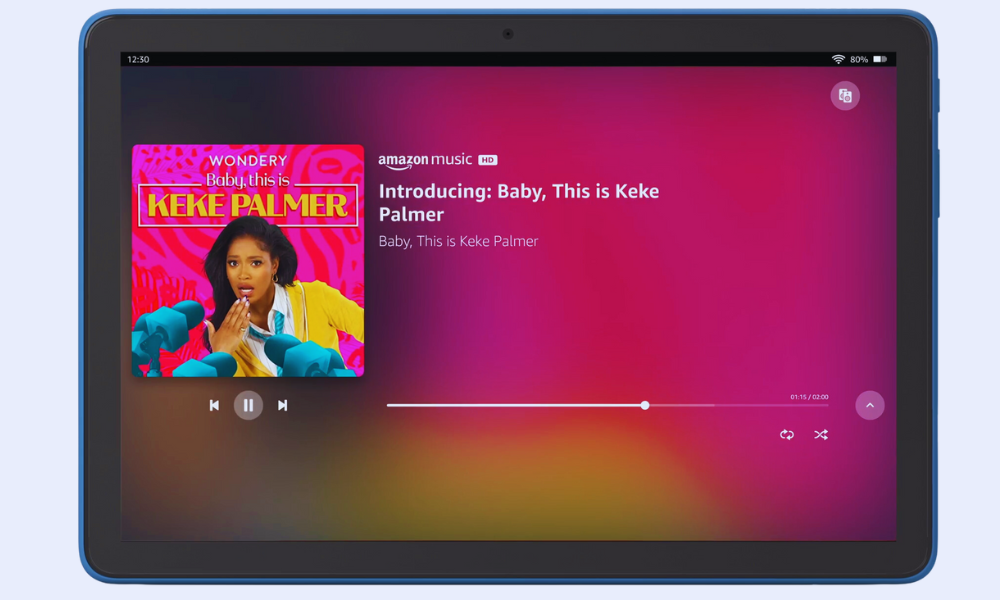
    Get ready to be transported to a world of rich, immersive sound with the Fire HD 10 Tablet’s audio capabilities. The dual integrated speakers deliver clear and balanced sound, perfect for enjoying music, movies, and audiobooks. Crank up the volume with the external volume controls and fill your room with your favorite tunes or the latest blockbuster soundtrack.

    music in amazon fire hd 10

    For a truly private listening experience, plug in your favorite headphones through the 3.5 mm stereo jack. This lets you enjoy high-quality audio without any distractions. But if you prefer a wire-free setup, Bluetooth 5.3 connectivity allows you to connect a wide range of wireless headphones and speakers. Stream music, listen to podcasts, or binge-watch your favorite shows with crystal-clear sound, all without the hassle of wires.

    The Fire Ecosystem: A World of Content at Your Fingertips

    The Fire HD 10 runs on Amazon’s Fire OS, which might raise some eyebrows for Android users. While it lacks access to the full Google Play Store, the Fire OS offers a curated selection of apps, games, and ebooks specifically optimized for the tablet. Think of it as a walled garden, but one overflowing with entertainment options.

    Prime members get access to a treasure trove of content, including Prime Video, Kindle Unlimited, and Amazon Music. Dive into award-winning movies and TV shows, devour bestselling books, or get lost in your favorite tunes—all seamlessly integrated within the Fire OS ecosystem. And for the kids, Amazon Kids+ provides a safe and enriching environment with age-appropriate content and parental controls.

    Speaking of integration, the Fire HD 10 (2024) doubles as a smart home hub. With Alexa built-in, you can control your smart lights, thermostats, and other compatible devices directly from the tablet. So, imagine dimming the lights, setting the mood with music, and settling in for a movie night—all with just your voice. It’s a touch of futuristic convenience that adds to the overall experience.

    Beyond Entertainment

    While relaxation and entertainment might be the Fire HD 10’s forte, it doesn’t shy away from light productivity tasks. The pre-installed Microsoft Office suite lets you create and edit documents, spreadsheets, and presentations on the go. Checking emails, managing your calendar, and taking notes becomes effortless with apps like Gmail, Outlook, and Calendar.

    However, don’t expect to replace your laptop entirely. The lack of a trackpad or keyboard attachment can hinder extensive document editing or heavy multitasking. But for occasional work on the go, checking emails during your commute, or jotting down quick notes, the Fire HD 10 (2024) proves surprisingly capable.

    More Than Meets the Eye: A Family-Friendly Haven
    a family friendly heaven amazon fire hd 10

    Tablets have become a fixture in many households, and the Fire HD 10 recognizes the importance of catering to young users. Amazon Kids+ transforms the tablet into a safe and enriching space for children. This subscription service unlocks a vast library of age-appropriate content, including educational apps, games, books, and videos.

    Parents can set screen time limits, manage content access, and monitor their children’s activity, ensuring a balanced and controlled digital experience.

    But the Fire HD 10 goes beyond mere content control. The tablet doubles as a learning tool, with features like Kid-Friendly Web Filtering and Learn to Read with Alexa. These tools help children navigate the web safely and develop essential reading skills in a fun and engaging way.

    Accessibility Features on the Fire HD 10

    Technology should be accessible to everyone, regardless of ability. Recognizing this, the Amazon Fire HD 10 boasts a wide range of accessibility features designed to empower users with various needs. Let’s delve into some of the key functionalities that make this tablet an inclusive option:

    Visual Impairments:

    • VoiceView Screen Reader: This built-in tool narrates on-screen content, providing audio descriptions of menus, buttons, and text. Users can navigate using gestures and receive audible feedback, making the tablet usable for individuals who are blind or visually impaired.
    • Screen Magnifier: Zoom in on specific areas of the screen for a closer look at text, images, or other elements. This feature aids users with low vision in easily accessing and interacting with content.
    • High Contrast Text and Color Options: Adjust the visual presentation of text and background colors to enhance readability for individuals with visual sensitivities or color blindness.
    • Font Size and Display Size Adjustments: Increase or decrease the size of text and overall display elements to suit individual preferences and visual needs.

    Mobility Impairments:

    • Switch Access: This feature allows users with limited motor skills to control the tablet using external switches or compatible Bluetooth devices. By scanning through on-screen options and selecting choices with switch presses, users can navigate and interact with the tablet without direct touch.
    • Tap to Alexa: Access essential actions and features through on-screen tiles or a keyboard, bypassing the need for touch interaction. This provides an alternative control method for users who have difficulty touching the screen.

    Additional Accessibility Features:

    • Closed Captioning: Enable captions for supported video content to aid users with hearing impairments or those in noisy environments.
    • Kindle Read Aloud: Have Alexa read your Kindle books aloud, transforming text into spoken content for a hands-free listening experience.
    • Microphone and Audio Adjustments: Connect headphones or external speakers for enhanced audio output. Adjust sound settings and enable mono audio for users with specific hearing needs.

    These are just a few examples of the accessibility features available on the Fire HD 10. Amazon’s commitment to inclusivity is evident in the depth and variety of tools offered, ensuring that users with diverse abilities can enjoy the tablet’s entertainment, communication, and learning potential.

    The Verdict: A Budget-Friendly Oasis with Room for Growth

    The Amazon Fire HD 10 isn’t perfect. Power users and those deeply entrenched in the Google Play Store ecosystem might find its limitations frustrating. But for those seeking an affordable tablet for entertainment, light productivity, and family fun, it’s a compelling option. The vibrant display, impressive battery life, and integration with the Fire ecosystem create a relaxing and enjoyable user experience.

    Here’s the breakdown:

    Pros:

    • Excellent Value: Priced significantly lower than comparable tablets, offering great bang for your buck.
    • Vibrant Display: The 10.1-inch Full HD screen delivers sharp visuals and rich colors.
    • Durable Design: Aluminosilicate glass ensures the tablet can withstand everyday bumps and drops.
    • Improved Performance: A 25% faster processor compared to the previous generation for smoother multitasking.
    • Long Battery Life: Up to 13 hours of video playback and browsing keep you entertained on the go.
    • Seamless Fire Ecosystem: Access to Prime Video, Kindle Unlimited, and Amazon Music with built-in Alexa integration.
    • Family-Friendly Features: Amazon Kids+ provides a safe and enriching environment for children.

    Cons:

    • Limited App Selection: No access to the full Google Play Store, restricting app choices.
    • Fire OS Quirks: The Amazon operating system has some limitations compared to stock Android.
    • Not a Productivity Powerhouse: Lacks the processing power and features for demanding tasks.

    Conclusion

    The Amazon Fire HD 10 is a well-rounded tablet that delivers excellent value for the price. With its focus on entertainment, family-friendly features, and long battery life, it’s a perfect companion for relaxing, unwinding, and enjoying digital content. While power users and Google Play Store devotees might want to look elsewhere, for everyone else seeking an affordable and enjoyable tablet experience, the Fire HD 10 is a strong contender.

    Consider investing in the Made for Amazon Stylus Pen if you enjoy note-taking, sketching, or creative activities on your tablet. It seamlessly integrates with the Fire HD 10, unlocking a new dimension of functionality.

    With a 1-year limited warranty and service included, users can enjoy peace of mind knowing their device is supported. Additionally, U.S. customers have the option to purchase extended warranties for 1, 2, or 3 years.

    So, whether you’re looking for a tablet for movie nights, reading adventures, or keeping the kids entertained, the Amazon Fire HD 10 offers a compelling mix of features and affordability.

    Remember, it’s not about chasing the latest specs but finding a device that fits your needs and budget perfectly. And for many users, the Fire HD 10 might just be the oasis they’ve been searching for.